Welcome to the Onshape forum! Ask questions and join in the discussions about everything Onshape.
First time visiting? Here are some places to start:- Looking for a certain topic? Check out the categories filter or use Search (upper right).
- Need support? Ask a question to our Community Support category.
- Please submit support tickets for bugs but you can request improvements in the Product Feedback category.
- Be respectful, on topic and if you see a problem, Flag it.
If you would like to contact our Community Manager personally, feel free to send a private message or an email.
Flattening a bowl

i am an Onshape newbie. I have had others design stuff for me and I would often watch but now i want to achieve a degree of proficiency.
The goal of this exercise is to create a bowl and to add cover for it. The cover should be split into 6 lobes that are sewn or glued together. I may add a sewing edge (or lace the edges together) and it would be great to do all of this.
I created a simple shallow bowl. - just a simple spline for to give the bowl a curvature, then I revolved it.
https://cad.onshape.com/documents/9d9d0aa053d46d04c9596236/w/13b26d4c96a34858171acf51/e/51b1f746f39b75b5df162dba
I figured out how to split the surface using a sketch. prior to that, I tried splitting with planes.
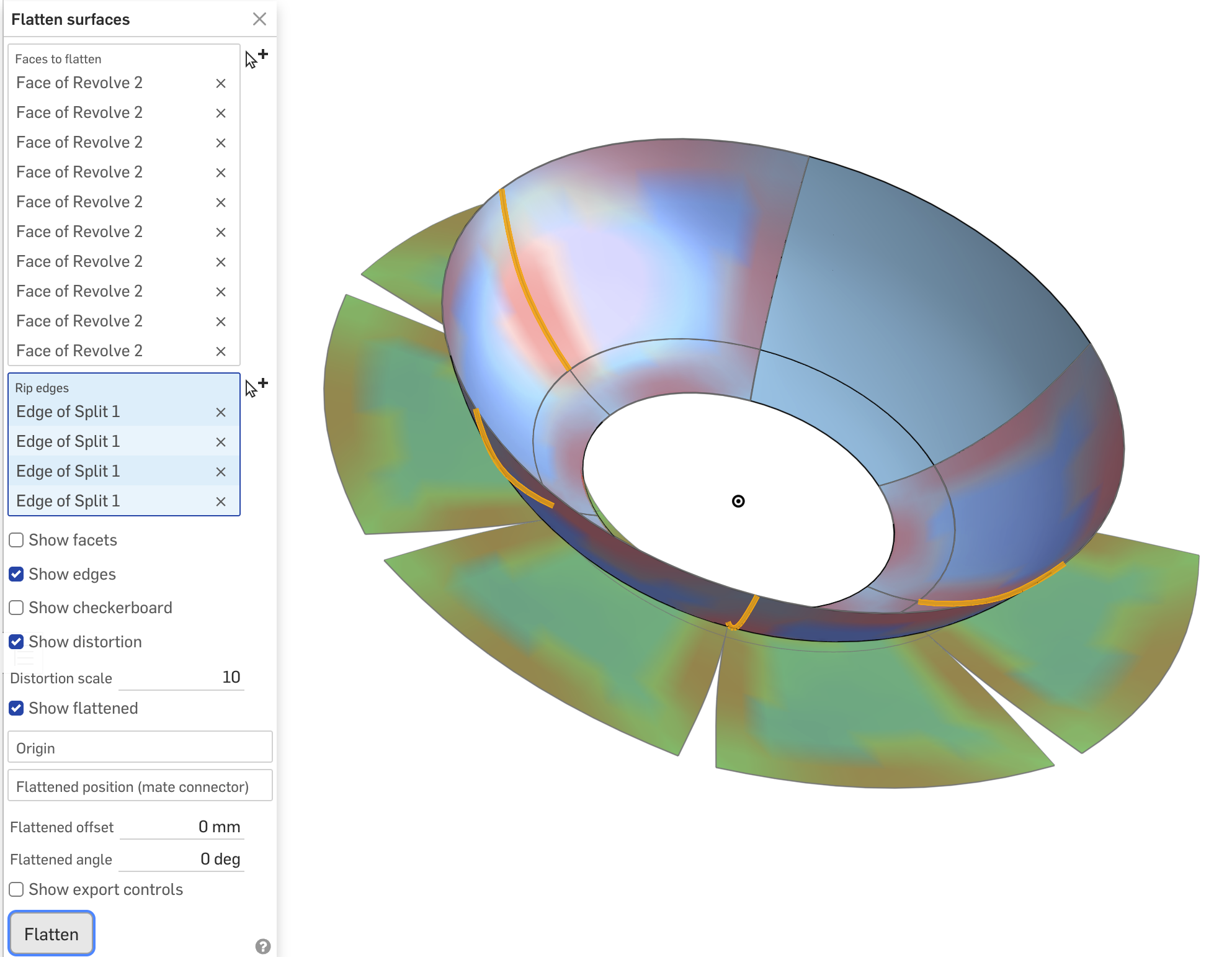
Now when i try to flatten this bowl, it seems to allow me to flatten only one of the split faces.
and that is where I am stuck. Please help.
Best Answer
-
I fixed your spline (made the end handle horizontal) and was able to flatten the whole thing.
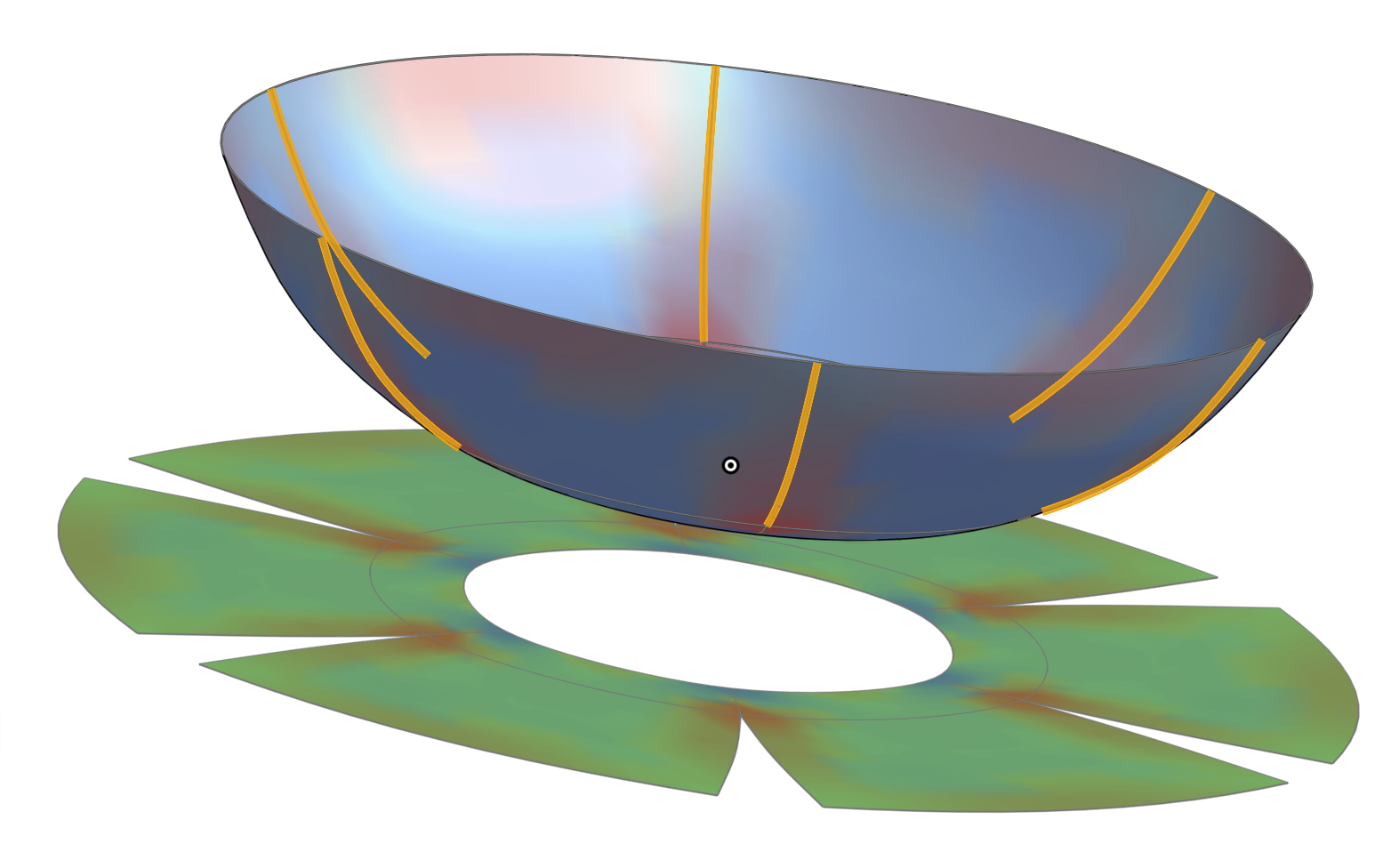
Unfortunately, Flatten Surfaces is an analysis tool, not a feature, so it is not persistent, but I threw the flattened surface into a drawing.
1

Answers
-
-
that’s great! Thanks. Can I view your document to learn from it?
0 -
I fixed your spline (made the end handle horizontal) and was able to flatten the whole thing.
Unfortunately, Flatten Surfaces is an analysis tool, not a feature, so it is not persistent, but I threw the flattened surface into a drawing.
1 -
Thank you!
I got it to work last night after puzzling a bit. I kept seeing this warning "Select a single contiguous set of faces.", which was because I was only selecting the lobes and excluding the bottom ring.
This was a great help.
0