Welcome to the Onshape forum! Ask questions and join in the discussions about everything Onshape.
First time visiting? Here are some places to start:- Looking for a certain topic? Check out the categories filter or use Search (upper right).
- Need support? Ask a question to our Community Support category.
- Please submit support tickets for bugs but you can request improvements in the Product Feedback category.
- Be respectful, on topic and if you see a problem, Flag it.
If you would like to contact our Community Manager personally, feel free to send a private message or an email.
Best way to set up "configurations" with large numbers of feature differences

Hello!
I am trying to set up a 3D printed box that the base features are the same and "linked" but there quite a few features between 3 different versions that are dissimilar. Originally I made the first box and then duplicated and changed as needed. Later I found out one of the features common to all 3 were incorrect. I am now faced with changing the same mistakes across all 3.
I believe the best/correct way to do this would be to set up configurations however going through and clicking check boxes across ~75 features in the configuration panel feels inefficient and that makes me think there is probably a better way or method. Would it be better to have the base part in 1 part studio and derive that into 3 new part studios for each "version"?
Screenshot:
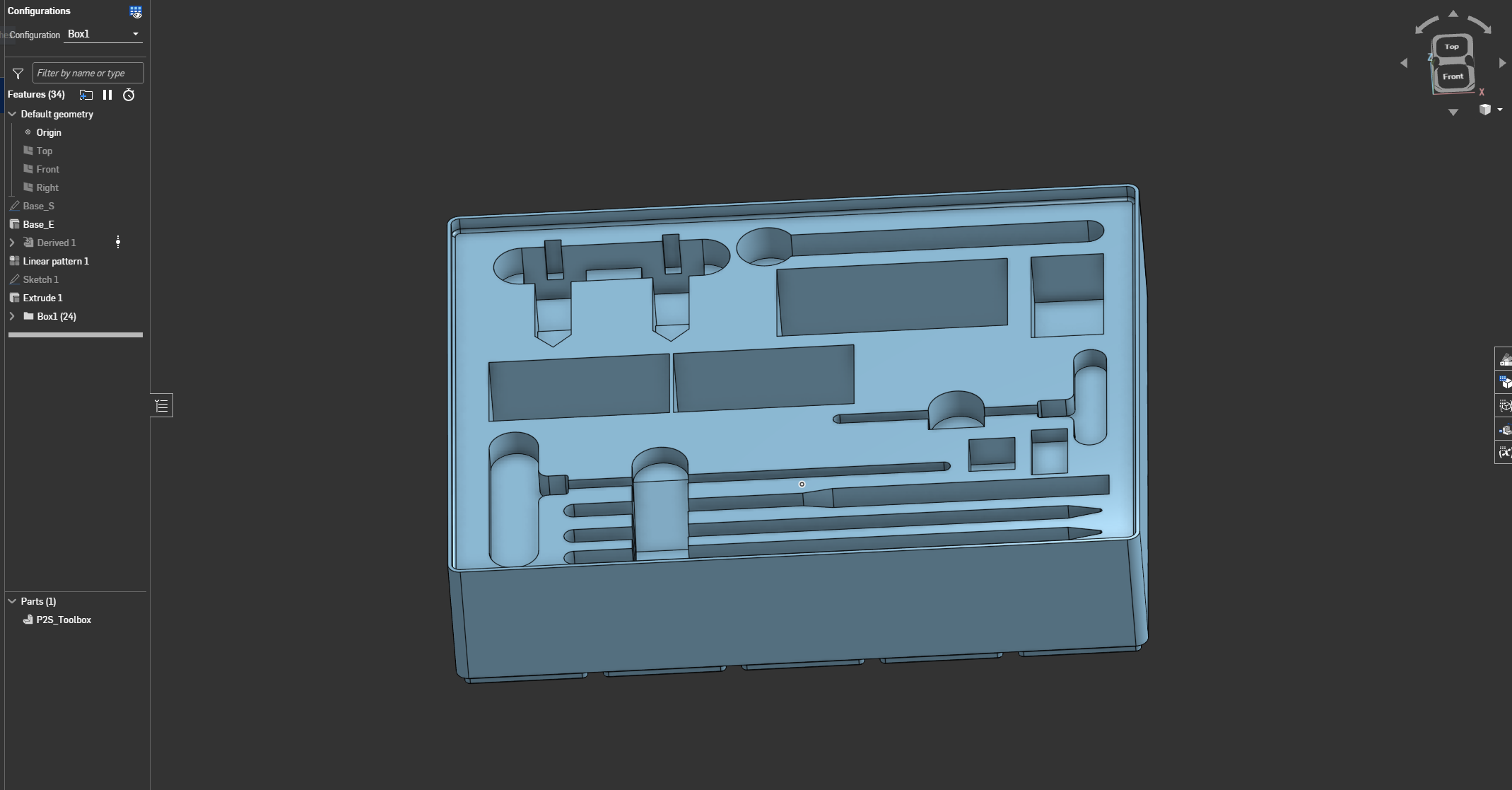
The part: https://cad.onshape.com/documents/7be754cbdf3fdfaea8bf6e25/w/1ddc1b92fd6342355c8e14ff/e/0f37a009e6f4f7e50f2447df
Please feel free to ask any questions or provide any feedback, thanks!
Best Answer
-
Nevermind I found the Onshape Configurations Learning Pathway.
For anyone with a similar question this is probably the resource you're looking for:
https://learn.onshape.com/learn/learning-path/onshape-configurations0
Answers
-
Nevermind I found the Onshape Configurations Learning Pathway.
For anyone with a similar question this is probably the resource you're looking for:
https://learn.onshape.com/learn/learning-path/onshape-configurations0