Welcome to the Onshape forum! Ask questions and join in the discussions about everything Onshape.
First time visiting? Here are some places to start:- Looking for a certain topic? Check out the categories filter or use Search (upper right).
- Need support? Ask a question to our Community Support category.
- Please submit support tickets for bugs but you can request improvements in the Product Feedback category.
- Be respectful, on topic and if you see a problem, Flag it.
If you would like to contact our Community Manager personally, feel free to send a private message or an email.
Loft creating a negative space of what I need

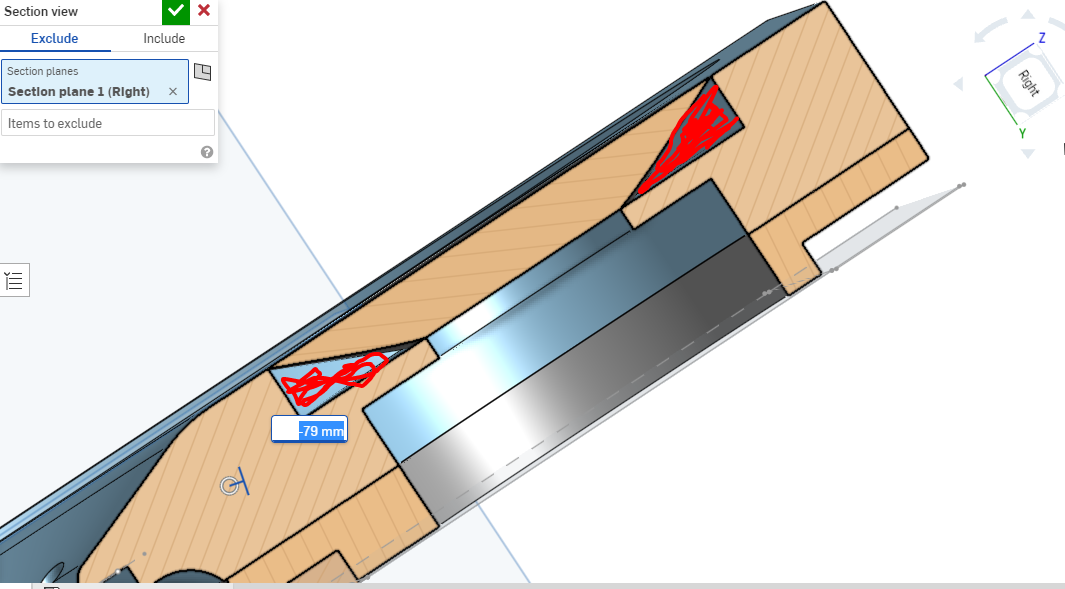
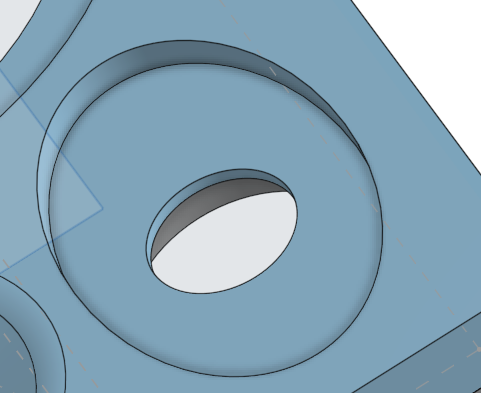
I'm attempting to create a solid loft with a conical surface, starting from a recessed central hole and splaying out to a larger forward oval. I've tried lofting using the floor and rim of the cavity as the references, but I get the error message about closed loops. When I create a surface spanning both holes and loft from one to the other, it creates the exact negative of what I'm after (pictured below). What I need filled in is the space shaded red. I can successfully achieve this by lofting a surface but I need it to be a solid for further processing. Any tips would be much appreciated!
Many thanks. Pablo
Best Answer
-
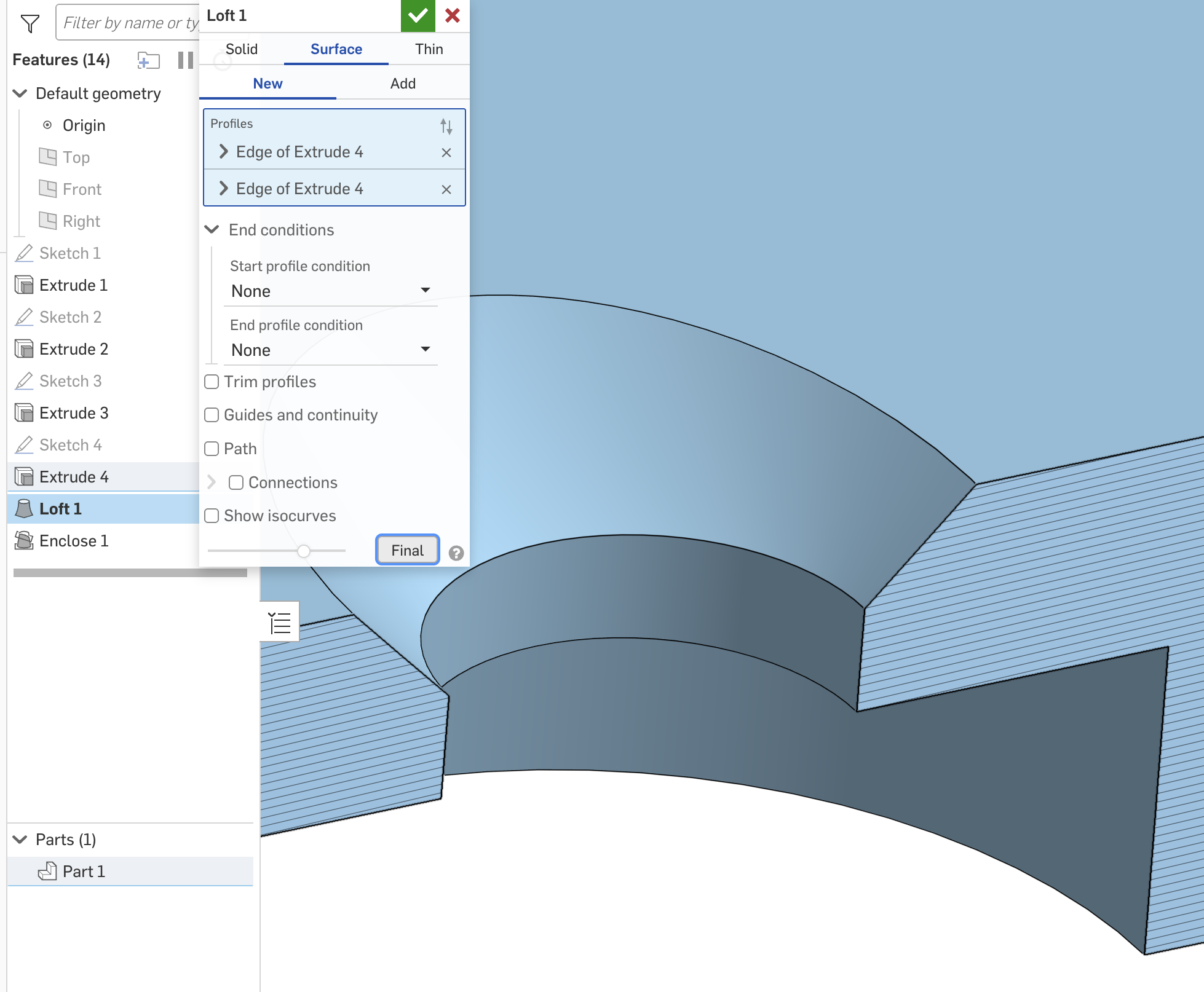
If I understand your question correctly, lofting it as a surface then using Enclose will work.
 1
1

Answers
-
If I understand your question correctly, lofting it as a surface then using Enclose will work.
1 -
You need two lofts: one to enclose the total volume and the other to subtract the cone. I'm guessing that in one of your profiles, you have two concentric circles. Loft doesn't like profiles with inner loops, which is probably what it's complaining about.
Here's an example of what you probably want: https://cad.onshape.com/documents/7919781fea20fef6f7d4e19f/w/e814e849552368c375ce1019/e/09b3f49aacad2fd781c1f5f9Ramon Yip | glassboard.com
0 -
Removed my suggestion… I was creating inner loops which it doesn't like.
0 -
Thank you! Enclosing the related surfaces into a new solid worked great.
0

