<p>Welcome to the Onshape forum! Ask questions and join in the discussions about everything Onshape.</p></p><strong>First time visiting? Here are some places to start:</strong></p><ol style="list-style:inherit;margin-left:25px;"><li>Looking for a certain topic? Check out the <a href="https://forum.onshape.com/categories">categories filter</a> or use Search (upper right).</li><li>Need support? <a href="https://forum.onshape.com/post/question/community-support">Ask a question</a> to our <a href="https://forum.onshape.com/categories/community-support">Community Support</a> category.</li><li>Please submit support tickets for bugs but you can request improvements in the <a href="https://forum.onshape.com/categories/product-feedback">Product Feedback category</a>.</li><li>Be respectful, on topic and if you see a problem, Flag it.</li></ol><p>If you would like to contact our Community Manager personally, feel free to <a href="https://forum.onshape.com/profile/6/LouGallo">send a private message</a> or <a href="mailto:lgallo@onshape.com">an email</a>.
</p>
</p>
sketch plane using 3 vectors

billy2
Member, OS Professional, Mentor, Developers, User Group Leader Posts: 2,204 PRO

Is it:
1st vector establishing sketch origin and "X" direction:

2nd vector establishes orientation:
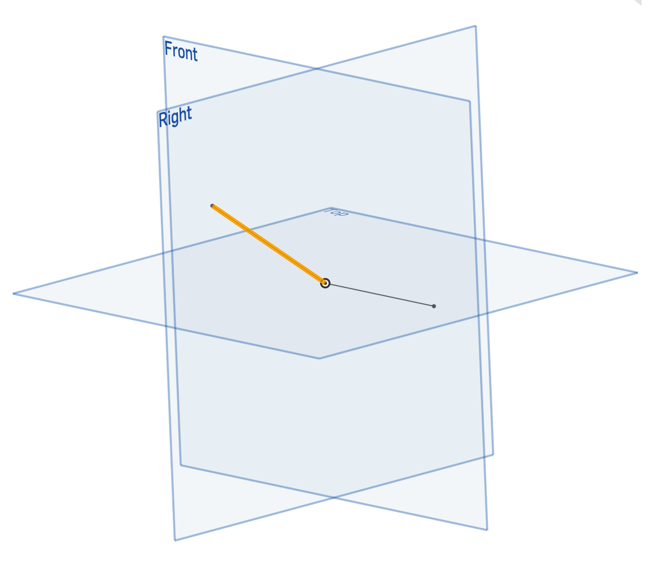
should produce a sketch like, with dashed line being sketchX:

please tell me it's not:

and we have no control over sketchX direction.
0
Comments
-
It is your second picture if I understand correctly, but you do have control over the x direction: the plane function with two arguments is just an example. There is a plane function that takes three arguments (the third being x).Ilya Baran \ VP, Architecture and FeatureScript \ Onshape Inc1
-
Thanks Ilya-
I think the question should have been, Can I create a sketch anywhere with any orientation? Answer-yes.
I created it:
offset to the origin of my sketch:
the normal "Z" direction of my sketch:
and the x direction is:
so my sketch is:
with the long line being X and the short being Y.
0

