Welcome to the Onshape forum! Ask questions and join in the discussions about everything Onshape.
First time visiting? Here are some places to start:- Looking for a certain topic? Check out the categories filter or use Search (upper right).
- Need support? Ask a question to our Community Support category.
- Please submit support tickets for bugs but you can request improvements in the Product Feedback category.
- Be respectful, on topic and if you see a problem, Flag it.
If you would like to contact our Community Manager personally, feel free to send a private message or an email.
AI tool to enhance your renders: magnific.ai (maybe helps improve render studio results?)
I happened across https://magnific.ai in the newsletter "This Week in 3D" from Andrew Price (https://www.poliigon.com/thisweekin3d).
In short, it's an upscaling + detail adding tool that uses generative AI to improve images: hand drawn, photos, renders, etc...
Of course, I'm most interested in the render part, to see how can things I make be made to look more photorealistic (or just cooler.)
Here are some samples of inputs and outputs, prompt is at the end of this post.
Since they don't have a free trial, let me know if you have any images you'd like me to run through it. Post your render here, and I'll post back with the generated result.
I just ask that you limit them to no more than about 1000x1000 pixels, since the cost scales a lot with image size.
In short, it's an upscaling + detail adding tool that uses generative AI to improve images: hand drawn, photos, renders, etc...
Of course, I'm most interested in the render part, to see how can things I make be made to look more photorealistic (or just cooler.)
Here are some samples of inputs and outputs, prompt is at the end of this post.
Since they don't have a free trial, let me know if you have any images you'd like me to run through it. Post your render here, and I'll post back with the generated result.
I just ask that you limit them to no more than about 1000x1000 pixels, since the cost scales a lot with image size.
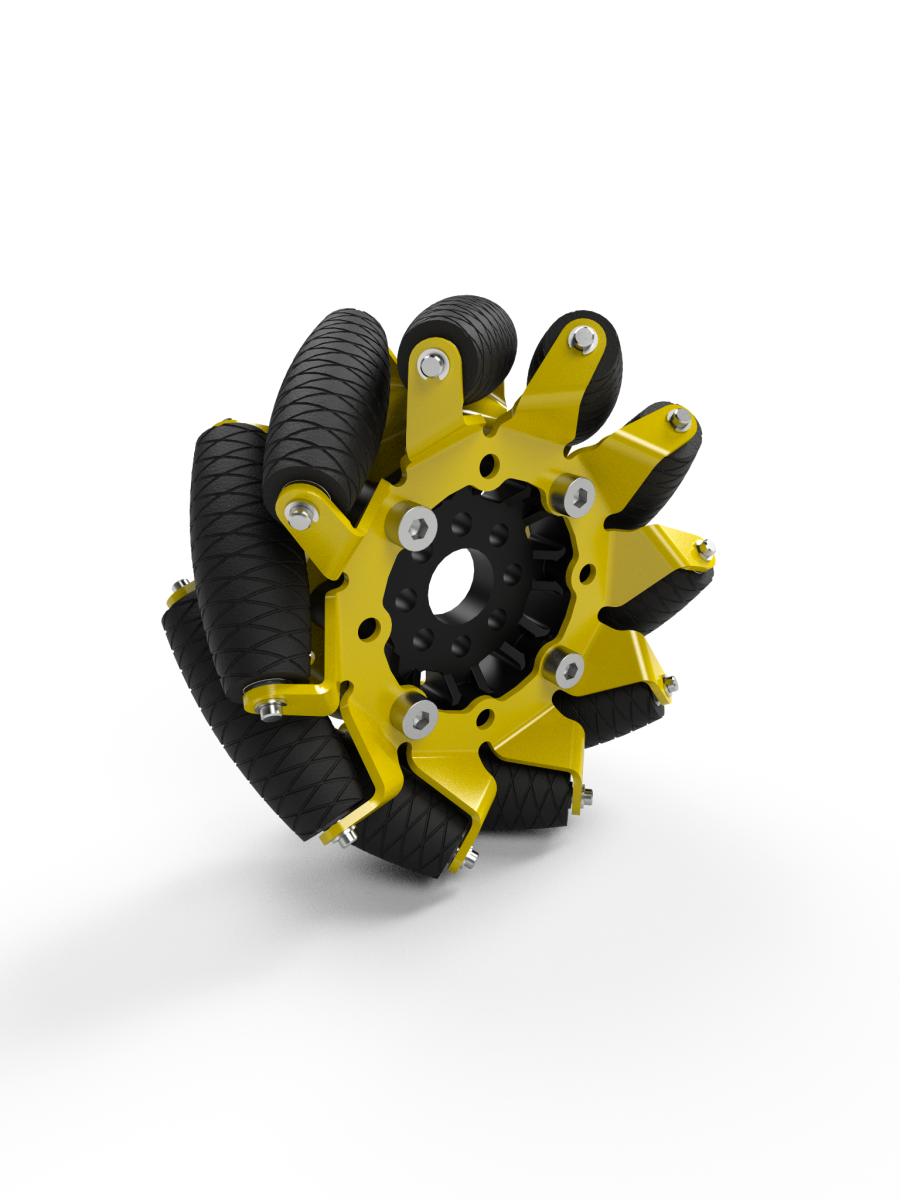
Onshape render of mecanum wheel:
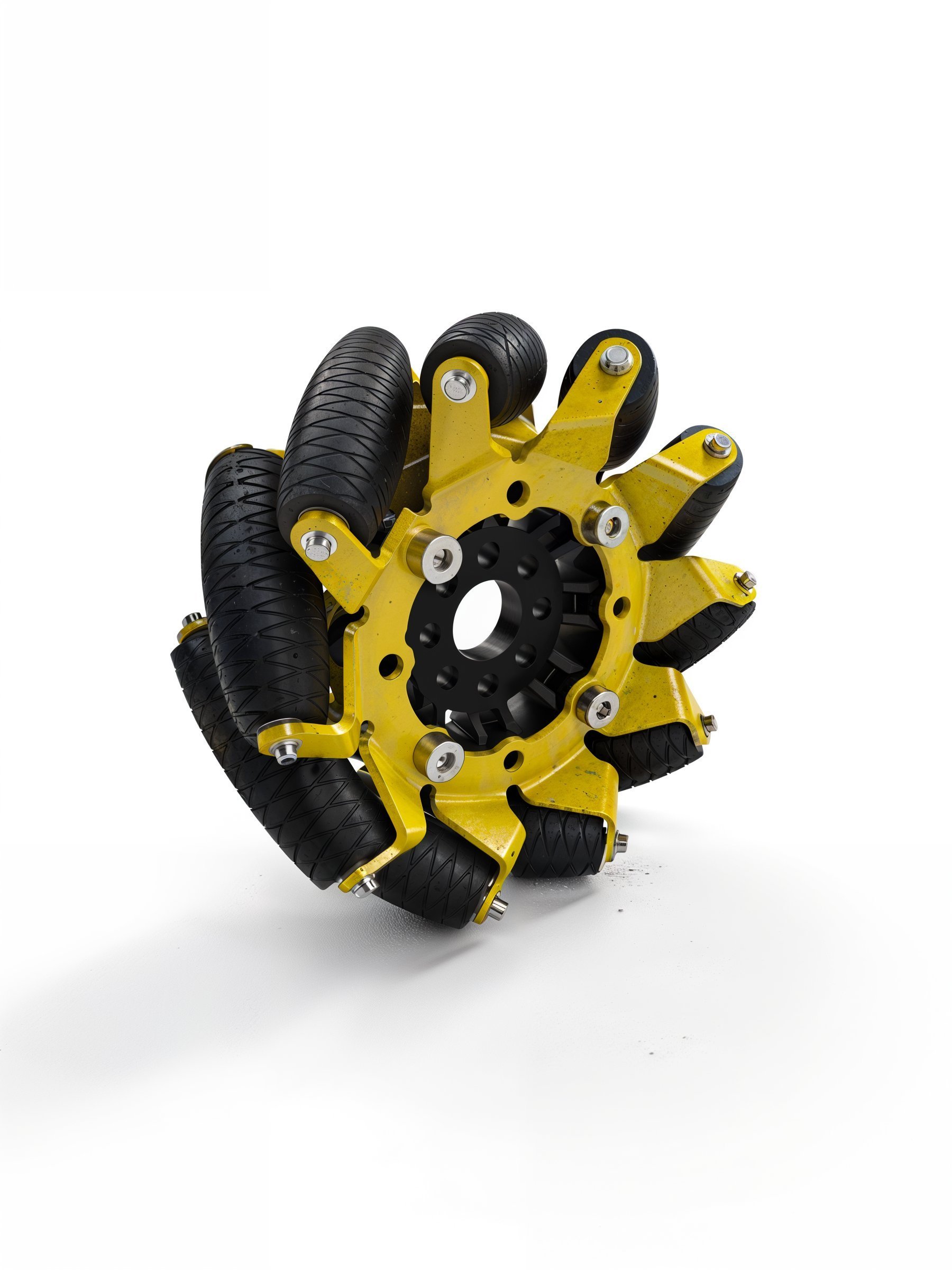
AI output:
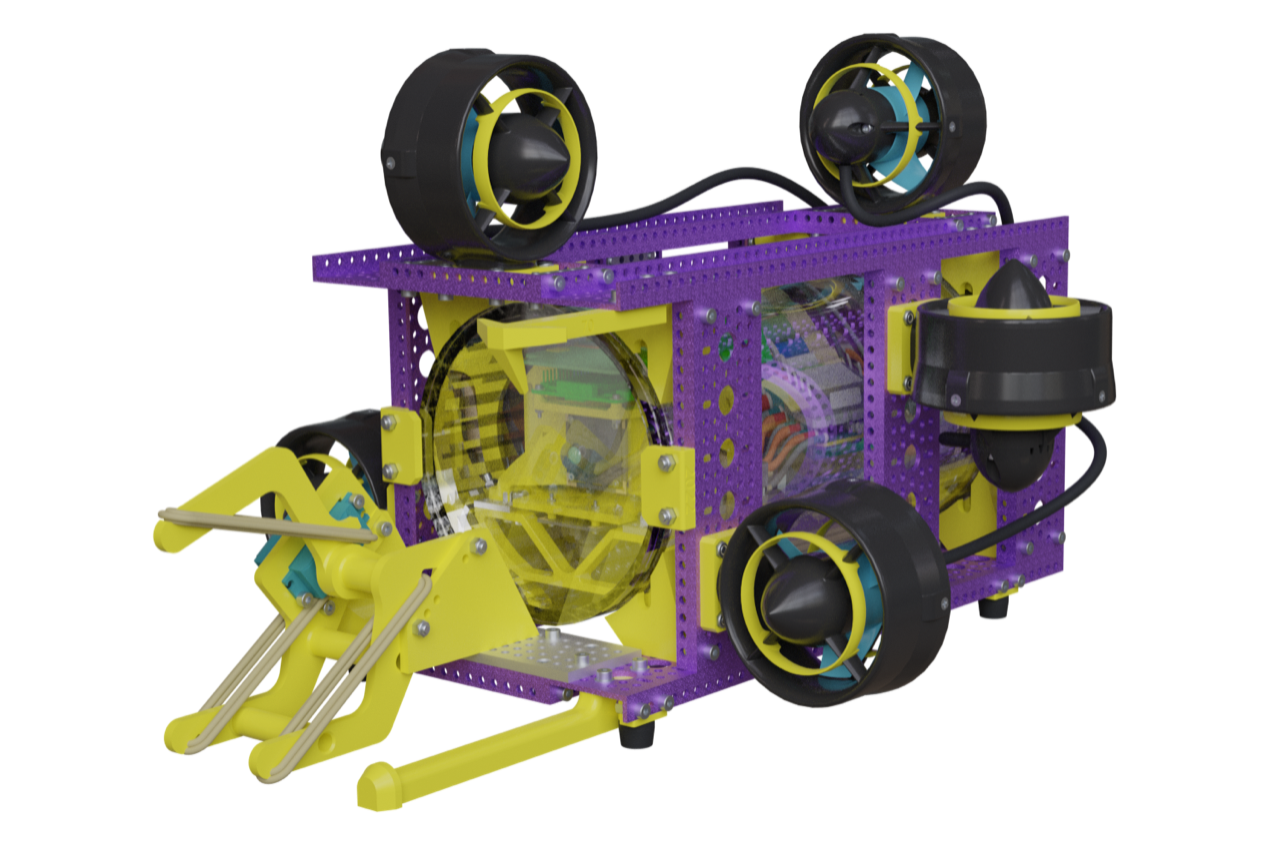
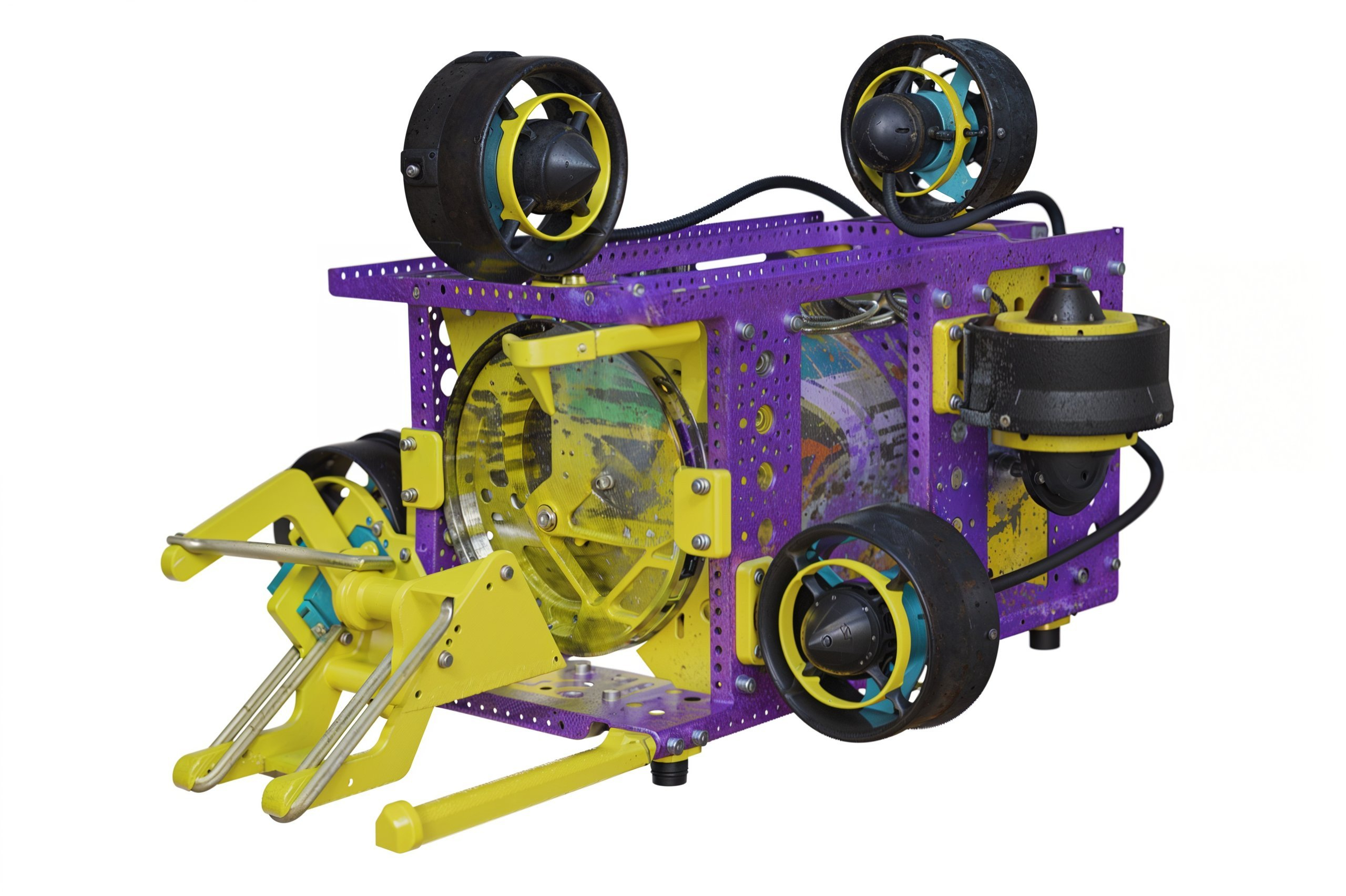
Render of underwater robot (done in Blender since Render Studio kept crashing):
AI output:
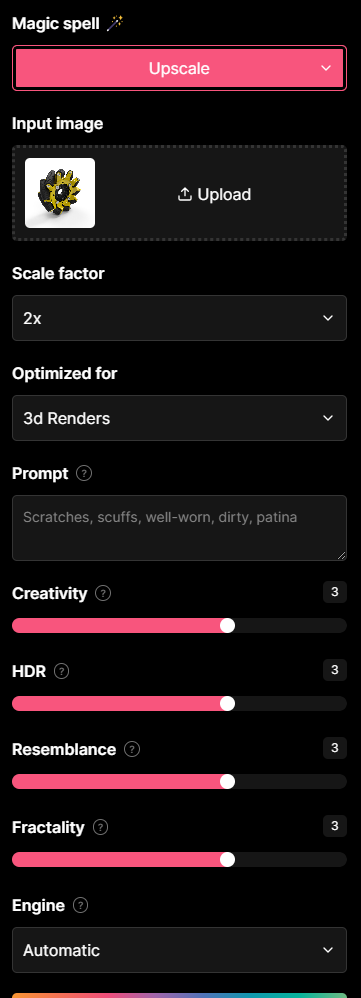
The prompt/setup (same for both images):
Get in touch: contact@alnis.dev | My personal site: https://alnis.dev
@alnis is my personal account. @alnis_ptc is my official PTC account.
@alnis is my personal account. @alnis_ptc is my official PTC account.
1
Comments
Here is one you can try. It's pretty good except the food is a little under-cooked and plasticky. Table is too clean as well.
size 1000 x 563
RENDERCAD
rendercad.ai - Photorealistic product rendering.
▚▞▚▞▚▞▚▞▚
________________________________________________________________________
Here it is "optimized for" set to "3d render":
@Ste_Wilson it's pretty subtle! Here is a close up of one area:
@Rhett_Robinson yes - it has the following modes:
@MichaelPascoe here it is! "standard" optimization mode:
"3d render" optimization mode:
@alnis is my personal account. @alnis_ptc is my official PTC account.
@_anton, Yeah, its a cube that I slapped a material onto XD.
RENDERCAD
rendercad.ai - Photorealistic product rendering.
▚▞▚▞▚▞▚▞▚
________________________________________________________________________
https://www.vizcom.ai/
With limited sketches and text you get an ai rendering. It's not going to replace the real thing all the time, but it is useful enough to get a lot of buzz and funding.
Simon Gatrall | Product Development, Engineering, Design, Onshape | Ex- IDEO, PCH, Unagi, Carbon | LinkedIn