Welcome to the Onshape forum! Ask questions and join in the discussions about everything Onshape.
First time visiting? Here are some places to start:- Looking for a certain topic? Check out the categories filter or use Search (upper right).
- Need support? Ask a question to our Community Support category.
- Please submit support tickets for bugs but you can request improvements in the Product Feedback category.
- Be respectful, on topic and if you see a problem, Flag it.
If you would like to contact our Community Manager personally, feel free to send a private message or an email.
Fitting a contour on an 3D export of your face
 noname_nolastname740
Member Posts: 2 ✭
noname_nolastname740
Member Posts: 2 ✭
Hi all,
I am pretty new and was looking for how to do a few things but all the tutorials I found did not seem to be what I was looking for (Im a bit of experience in fusion, but little in onshape)
What I am aiming to do is to create a fitted quest 3 Vr Interface: the idea came from: The idea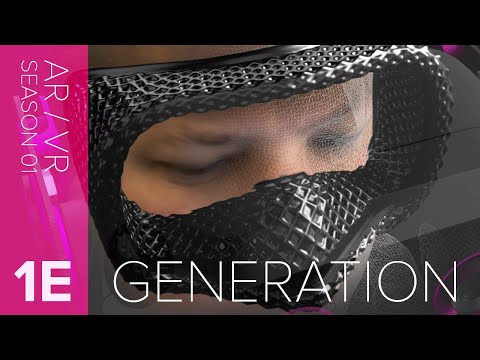 https://www.youtube.com/watch?v=P-HauBK_NFc
I have a standard VR interface (thank you thingieverse) which I want to "cut" at the base and then extrude on a 3D render of my head (on which I draw a contour to fit towards the cut part of the thingieverse STL.
Can anyone recommend the specific tutorials that can help me? I seem to find rather complicated ones.
thanks
I am pretty new and was looking for how to do a few things but all the tutorials I found did not seem to be what I was looking for (Im a bit of experience in fusion, but little in onshape)
What I am aiming to do is to create a fitted quest 3 Vr Interface: the idea came from: The idea
https://www.youtube.com/watch?v=P-HauBK_NFcI have a standard VR interface (thank you thingieverse) which I want to "cut" at the base and then extrude on a 3D render of my head (on which I draw a contour to fit towards the cut part of the thingieverse STL.
Can anyone recommend the specific tutorials that can help me? I seem to find rather complicated ones.
thanks
0
Answers
Onshape can handle the modeling side of it no problem. The app does have a lidar scanner option if you have an iPhone or iPad. Note: I have not been able to get usable data by scanning with the Onshape app; so you will probably need to find another app to scan your face then import the stl into Onshape.
RENDERCAD
rendercad.ai - Photorealistic product rendering.
▚▞▚▞▚▞▚▞▚
________________________________________________________________________