Welcome to the Onshape forum! Ask questions and join in the discussions about everything Onshape.
First time visiting? Here are some places to start:- Looking for a certain topic? Check out the categories filter or use Search (upper right).
- Need support? Ask a question to our Community Support category.
- Please submit support tickets for bugs but you can request improvements in the Product Feedback category.
- Be respectful, on topic and if you see a problem, Flag it.
If you would like to contact our Community Manager personally, feel free to send a private message or an email.
Import DXF into Onshape
 james_dutton
Member Posts: 3 EDU
james_dutton
Member Posts: 3 EDU
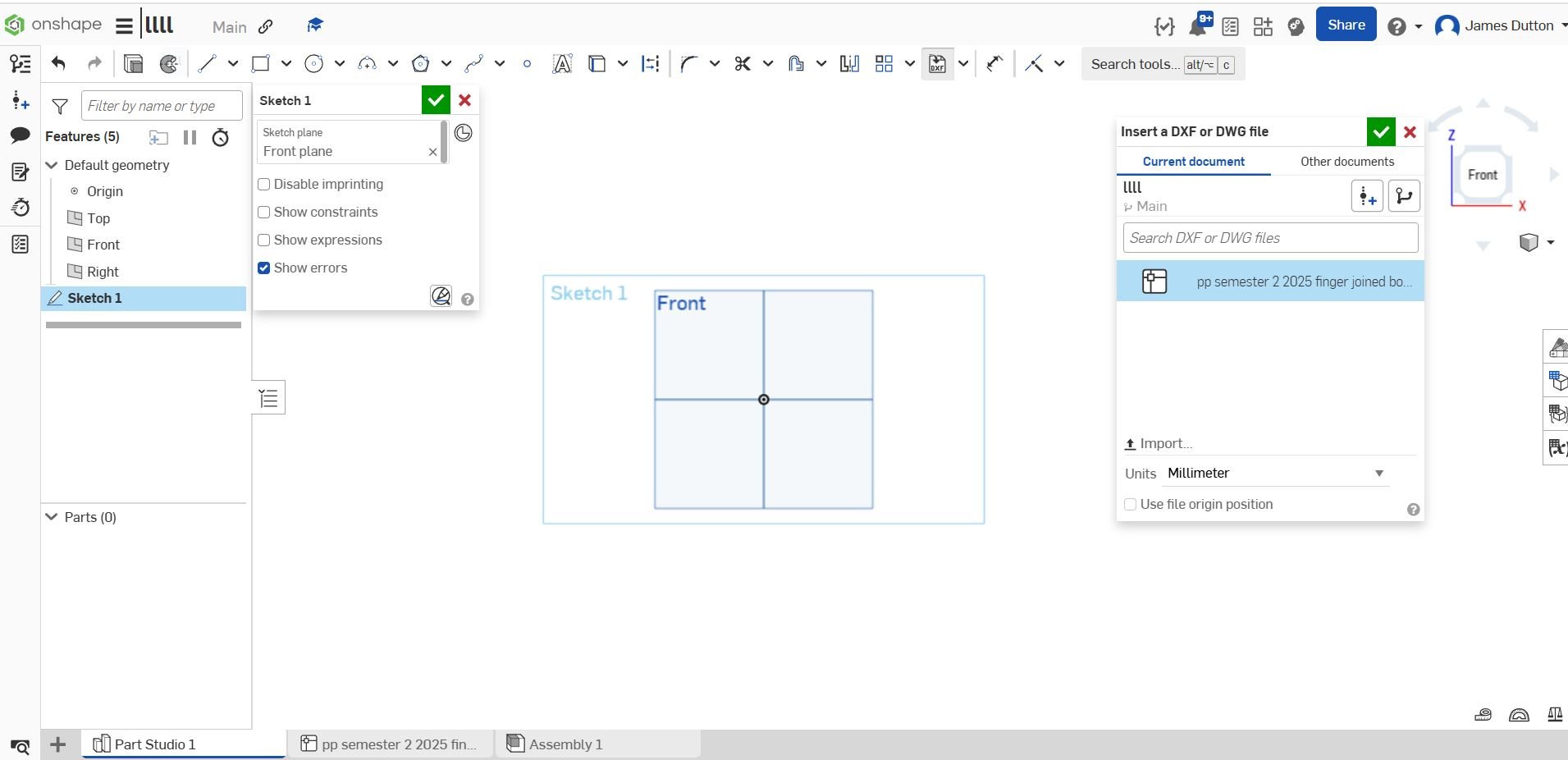
I am trying to import a dxf file into a part studio sketch, but when i click on the file (pp semester 2) nothing happens. I have a feeling this is an easy fix and i'm missing something obvious. Any help would be appreciated.
Tagged:
0
Answers
Make sure you zoom out. Sometimes it imports, but way off in space, so it's not obvious. If still nothing is coming in, I would click on the DXF file tab and see what that displays. If there's nothing there, it may be an issue with the DXF file or how it was exported from the source.
Simon Gatrall | Product Development, Engineering, Design, Onshape | Ex- IDEO, PCH, Unagi, Carbon | LinkedIn
Thanks for your reply. Unfortunately neither of those suggestions work. I've tried a few different dxf files and it's still not appearing in part studio sketch.
can you post a screen shot of what the dxf is supposed to look like?
Seems like a normal file to import. Can you post a link to your document or provide the dxf for someone to try?
Sometimes, in a DXF file, you'll find tons of layers, not all of them are part of the model, some are part of the sheet layout ("Model Space" vs. "Drawing Space"). Drawing space might not get imported in all systems. Then, the curves imported may be white and just not appear on a white background, or black … then, they're there but you just don't see them. Sometimes, the scaling is so far off that the're all only a tiny dot in space. Sometimes, DXF files have curves nested in blocks many levels deep. These do sometimes also not get resolved. And then, DXF is not a standard format, but subject to change with every new version Autodesk deem necessary, and third parties build their own dialects, some of which which no one understands, on top of it. Keep it simple and use an older well tried version to export.