Welcome to the Onshape forum! Ask questions and join in the discussions about everything Onshape.
First time visiting? Here are some places to start:- Looking for a certain topic? Check out the categories filter or use Search (upper right).
- Need support? Ask a question to our Community Support category.
- Please submit support tickets for bugs but you can request improvements in the Product Feedback category.
- Be respectful, on topic and if you see a problem, Flag it.
If you would like to contact our Community Manager personally, feel free to send a private message or an email.
Two lofts from the same point
 peter_pawlak
Member Posts: 10 ✭
peter_pawlak
Member Posts: 10 ✭
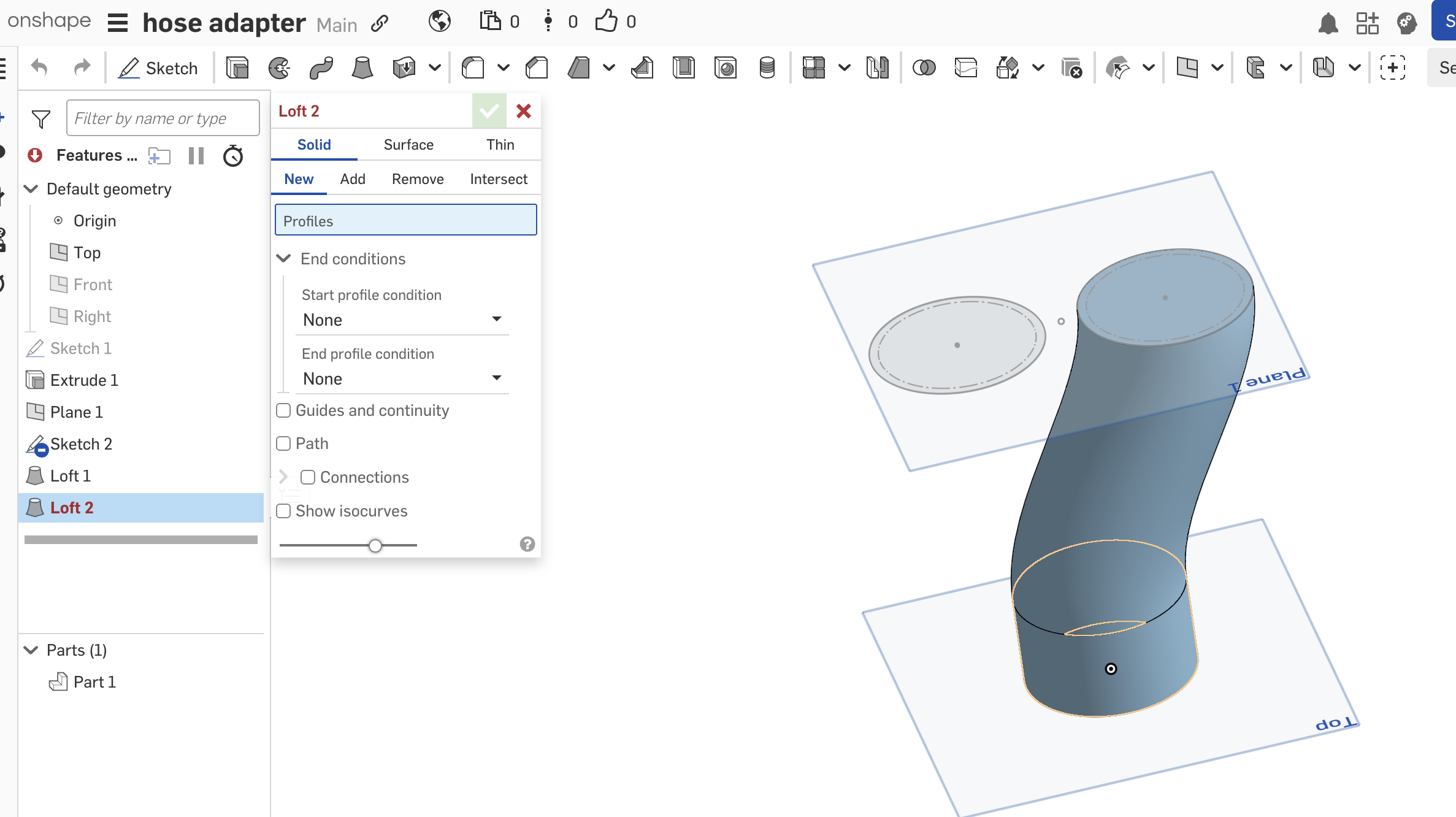
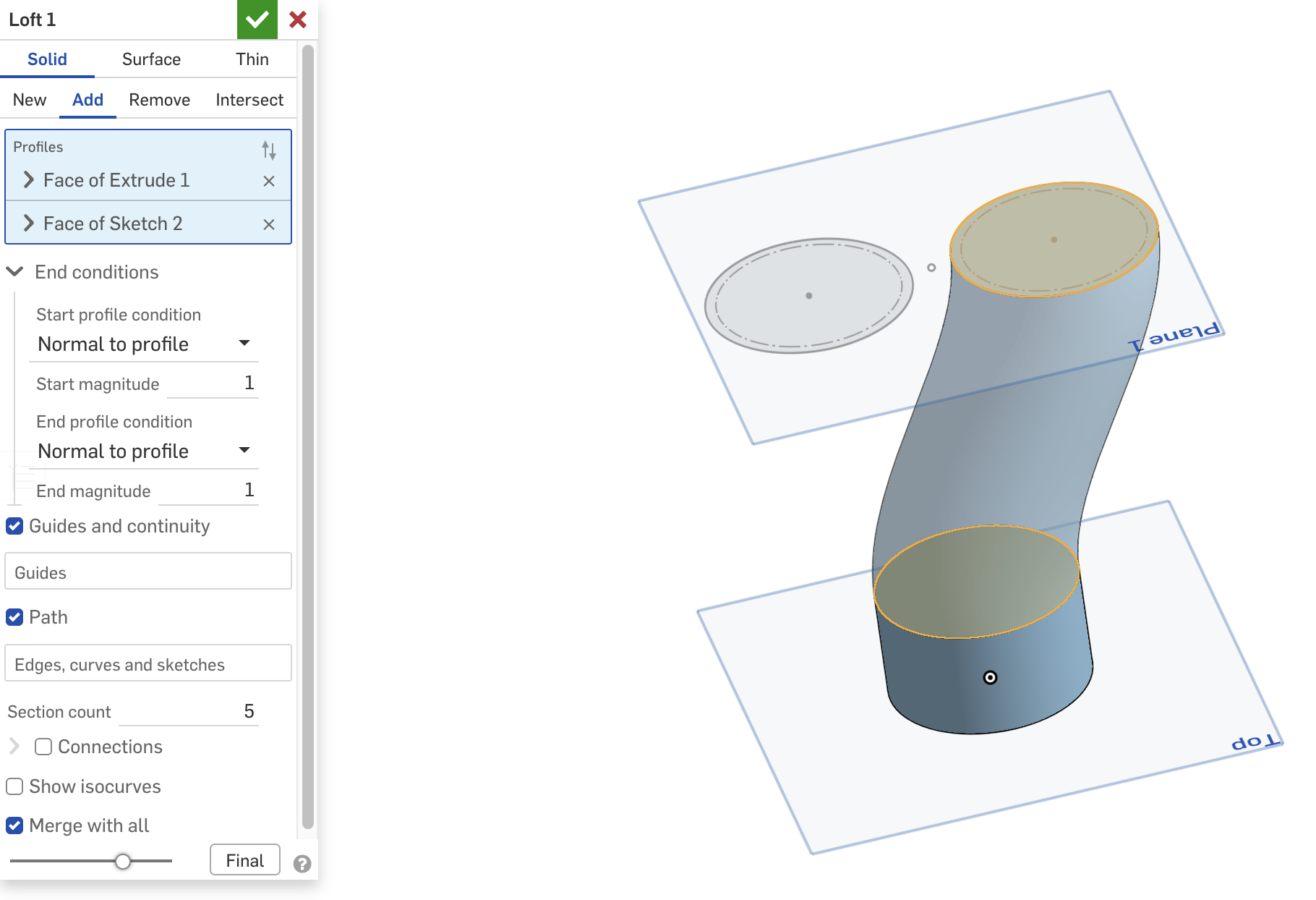
I need an "ah-ha" moment. Im making a splitter pipe and want to make two lofts originating from the same extrude face. Basically make the left look like the loft on the right. Seems very simple but i cant select the same extrude face. Am i using the wrong loft parameters in loft one that is causing this?
0
Best Answer
-
 eric_pesty
Member, pcbaevp Posts: 2,602 PRO
eric_pesty
Member, pcbaevp Posts: 2,602 PRO
I think your issue is that you are using "add" for loft1 so the face you lofted from doesn't exit anymore!
Switch your first loft to "new" and it should solve your problem.Or better yet, just mirror your part after creating loft1!
1
Answers
Could a Mirror work?
Last time I ran into this the loft needed connection guides to prevent the circles from attempting to self intersect in an infinitely tight hourglass. Moving the circle from left to right would trick the implicit connections into working. Circle lofts can be a little indeterminate, and it's probably due to how the circle feature works at the sketch level if I'm reading into the tea leaves real close.
Derek Van Allen | Engineering Consultant | MeddlerNo programmer here but a single connection definition usually resolves the twist. If I had to guess it might related to how the circle is made in the sketch and/or which way the normal is for the sketch plane.
I think your issue is that you are using "add" for loft1 so the face you lofted from doesn't exit anymore!
Switch your first loft to "new" and it should solve your problem.
Or better yet, just mirror your part after creating loft1!
Ok mirror worked perfectly in this case. Thanks!