Welcome to the Onshape forum! Ask questions and join in the discussions about everything Onshape.
First time visiting? Here are some places to start:- Looking for a certain topic? Check out the categories filter or use Search (upper right).
- Need support? Ask a question to our Community Support category.
- Please submit support tickets for bugs but you can request improvements in the Product Feedback category.
- Be respectful, on topic and if you see a problem, Flag it.
If you would like to contact our Community Manager personally, feel free to send a private message or an email.
Trouble with default values in feature script
 jason_ryan337
Member Posts: 72 ✭
jason_ryan337
Member Posts: 72 ✭
Hi all,
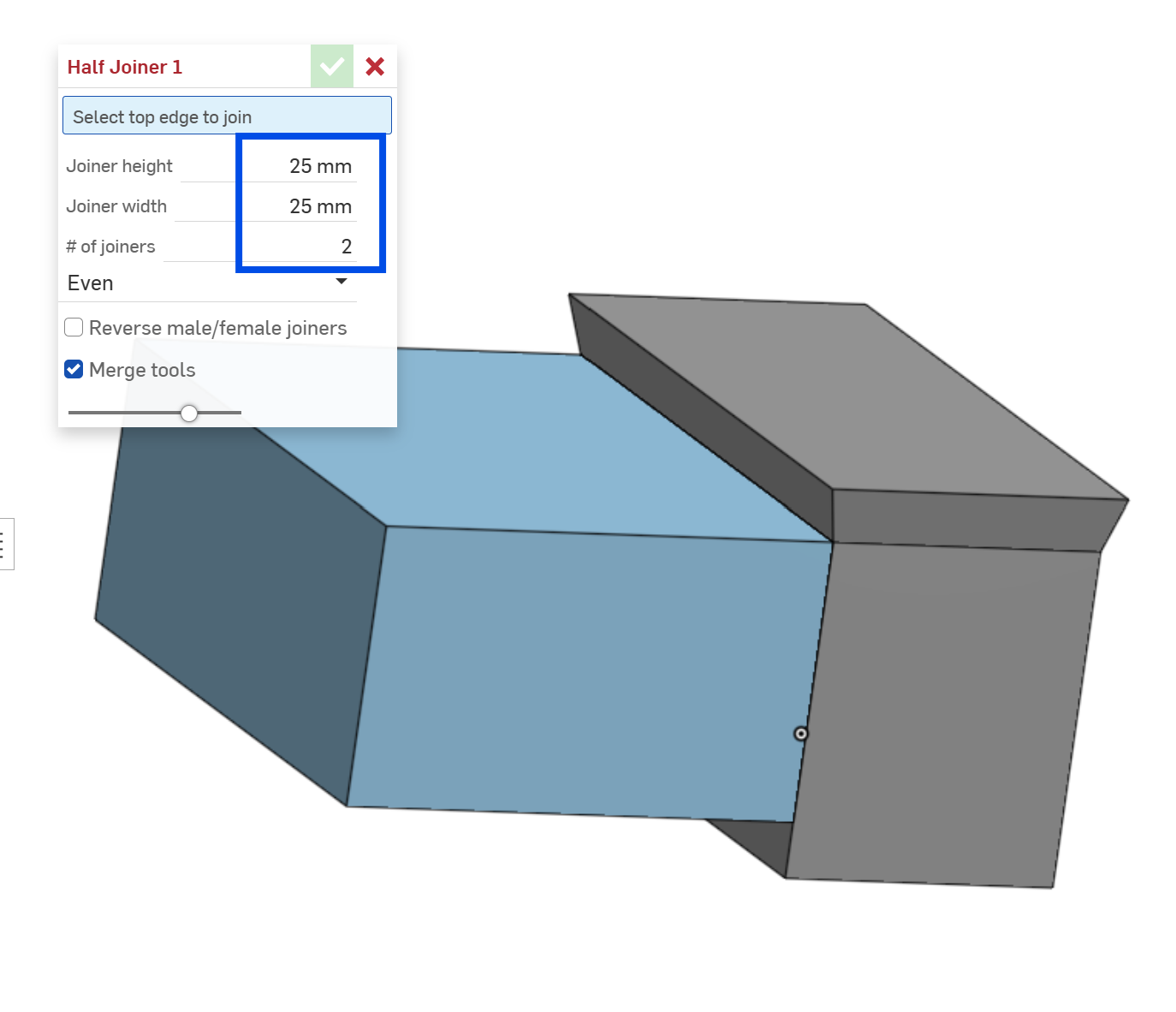
I am close to releasing a feature script to the community, but I am struggling with getting the feature to use the default sizes that I pre-populated. For some reason the sizes keep going to 25mm and the qty keeps going to 2. When the qty doesn't default to 1 it also messes up my attempt to hide a sub-menu about the distribution of the parts.
Any help would be great! Thanks!
https://cad.onshape.com/documents/880276dfd0551b289c861d1f/w/9cc45a96d7a87ec1d9960240/e/6fb6e61632b3afd93ac8bc61
0
Comments
This will get you a parameter with a range of 0-1000 and a default of 60.
annotation { "Name" : "Wheel Diameter"} isLength(definition.diameter, { (millimeter) : [0, 60, 1000] } as LengthBoundSpec);Hi Matt, thanks so much for the comment, it worked great! I am not sure why my previous comment didn't go through, but I hope to asked if you might have a similar solution for a simple integer value?
That worked awesome for the two distances!! Thanks!!!
Any chance you know how to do something similar with a quantity?
// Quantity annotation { "Name" : "# of joiners", "Default" : 1 } isInteger(definition.quantity, POSITIVE_COUNT_BOUNDS);If you are starting to write FeatureScript, get familiar with the standard library here:
https://cad.onshape.com/documents/12312312345abcabcabcdeff/v/abf8418eca794c31e027950d/e/87b09e244a234eb791b47826
It is documented here:
https://cad.onshape.com/FsDoc/library.html#module-valueBounds.fs
What you are looking for is the valueBounds.fs which describes the LengthBoundSpec @Matt_Shields helped you with but also the IntegerBoundSpec which is the next thing you are looking for.
Also take this course if you haven't already. It's not going to take you to the full depths of FeatureScript but it will get you started:
https://learn.onshape.com/courses/featurescript-fundamentals
I also strongly recommend getting a local repo of the Onshape std library. It makes searching much quicker:
https://github.com/javawizard/onshape-std-library-mirror
@jnewth's resources are exactly what you need. Take the time to read through the FS documentation. If you look here:
https://cad.onshape.com/FsDoc/library.html#RealBoundSpec
You should be able to come up with the code you need. Something like:
annotation { "Name" : "My Length"} isLength(definition.myLength, { (millimeter) : [0, 10, 1000] } as LengthBoundSpec); annotation { "Name" : "My Integer"} isInteger(definition.myInteger, { (unitless) : [0, 20, 1000] } as IntegerBoundSpec);Very helpful. Thank you both.