Welcome to the Onshape forum! Ask questions and join in the discussions about everything Onshape.
First time visiting? Here are some places to start:- Looking for a certain topic? Check out the categories filter or use Search (upper right).
- Need support? Ask a question to our Community Support category.
- Please submit support tickets for bugs but you can request improvements in the Product Feedback category.
- Be respectful, on topic and if you see a problem, Flag it.
If you would like to contact our Community Manager personally, feel free to send a private message or an email.
What improvements can be made to my hex hole FeatureScript for blind rivets?
 Domechanic
Member, pcbaevp Posts: 13 PRO
Domechanic
Member, pcbaevp Posts: 13 PRO
I wrote a FeatureScript to create specific hex holes for blind rivets.
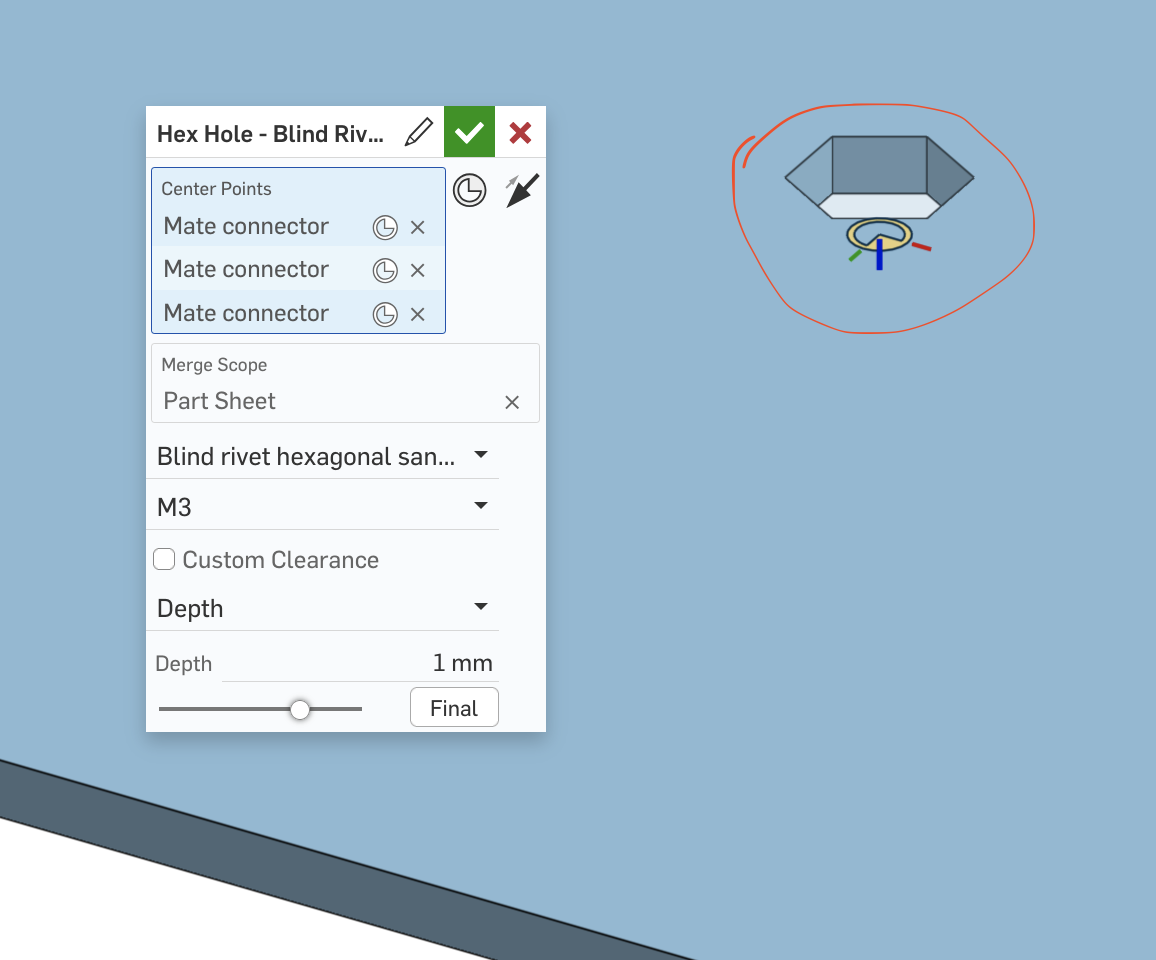
Since we plan to use this feature frequently in our sheet metal parts,
I’d like to make the script as stable and robust as possible.
I would really appreciate it if someone could review my script and share any feedback or suggestions for improvement.
Here is the document:
https://cad.onshape.com/documents/93f0077f18ff8b011318c2cc/w/dbd112434bb6f64421cf964a/e/4e17803ab9feccb9b943e12f
Thank you!
Tagged:
0
Answers
Why use a Featurescript in sheet metal when you could use a form feature?
Simon Gatrall | Product Development, Engineering, Design, Onshape | Ex- IDEO, PCH, Unagi, Carbon | LinkedIn
The Form feature was also my first choice. It's really easy to create and configure.
What limits us is that we sometimes also have normal bodies. These get the same holes.
Also, ich oft I create the hey Jones with the form tool, the inputs need to be on the same side of the sheet every time. The holes are only visible on one side of the flat pattern in a drawing. Ist there a solution for that?
As I understand it, the form tool can be used for stamping parts, but it will be a bit limited for laser cutting.
Wow. I would file a bug about the drawings. I hadn't run into that.
I can see that if you need this to work for regular parts as well as sheet metal that it makes sense to have your own custom feature.
Simon Gatrall | Product Development, Engineering, Design, Onshape | Ex- IDEO, PCH, Unagi, Carbon | LinkedIn
I can imagine that if you use it mostly on sheet metal, you might want a 'simplified' sheet metal UI where depth and perhaps even merge scope aren't required to be filled in for the user? Perhaps using some editing logic perhaps?