Welcome to the Onshape forum! Ask questions and join in the discussions about everything Onshape.
First time visiting? Here are some places to start:- Looking for a certain topic? Check out the categories filter or use Search (upper right).
- Need support? Ask a question to our Community Support category.
- Please submit support tickets for bugs but you can request improvements in the Product Feedback category.
- Be respectful, on topic and if you see a problem, Flag it.
If you would like to contact our Community Manager personally, feel free to send a private message or an email.
Newbie-ish question: How to use a selection of lines from a solid in a sketch?
 jezmck
Member Posts: 12 ✭
jezmck
Member Posts: 12 ✭
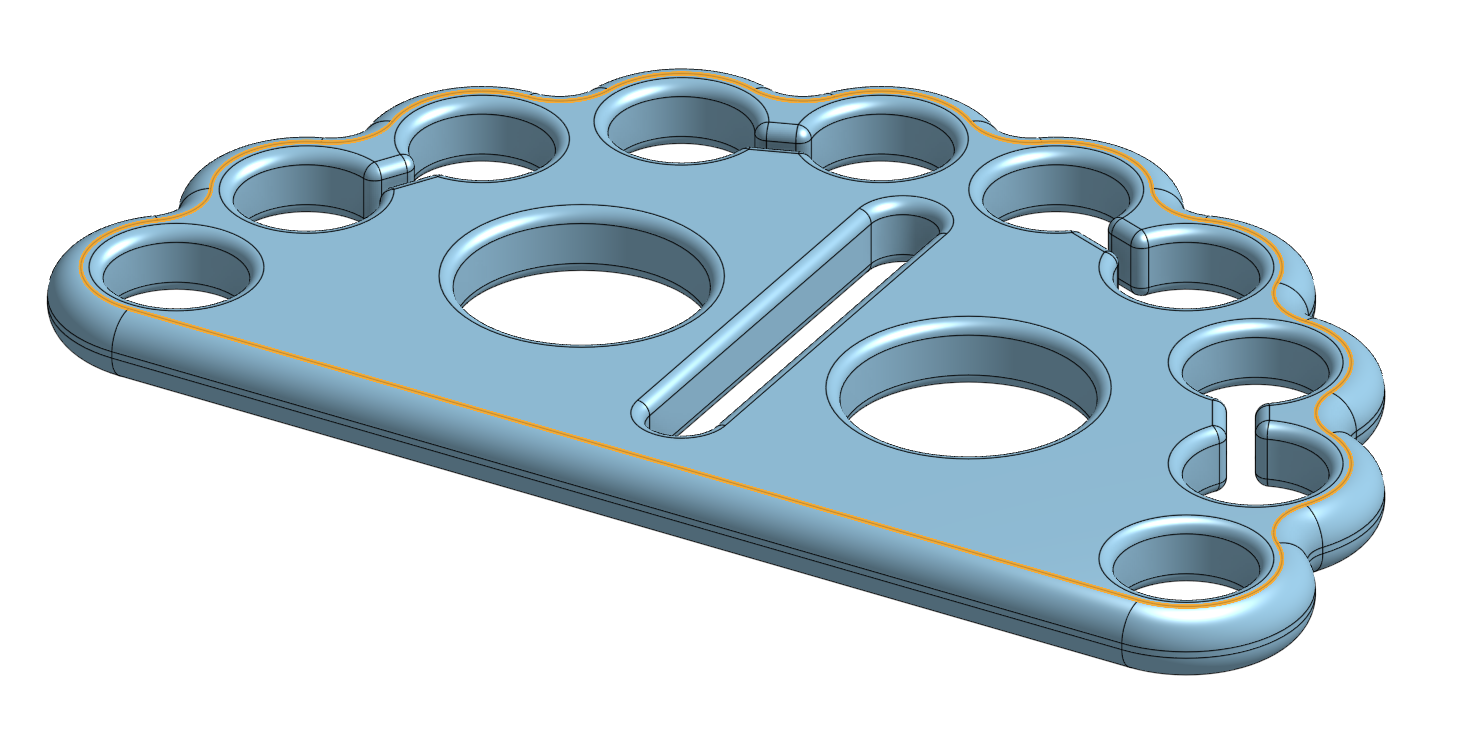
I have created this 3D shape, and would like to use it as the basis for another.
The screenshot shows the edges I'm interested in. I'd like to start with an extrusion of that outline (without the holes and slots).
I suspect there is a way of doing this, but I can't see how to start, so any suggestions will be hugely appreciated.
Tagged:
0

Answers
In Sketcher, use the edges (U key). You can select tangent connected edges with a few clicks.
Simon Gatrall | Product Development, Engineering, Design, Onshape | Ex- IDEO, PCH, Unagi, Carbon | LinkedIn
Make sure when you place your sketch plane you check the box "Disable imprinting"
Alternatively…. no sketch needed and still 2 features. just extrude the face as is… and then use delete face to delete the holes. bonus tip. use select hole faces when selecting the holes