Welcome to the Onshape forum! Ask questions and join in the discussions about everything Onshape.
First time visiting? Here are some places to start:- Looking for a certain topic? Check out the categories filter or use Search (upper right).
- Need support? Ask a question to our Community Support category.
- Please submit support tickets for bugs but you can request improvements in the Product Feedback category.
- Be respectful, on topic and if you see a problem, Flag it.
If you would like to contact our Community Manager personally, feel free to send a private message or an email.
Custom Feature: Triad Transform
 Derek_Van_Allen_BD
Member Posts: 839 PRO
Derek_Van_Allen_BD
Member Posts: 839 PRO
-Link to feature up front-
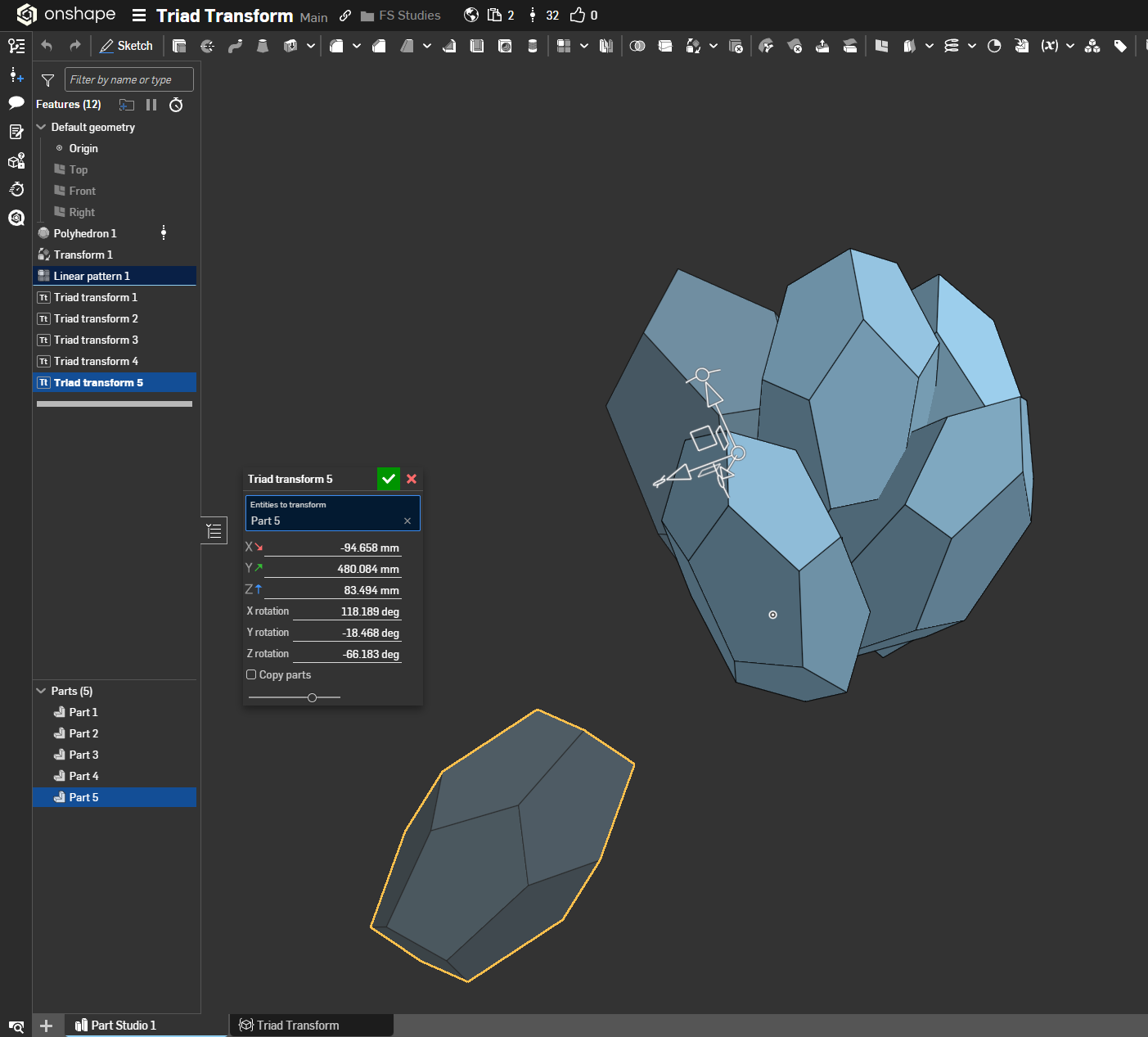
Onshape's vanilla transform feature doesn't give you those nice buttery smooth rotation handles to play with like the assembly tabs do, which is a shame because some of the most aesthetically pleasing structures aren't confined to the bounds of XYZ coordinates. I mean look at these crystal clusters moving around the screen as freeform as can be.
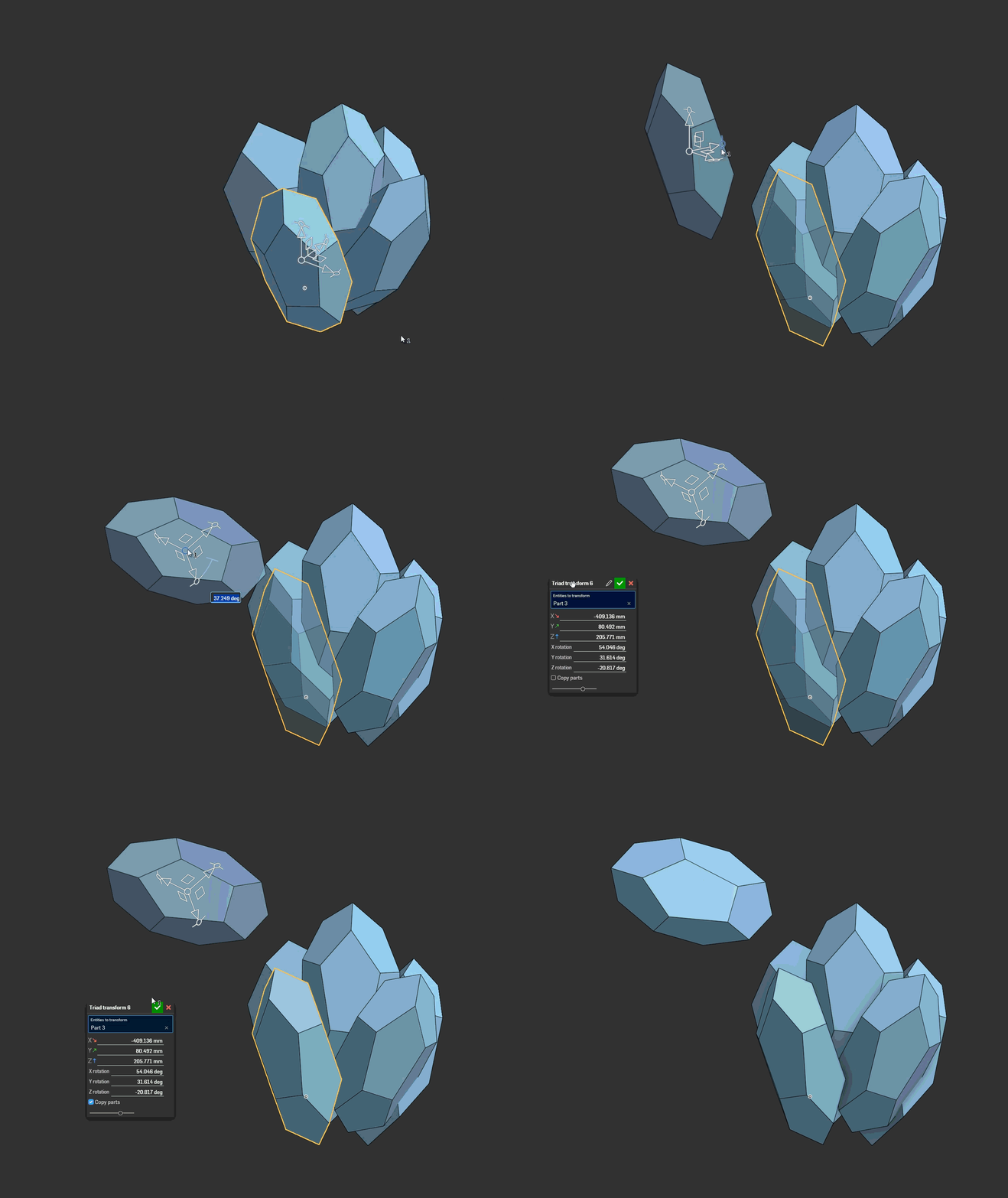
Wait was that a feature dialog window?
It sure was.
I've been working on some projects recently that necessarily need to be freed from the confines of coordinate grids and as much as I love the standard rotation transform and mate connector to mate connector transform they weren't letting the creative juices flow. So I made Triad Transform to bring that sweet full triad manipulator to the part studio environment. Use this tool to make your D&D minis look more organic and lively. Use this tool when your boss wants you to nudge that part over that way and rotate it 45 degrees just for looksies real quick, and he doesn't understand the difference between part studios and assemblies. Use this tool on your coworker's parts and hide it in their feature tree so that all of their drawing views are 0.5° out of alignment and watch them tear their hair out trying to figure out why their dimensional callouts aren't working. The possibilities are endless.
Comments
You keep making custom features that Onshape should have had for years.
Simon Gatrall | Product Development, Engineering, Design, Onshape | Ex- IDEO, PCH, Unagi, Carbon | LinkedIn
My dad always told me to be the CAD you want to see in the world. I thought that was a weird thing to tell your kid but I'm not a parent myself, so what do I know?
Derek Van Allen | Engineering Consultant | MeddlerGreat tool. The interesting option that can be gained from manipulator usage is that you can add "snap to reference" behavior - in manipulator change function once any reference entities are specified pin the transformed origin of manipulator cSys to entities by recalculating evDistance from origin to those entities. Depending on entities type it would be possible to realign primary axis of cSys to tangent of edges or normal of faces. This would allow both non-exact artistic positioning but also the respect of underlying scenery
Your "Link to the feature up front" is the "Jump to recipe" of this forum and I love it.
Edit: "break glass in case of evan" 😂
Ramon Yip | glassboard.com
@Konst_Sh excellent suggestion, I got surface snapping to work right away. Then I spent 4 hours wrestling with gimbal lock to try to get the rotational information to smoothly update as you drag the parts over a surface. I think I'll push an update with positional snapping first and have a good long think about how to best implement the relative rotational updates. My gut says quaternions are the way out but that's just a guess to be honest.
@ry_gb the Evan I am referring to is an absolute champion of asking for things which are architecturally at complete odds with the last thing you did on the screen. It's one of the things that defines how I approach modeling and feature development. Plan for someone to pull the pin on a grenade and leave it in your hands.
Derek Van Allen | Engineering Consultant | MeddlerTwo thoughts:
I wish it was easy to implement all the different modes and keyboard shortcuts that Plasticity has for its move tool (I believe they're largely inspired by Blender).
https://doc.plasticity.xyz/common/move.en
https://www.youtube.com/watch?v=MqIVXwKe1u4
I don't know where you are in your knowledge of quaternions, but I learned a lot from this:
https://www.youtube.com/watch?v=PMvIWws8WEo
Simon Gatrall | Product Development, Engineering, Design, Onshape | Ex- IDEO, PCH, Unagi, Carbon | LinkedIn
I've watched a few deep dive videos from Freya Holmer, they have an attribution in one of my yet-unpublished features for their crash course on spline geometry mathematics. I watched that quaternion video last time I was debating getting into rotational coordinate system hell in featurescript and I've found myself there again. Might be time to write quatUtils and give it a shot.
Derek Van Allen | Engineering Consultant | MeddlerI've wondered why you were decomposing transforms so granularily into matrices and rotation angles and tried to play with fullTriadManipulator myself. At first the task seemed as simple as applying the transform from manipulator to base coord system in manipulator change and store the new coord system in hidden field of definition, but whatever I was trying the resulting cSys was rotating right in the opposite direction of what I was rotating my manipulator. I've already decided that I'm simply too dumb to comprehend this, but as a last resort I've tried to invert the linear component of transform provided by manipulator change function and all of sudden it started to work as intended. So this actually looks like a bug in provided transform info for this type of manipulator
https://cad.onshape.com/documents/000ce90a092a3a48c089b2a1/w/3268e695e55442ca72aea3a3/e/72b9500b043c19b2efdf4e1c
That's more or less the route that development took for me. I started with the simple answer and it didn't work, so I brute forced an inelegant version that does. I'm still not sure if this rotational behavior actually is a bug or I'm just reading stuff backwards, and I'm leaning towards me reading it backwards.
Derek Van Allen | Engineering Consultant | MeddlerBut the translation component is set in expected direction, while the rotational matrix is reversed. it just doesn't make sense to me
I'm looking at Routing Curve to try to intuit some answers, since it's the only place that the full triad is used in the standard library. It apparently uses some matrix transposition for the rotational component for bookkeeping purposes in the feature? But I still can't understand why either.
Derek Van Allen | Engineering Consultant | MeddlerPositional snapping added. Still wrapping my brain around rotational snapping.
Derek Van Allen | Engineering Consultant | MeddlerYou can find example with snapped rotation option in my document, just don't set base location mate connector, or its starting to freak out. This full triad manipulator feel too inconsistent for now though, it shouldn't be that complicated to do as simple things as positiining one csys relatively to another
Oh yeah I see how it behaves with the mate connector set. That's really nauseating how it disconnects and floats away. I'll probably leave it alone for a minute because in order of priority positional snap is way more important than rotational anyway.
Derek Van Allen | Engineering Consultant | MeddlerOne request: Could you allow the option to select mate connectors as entities to transform as well? Just had a coworker that needed that functionality just now. Or else, if anyone knows if there's some way to do that that doesn't involve a bunch of setup but rather a single feature, please let me know.
Ramon Yip | glassboard.com
@ry_gb should be an easy enough implementation. Other than allowing for further perversion of the laws of parametric CAD I see no problems with it, and that's the whole point of this feature.
Derek Van Allen | Engineering Consultant | MeddlerI mean, to quote one of the greats, "It's not Onshape's fault, it's yours. And a little bit mine, but mostly yours."
Ramon Yip | glassboard.com
This is perfect for what I need! Could you add a mate to the co-ordinates that could be published and used in other part studios?
I definitely could do that, but then I'd have to make choices about where the best placement of that mate connector should be relative to the input, and that might be different for different use cases. Probably better to allow the selection and transformation of mate connectors and let the user make that call instead of forcing one intent on everyone who uses Triad Transform.
Derek Van Allen | Engineering Consultant | MeddlerThis is a great feature, something I have been after for a while. is it possible to be able to transform mate connectors with this? you can with the transform feature. it would help with our workflow.
@james_cooney812 done. V6 supports mate connector transforming
Derek Van Allen | Engineering Consultant | MeddlerThat’s great, will give it a try. Many thanks.