Welcome to the Onshape forum! Ask questions and join in the discussions about everything Onshape.
First time visiting? Here are some places to start:- Looking for a certain topic? Check out the categories filter or use Search (upper right).
- Need support? Ask a question to our Community Support category.
- Please submit support tickets for bugs but you can request improvements in the Product Feedback category.
- Be respectful, on topic and if you see a problem, Flag it.
If you would like to contact our Community Manager personally, feel free to send a private message or an email.
Onshape Stuck not showing feature tree
 mskeels
Member Posts: 6 ✭
mskeels
Member Posts: 6 ✭
Hi,
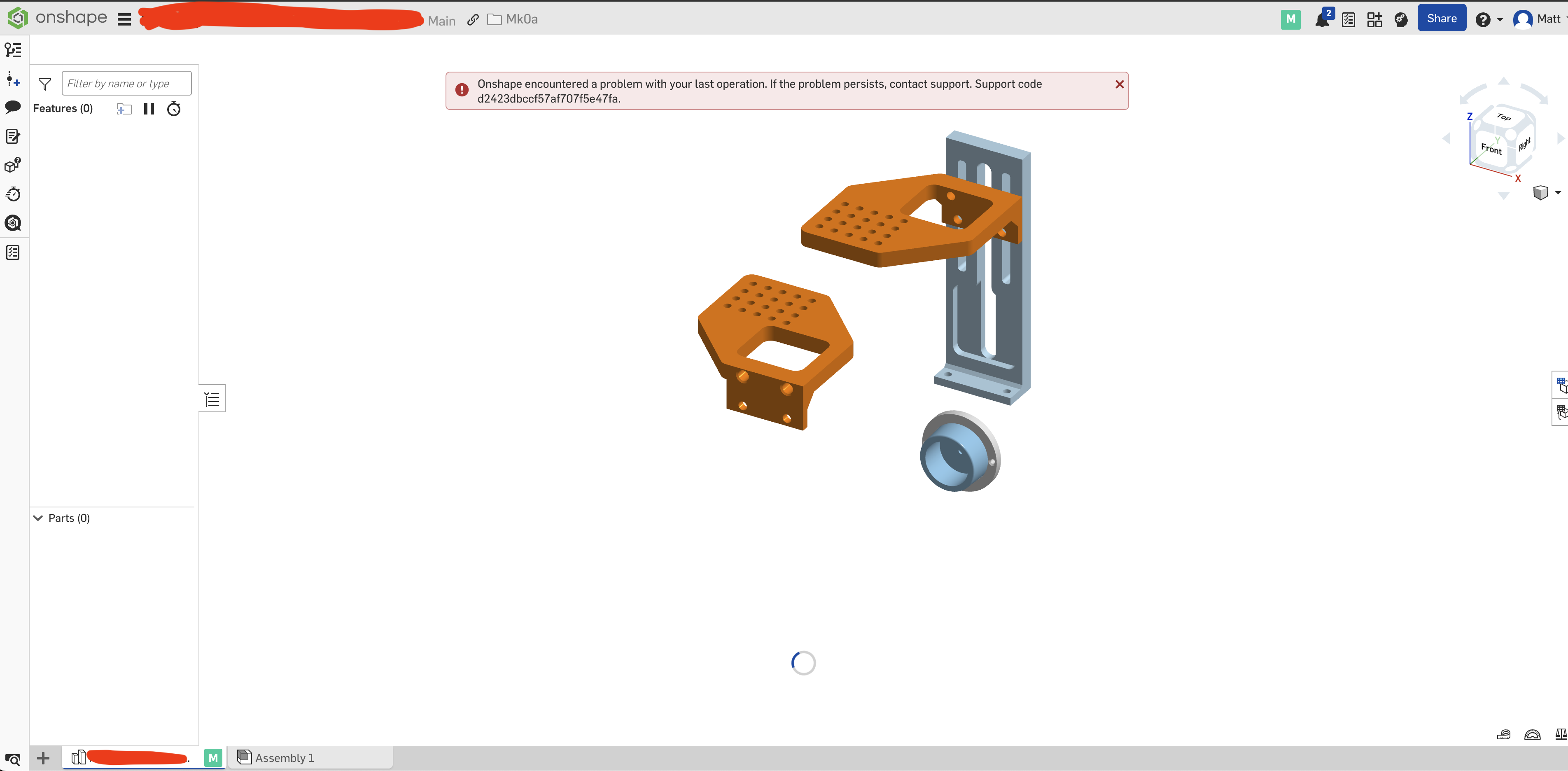
While modifying a dimension on a part, onshape suddenly froze up as seen in the screenshot below along with the following error:
Onshape encountered a problem with your last operation. If the problem persists, contact support. Support code 59a13a3290a2cb860f3e8c0a.
I am unable to access the feature tree. It seems to be stuck in an endless loop. My other OnShape documents are fine — just seems to be this one. Changing the version doesn't do anything. I've reached out to OnShape support but this CAD model is critical and trying to get a new print on tonight. Any help much appreciated :)
Answers
Close the doc and wait 10 minutes. If that doesn't resolve it, try going back before you modified the circle (you can do this while the doc is closed - from the docs page, select the doc and open the version graph on the right side panel, then go to the previous microversion).