Welcome to the Onshape forum! Ask questions and join in the discussions about everything Onshape.
First time visiting? Here are some places to start:- Looking for a certain topic? Check out the categories filter or use Search (upper right).
- Need support? Ask a question to our Community Support category.
- Please submit support tickets for bugs but you can request improvements in the Product Feedback category.
- Be respectful, on topic and if you see a problem, Flag it.
If you would like to contact our Community Manager personally, feel free to send a private message or an email.
Doing a reverse fillet on a curved edge
 fabian_paal
Member Posts: 4 ✭
fabian_paal
Member Posts: 4 ✭
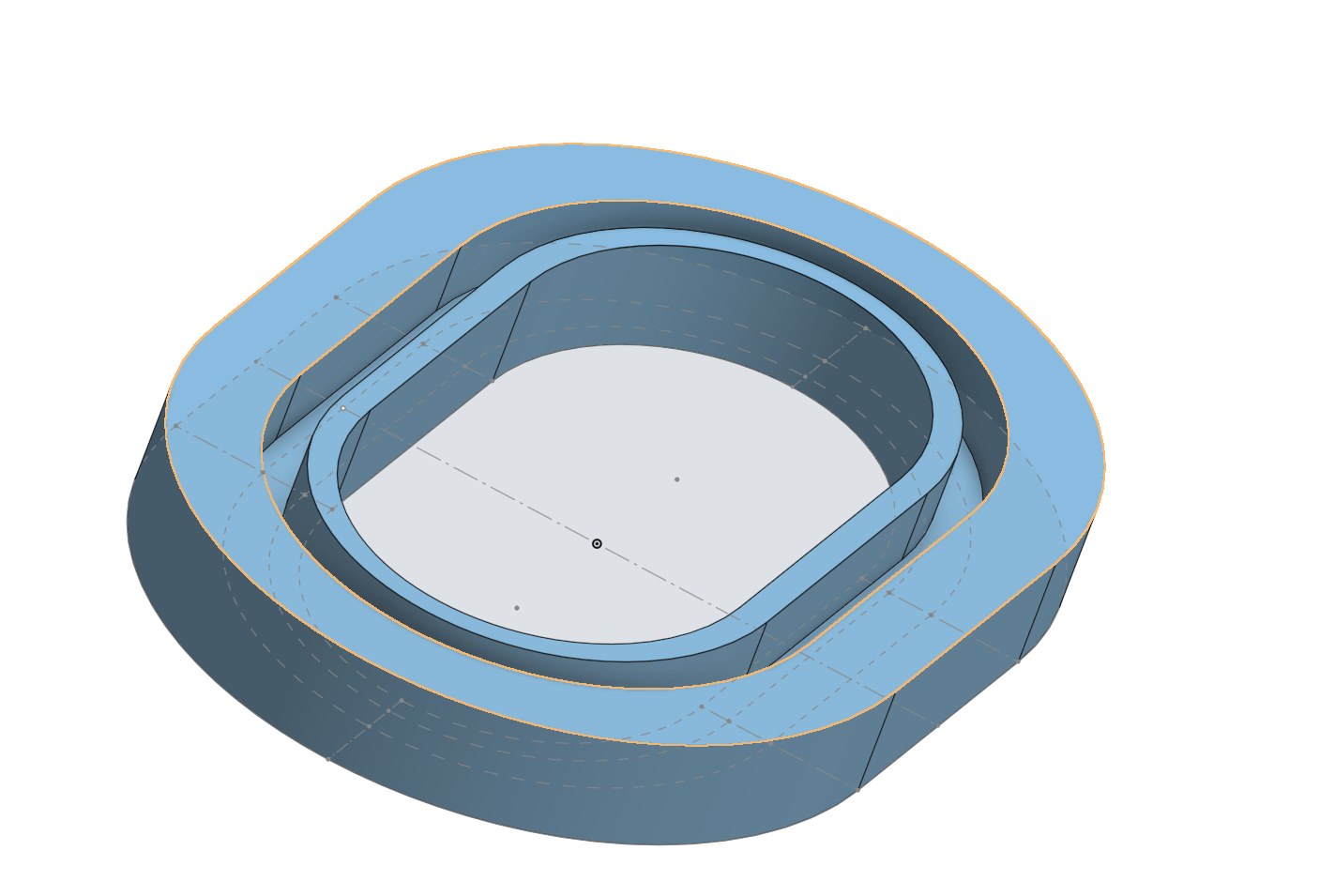
I just started learning CAD and I am currently working on a part that needs a reverse fillet.
I already looked for answers on the forum and reddit, but all the ones I found worked by just removing a certain shape (e.g. a circle) from the edge, wich only works with straight parts. In my case I need that reverse fillet around a sort of elliptical shape.
The inner edge that is highlighted in the screenshot is the edge that I want to fillet.
I also already tried too add a fillet on the edge below that and that gave me a curvature in the right direction but it keeps the outer ring the same width, which I don't want.
Best Answer
-
 S1mon
Member Posts: 4,116 PRO
S1mon
Member Posts: 4,116 PRO
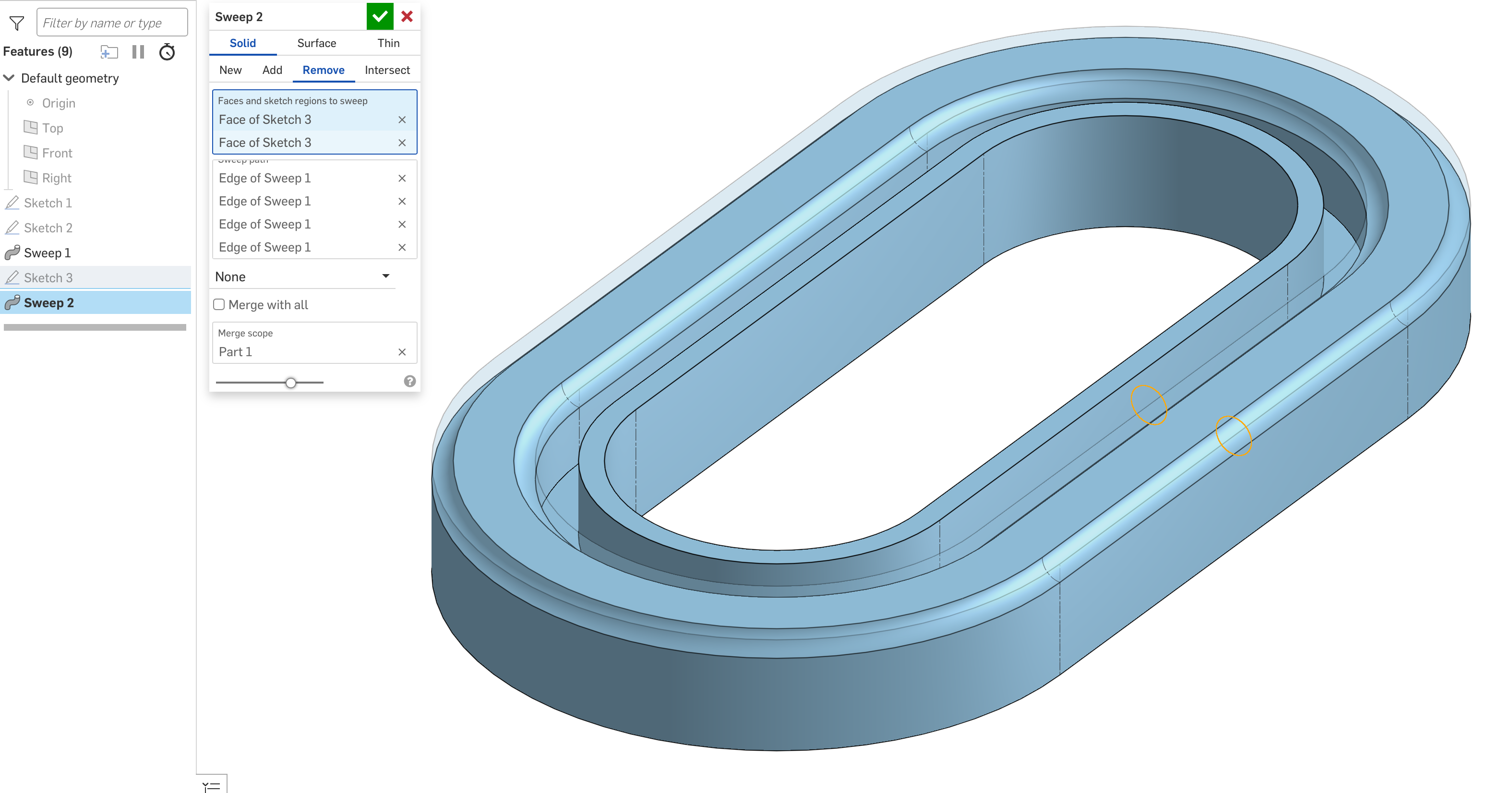
You can sweep a circle (or circles) and remove that from the edge. In this case, you could also sweep the whole part with the reverse fillets as part of the swept section.
Simon Gatrall | Product Development, Engineering, Design, Onshape | Ex- IDEO, PCH, Unagi, Carbon | LinkedIn
0
Answers
You can sweep a circle (or circles) and remove that from the edge. In this case, you could also sweep the whole part with the reverse fillets as part of the swept section.
https://cad.onshape.com/documents/3bc7706bc414b0b287f6f5d0/w/2540557c976905a12b2f8624/e/e2e141a99e2980e923860783
Simon Gatrall | Product Development, Engineering, Design, Onshape | Ex- IDEO, PCH, Unagi, Carbon | LinkedIn
Thank you very much!! That works perfectly!