Welcome to the Onshape forum! Ask questions and join in the discussions about everything Onshape.
First time visiting? Here are some places to start:- Looking for a certain topic? Check out the categories filter or use Search (upper right).
- Need support? Ask a question to our Community Support category.
- Please submit support tickets for bugs but you can request improvements in the Product Feedback category.
- Be respectful, on topic and if you see a problem, Flag it.
If you would like to contact our Community Manager personally, feel free to send a private message or an email.
Grid extrude with twist.
 charles_mcneice_ii
Member Posts: 8 ✭
charles_mcneice_ii
Member Posts: 8 ✭
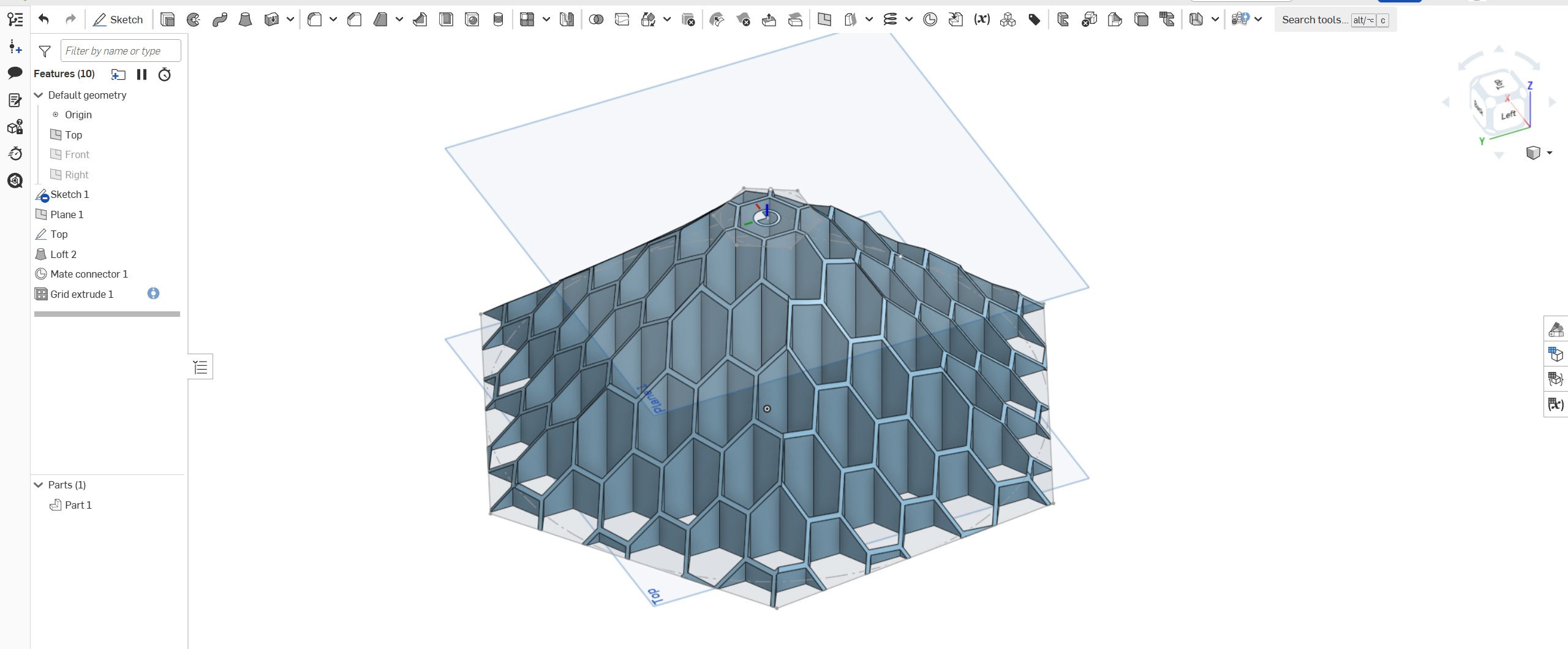
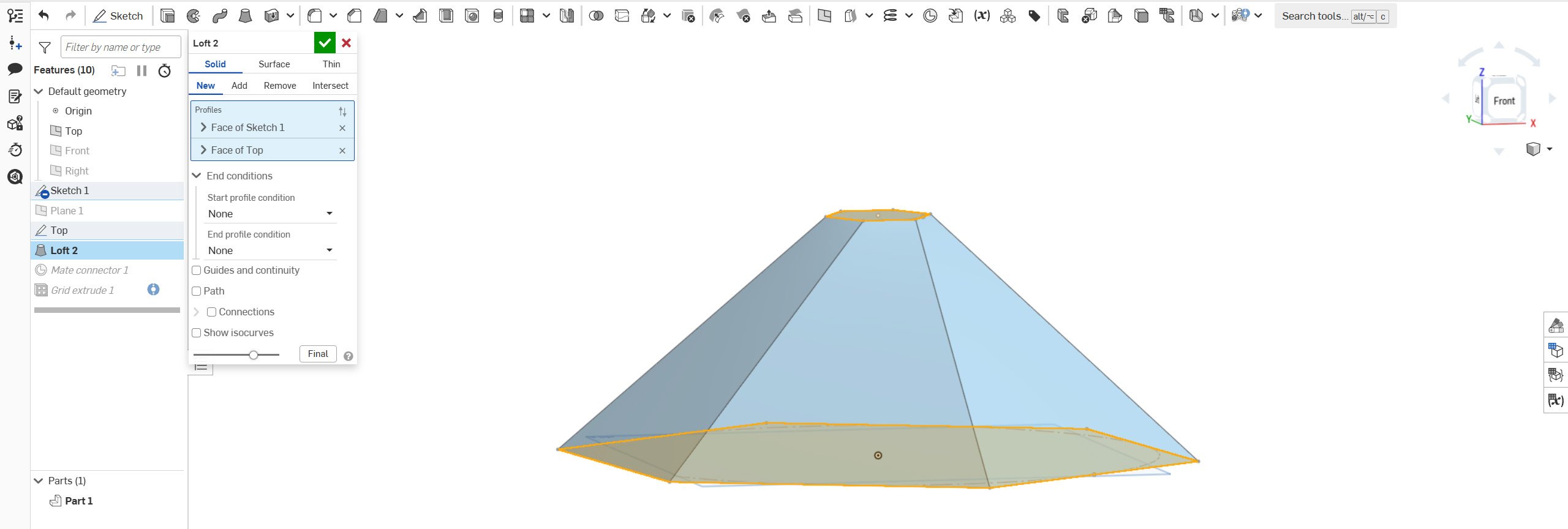
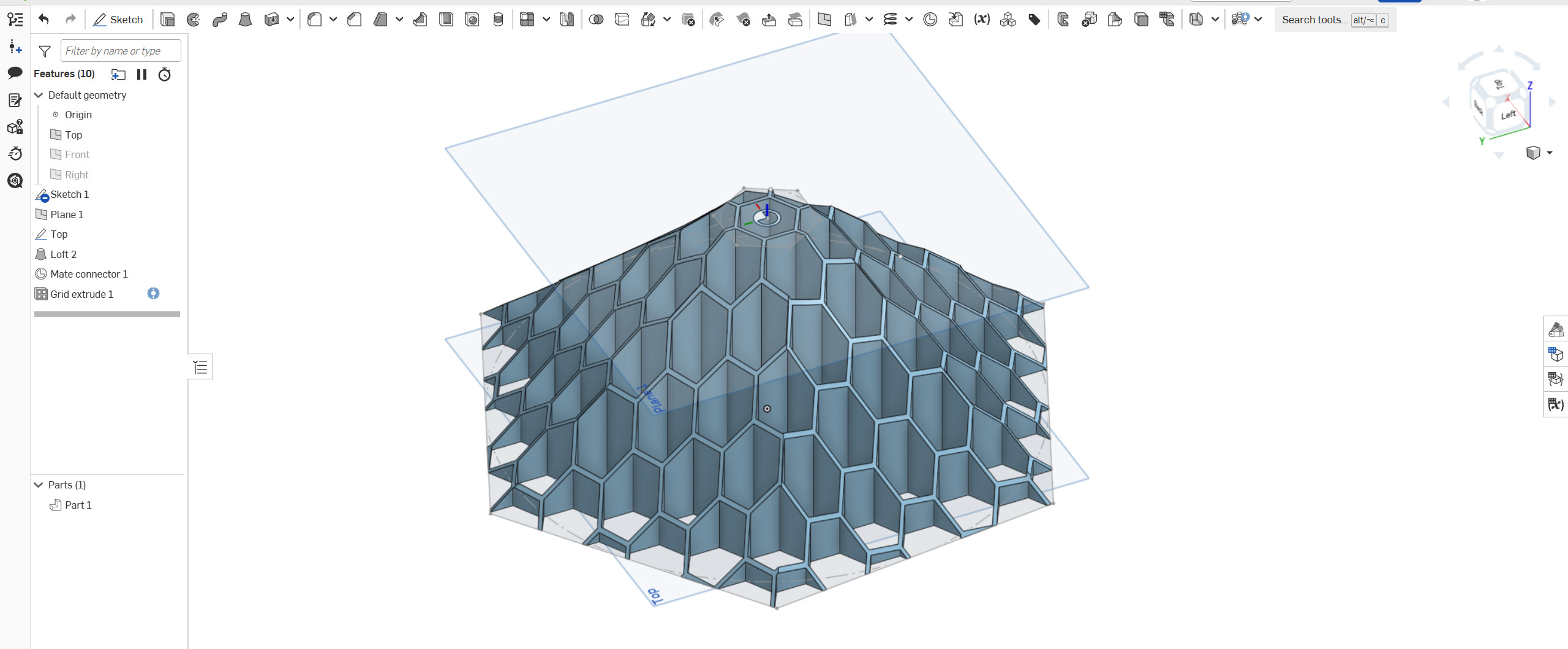
I created a loft with a twist in my drawing. The grid extrude ignores the twist. How do I resolve the issue? Thanks for looking!
Best Answers
-
 Derek_Van_Allen_BD
Member Posts: 767 PRO
Derek_Van_Allen_BD
Member Posts: 767 PRO
-
Derek_Van_Allen_BD
Member Posts: 767 PRO
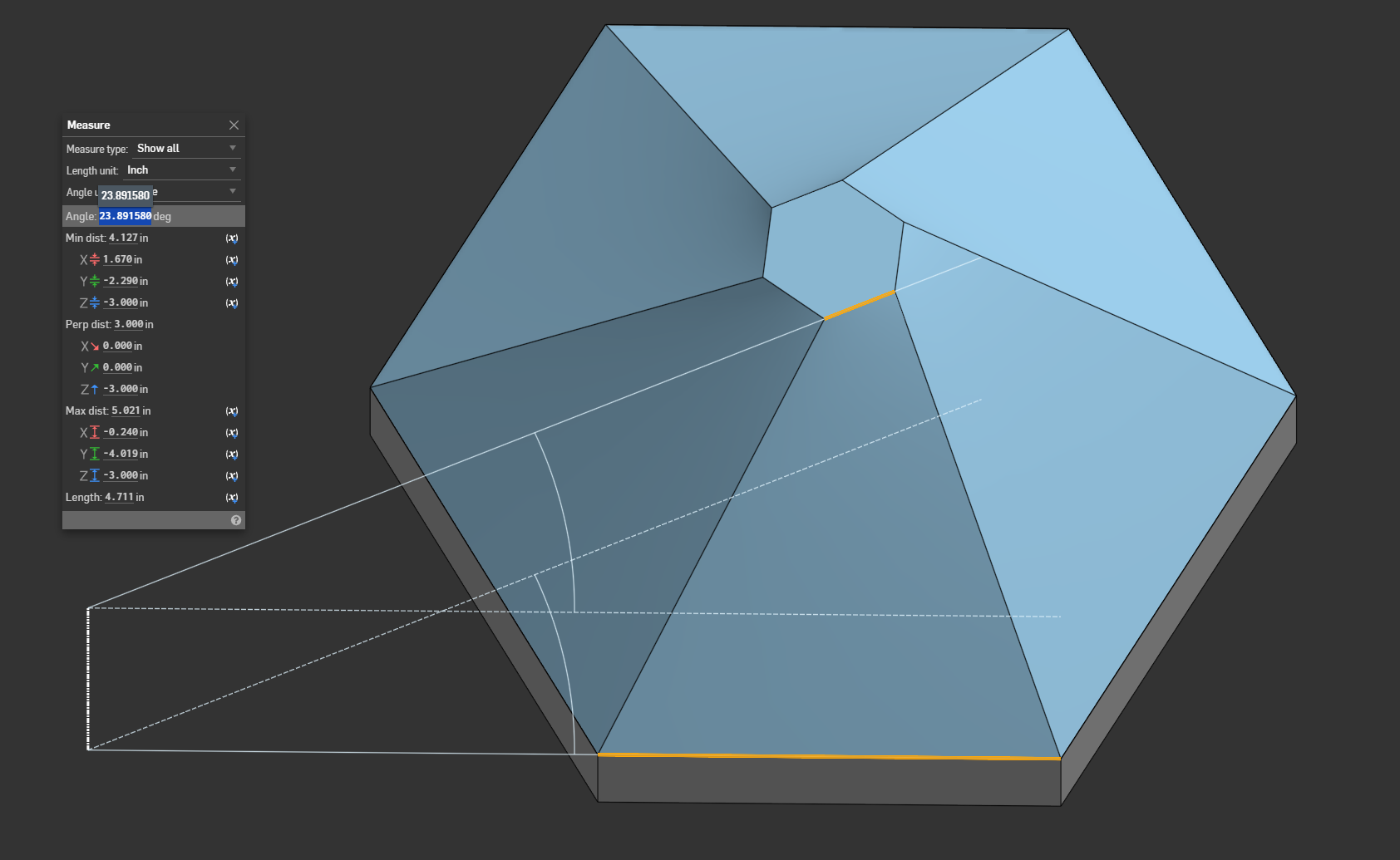
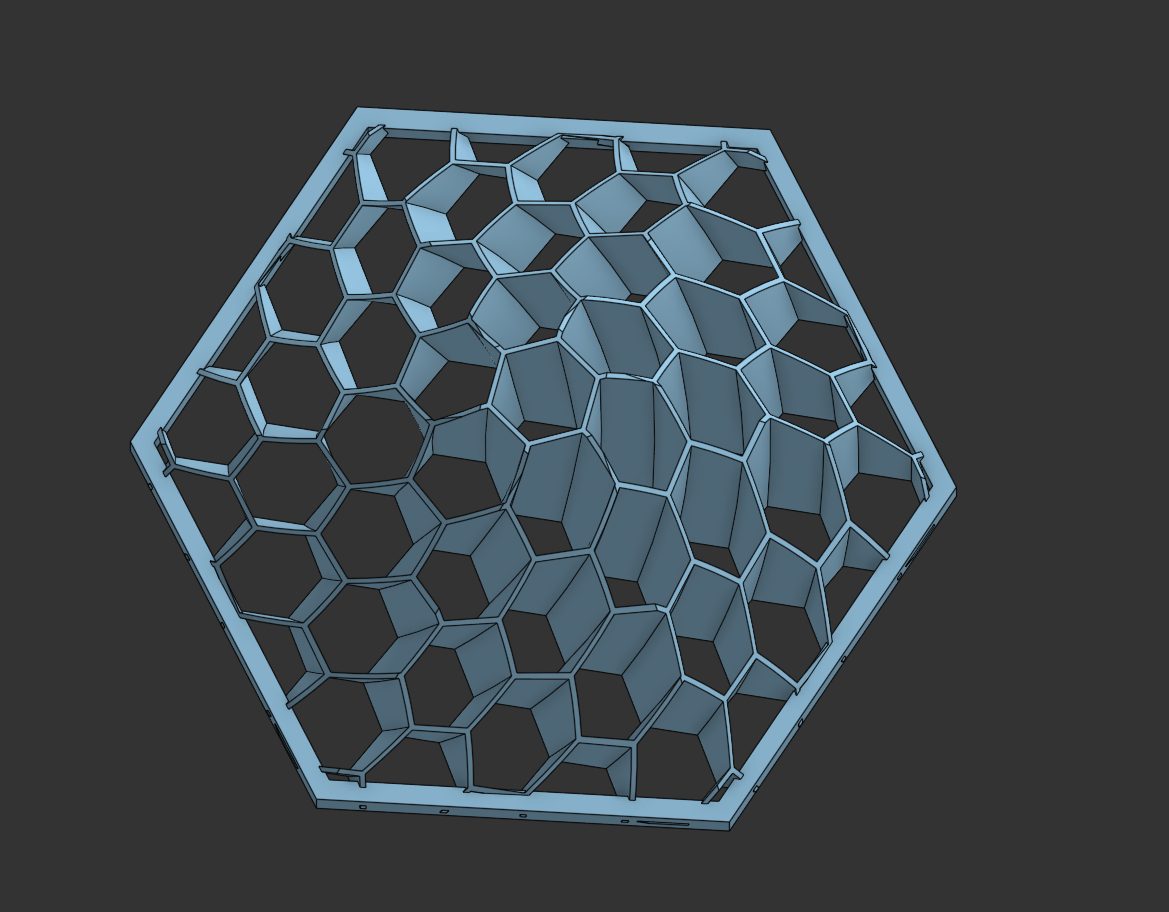
@charles_mcneice_ii I used a bridging curve just to get the centerline for the sweep operation. To get the angle to match your example I just measured the angle between the top and bottom profiles you already had and manually input it as the twist dimension in Tweep.
I made the document public so you can copy it. You should be able to grab the custom feature from it linked through the doc, or you can get it at the forum thread here.
1
Answers
It is a grid extrude feature, not a grid loft feature. So it is only going to extrude the original shape in a direction without twists or morphing shape.
What is your end goal?
.
RENDERCAD
rendercad.ai - Photorealistic product rendering.
▚▞▚▞▚▞▚▞▚
________________________________________________________________________
Hi Michael,
I want the grid with a twist so it will spin. This will eventually be what I call a flying machine powered by an Estes D12 motor. Similar to below.
This is my channel with 3d printed fling machines:
Saved by grace, Ephesians 2: 8-9
Chuck
Smells like a job for Tweep
Derek Van Allen | Engineering Consultant | MeddlerAs I always say, when in doubt, tweep it out.
The Onsherpa | Reach peak Onshape productivity
www.theonsherpa.com
I want the same grid with a twist.
The drawing will end up as what I call a "Flying Machine." An Estes D12 rocket motor will power it.
My original post seemed to vanish, so sorry if this is a duplicate.
Saved by grace, Ephesians 2:8-9
Chuck
Yes, that's it!!
Please, tell me how it was done, or what makes it work. The document is read-only.
Thanks!!!
I can see from the example that a bridging curve was used. It does not connect any points or bridge anything, so I am a bit lost here.
After some searching, I see that Tweep (twisted sweep) is a custom script. I can't see the settings because the document is read-only.
@charles_mcneice_ii I used a bridging curve just to get the centerline for the sweep operation. To get the angle to match your example I just measured the angle between the top and bottom profiles you already had and manually input it as the twist dimension in Tweep.
I made the document public so you can copy it. You should be able to grab the custom feature from it linked through the doc, or you can get it at the forum thread here.
Derek Van Allen | Engineering Consultant | MeddlerThanks, Derek, for your help with this project! Is there any way to offer a tip for your assistance?
@charles_mcneice_ii I do stuff like this for the love of the game, just give me a shoutout in the video when you post it. I wanna see how these fly.
Derek Van Allen | Engineering Consultant | Meddler