Welcome to the Onshape forum! Ask questions and join in the discussions about everything Onshape.
First time visiting? Here are some places to start:- Looking for a certain topic? Check out the categories filter or use Search (upper right).
- Need support? Ask a question to our Community Support category.
- Please submit support tickets for bugs but you can request improvements in the Product Feedback category.
- Be respectful, on topic and if you see a problem, Flag it.
If you would like to contact our Community Manager personally, feel free to send a private message or an email.
New Feature: Bridging Curve Plus
 S1mon
Member Posts: 4,056 PRO
S1mon
Member Posts: 4,056 PRO
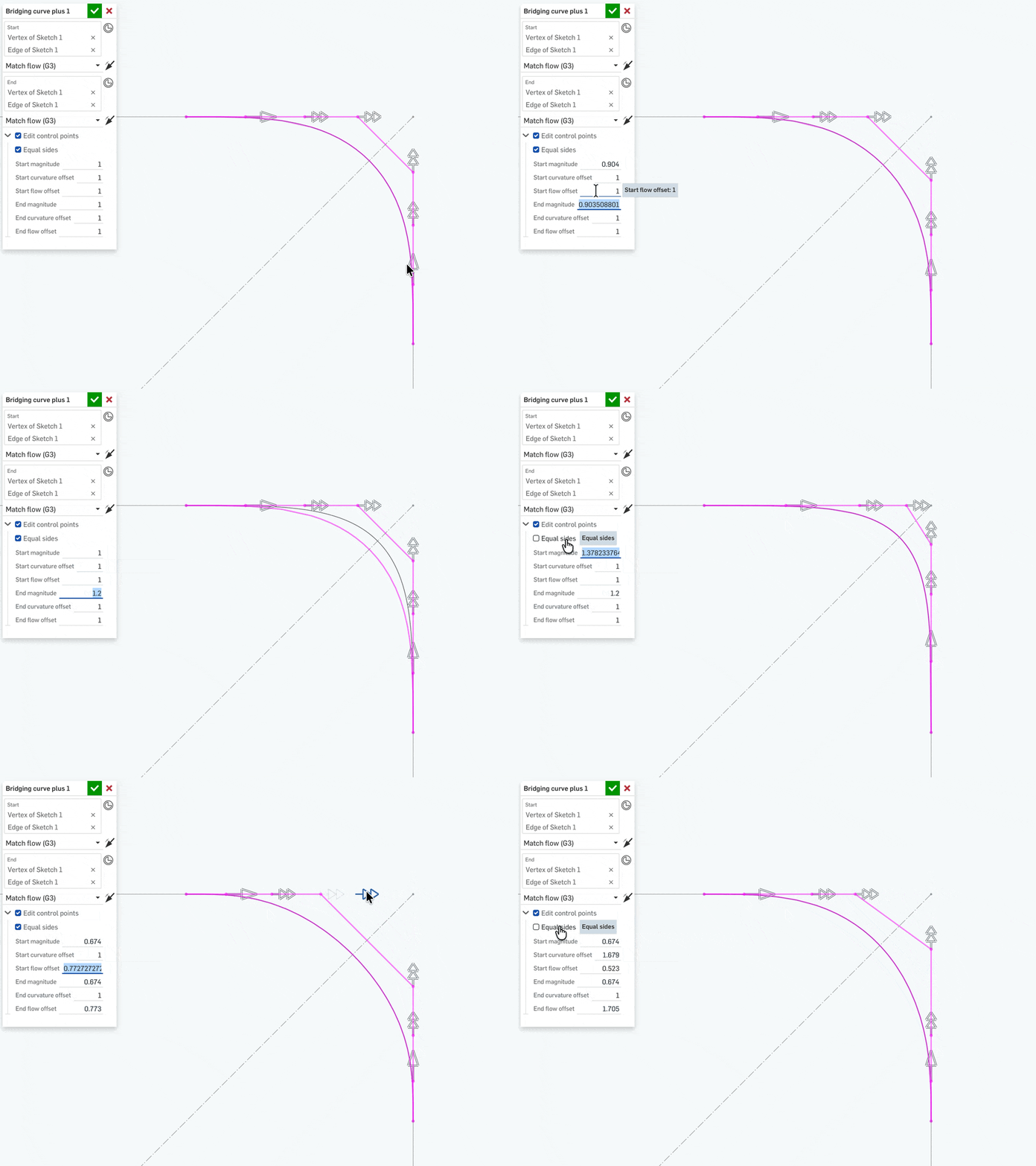
I don't have an icon or an explainer page yet, but I wanted people to bang on this and tell me if there are any obvious issues. So things might change, but I hope this is a reasonable approach.
For a long time I've wanted to have a way to optionally make both sides of a Bridging curve work the same. I actually did 98% of this just by telling ChatGPT what I wanted.
I fed ChatGPT the existing bridgingCurve.fs code from the standard library, asked it to summarize the functions and generate an inverted call tree to help me understand the code. I've reviewed the bridgingCurve.fs code a bunch of times in the past, and have some understanding of bits and pieces of it, but this was interesting and useful to me. Not sure if it was necessary to create this plus version.
I then asked it to do this:I'd like to create a "Bridging curve plus" function which would add an "equal sides" toggle which would appear under the "edit control points" if it's on to make the two side controls equal. I'd like to import as much of the existing code as possible and if there's a good way to do this, make my version only override the things that absolutely need to be different so I can leverage any important updates from Onshape.
At first the result had a bug so I told it:
That almost works perfectly. One bug I found is if I type values into the "end magnitude" "end curvature offset" or "end flow offset", they do not do anything or get copied to the other side. The manipulators on both sides work as requested. Just tell me the changes you would make to fix this.
Then there was this bug:
Almost. So now if I type in values for side 2, it updates both sides, but not if I type into side 1. Typing values into either side should work.
With a couple of small edits and a little prompting, I got a working feature.
So what's wrong with this approach? What else would you like to see?
One surprise is that I assumed that it would be better to have the "equal sides" force both sides to have the same tangency option (i.e. G1G1, G2G2, or G3G3, but not G1G3). This doesn't do that, but the result seems still useful.
Simon Gatrall | Product Development, Engineering, Design, Onshape | Ex- IDEO, PCH, Unagi, Carbon | LinkedIn
Comments
Sick!!! value added IMO. I'll give it try in the future.
Nice, great work! So the moment we get the sheet metal loft custom feature, we know that AGI was achieved 😁
Lets ask chatGPT to create a sheet metal loft featurescript…jk…. maybe LOL
Very nice! Will be taking a closer look…
Haha yeah that would be wild.
Derek Van Allen | Engineering Consultant | MeddlerVery nice.
Yes, that absolutely makes sense.