Welcome to the Onshape forum! Ask questions and join in the discussions about everything Onshape.
First time visiting? Here are some places to start:- Looking for a certain topic? Check out the categories filter or use Search (upper right).
- Need support? Ask a question to our Community Support category.
- Please submit support tickets for bugs but you can request improvements in the Product Feedback category.
- Be respectful, on topic and if you see a problem, Flag it.
If you would like to contact our Community Manager personally, feel free to send a private message or an email.
How can I face blend 3 surfaces?
 omar_omari
Member Posts: 3 ✭
omar_omari
Member Posts: 3 ✭
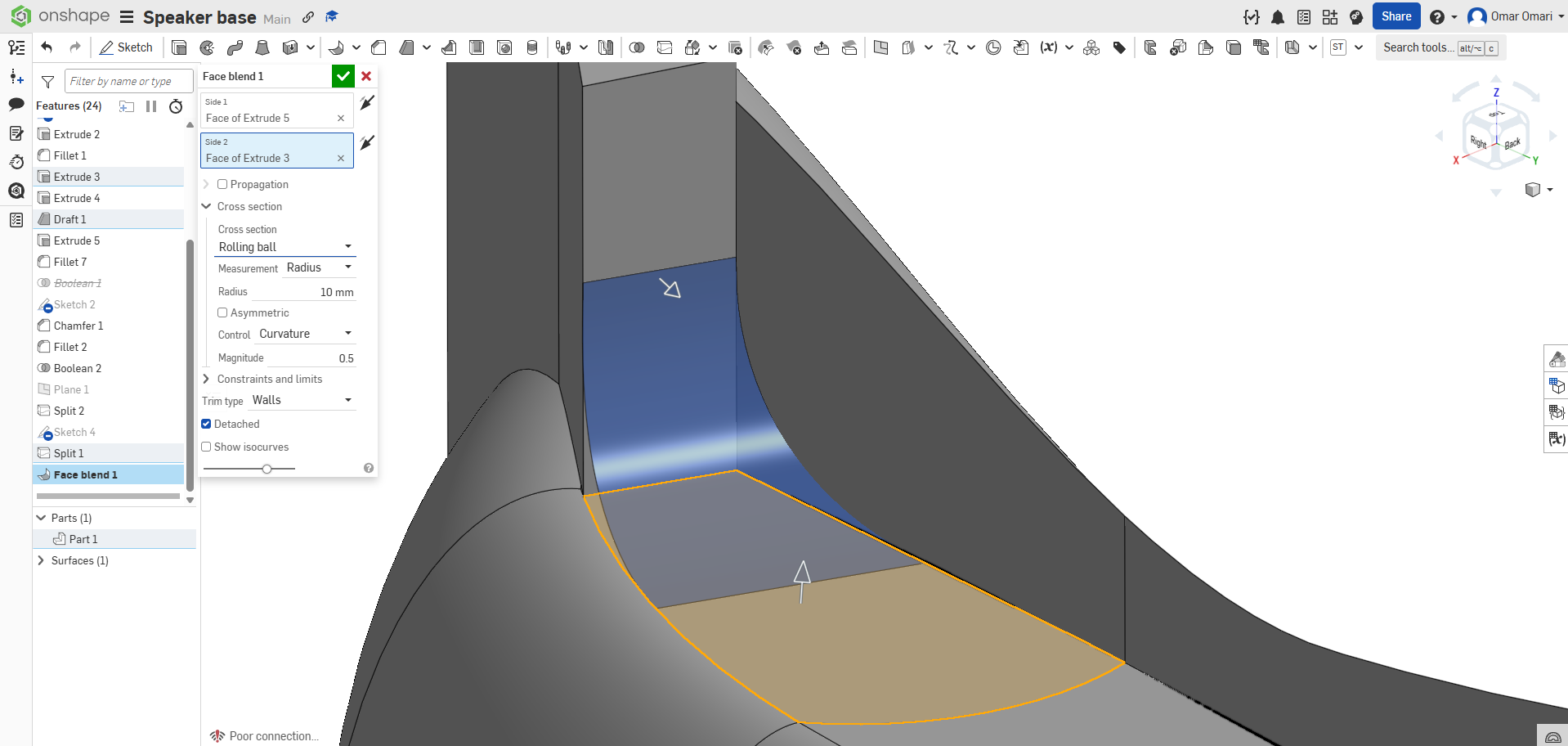
I have been trying to make this corner more smoothed out, maybe following a similar curvature to the right wall which has a fillet and isn't linear. That didnt work with curves (or i did it wrong).
Instead, I would like to "face blend" three surfaces, like pinching out the corner and making it smooth. Only one wall here is linear, the rest and curved. Is it possible to do anything like this, and how would I set up an object with interesting curves like this next time?
Tagged:
0
Answers
I had a few minutes to play around with a hack for this inside corner fillet problem. It is truly a hack but may give you some ideas.
I filled in the area and the made a free floating half ellipsoid or football that I subtracted from it to give a "filleted" look to the corner.
https://cad.onshape.com/documents/763ea2f225d7a99a07d559a1/w/9b66a706eca567881bb8a475/e/dff9be02c414ed49af643874
@nate_atkins - my version using a single variable fillet (only works when all other parts have been booleaned together first) . . .
https://cad.onshape.com/documents/3b6f0f600cc2b27e66a1558a/w/9acd433d50634ce5b7e82636/e/96b7d56eccf923910262e167?renderMode=0&uiState=69837b8dd9918b26aa17e17c
Unemployed Onshaper - Operating on European time - More of me here ➤➤ https://linktr.ee/Liam.G