Welcome to the Onshape forum! Ask questions and join in the discussions about everything Onshape.
First time visiting? Here are some places to start:- Looking for a certain topic? Check out the categories filter or use Search (upper right).
- Need support? Ask a question to our Community Support category.
- Please submit support tickets for bugs but you can request improvements in the Product Feedback category.
- Be respectful, on topic and if you see a problem, Flag it.
If you would like to contact our Community Manager personally, feel free to send a private message or an email.
Why is this sketch not fully defined?
 lizardonabike
Member Posts: 6 ✭
lizardonabike
Member Posts: 6 ✭
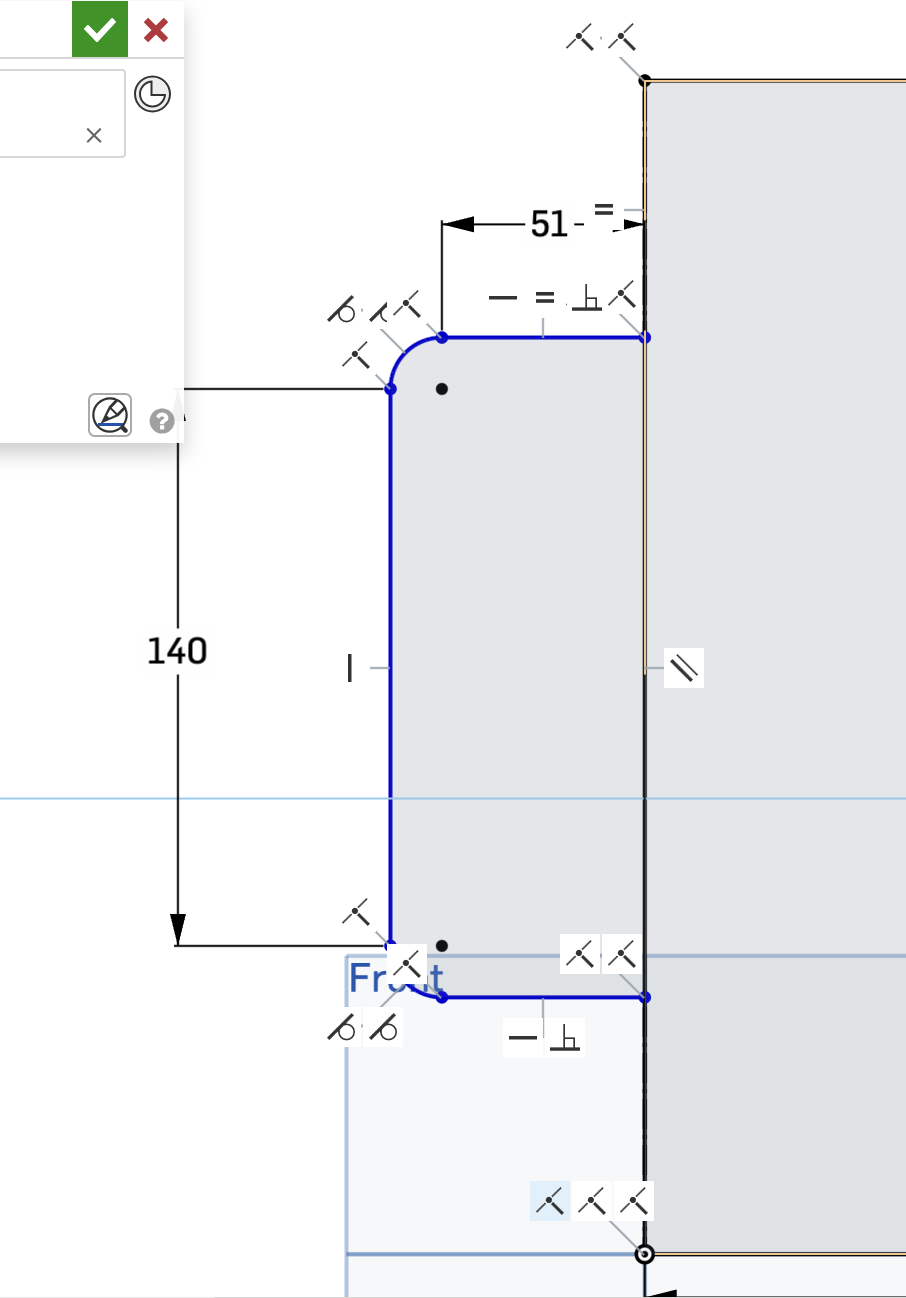
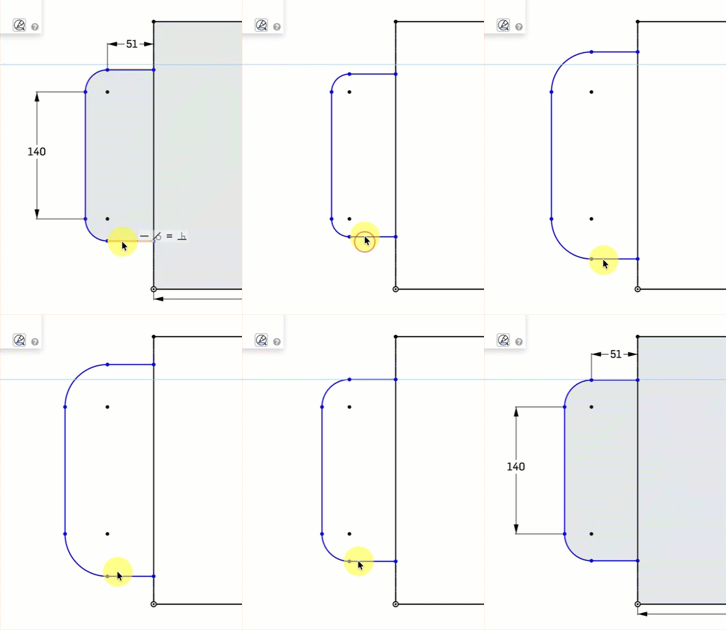
What am I missing here to fully define this sketch? This often happens to me when working with the arc tools.
Tagged:
0
Best Answers
-
 CADNurd
Member Posts: 64 ✭✭
CADNurd
Member Posts: 64 ✭✭
Arcs are segments of a circle and circles need to be given a size. Also, if you're planning on extruding something with ready-made fillets, that's generally not the way to go. Fillets are better added to the solid model at the very end.
Unemployed Onshaper - operating on European time. More of me here ➤ https://linktr.ee/Liam.G
0

Answers
Arcs are segments of a circle and circles need to be given a size. Also, if you're planning on extruding something with ready-made fillets, that's generally not the way to go. Fillets are better added to the solid model at the very end.
Unemployed Onshaper - operating on European time. More of me here ➤ https://linktr.ee/Liam.G
Put the dim to the flats of the box, not to the tangent points of the radii. That is the design intent 99.9% of the time. Then, put a separate dim for the radius. Set both radii equal to each other.
I also agree with the comment to add the radii as a separate feature in 3D, instead of inside the 2D sketch, as a general cad principle,
Constraints, and coincidence between sketches has been the biggest challenge for me. I spend literally hours sometimes trying to figure out why a sketch won't turn black or a loft won't render. I haven't found a good tutorial or YouTube on troubleshooting these situations. I've only been working with Onshape (and 3D CAD at all) for a week; I knew it wouldn't be easy but hopefully a breakthrough is coming!
https://learn.onshape.com/learn/course/fundamentals-sketching/
CAD is about impossible to pick up fumbling around, like you might be able to do in a word processor. Do the training built into OS right from the source. It’s excellent and free.
@CADNurd I am planning on using the loft tool along the path of that arc. Would you still recommend adding the curves after? I have done some experimenting with the sweep tool around curves and was having bad geometry issues.
Thank you, @Matt_Shields, I see what I am missing now.
@lizardonabike - I would say that if it's something that can be done with the fillet tool then add it after. Otherwise, do whatever works to give you the exact shape you're after.
Unemployed Onshaper - operating on European time. More of me here ➤ https://linktr.ee/Liam.G