Welcome to the Onshape forum! Ask questions and join in the discussions about everything Onshape.
First time visiting? Here are some places to start:- Looking for a certain topic? Check out the categories filter or use Search (upper right).
- Need support? Ask a question to our Community Support category.
- Please submit support tickets for bugs but you can request improvements in the Product Feedback category.
- Be respectful, on topic and if you see a problem, Flag it.
If you would like to contact our Community Manager personally, feel free to send a private message or an email.
Extrude from a concave surface?
 jim_zamecnik
Member Posts: 17 ✭
jim_zamecnik
Member Posts: 17 ✭
Just when I feel like I'm starting to understand….
I'm trying to extrude as a solid, from this convex surface to the plane below. (Intended as a "plug" for a hatch mold for an RC glider). But I'm unable to select the surface or it's edges.
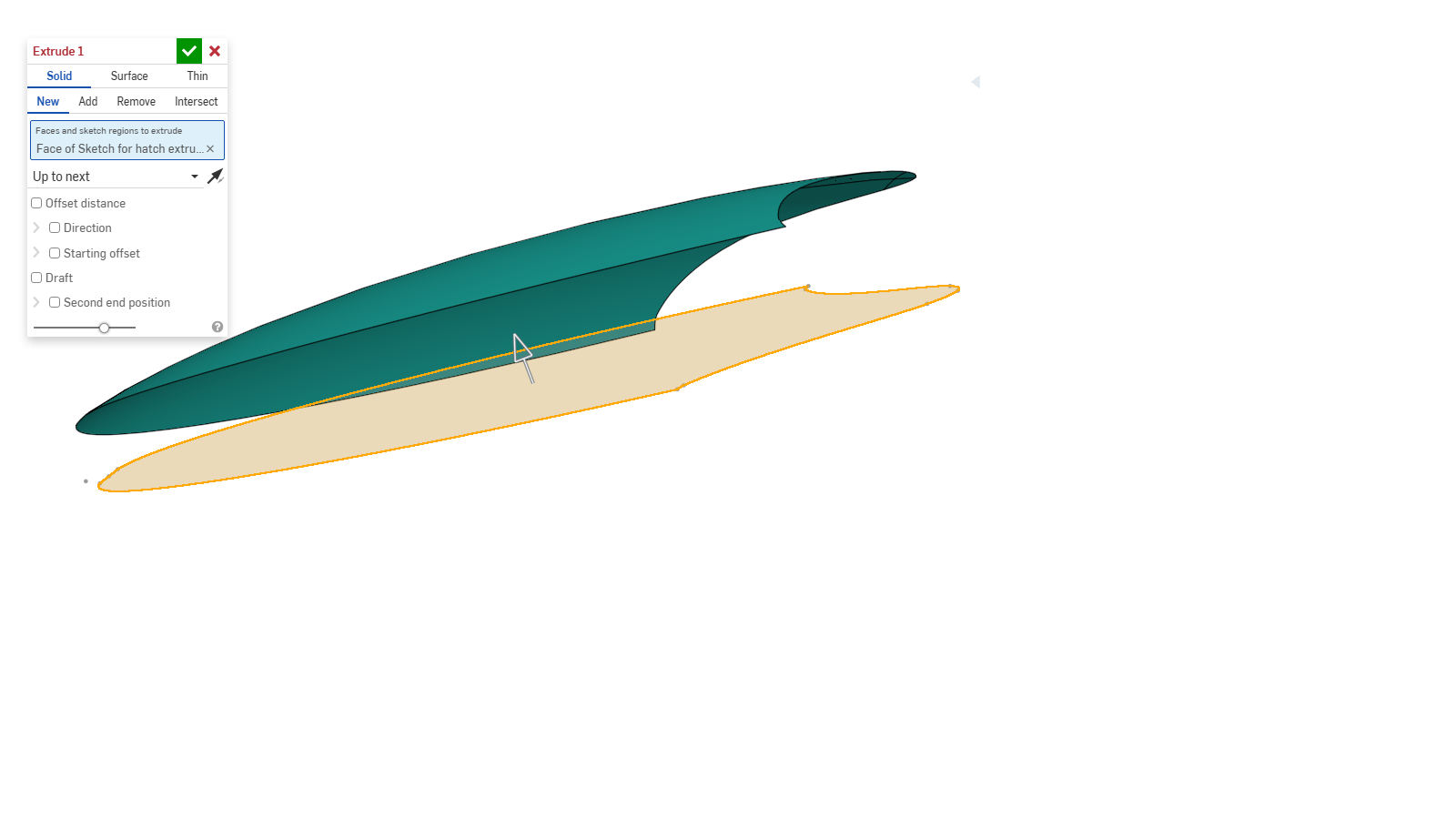
I made a sketch of the perimeter with "Use" and tried extruding up to face or up to next; no joy. I'm sure I'm missing something obvious here but I've run out of ideas.
Apologies for my messy and confusing workflow. I've been tinkering with this first attempt at 3D CAD on and off for about 3 weeks. I've learned a lot, but this drawing has become a series of experiments, not all of them successful. I'll do better next time!
https://cad.onshape.com/documents/53f26810e55f8a08671e7f0a/w/e3e39ca2310e33bd017d4259/e/57a43450656bc6b6e7f20092
Comments
You could extrude it past your surface, then use split to trim off everything above the surface.
Cool, thanks. I'll give it a try.
Easy. Stick to surface modeling, while you're at it. Two steps:
If you added an offsetto the outside in the shetch first, you could even get something like a draft, which could help when making the actual hatch.
https://cad.onshape.com/documents/1eea4870c145b41c7594f80c/w/0484b1dccd61e861888527e2/e/8b685a357ff6cf3e97f8533a?renderMode=0&uiState=699822187827358b5d3b89d9
@jim_zamecnik You can also use the end condition "up to part" for extrude.
Thank you gentlemen. I'm away from the computer for a few days once again, but I'll study your methods soon.
"Fill sketch face".... I learned a new function today :-)
I had tried "up to" without success. maybe my inputs were wrong.
"Up to" is a bit picky at times. It expects a precise fit or a taget that can be untrimmed to cover the whole projected area.