Welcome to the Onshape forum! Ask questions and join in the discussions about everything Onshape.
First time visiting? Here are some places to start:- Looking for a certain topic? Check out the categories filter or use Search (upper right).
- Need support? Ask a question to our Community Support category.
- Please submit support tickets for bugs but you can request improvements in the Product Feedback category.
- Be respectful, on topic and if you see a problem, Flag it.
If you would like to contact our Community Manager personally, feel free to send a private message or an email.
Why isn't the coincident constraint working right?
 BKL
Member Posts: 4 ✭
BKL
Member Posts: 4 ✭
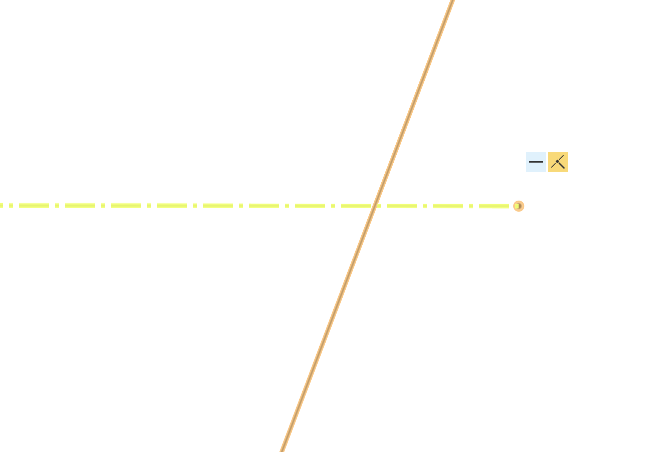
Applied a coincident constraint from this construction line to a spline, yet it created this micro gap which I didn't notice until I really looked. This later caused issues for me when I went to make a projected curve and the shape not filling in properly as its not an enclosed loop. The sketch is entirely fixed, no points or lines can be moved, yet this 'coincident' constraint is not doing what its supposed to.
Tagged:
0
Answers
I can't reproduce. Works for me.
https://cad.onshape.com/documents/405fc6ccf1dd5016f8f94d01/w/01027517f96061458abaf55d/e/f4c89a67141ec9f5d2fec226?renderMode=0&uiState=699ccba300c12c298a3f1cae
Its in the sketch I renamed to "problem child"
Okay, here we go, trust me - I'm a pilot.
I thinks we see different issues here happening at the same time:
Then you probably tried to work with the sketch and ran into some limit and assumed it was because of the point being off the curve, but I suspect the real issue to be one of the others, or yet another one, unknown at this point in time.
Try if your problem persists with this document. I did not touch the coincident constraint in question.
I replaced the first constraint to sketch 3 by a "use" of that point you wanted, and deleted the horizontal constraint on the outside end point of the construction line while keeping only the horiz. constr. on the construction line. There seem to be loads of inter-sketch horizontal and verical constraints in your model. These may work on an individual basis, but the more sketches are involved, this method bears an increaring risk of creating a circular reference at some point, or breaking one sketch by editing another. Not sure if it already happened here, though.
Also, why do you build both sides of that car by mirroring the curves that surface them? Why not fisish one half and the mirror the body panels? You're right, this may well be the most inefficient way to design a car body, but we all have to start somewhere, don't we? ;0)
I recommend going through the surface modeling lessons in the learning section. It is all covered there in great detail there.