Welcome to the Onshape forum! Ask questions and join in the discussions about everything Onshape.
First time visiting? Here are some places to start:- Looking for a certain topic? Check out the categories filter or use Search (upper right).
- Need support? Ask a question to our Community Support category.
- Please submit support tickets for bugs but you can request improvements in the Product Feedback category.
- Be respectful, on topic and if you see a problem, Flag it.
If you would like to contact our Community Manager personally, feel free to send a private message or an email.
Custom Feature: Dovetail Joint
 nico04
Member Posts: 4 ✭
nico04
Member Posts: 4 ✭
I've developped a complete custom feature to help 3D printing assembly design.
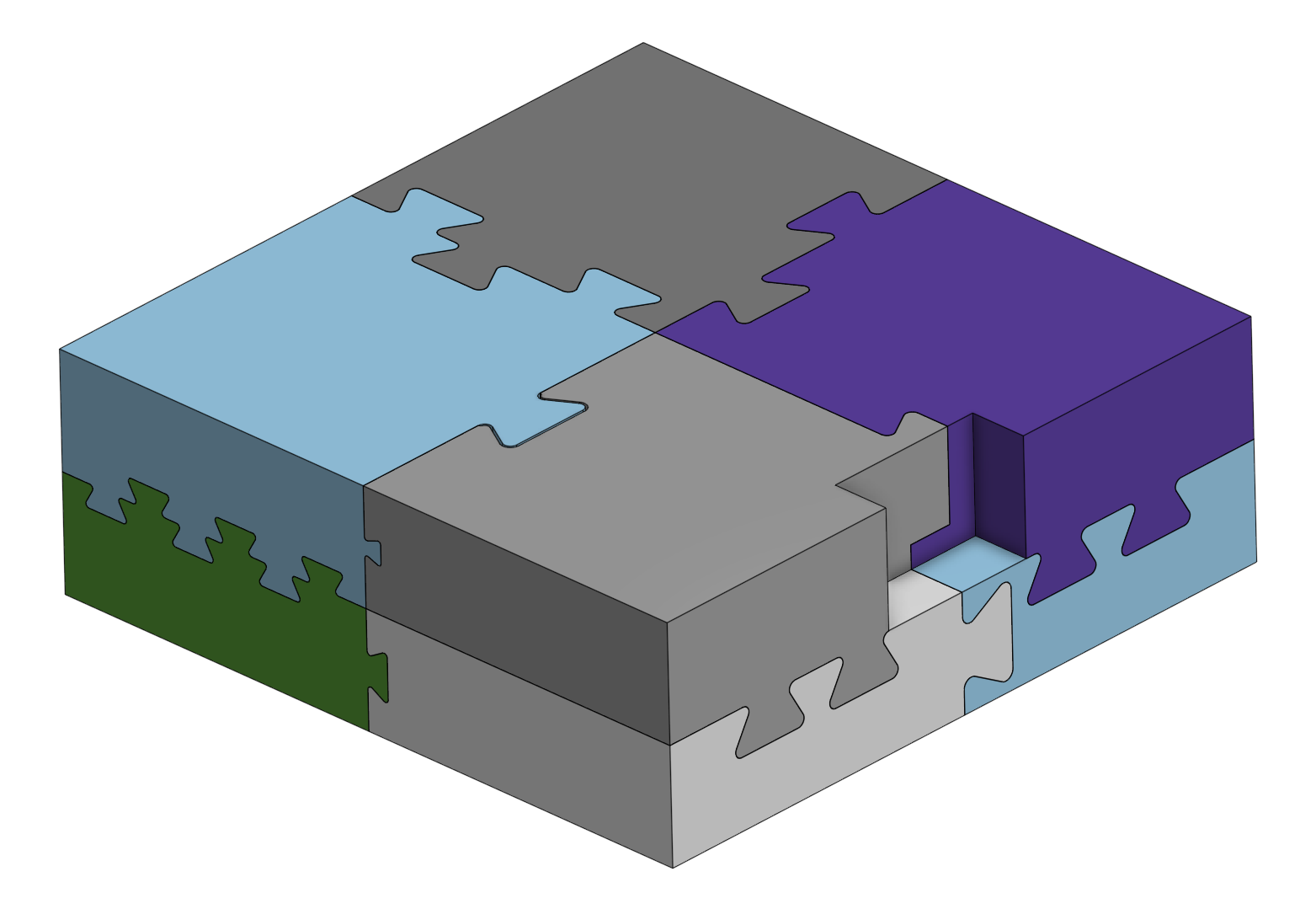
Dovetail Joint
Created By: Nicolas Barret
Link: OnShape document link
A custom FeatureScript that generates male and female dovetail joints between touching solid bodies. Tailored for 3D printing assemblies, it automates the boolean cuts and unions while providing direct controls to pattern joints evenly along edges, create hidden half-blind configurations, and apply precise clearance gaps for glue-free friction fits.
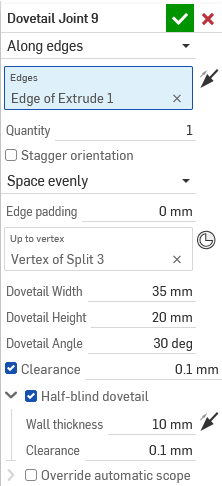
Features
- Positioning Modes: Place dovetails manually on specific points (vertices or Mate Connectors), or distribute a specified quantity along selected edges.
- Edge Distribution Controls: Adjust the spacing logic (Space evenly, Space around, Space between), add padding at edge extremities, and optionally alternate (stagger) the orientation of the joints.
- Geometry Parameters: Define the dovetail's width, height, and interior angle. The total extrusion depth is determined by selecting a target vertex or Mate Connector.
- Half-Blind Dovetail: Conceal the joint from one side of the assembly by leaving a solid wall of material. Includes controls to define the wall thickness, swap the hidden side, and add bottom clearance so exterior faces sit perfectly flush.
- Print Clearance: Automatically applies a uniform dimensional gap to the female cut to ensure a proper mechanical fit.
- Target Scoping: Automatically identifies the correct bodies for the male (union) and female (cut) operations based on geometry intersection, with a manual override available for complex assemblies.
Roadmap
I'm actively working on it, I'm planning to add :
- New split mode that allow to select a single part and a plane, and do the cutting part before creating the joints
- Alternative joint shape, optimized for very thin parts.
I hope it'll help the community.
Please don't hesitate if you have any request or feedback !
Comments
Does it take into accout 'assemblability'*? Looking at your sample picture, I guess it is not possible to put together following the directions the dove tails require.
*I don't have the right word for it. Here in my place we'd say 'Montierbarkeit', the property of a product to be assembled, as opposed to self- obstructing in the process.
It does not, but in a similar sense the default sheet metal tools in Onshape don't account for that either for bending capability.
Derek Van Allen | Engineering Consultant | Meddler@nico04 for other dovetail styles you could set things up kind of like the sheet metal form features where user defined part studios let you customize things to your heart's content. All you'd have to do is change the tool studio from an explicit reference back to this document to allowing users to target their own ones. For example if someone wants to do all squared off chamfered edges instead of rounded ones, or maybe someone wants to draw a profile view of some birds to use as decorative dovetails.
Derek Van Allen | Engineering Consultant | Meddler+1 on @Derek_Van_Allen_BD 's suggestion of a "library" of shapes.
I like this, and very timely as I was getting into some Japanese-style joinery ideas over the weekend…
Simplifying dovetail creation was one of the inspirations for my Amalgamate feature, along with some other examples from the 50 Digital Joints posters and other custom 3d printing features people had been making in the last year that users kept requesting slight tweaks or variations on. I had intended to use the integrated sheet metal forms library infrastructure from Onshape to be able to build a proper actual library for my amalgams but it turns out there's a lot of studio verification hard baked into the product side of Onshape that prevents me from gaslighting the software into believing that my 3d dovetail joinery is a sheet metal form tool. Maybe some day true custom library support will come.
It would also come in handy for when I finally get around to my Kumiko pattern script.
Derek Van Allen | Engineering Consultant | MeddlerThe picture is just a testing Part, it not real so yeah you're right it's not assemblable.
You're talking about a draft on the male part ? Male and female extrusions are straight, but in my real 3D printing experience it works great like that.