Welcome to the Onshape forum! Ask questions and join in the discussions about everything Onshape.
First time visiting? Here are some places to start:- Looking for a certain topic? Check out the categories filter or use Search (upper right).
- Need support? Ask a question to our Community Support category.
- Please submit support tickets for bugs but you can request improvements in the Product Feedback category.
- Be respectful, on topic and if you see a problem, Flag it.
If you would like to contact our Community Manager personally, feel free to send a private message or an email.
How to drive Surface (Face) names via Configuration?
 hoolito
Member Posts: 30 ✭✭
hoolito
Member Posts: 30 ✭✭
I am looking for a way to explicitly name a Surface entity (Face) based on the active Configuration.
The Workflow:
Sketch -> Extrude -> Fillet (Base geometry).
Offset Surface (Zero offset): I extract a specific face from the solid to use as a master surface for downstream Derives.
The Goal: I need the Name of this resulting Surface/Face to change based on my Configuration Table (e.g., Surface_Concept_A_(width), Surface_Concept_B_(width)).
Thanks for any help!
Best Answers
-
 ry_gb
Member, csevp, pcbaevp Posts: 191 PRO
ry_gb
Member, csevp, pcbaevp Posts: 191 PRO
There's a Part Name feature script that should do that for you. Here's an example I made a while ago for a battery.
Battery: https://cad.onshape.com/documents/cdac3bd62fd1cc23d2ad852d/w/39aea9c5f1ba08cd159fe8db/e/2b39c493419e25836f778ce0
Part Name feature script: https://cad.onshape.com/documents/f4d470584fdeef9603415532/v/7d0c0b30a8b73bbd6ed13b01/e/c2cde0fc0eb4a05cb0b32b5b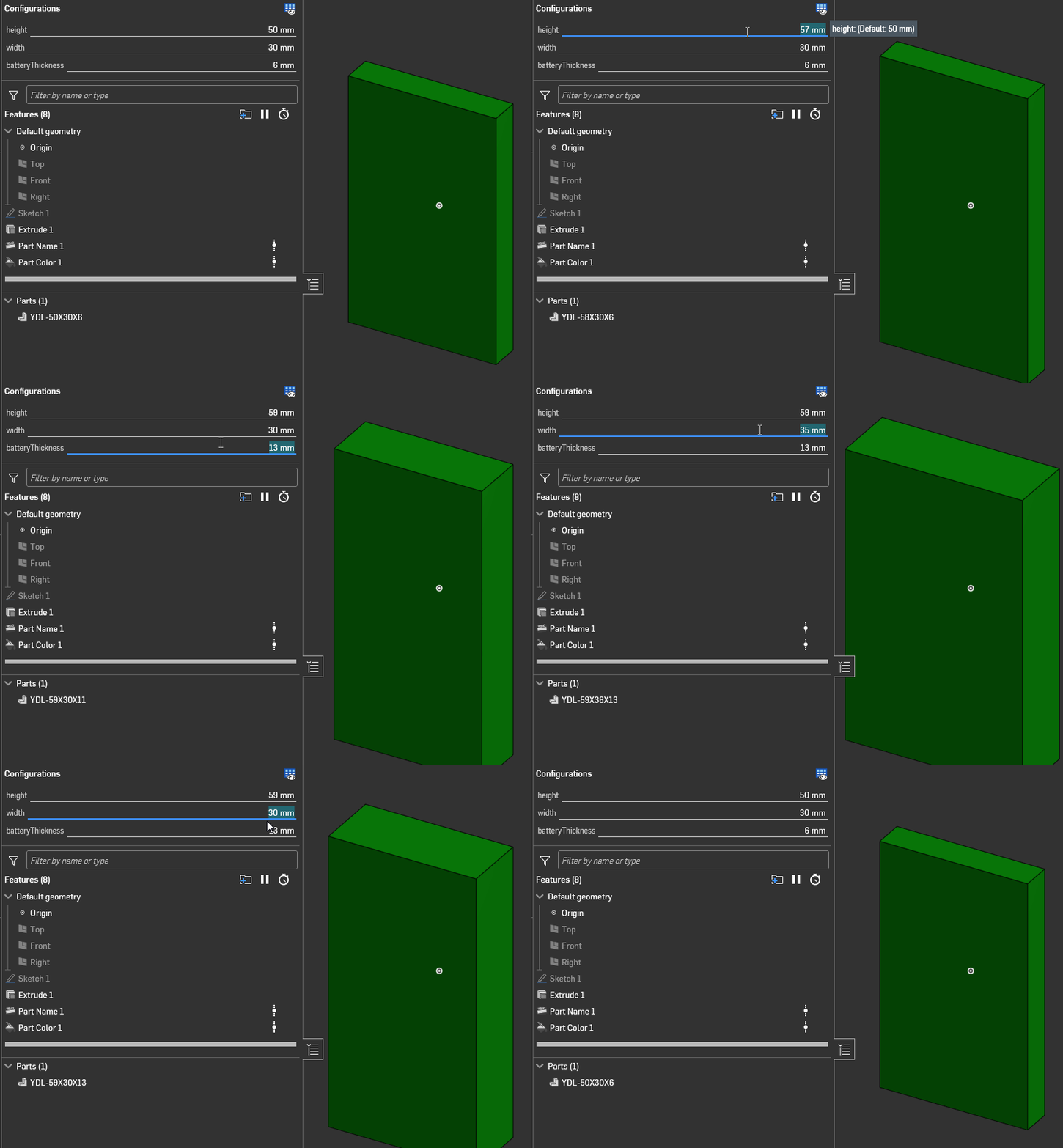
Ramon Yip | glassboard.com
0 -
 eric_pesty
Member, pcbaevp Posts: 2,663 PRO
eric_pesty
Member, pcbaevp Posts: 2,663 PRO
I've also been using "set property" FS:
Alongside the "var to string":
And found it provides a lot of flexibility
0
Answers
There's a Part Name feature script that should do that for you. Here's an example I made a while ago for a battery.
Battery: https://cad.onshape.com/documents/cdac3bd62fd1cc23d2ad852d/w/39aea9c5f1ba08cd159fe8db/e/2b39c493419e25836f778ce0
Part Name feature script: https://cad.onshape.com/documents/f4d470584fdeef9603415532/v/7d0c0b30a8b73bbd6ed13b01/e/c2cde0fc0eb4a05cb0b32b5b
Ramon Yip | glassboard.com
I've also been using "set property" FS:
https://cad.onshape.com/documents/861d68af1cee67efb9e4843d/v/b001b168bae37a8293028ae6/e/30f1b225bf4ab0be37fc09b2
Alongside the "var to string":
https://cad.onshape.com/documents/19dacc01596e7c326bbfb137/v/c0b9911b5033a220bcbe87e5/e/16035d1ed4a973a81c4d8bc0
And found it provides a lot of flexibility
Almost forgot. One reminder: If you want to use the Part Name FS, or Set Property, for that matter, you shouldn't assign any of those properties manually, as there's no way to override them using a script.
Ramon Yip | glassboard.com
To add to @ry_gb, if you have already set properties manually, you will need to click the "reset all" button for these scripts to work.
Yes, thank you both!
The first solution seems more suitable "to my current Onshape knowledge level"
Thank you for the second solution and for the Reset All. I hadn't but had read the warning on another post. It's useful to have the reminder here too.