Welcome to the Onshape forum! Ask questions and join in the discussions about everything Onshape.
First time visiting? Here are some places to start:- Looking for a certain topic? Check out the categories filter or use Search (upper right).
- Need support? Ask a question to our Community Support category.
- Please submit support tickets for bugs but you can request improvements in the Product Feedback category.
- Be respectful, on topic and if you see a problem, Flag it.
If you would like to contact our Community Manager personally, feel free to send a private message or an email.
Deform (New Custom Feature!) 🆕twist | bend | scale | morph | wrap | flex

.
 CADSharp &
 RENDERCAD have sponsored a new custom feature:
.
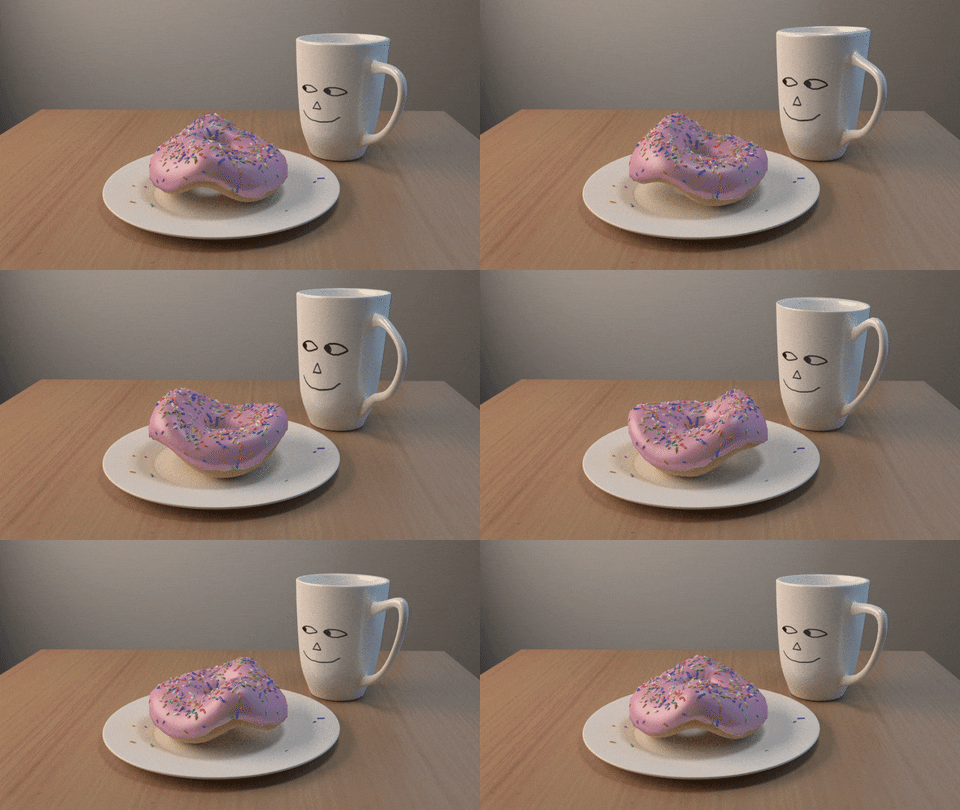
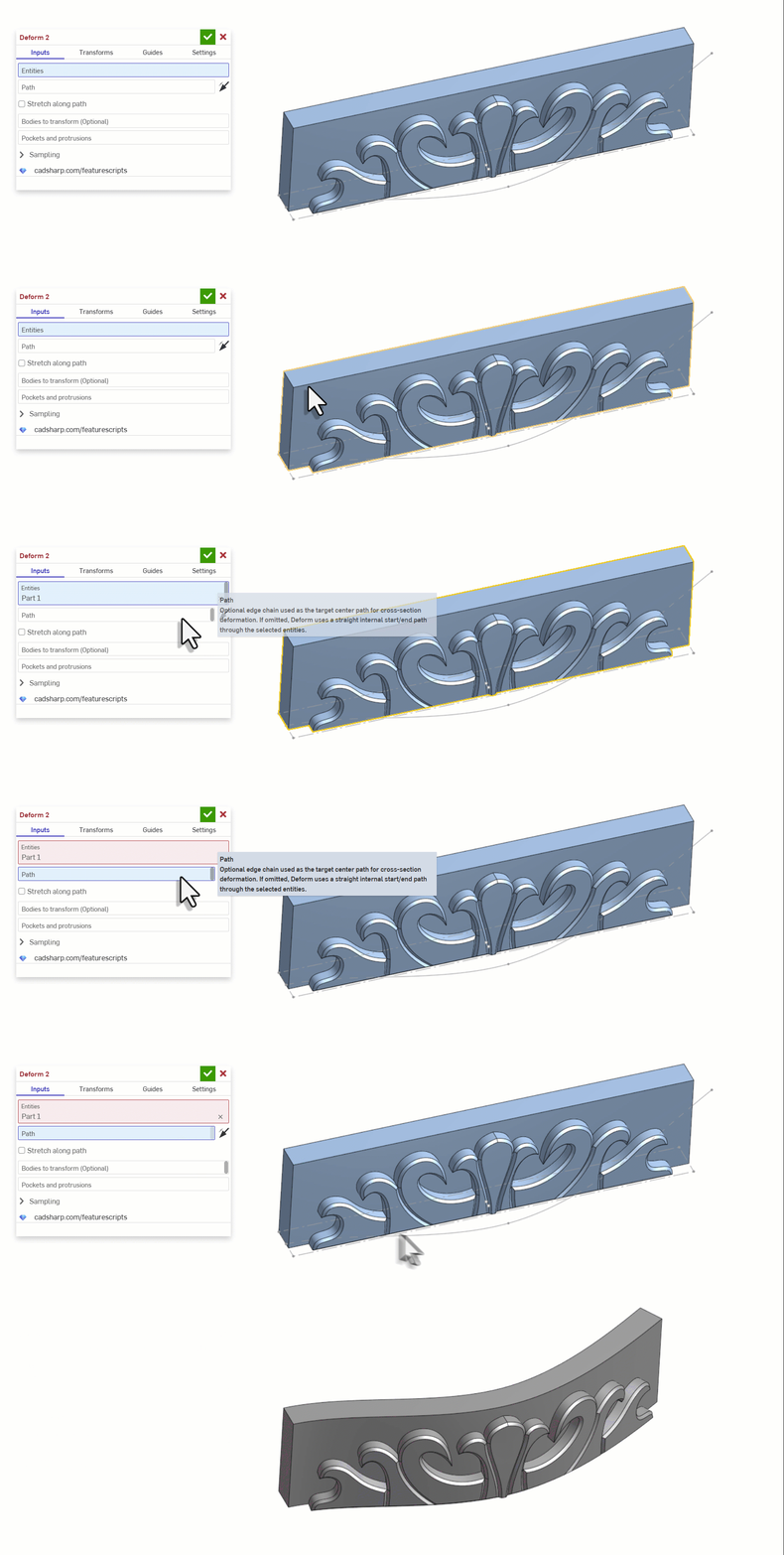
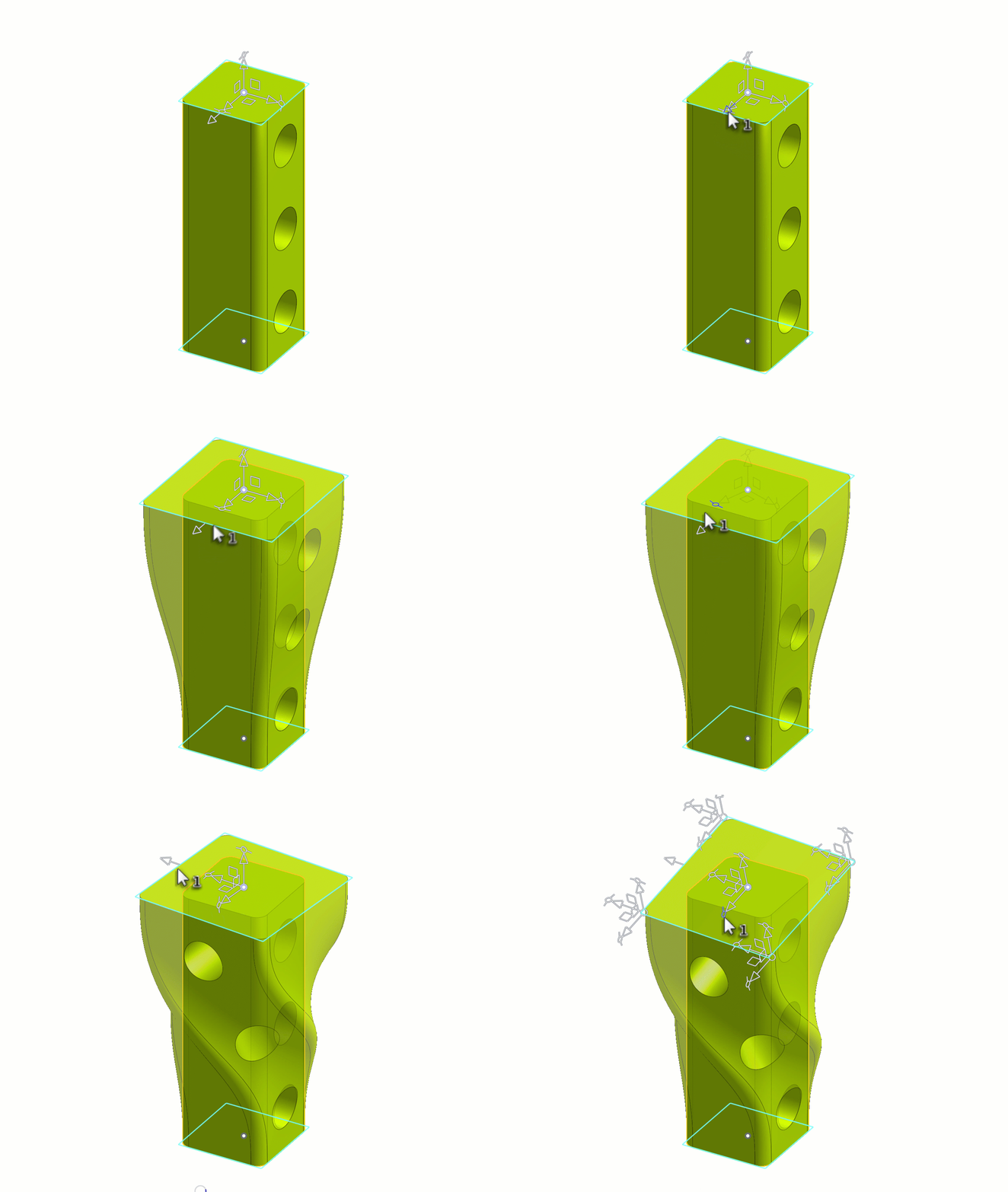
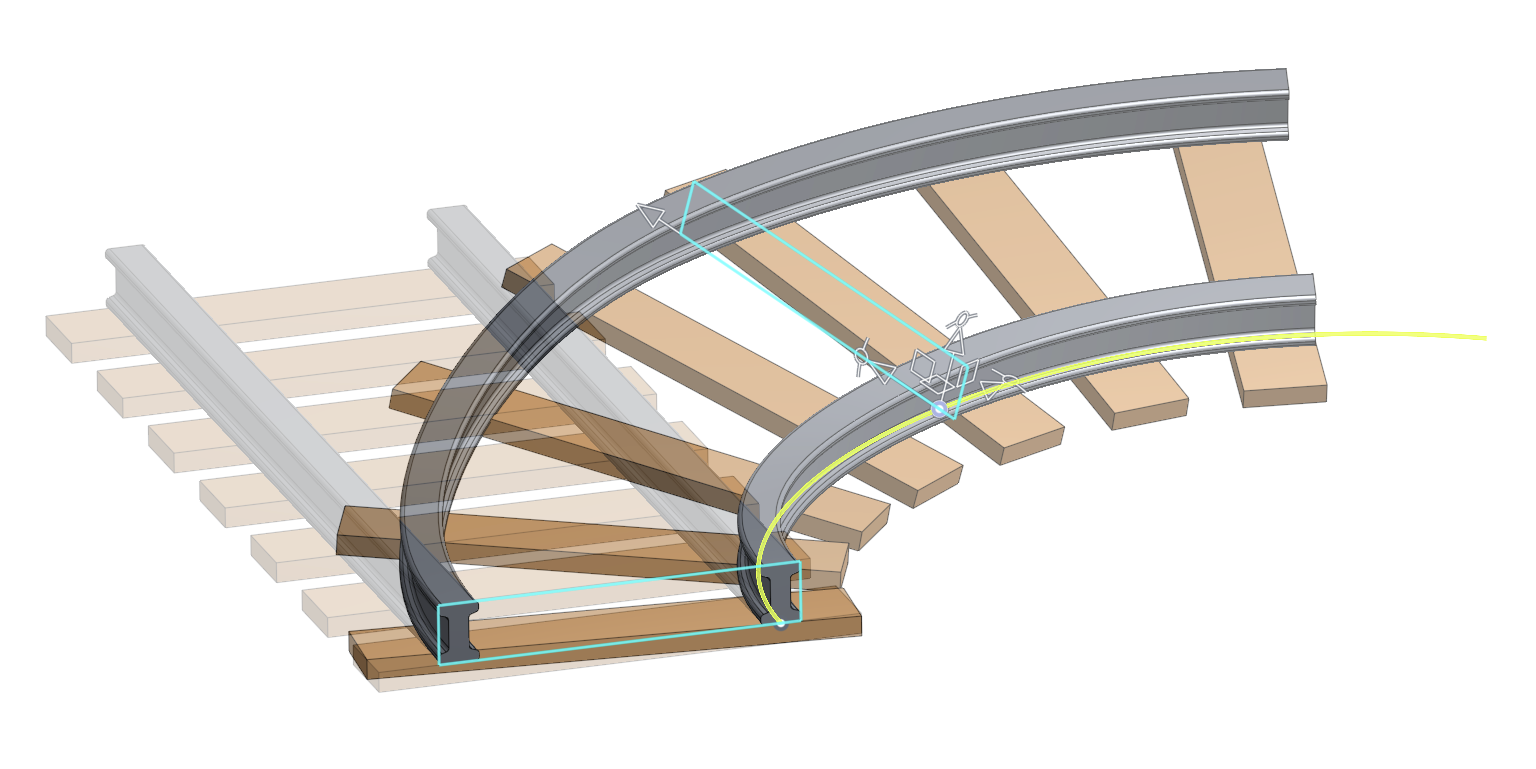
 Deform
It deforms a parts and surfaces via profile sections or lattice grids along a path. Useful when you need to bend, twist, and scale parts after they have already been modeled.
Note: It is still a work in progress but I think its good enough for first release.
https://cad.onshape.com/documents/303775db976a02780499bec3/w/80a914faf16b9cdbd2f23c0e/e/0f0912aaf…
Special thanks to:
- @Derek_Van_Allen_BD for laying the b-spline surfacing groundwork with Tween Surfaces.
- @vesa_timonen for laying the general geometry groundwork with Flex
- @EvanReese for laying the manipulator groundwork with Freeform Spline
- @GregBrown for laying even more manipulator groundwork with Routing Curve
- And last but not least thanks to GPT 5.5 for writing this entire feature in a single afternoon;
for those who couldn't tell via the 5000 lines of code… 🤣
▚▞▚▞▚▞▚▞▚
Comments
-
Could it be? My 4 dimensional dreams realized at last? And I didn't have to write the whole thing myself? It's beautiful.
3 -
@Derek_Van_Allen_BD There is still work to do. if you want a challenge, see if you can get it to work on the test studios.
◉ RENDERCAD - Photorealistic product rendering.◉ CADSharp - Professional CAD + software consulting.
▚▞▚▞▚▞▚▞▚0 -
@MichaelPascoe what a madman! This is ridiculously cool to see. I'm going to need a tutorial on the UI. So many levers to flip and knobs to twiddle.
1 -
I'll definitely poke around and see how it runs compared to the FFD concept that I did that lacked the surface stitching.
0 -
@EvanReese alright, yeah, needs a quick demo / tutorial. I'll try to whip one up later.
@Derek_Van_Allen_BD It seems to do ok with main body protrusions but has difficulty with small protrusions and pockets or large pockets.
Almost got the acanthus leaf test studio to work and then it digressed again and looks like it does now.
Either way, this is at least a starting point (or a black hole) and the closest thing I've seen so far to a full deformation feature.◉ RENDERCAD - Photorealistic product rendering.◉ CADSharp - Professional CAD + software consulting.
▚▞▚▞▚▞▚▞▚0 -
This is both absolutely amazing and somewhat frustrating at the same time. I wish whatever underlying magic wouldn't make the surfaces so heavy and wouldn't do crazy things at the ends. This example is only using a simple single span degree 3 curve as the target, but the result is way more complex, and the ends are even heavier and more wobbly.
I would also love to see a demo video. There are a zillion options.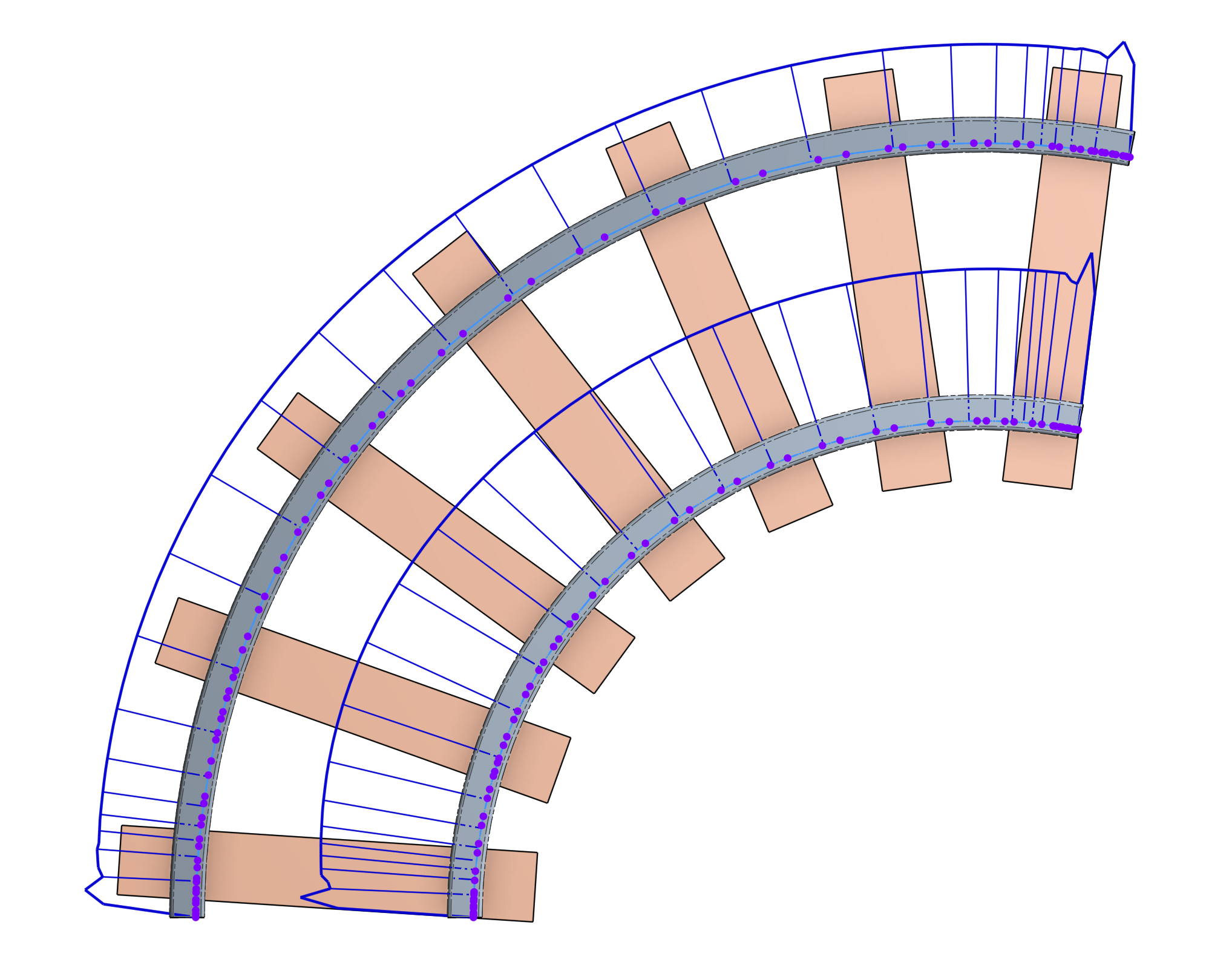
Simon Gatrall | Product Development, Engineering, Design, Onshape | Ex- IDEO, PCH, Unagi, Carbon | LinkedIn
1 -
If it's the same magic as the tween surfaces magic, what's happening is the surfaces are being elevated and having knots inserted to match the deformation domains which is a necessary step to guarantee the resulting surfaces respecting locality of the driving geometry.
Also if it's the *exact* same tween surfaces magic, I messed up some of the knot insertion logic and probably the points aren't being perfectly inserted in the intended regions. I can't actually look at the source until next week when I'm back in office after my trip to go play with some marbles.
0 -
Ok, here is a demo video.
Also cleaned the feature up a bit so the user interface is more intuitive.
(The clean up was after the video unfortunately, but its the same functionality just less overwhelming now.)@S1mon this is first draft so expect some rough curvature. Will try to improve.
◉ RENDERCAD - Photorealistic product rendering.◉ CADSharp - Professional CAD + software consulting.
▚▞▚▞▚▞▚▞▚1 -
In case anyone wants to contribute to this feature, here are the areas it is lacking:
- Concave faces and pockets
- Small island protrusions on a side wall
- Curvature heavy faces
I recommend tossing it into codex gpt 5.5 or claude 4.7 and grabbing a coffee. 😎
◉ RENDERCAD - Photorealistic product rendering.◉ CADSharp - Professional CAD + software consulting.
▚▞▚▞▚▞▚▞▚0 -
So regarding hight curvature region sampling I might have some aproach used in curve transform features - vary point sampling density based on accumulated curvature function. For curve it would look like first take a number of evenly spaced curve parameters and corresponding curvatures, create a somehow a function that interpolates from accumulated sum of curvatures up to specific parameter to that parameter. That function has a property that given evenly spaced range of points on curvature axis it will map them into into unevenly spaced curve parameter points with the more dense regions where the curvature is higher. For the 2d case of face sampling this will likely require 2d interpolation dependency
CADSharp - Onshape custom programming services + Onshape mechanical design services
1 -
wow, this is really impressive 🤩 well done!
1 -
Thank you for the video, it was really helpful.
Seeing how it works in practice made things much clearer, especially in understanding the overall workflow. I appreciate the effort you put into it!
 2
2 -
will probable add some of your features @Konst_Sh to the example repo for it and have it optimise. I should have done that from the start but this was supposed to only be a proof of concept; then;it actually worked lol.
◉ RENDERCAD - Photorealistic product rendering.◉ CADSharp - Professional CAD + software consulting.
▚▞▚▞▚▞▚▞▚2 -
The Almighty Algorithm must be tracking my search history and cookies very closely because Google just served me a recommended thread from a FreeCAD development branch on GitHub attempting a generalized deformation feature as well. Different language and kernel obviously but at least it's open source to be able to poke around at and compare / contrast to this approach.
2 -
-
-
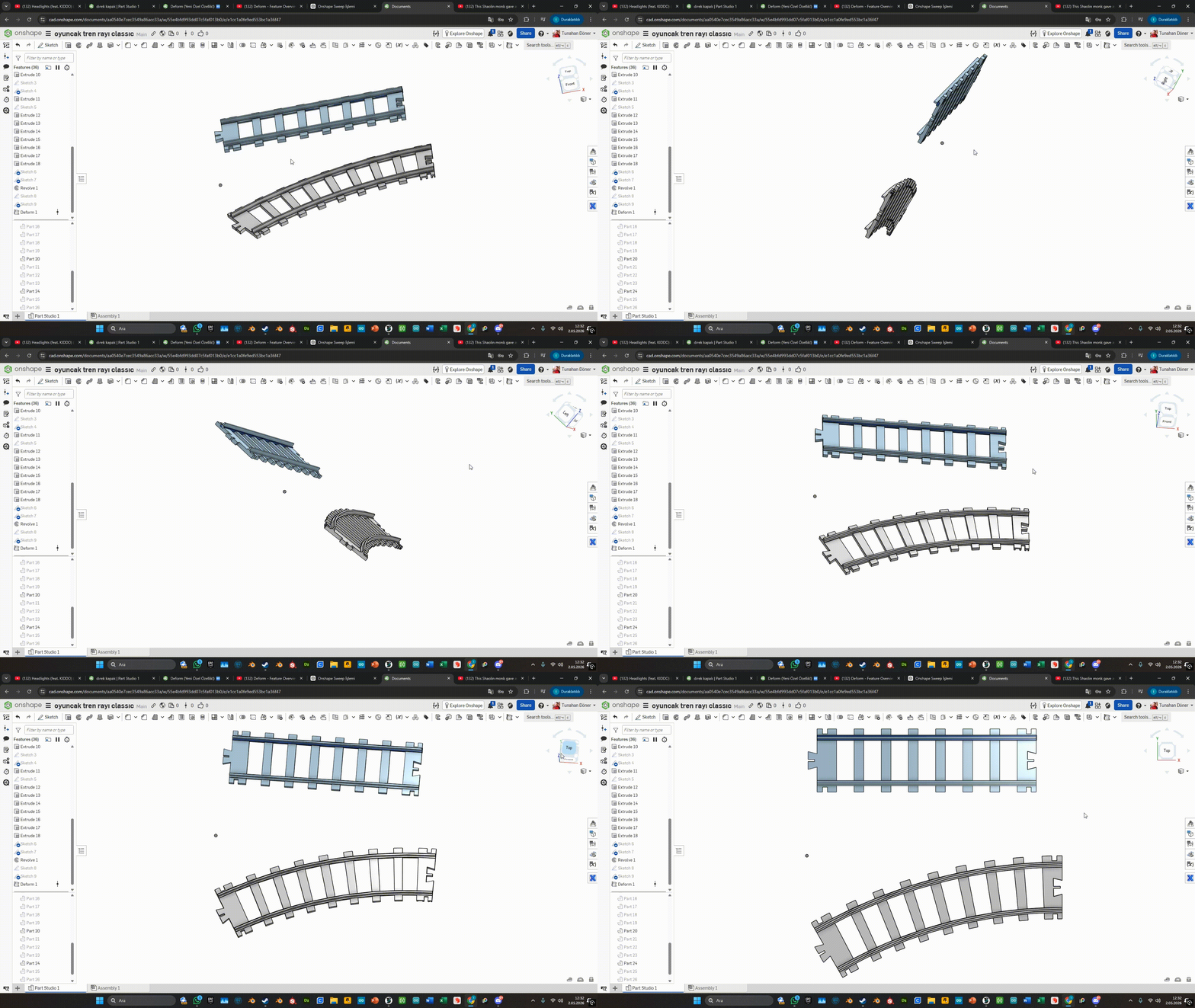
Started doing my poking around. It actually looks like this takes a fundamentally different path than the FFD experiment and surface tweening stuff I did previously and does some aggressive sampling and reconstruction methods that are probably the cause of the weird surface quality artifacts seen in the above images. It's a closer attempt than I had, but I'm gonna see if switching around some of these lower level functions can improve the performance and stability of the feature.
2 -
.
Update 🎉
- Added path support for faces. Now you can easily wrap onto a surface.
- Added preview mode. This pauses the heavy calculations while you move the manipulators around.
- Added position manipulators so that you can move the part around on the path or surface.
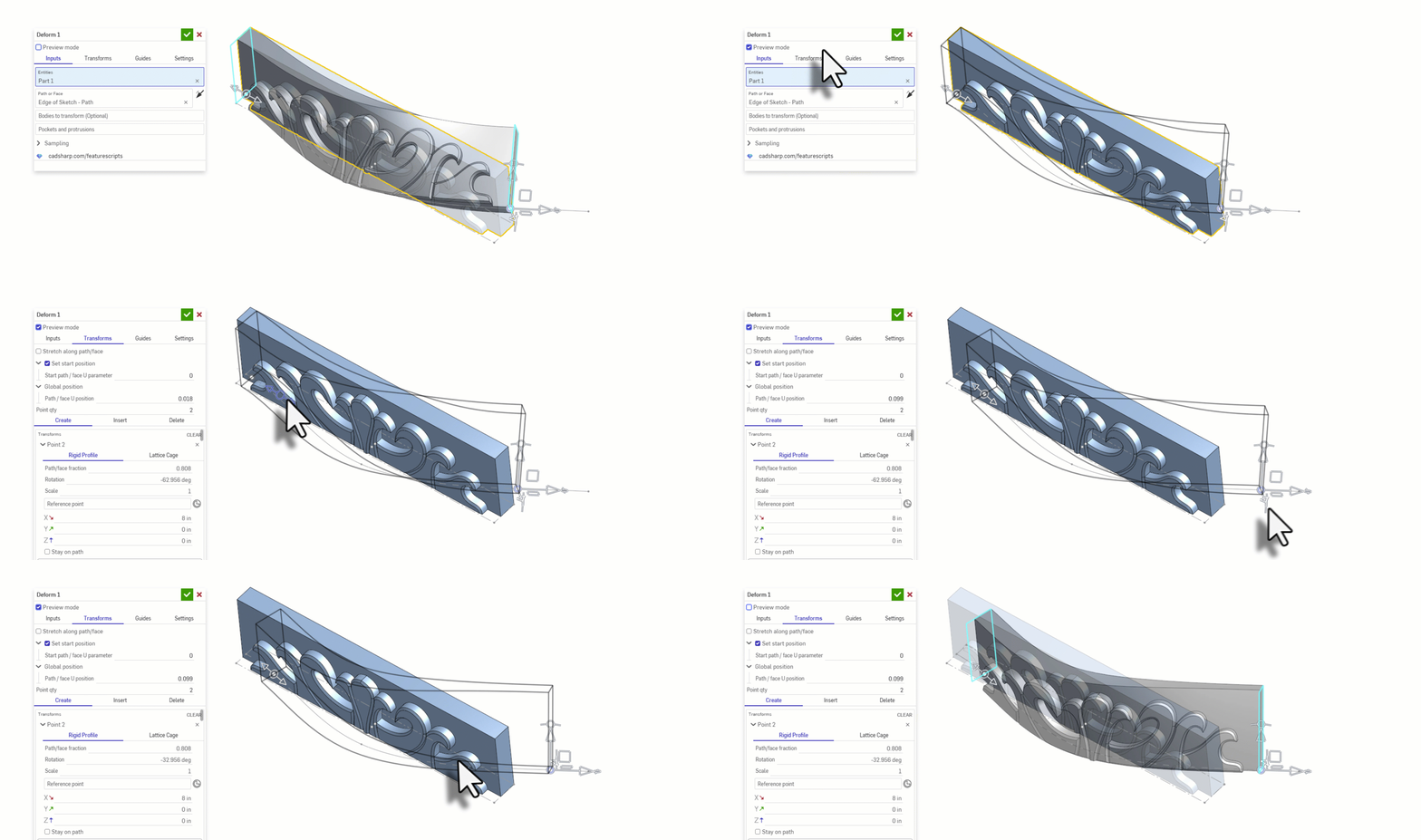
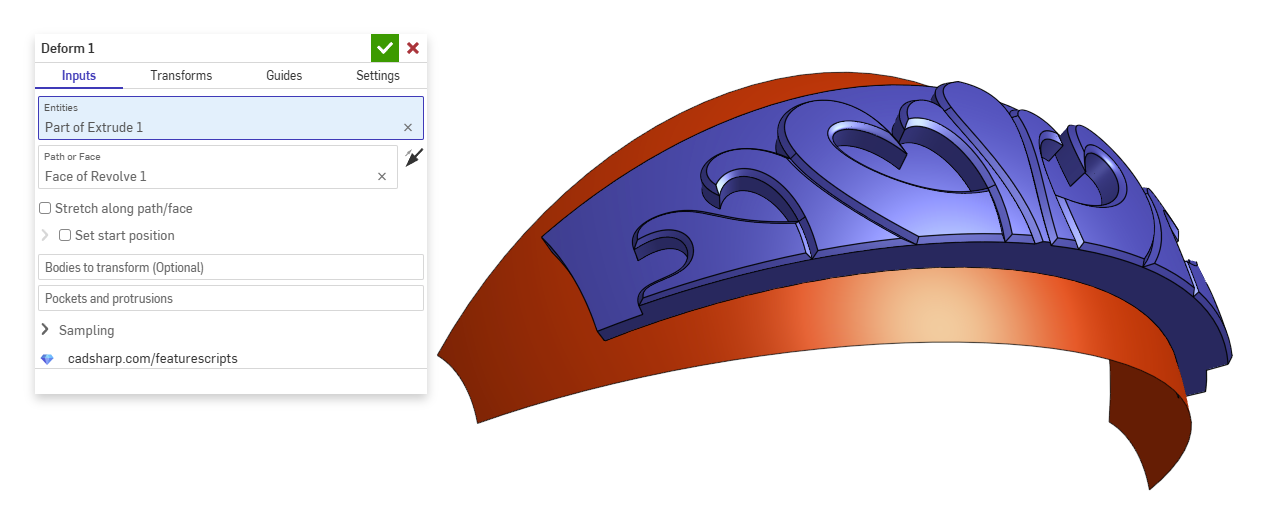 ◉ RENDERCAD - Photorealistic product rendering.◉ CADSharp - Professional CAD + software consulting.
▚▞▚▞▚▞▚▞▚2 -
-
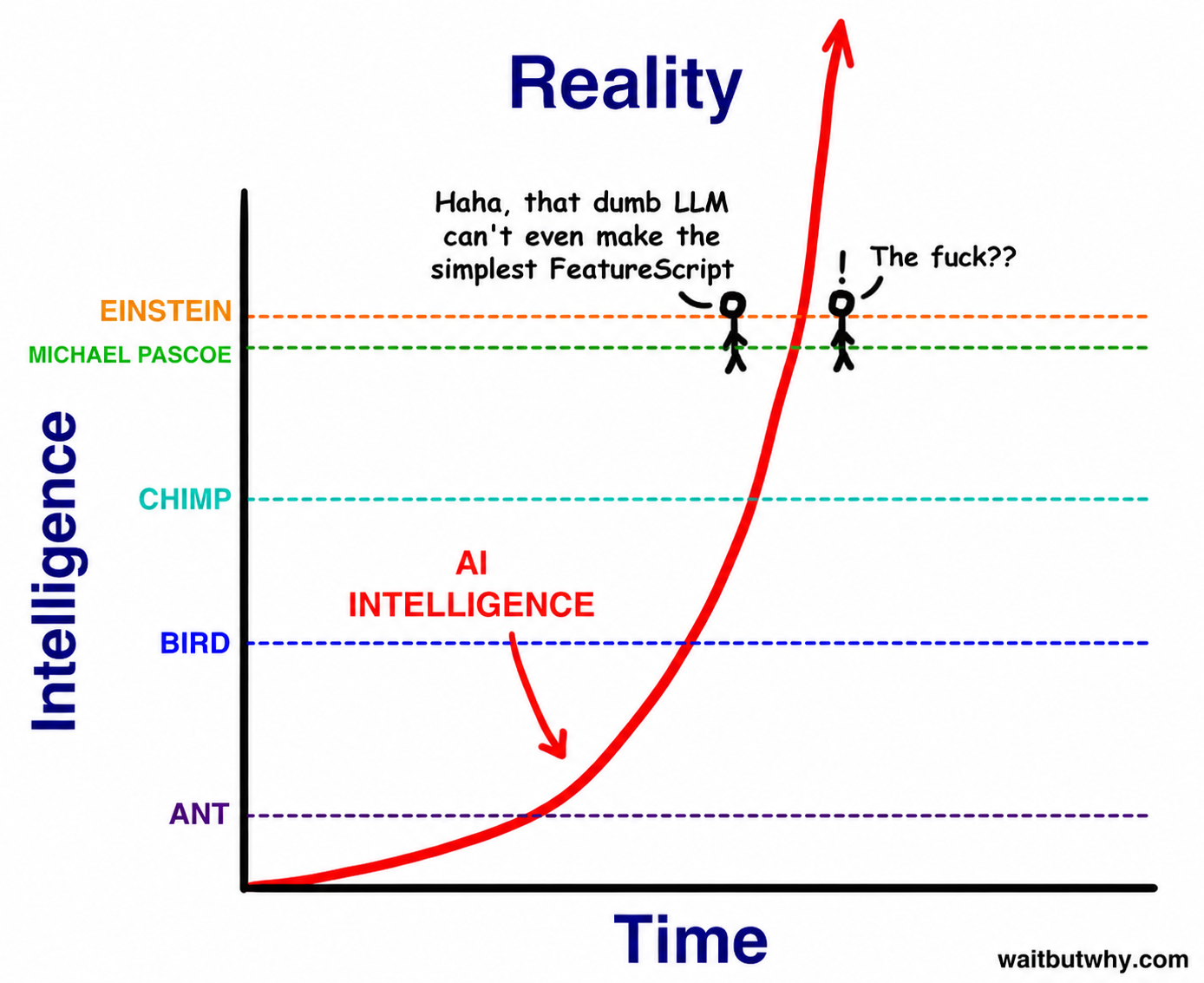
People in 100 years will remember this FeatureScript as the first sign of the AI singularity
 3
3 -
-
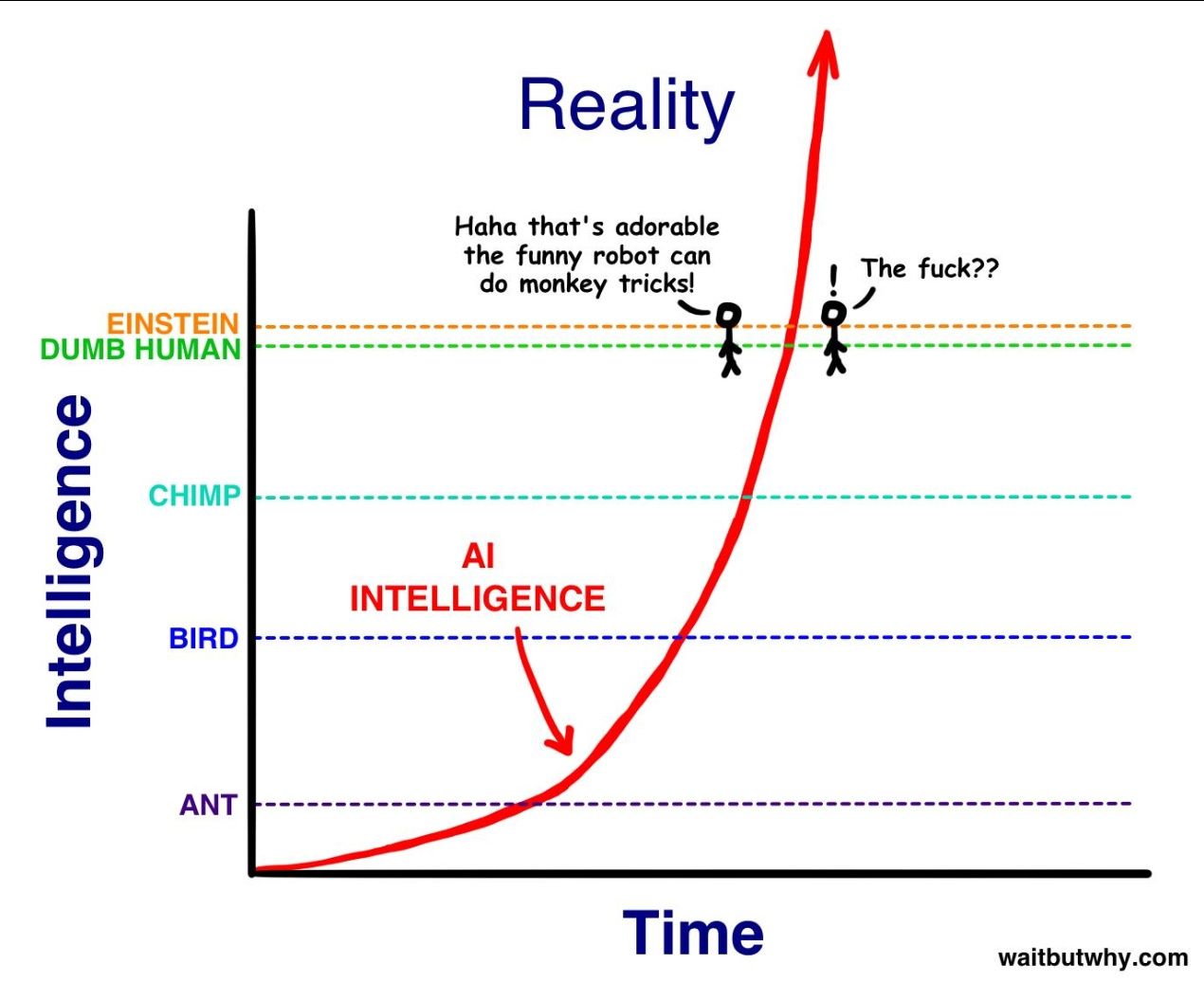
The y-axis is logarithmic, which makes them even closer 😁
The original image comes from Tim Urban’s Wait But Why series “The AI Revolution,” published in January 2015.
 1
1