Welcome to the Onshape forum! Ask questions and join in the discussions about everything Onshape.
First time visiting? Here are some places to start:- Looking for a certain topic? Check out the categories filter or use Search (upper right).
- Need support? Ask a question to our Community Support category.
- Please submit support tickets for bugs but you can request improvements in the Product Feedback category.
- Be respectful, on topic and if you see a problem, Flag it.
If you would like to contact our Community Manager personally, feel free to send a private message or an email.
Adding FeatureScript Syntax Support to VSCode
 S1mon
Member Posts: 4,199 PRO
S1mon
Member Posts: 4,199 PRO
I do a lot of vibe coding of FeatureScript using Codex and VSCode. I've wanted better FeatureScript syntax highlighting support for VSCode. Codex and ChatGPT developed a .VSIX extension which you can install. It knows the syntax and standard library and it will use sticky scrolling to show headers of functions and other blocks while you scroll.
https://github.com/gatrall/featurescript-language-support
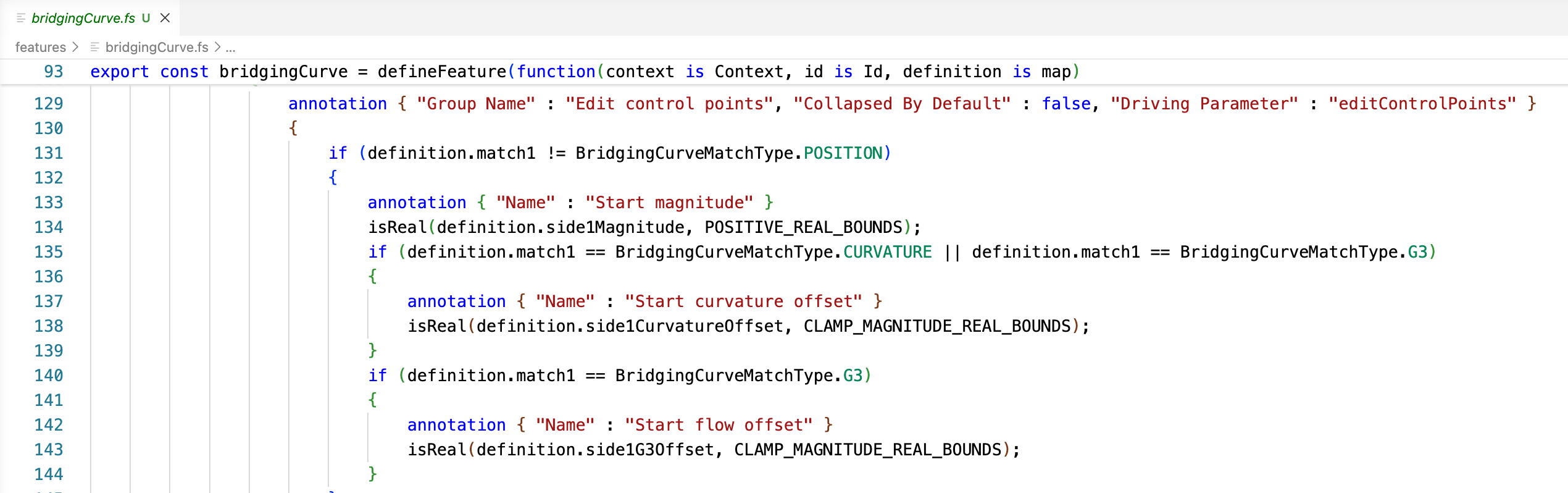
Please follow up here with bug reports or improvement requests.
Simon Gatrall | Product Development, Engineering, Design, Onshape | Ex- IDEO, PCH, Unagi, Carbon | LinkedIn
Comments
I'm honestly still learning the basics of VSCode, but one of the nice benefits of this FeatureScript aware plugin is that you can navigate by symbols defined in the text (editor or workspace).
Shift Cmd 0(for workspace) brings up this menu which is the list ofenum,const,function,export, etc.The text below the filename also gives you breadcrumbs of where you are in the file.
Simon Gatrall | Product Development, Engineering, Design, Onshape | Ex- IDEO, PCH, Unagi, Carbon | LinkedIn
This is interesting indeed, if the api integration through public extension will be added together with agentic coding this can boost productivity extensively. Great work, thanks for sharing Simon!
Are the "go to definition" and "where used" capabilities not there yet or I'm doing something wrong? Also would be good to have tooltips from symbol docstrings
Apparently I just needed to ask it to do that too. 0.1.5 version is up on GitHub.
This works within the file. Adding workspace references will be a next step.
Simon Gatrall | Product Development, Engineering, Design, Onshape | Ex- IDEO, PCH, Unagi, Carbon | LinkedIn
Works great, thanks! One suggestion - I find the tooltips for enum types that show the full list of variants available in onshape feature studio more useful then how it currently only shows the symbol name and docstring. Also I'm curious what it takes to make autocomplete work for enums and maps? I know the autocomplete is basically all-ai now, but making it more autonomous wouldn't hurt.
Another thing which bugs me often in onshape editor is that we have a bunch of features like frame(), extrude(), enclose() with no definitition fields documented via docstring, which makes fields auto-complete when typing function call not supported, though this fields info is clearly available in predicate
I put your comment into Codex verbatim
It came back with a plan and I approved and it just did it.
See GitHub for the latest 0.1.6 release.
Simon Gatrall | Product Development, Engineering, Design, Onshape | Ex- IDEO, PCH, Unagi, Carbon | LinkedIn