Welcome to the Onshape forum! Ask questions and join in the discussions about everything Onshape.
First time visiting? Here are some places to start:- Looking for a certain topic? Check out the categories filter or use Search (upper right).
- Need support? Ask a question to our Community Support category.
- Please submit support tickets for bugs but you can request improvements in the Product Feedback category.
- Be respectful, on topic and if you see a problem, Flag it.
If you would like to contact our Community Manager personally, feel free to send a private message or an email.
Issue Filleting Wing(Loft) to Fuselage(Loft).

Hello,
I'm having trouble adding a fillet between the Wings and Fuselage in this Project. I can't choose a radius even remotely close to what im after. I would like to add maybe 10 to 15 mm but whenever I try to fillet with more than 1 mm it fails. Creating a 0.5 mm fillet works. A 1mm Fillet prompts the error: "Fillet produces a self-intersecting surface", and a 5mm Fillet prompts: "Radius of fillet on face too large". I think I understand what these messages mean, but I don't see why the Fillet would produce a self-intersecting surface and 5mm is not enough for the Fillet to "spill" over the Edge of the Surface, which is usually what produces that error.
This is the Document: https://cad.onshape.com/documents/dfb2e7957f6cc2d8ae85a40b/w/b1001b6ad7f88f986e8189a7/e/10c2ab0b81684579fc061af9
The issue is in Part Studio "flying wing 2". The Studio "flying wing 1" was an earlier approach that had different problems which is why i tried this new approach of lofting the center piece longitudinally and filleting it with the Wing. Before that, I was lofting both parts laterally.
Im using the (rather old) Profile Generator CustomFeature
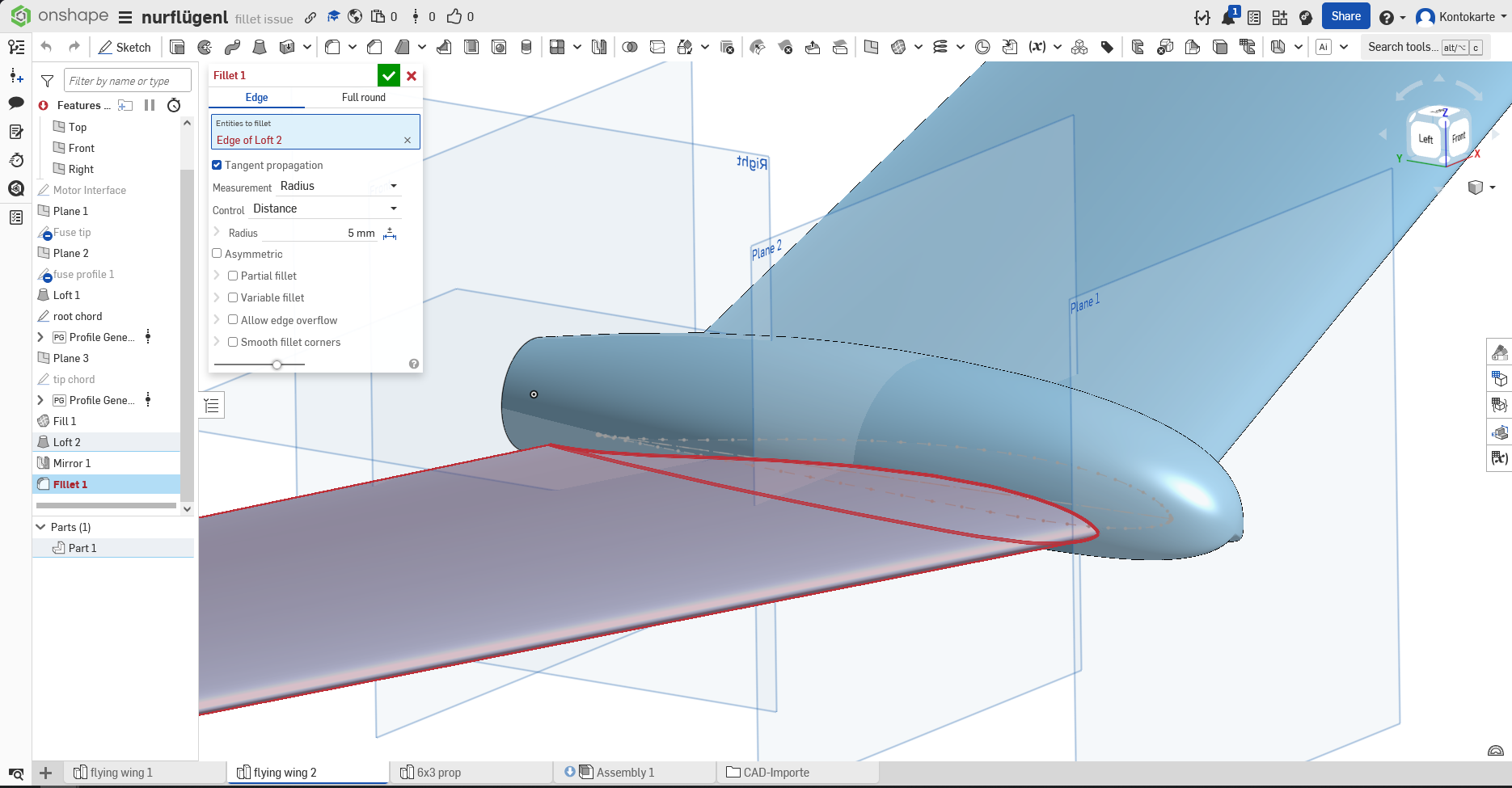
I have only tried changing more or less random parameters, which (expectedly) hasn't helped. So im rather clueless on how to solve this. Im suspecting it is an issue with the sharp trailing edge of the airfoil, or with the airfoil generation of the custom feature.
Thanks in advance for you help.
Best Answer
-
I think I tried a variable fillet but it didn't work either. Either way, after researching how it's usually done in aerospace engineering, I created the whole geometry as a surface first, using lofts and boundary surfaces. This worked well after troubleshooting some issues, and I think this method achieved something more similar to what I had in mind than a fillet could have.
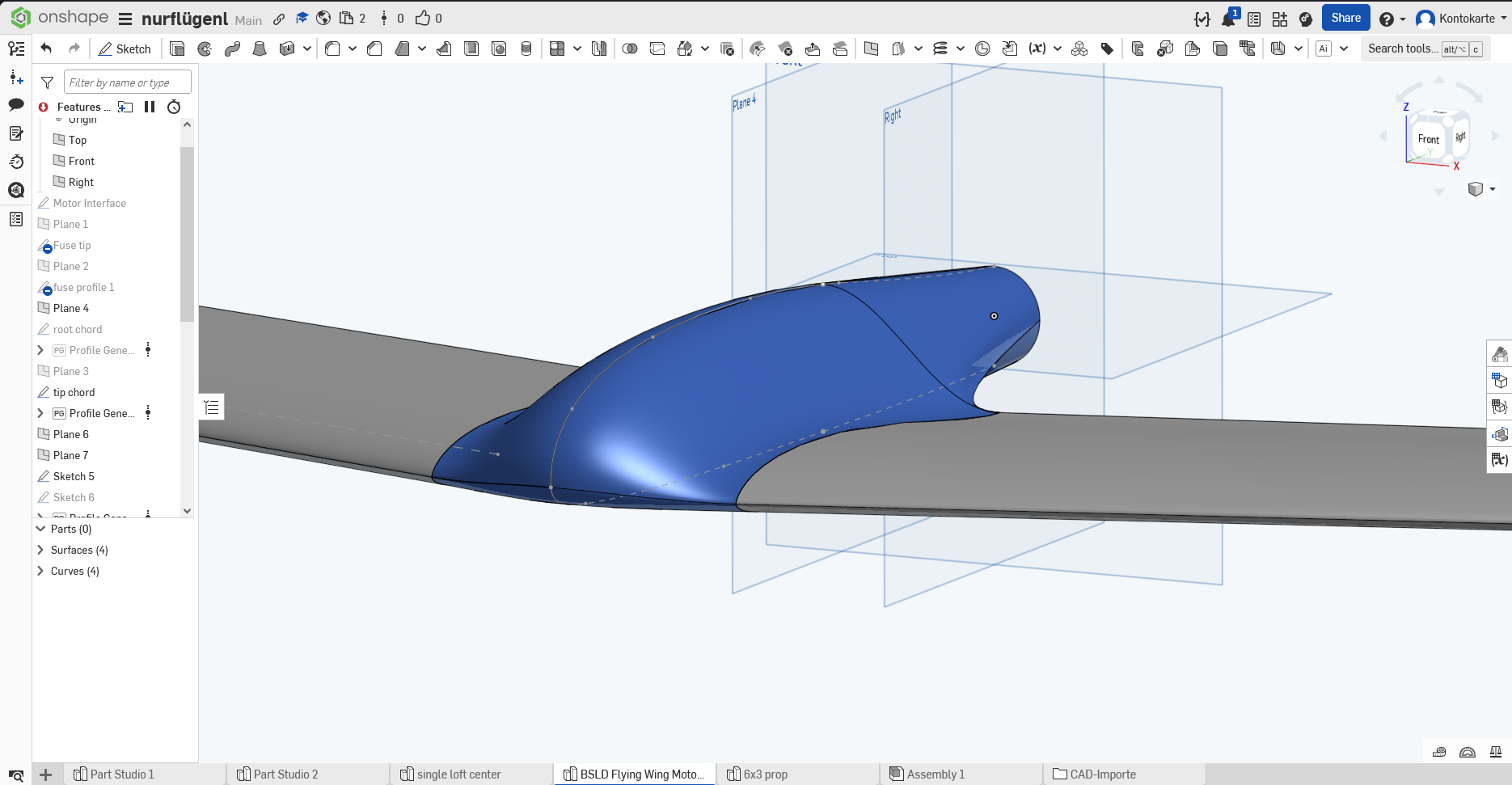
If anyone wants to take a look in detail, it's in the Main version branch.
0
Answers
-
I've had similar struggles with wing to fuselage fillets. You might try the "variable fillet" option with the trailing edge vertex dimension set to zero and the "point on edge" at your desired 15mm.. Then you can slide that point to adjust where the taper begins. This should produce a fillet starting at 15mm at the leading edge and tapering to zero at the trailing edge. If your trailing edge has a thickness (rather than being sharp) you'll have to select T.E. vertexes on both the top & bottom. With tangent propagation turned on it "should" do top and bottom fillets all in one shot. But I'm still pretty new at this stuff; it's been kind of a crapshoot for me.
Sorry I'm not at a computer right now or I would take a look at your document.
1 -
I think I tried a variable fillet but it didn't work either. Either way, after researching how it's usually done in aerospace engineering, I created the whole geometry as a surface first, using lofts and boundary surfaces. This worked well after troubleshooting some issues, and I think this method achieved something more similar to what I had in mind than a fillet could have.
If anyone wants to take a look in detail, it's in the Main version branch.
0 -
Cool, I'll take a look at your methods when I get a chance.
1
