Welcome to the Onshape forum! Ask questions and join in the discussions about everything Onshape.
First time visiting? Here are some places to start:- Looking for a certain topic? Check out the categories filter or use Search (upper right).
- Need support? Ask a question to our Community Support category.
- Please submit support tickets for bugs but you can request improvements in the Product Feedback category.
- Be respectful, on topic and if you see a problem, Flag it.
If you would like to contact our Community Manager personally, feel free to send a private message or an email.
New FeatureScript Concept - Smart(er) fillet

Smart(er) Fillet: a FeatureScript that figures out your maximum fillet radius before you do.
The intention of this FeatureScript is not really to replace the current fillet tool, at least not right now, but to share an idea of how features can be computationally smarter and more user-friendly. It came up from some thinking on the cache trick by @Derek_Van_Allen_BD (here), as well as finding some fun functions in STD called startFeature/abortFeature. I’m curious if anyone else has used startFeature/abortFeature for probing geometry mid-dialog. I'd love to hear what you've built with it!
What it does
Has this ever happened to you? You select some edges, type in a radius and it computes just fine. Add a few more edges and all of a sudden a massive hairball of magenta fillet errors. Halve the fillet dimension. Red error again. Halve again. Eventually something sticks and you move on, never quite sure if you could have gone bigger. What you're doing by hand is a binary search. So I built a quick FeatureScript that does it.
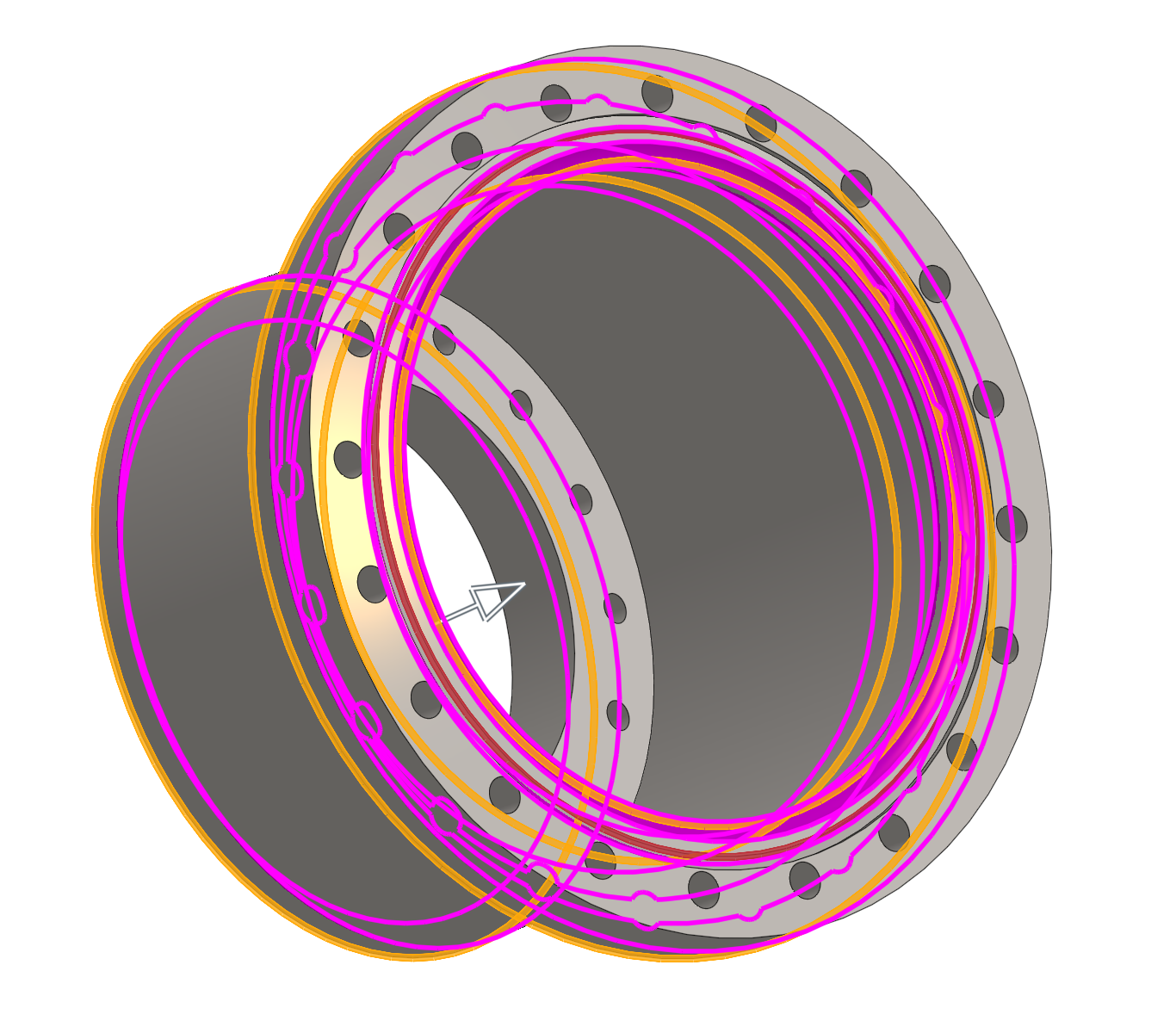
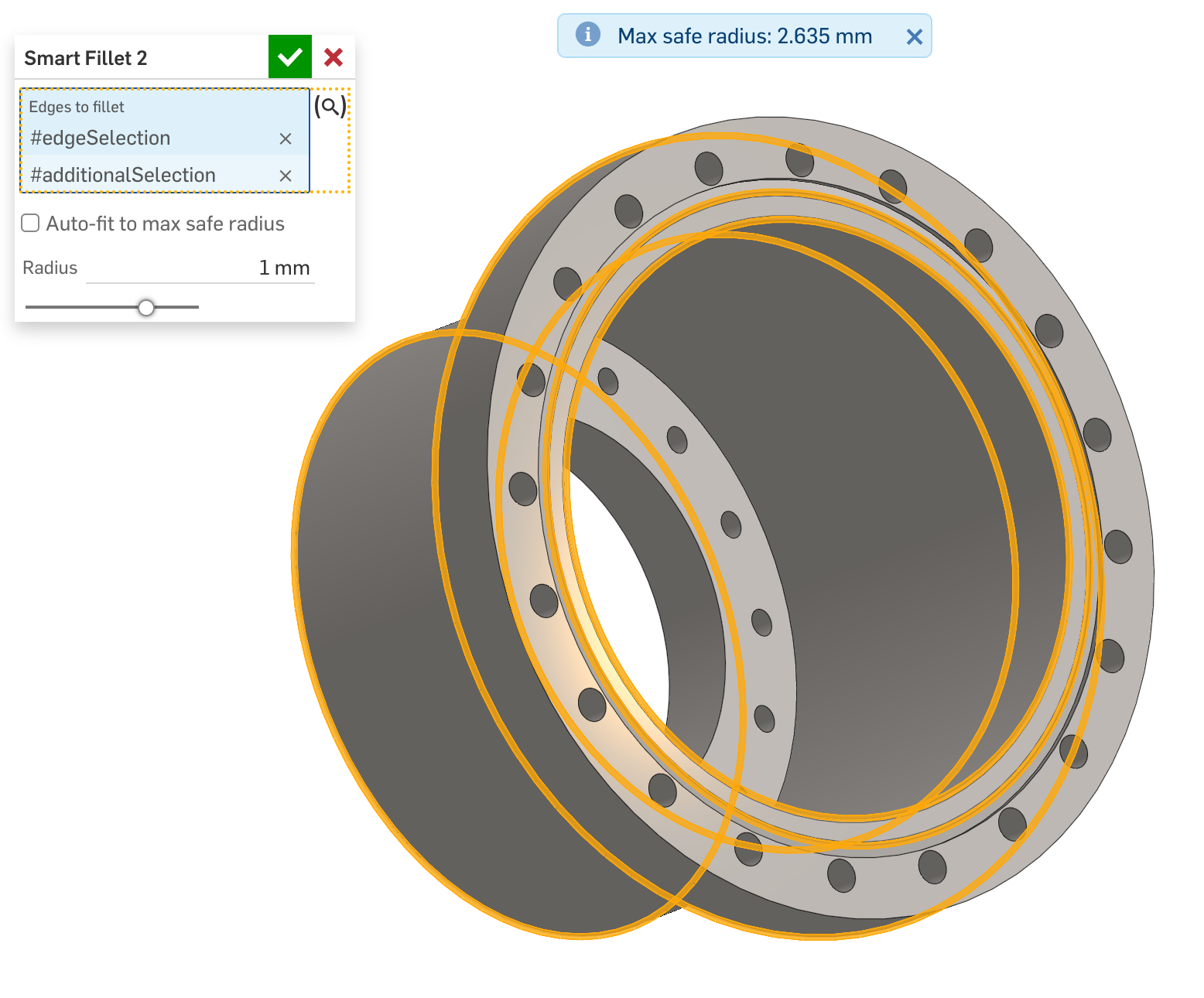
Smart Fillet is a simple representation of the standard fillet. Select your edges, and while you're still in the dialog, before you've committed anything, it tells you the maximum safe radius right there in the feature panel. Feature still fails red if fillet is too large and can’t compute; but it tells you how to fix it.
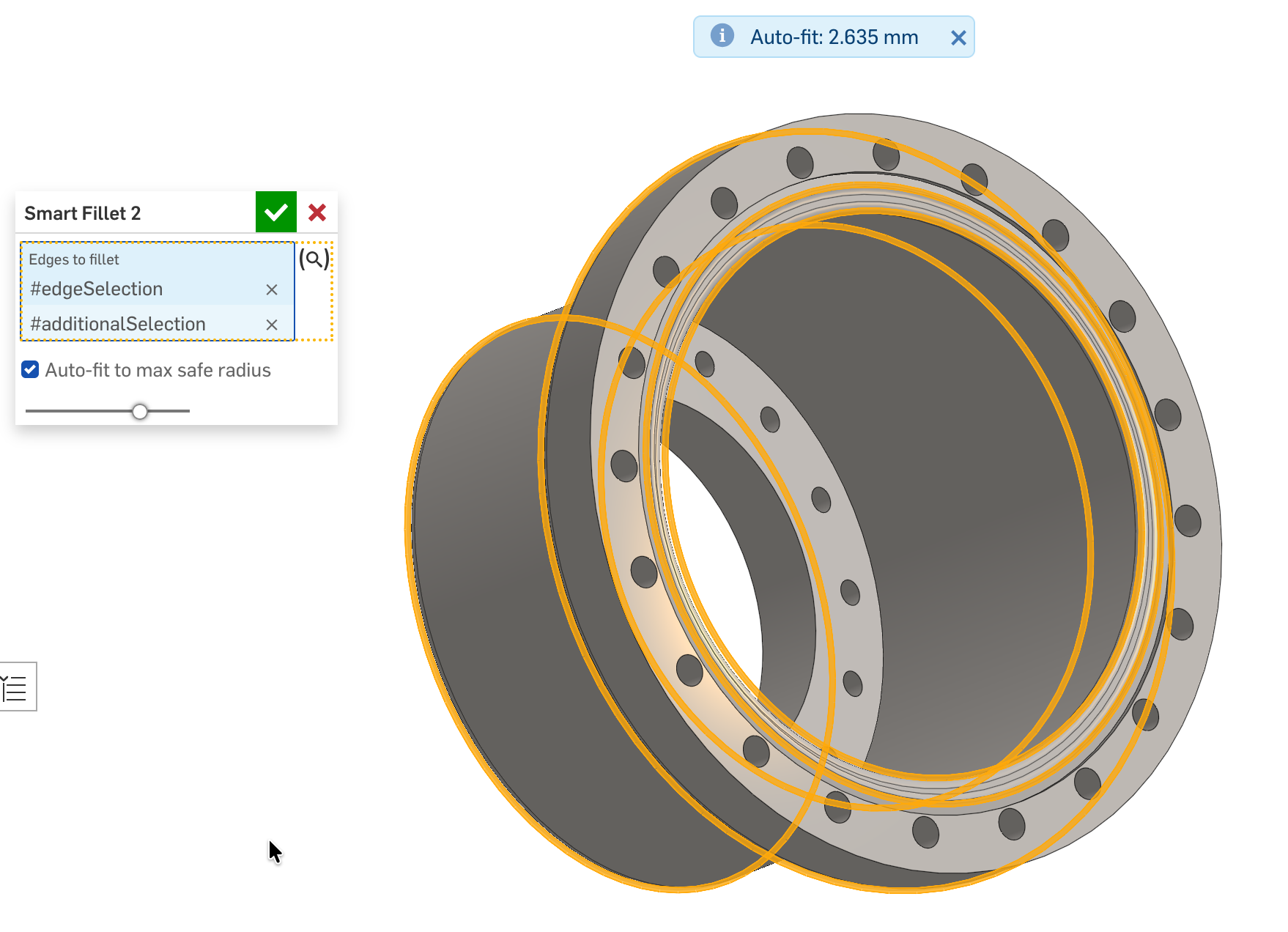
There's also an auto-fit toggle. Enable it and the radius snaps to the new max safe whenever you change the edge selection or edit the part upstream.
The magic
FeatureScript has a mechanism called startFeature/abortFeature, a geometry transaction that always rolls back. Inside the editing logic function, the feature secretly attempts the fillet at a candidate radius, checks if it succeeded, then rolls it back completely. No artifacts, no flicker, like it never happened.
Run that probe 12 times in a binary search and you converge to the max safe radius. The search exits early when the gap between the last safe and first failed radius is under 0.01 mm, so typical cases resolve in 6 to 8 probes rather than the full 12.
What this may means
The fillet lookup is almost a side point. The more interesting thing is that FeatureScript can perform geometry operations during UI interaction, probe the result, roll it back, and feed the answer back into the dialog, all before the feature even regenerates. I hadn't appreciated how far that pattern could go until building this, and I'm sure there are loads of other places it could apply.
Limitations
- Single radius and edge selection only, no other of the bells and whistles of the native fillet tool. It's to try and share the methods.
- On parts with very complex fillet geometry and large edge selections, the probe cost multiplies. Something to consider.
- I'm sure there are edge cases I haven't encountered yet. Please do report them.
Comments
-
This is really cool and creative! Genius idea to a problem that we've all faced.
Ramon Yip | glassboard.com
0 -
The caching trick is useful when a feature does a lot of work before the point where user input matters. I've definitely done it a few times for similar search algorithms or optimizations. The downside is that it removes some level of parametric control from the process. Editing logic is only triggered by a real human opening the dialog. A configuration isn't going to trigger it.
another trick is to not use the editing logic to trigger it but to have a button element that forces the recalculation, instead of triggering of like a checkbox.
www.smartbenchsoftware.com --- Renaissance --- Kestrel -- SmartLink
Experts in Onshape Automation - Custom Features and Integrated Applications0 -
Good for stuff like export scripts you'll only run once like a hotrodded version of Auto Layout that sorts your parts into like-materials and thicknesses so you don't need to run 10 instances of the feature to get all of your parts ready to send to the mill. Maybe I should make a post about that one some day.
0 -
One note of caution here that might influence your implementation @wille_j : your "max safe radius" finder is also the radius at which the fillet is just barely working.
Your ".01mm delta" likely serves as a sort of buffer against numerical instability, but you might want to make that a tuneable parameter in your solution finder. Regeneration errors due to numerical instability are a rare occurrence in Onshape (due to deliberate sustained effort by onshape devs and parasolid kernel authors) but it does occur.
Still: I love it! How often have I sat there tinkering with exactly this?! Very cool.0 -
Actually on the subject of dumping complexity into editing logic and nesting, the delaunay experiment I did above was partially an experiment to see if I could build a better packing solver into my expanded Auto Layout feature, which would probably result in one hell of a laggy user interaction when they press the nest button but would result in pretty snappy build times since all the logic ran at the UI level and the final feature is just pulling a table of transforms out of that pocket and applying them to the parts. Never got around to it though.
0 -
Thanks for your insights @Caden_Armstrong
The auto-aspect of this is definitely an important aspect, unexpected and undesired changes pose a risk.
On the editing logic, it does actually compute out-of-date cache and if so re-compute the max fillet without user intervention. See the gif, sorry for it being slowed down, for some reason the gif converter also slowed it down. There may be smarter ways to gather and check cache data?
 0
0 -
Very cool ideas @Derek_Van_Allen_BD :) I would love to see when you get around to it.
Thank you for your insights @jnewth, I'm honored you love it :) I've seen these numerical instability, and I'm always impressed how stable Onshape is to it. You're probably right that the delta should be a tuneable parameter to ensure stability. It's an interesting aspect that the edit logic function could come to a different outcome than the actual opFillet due to numerical differences.
0


