Welcome to the Onshape forum! Ask questions and join in the discussions about everything Onshape.
First time visiting? Here are some places to start:- Looking for a certain topic? Check out the categories filter or use Search (upper right).
- Need support? Ask a question to our Community Support category.
- Please submit support tickets for bugs but you can request improvements in the Product Feedback category.
- Be respectful, on topic and if you see a problem, Flag it.
If you would like to contact our Community Manager personally, feel free to send a private message or an email.
Zip ties?

I'm trying to implement better CAD practices across our team - leaving no screw un-CAD-ed, we found an excellent chain/belt featurescript, but I'm at a loss for how to do zipties.
Is there a featurescript out there I'm unaware of, or is there a better way than creating unique, custom, in-context parts?
Answers
-
one thing I'm considering is using the wire featurescript to create a replication which approximates the dimensions, would this be a valid way?0
-
if you want to show your zip tie then I would draw a box to represent the head.
Draw circle or a box with a spline to create a path for your strap.
Configure your shape as needed.
Then draw your strap rectange and sweep along your path2 -
Alternatively, if you are creating assembly drawings you can just call out the zip tie locations via flag note.1
-
Right, that is all I would do in a professional environment. The model itself is just fancy fluff for the marketing department.0
-
Have a look at this: https://cad.onshape.com/documents/bd1ab9b3ce22193d6cab1fcb/v/5cddd092347747326f80ba5a/e/1585fa2a8d699d6318e9a552
Maybe a bit complicated- but if you'd just take the "Part Studio Zip tie" and put it in a stand-alone document, you'd be ready to insert this in any assembly. The diameter of the zip tie can be adjusted during assembly. Feel free to copy and improve

5 -
I think folks are right that they aren't strictly necessary. The only reasons I can think that you'd really care to have them in there are:
- identifying potential collisions
- renderings and other images
- personal satisfaction
1 -
I would add
4. assembly instructions
5. correct BOMs
Good suggestion, @Evan_Reese. In my experience, small and large are enough, e.g. 120 mm and 250mm length. And I'm really a fan of the new Q-ties from HellermanTyton: https://www.hellermanntyton.com/products/cable-ties-inside-serrated/q120i/109-00053
2 -
excellent additions!fnxf said:I would add
4. assembly instructions
5. correct BOMs0 -
I have my zip ties added as items so they are in the BOM but I haven't been able to figure out how to add a mass to an item so I can get an accurate mass for the assembly. Is it possible to add mass to items?
0 -
No, items are just there for BOM reference.
There really isn't much value in calculating mass for something so trivial.
If it was critical, you don't know exactly how much of the zip tie was used, etc. So, you're better off weighing the final product rather than calculating it in CAD anyway.
0 -
right, that's why I'm saying it should be weighed after the fact.
If you end up throwing away 80% of the zip tie length when you trim it.. what good would a mass for the full length help?
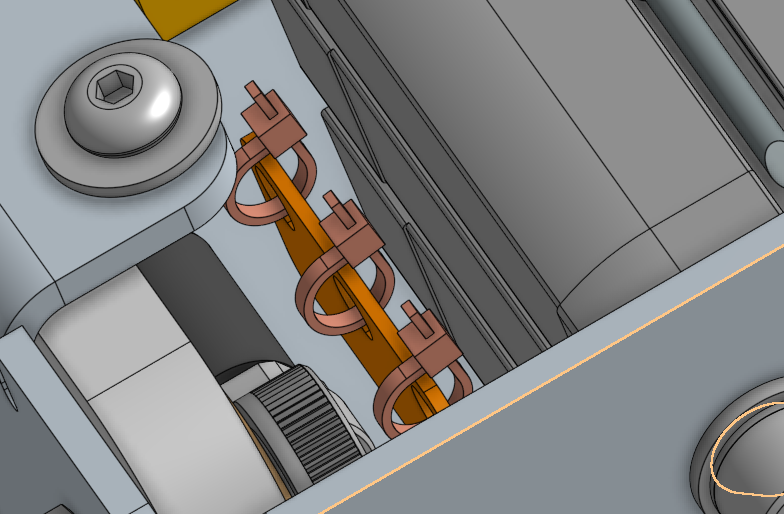
if you really need to get that level of mass. You're better off modeling the tie for each place, then assign a material to it.
 1
1 -
If you use configured Zip Ties, the weight will be pretty accurate, for the config would only use the part that is not cut off. I know many don't model fasteners at all, but in tight environments (small enclosures, many moving parts) it is crucial to have all the possible collisions and intended mounting sequence properly considered and documented. And BOM, of course!
Also, when vibration is an issue, there may be dedicated mounting points for the Zip Ties, which need to be designed. I'd always want to put a zip tie model in there just to make sure that slot or hook isn't misunderstood or misused by anyone.
0 -
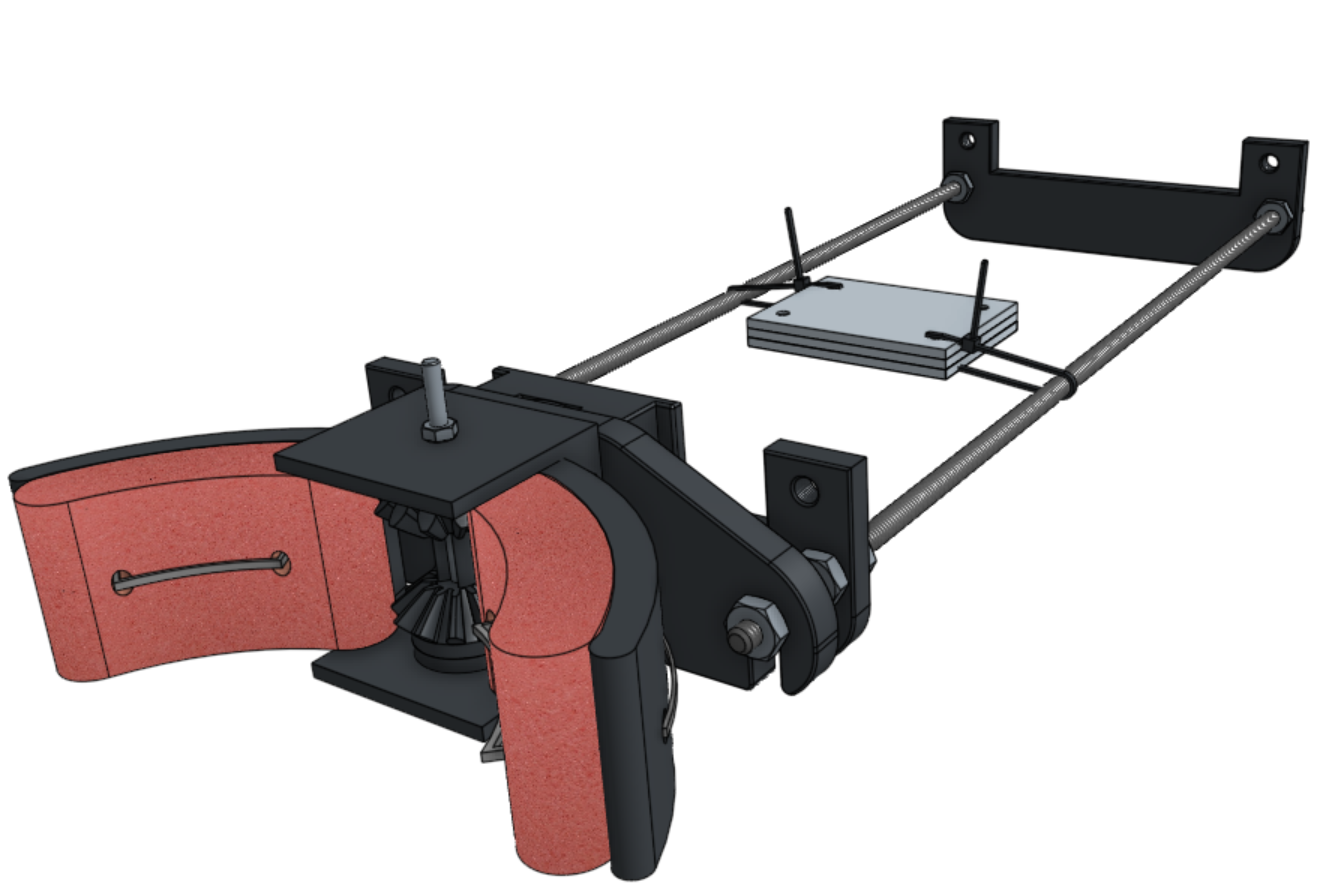
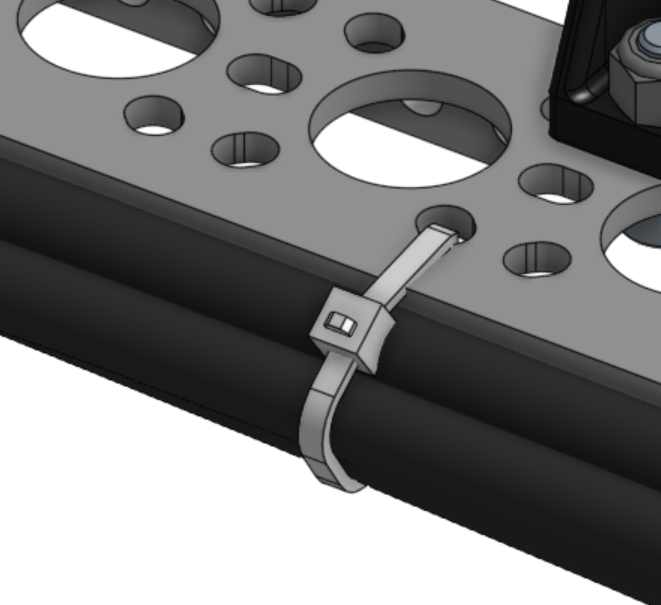
oh sorry i forgor about this thread
ended up writing a janky custom feature for it
snag it here
 2
2 -
That's cool!
0





