Improvements to Onshape - June 27th, 2022
Comments
-
Currently, I am generating a bunch of variables in a single part studio that are then used globally. If I only had the ability to create a new global variable from FS, that would be sufficient for my current needs._anton said:
It's been discussed. Not yet.john_mcclary said:Awesome! Global variables and Line styles in drawings!
Is there a way to push a result from featurescript into the variable studio? Would you use FS purely to generate values, or to evaluate them off an existing Part Studio?
4 -
Any plans to convert the hole tool data to global variables?1
-
When you enter the document, you should have a notification to "update the workspace". This will update the code version of the workspace. If you do not see this notification and are having trouble updating the document, please send in a support ticket.bill_daniels said:Wow, I really needed pipe threads! However, when I went to an existing document, it wasn't there in the hole dialog. I suspect I need to update something. Guidance?1 -
Thanks for another great update! Variable studio's look super-powerful. Can't wait to make use of named positions in drawings. Hope this means I can do away with my hacks with config tables and exploded views.0
-
Great improvements!!
I love the variable studios
There is also a small improvement that you can add to the changelog...Draft feature remember previous angles
Un saludo,
Eduardo Magdalena C2i Change 2 improve ☑ ¿Por qué no organizamos una reunión online?
Partner de PTC - Onshape Averigua a quién conocemos en común0 -
So I'm trying this, and it doesn't quite work the way that I would have expected from your statement. It looks like the triangle release icon only shows up if I release the assembly. I currently have some parts in an assembly at their latest respective revisions, but no triangle is shown. I'm not sure what value there is in only showing this when there's a release (revision) of the assembly.jakeramsley said:S1mon said:The release icon in assembly view seems like it will help, but the video doesn't make it clear how this will work if the release was done in another document.
Hi S1mon,
The way the release icon update works is that if there is a reference in a version that has been released, it will indicate it in the assembly tree. This includes instances that are added from the workspace, from a version of the current document, and versions from other documents. It is not related to where the release package is made (or even if you are looking at a release).
What's also frustrating is that in order to see the revision of the parts, I need to either look at the BOM with a revision column, or the revision history or properties for the part. It would be nice if this was an optional column in the part list or at least something which would show up in the tooltip for the part.
[Oh and BTW, what does the <1> or <2> etc mean after an instance name in the list of parts? I can't find it in the help]Simon Gatrall | Product Development, Engineering, Design, Onshape | Ex- IDEO, PCH, Unagi, Carbon | LinkedIn
0 -
the <1> and <2> are just identifing which instance it is. It is just a number that counts up every time you copy or insert parts in an assembly. You can ignore it, it is for reference when communicating with a team member.
example:
"Your sensor is crashing with the part"
"where?"
"click on the sensor in the tree, it's instance <6>"0 -
That's what I used to think, but in this case, I have parts which have a <2> after them, but there's only a single instance. It's also odd how the instances are numbered for the replicate items, but that's less of an issue.john_mcclary said:the <1> and <2> are just identifing which instance it is. It is just a number that counts up every time you copy or insert parts in an assembly. You can ignore it, it is for reference when communicating with a team member.
example:
"Your sensor is crashing with the part"
"where?"
"click on the sensor in the tree, it's instance <6>"
To circle this back to the main topic, there are two items ("Fork, 6mm Rake" and "Front Fender, 6mm Rake") which are set at a revision here, but show with an update icon instead of the triangle, despite the recent updated functionality. In a way this makes sense, but it might be nice to have an indication that they are at the most recent revision, but not the most recent version. If I go to a version of the assembly, then the triangles show up.
Simon Gatrall | Product Development, Engineering, Design, Onshape | Ex- IDEO, PCH, Unagi, Carbon | LinkedIn
0 -
They are different parts/assemblies, so each part starts at <1>
There are never two instances of the same object with the same <x>0 -
But shouldn't the first and only instance of a part be <1>? In this case, I have 5 parts which all are numbered <2> with no other instances of the same part. The screenshot I shared is the entire list.john_mcclary said:They are different parts/assemblies, so each part starts at <1>
There are never two instances of the same object with the same <x>Simon Gatrall | Product Development, Engineering, Design, Onshape | Ex- IDEO, PCH, Unagi, Carbon | LinkedIn
0 -
How do you always find these things? Do you do a diff on std? 🤣emagdalenaC2i said:Great improvements!!
I love the variable studios
There is also a small improvement that you can add to the changelog...Draft feature remember previous angles
Senior Director, Technical Services, EMEA6 -
Kind of...

 Un saludo,
Eduardo Magdalena C2i Change 2 improve ☑ ¿Por qué no organizamos una reunión online?
Partner de PTC - Onshape Averigua a quién conocemos en común4 -
but they are all different parts...S1mon said:
But shouldn't the first and only instance of a part be <1>? In this case, I have 5 parts which all are numbered <2> with no other instances of the same part. The screenshot I shared is the entire list.john_mcclary said:They are different parts/assemblies, so each part starts at <1>
There are never two instances of the same object with the same <x>
"Front Fender, 6mm Rake"
"Front_Fork_cover_L_MTS_A1"
"Front_Fork_cover_R_MTS_A1"
"Side_Refl_Sticker_Left_OTS"
"Side_Refl_Sticker_Right OTS"
there are no two names between the " " marks that are identical.
They either say, LEFT or Right, or L or R, or Front fender being completely different altogether.
________________________________________________________________________________
here you see I create a simple part, then make a pattern of the part.
See how it gets a new name and a new place on the part list?
That means it has its own unique internal ID. Even though the geometry is identical, they are like identical twins, but they are still unique.
Now I bring them into an assembly,
each part gets a <1> since it is the first instance known to that assembly.
then I make a copy of part 2
it counts up +1 for each copy.
Then I make a copy of part 1, it also counts up (from 1) for each of its copies.
Does that make more sense?
0 -
@john_mcclary
Thanks for doing that. Everything you demoed follows my experience and expectations. What I still don't understand is why I have 5 unique parts which all have instance numbers of <2>, when there's no other copy of the same part. Perhaps I assembled two copies at one point and deleted the <1> instance? In any case this probably belongs in a different thread.
Simon Gatrall | Product Development, Engineering, Design, Onshape | Ex- IDEO, PCH, Unagi, Carbon | LinkedIn
0 -
if you at one point HAD 5 copies, the <?> is created on insertion and will never change for that instance.
so you create 10 copies, then delete all but instance <6>
you will be left with "Part 1 <6>"2 -
Such a small detail, but thanks to the team who made Detailed View Leader- love it!
And also Named Positions- though to me Named Positions and Named Views is the same feature- more or less..3 -
Sure do like the variable studio approach to global variables. Spent a few minutes this morning and already have a sheet metal gauge chart usable every where.
Well done.
https://cad.onshape.com/documents/a5a51681e417ade431aedff4/w/b3fad3af49a379898da960e8/e/bec8f8e2adc23490dccd02bf
ps. Chart is from Metal Supermarket.5 -
@glen_dewsbury
Interesting, That is the first thing I did with it too.0 -
Very happy with the use of global variables.
pipe threads but still not external cosmetic threads.1 -
These are some great improvements!... When will we get tolerance features for Holes and hole callouts though? This is a huge part of making prints where I work, that we're missing in Onshape. Probably one of the main reasons for such resistance to designing in Onshape for most of my collogues.1
-
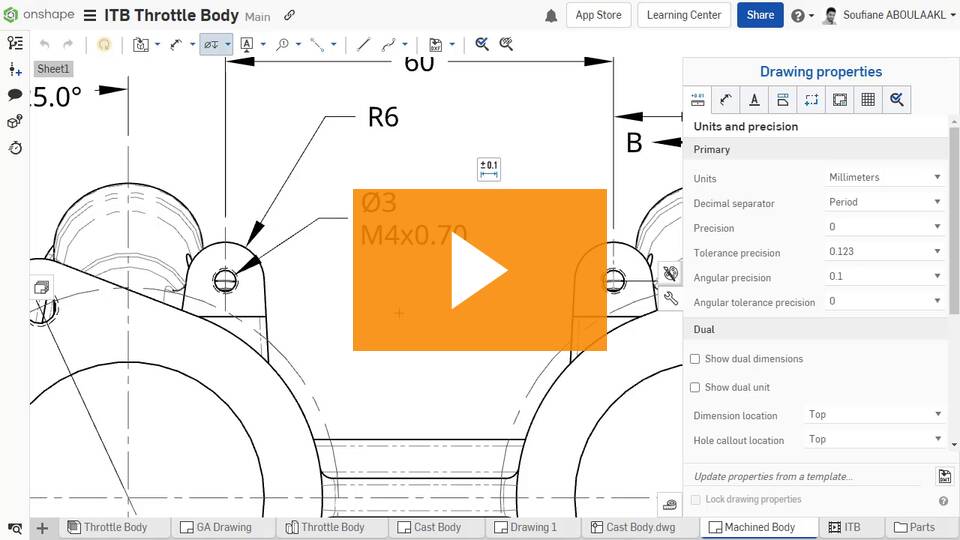
@Jeff_Bunton We released the ability in drawings to override precision and add tolerance information for hole callouts a while back:
Improvements to Onshape - April 5th, 2022 — Onshape
We have more to do in this area, but this is a start.
1 -
Great improvements!
One immediate suggestion would be to bring the configurations panel to the Variable Studios. That should allow the user to manipulate and control multiple variables by changing a configuration input, which is very handy in the current Part Studios.
3 -
I still can't see tapered pipe thread hole option.
0 -
they are under ANSI i believe. there is no mention off NPT until you add a callout in a drawing.bill_daniels said:Wow, I really need pipe threads! However, when I went to an existing document, NPT wasn't in the hole dialog. This document is updated. Guidance?0 -
Thank you for adding the "Variable Studio" functionality. Global variables, accessible to across Part Studios and even to Assembly tabs is a huge win for Onshape.Thanks!2
-
It would be great to have something like that in Onshape, so I don't have to duplicate it into a git repoemagdalenaC2i said:Kind of...0 -
I didn't think it would be so great but I really love seeing the version icon change to a revision icon if the configuration in a version happens to be released. Really makes it feel more secure before initiating a release candidate.0
-
Named positions are definitely better, but there are a couple of weird things:
- It takes a lot of clicks to open the tab, select and apply a position. It seems like this should be quicker to get to as a right-click menu somewhere, not necessarily just in the right hand tab. It makes sense that I need to open the tab to do serious editing, adding or deleting named positions, but not just for applying one.
- It's really weird and frustrating to me that I can select a configuration of a subassembly or part from a parent assembly, but I can't select a named position. There's odd overlap yet differences between how the two things operate. I would prefer that named positions were more like configurations.
Simon Gatrall | Product Development, Engineering, Design, Onshape | Ex- IDEO, PCH, Unagi, Carbon | LinkedIn
2 -
It would also be good to be able to configure the values used for named positionsS1mon said:Named positions are definitely better, but there are a couple of weird things:- It takes a lot of clicks to open the tab, select and apply a position. It seems like this should be quicker to get to as a right-click menu somewhere, not necessarily just in the right hand tab. It makes sense that I need to open the tab to do serious editing, adding or deleting named positions, but not just for applying one.
- It's really weird and frustrating to me that I can select a configuration of a subassembly or part from a parent assembly, but I can't select a named position. There's odd overlap yet differences between how the two things operate. I would prefer that named positions were more like configurations.
1 -
Thanks for this update. Pretty nice welcome back to work from holidays.//rami0