Welcome to the Onshape forum! Ask questions and join in the discussions about everything Onshape.
First time visiting? Here are some places to start:- Looking for a certain topic? Check out the categories filter or use Search (upper right).
- Need support? Ask a question to our Community Support category.
- Please submit support tickets for bugs but you can request improvements in the Product Feedback category.
- Be respectful, on topic and if you see a problem, Flag it.
If you would like to contact our Community Manager personally, feel free to send a private message or an email.
Best Of
DXF file export in wrong units
However I am now trying to send cutting drawings in dxf format to a different cutter and their software is telling me that my dxf files dimensions are incorrect. If my model has a dimension of 25.4 mm their software is reading this via my dxf file as 1 - ie the dimension is still correct but in the dxf file it has been converted to inches.
I read the ascii text in the dxf file and indeed the units are stated by onshape to be in inches which is incorrect.
Has something changed with how Onshape exports dxf files recently?
Am I write in thinking that Onshape is converting my model dimensions from mm to inches when I export to dxf despite my drawings being in mm?
I saw the post about a workaround involving changing my model dimensions to inches and then saving to dxf. I don't see how this helps as my dxf file will still be in inches.
I would appreciate any help with this. Thanks.

Re: Will we ever be able to getProperties() during regen?
Makes sense. The changes involved would be pretty fundamental, but we've been kicking around some ideas that could change (among other things) how this works. Now, if something comes of it, it's still years out.

Re: How to 'bend' an extrusion around a curve
hahaha I am excited to see what you come up with. I do think there's a lot more power for deformations available with Parasolid, but not exposed yet to FeatureScript.


Re: Will we ever be able to getProperties() during regen?
+1 to this being a bit of pain.
How do you handle the corner cases like changing a property in a versioned part studio? Versioned documents shouldn't change, but changing a property would have to trigger regen?
setproperty should take in a parameter for "override user set property" to allow us to always set a property - even if the user manually changed it at some point. One of the benefits of FeatureScript is to enforce standards. But allowing a user to supersede that standards enforcement limits its value.
I know that a user could change it, and regen will have to happen for it to be applied again, but thats better than what we currently have.

Will we ever be able to getProperties() during regen?
Might be a questions for @ilya_baran or @lana.
I know it's a current limitation that getProperty() only works in things after feature regeneration like Custom Tables and apparently Editing Logic. I believe it's regen order that means the properties "don't exist" until after the features regen. Do I have that right? In any case, my question is will this ever change? The more teams I work with the clearer it is that data wrangling is as big or a bigger challenge than just modeling things, and there are a lot of data challenges that could be solved by access to part properties during feature regen.
In a similar vein, is it on the road map to be able to set previously un-set properties without having to "Reset all"? It would certainly make for a more streamlined and intuitive experience.
Are these too architecturally fundamental to hope for these changes?
Re: Text around a curve


Re: face of extrusion won't take fillet
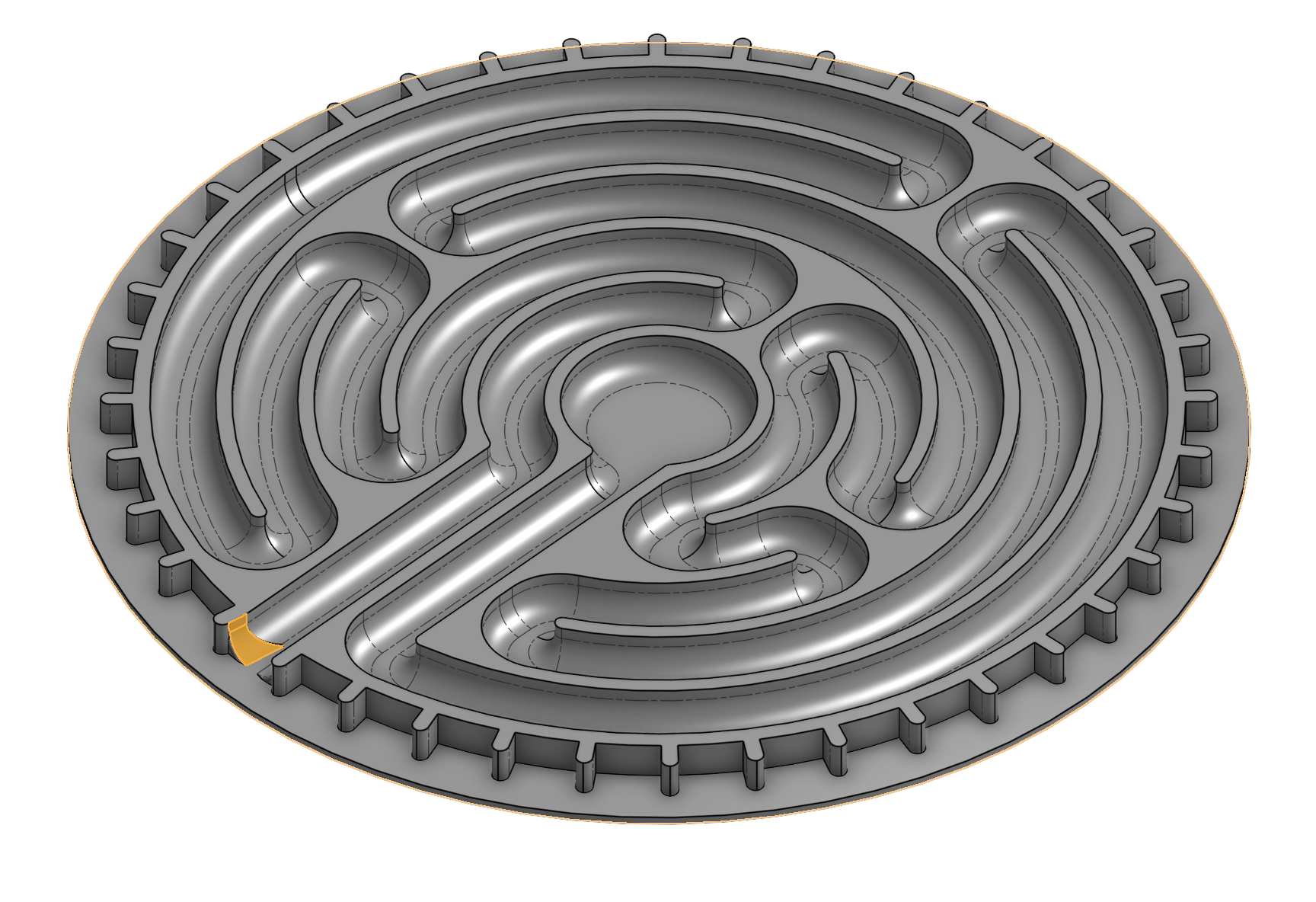
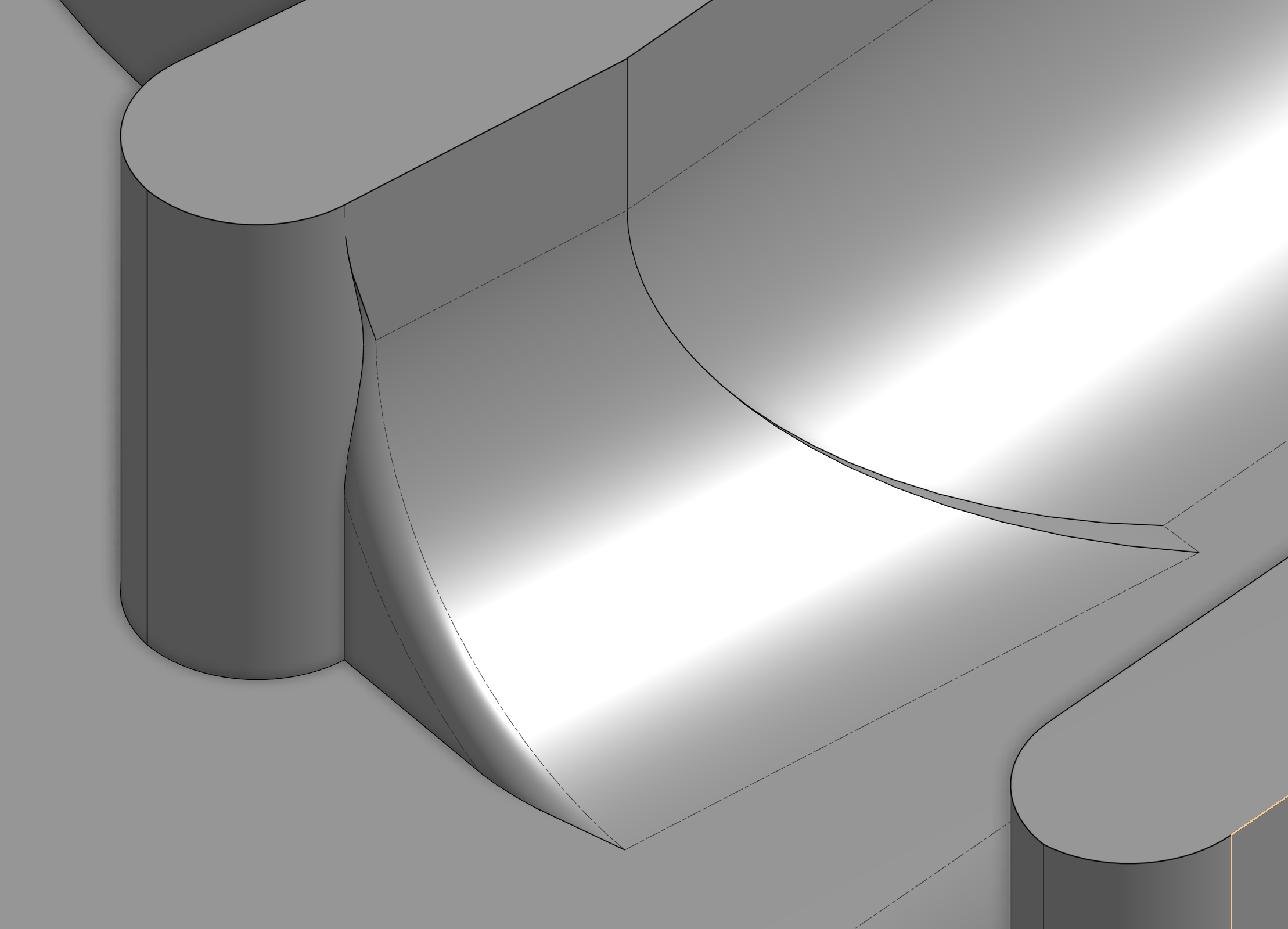
Something's off in this area. If you cut it away it works. The edge on the left looks especially sketchy to me the way it kinda disappears.
Re: Improvements to Onshape - July 18th, 2025
I've got the same issue as @alex_pitt
Dxf export default to meters is a huge pain. I output flats for laser cutting all day, and this feature has been running interference very effectively.
Please make it default to the drawing units.
Everything else seems great, keep up the great work!