Welcome to the Onshape forum! Ask questions and join in the discussions about everything Onshape.
First time visiting? Here are some places to start:
- Looking for a certain topic? Check out the categories filter or use Search (upper right).
- Need support? Ask a question to our Community Support category.
- Please submit support tickets for bugs but you can request improvements in the Product Feedback category.
- Be respectful, on topic and if you see a problem, Flag it.
If you would like to contact our Community Manager personally, feel free to send a private message or an email.
Improvements to Onshape - November 21, 2025
Comments
-
@MichaelPascoe What is render cad? an AI image enhancer?
0 -
From 30 seconds of playing around, Graphics Preferences is awesome!
0 -
.
@john_mcclary Yep, with emphasis on preserving the cad data (geometry, color, design intent).
I co-developed it with a friend of mine. We are officially launching next week. But I can get beta access for anyone interested..
▚▞▚▞▚▞▚▞▚2 -
That's cool, is it going to be free or limited per/month deals?
0 -
@MichaelPascoe you know what's hilarious is I've been experimenting with taking photos of real objects and running them through Nano Banana to make images that look like a CAD viewport because there are good AI models for generating CAD from a screenshot.
1 -
No more scrolling through long a wide range of columns with (un)suppressed features in a configuration. long live dynamic suppressions!
(not that this should be applied to multiple parts in a partstudio like this, but this WOW will help with this issue for sure!!!)Happy and excited,
Jelte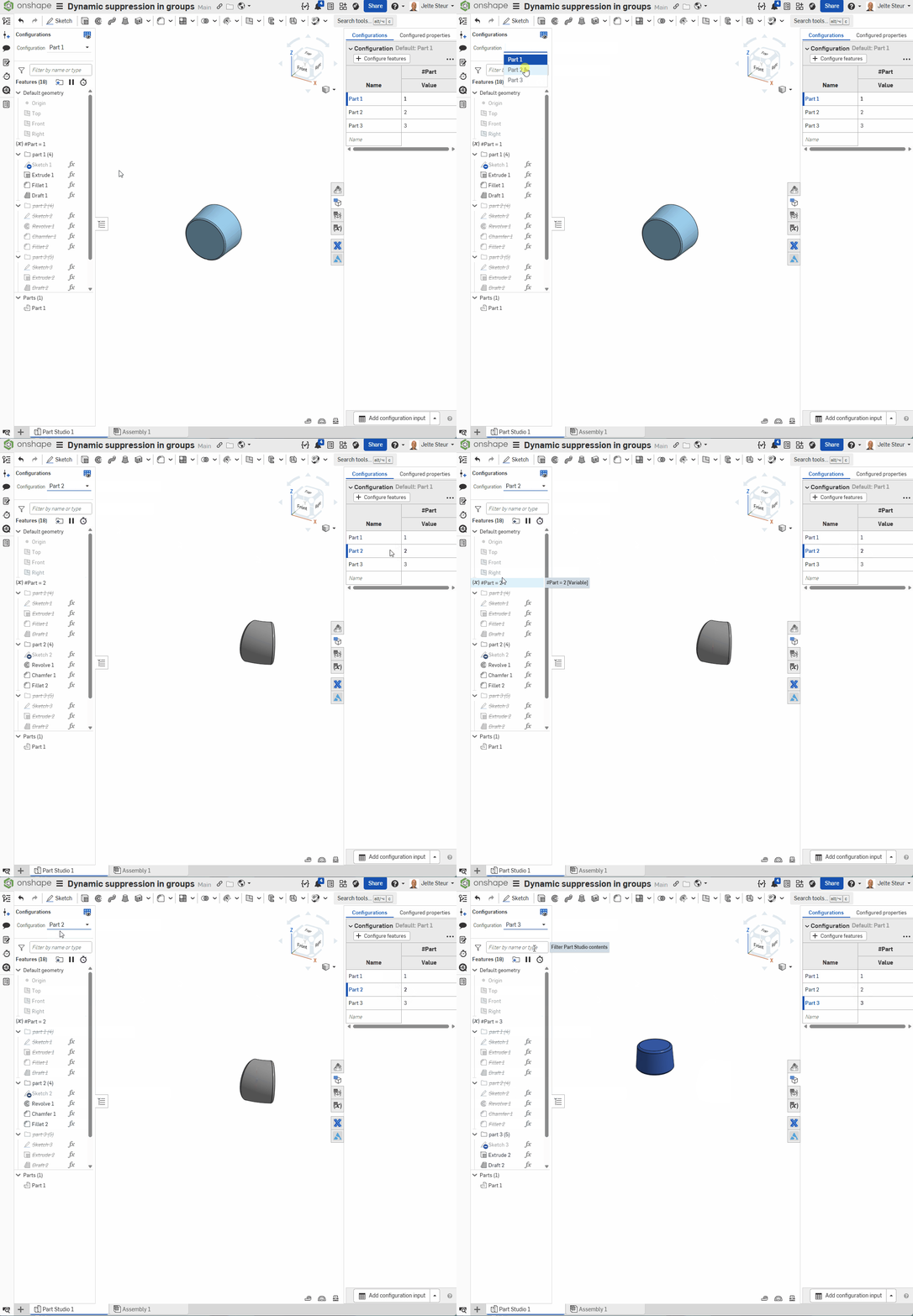 2
2 -
-
.
@john_mcclary It will be a monthly sub, new users will get a few free render tokens for testing. Our target audience is professional CAD users who have a need for photorealistic renders.
There is a link to the pricing page on the main site:
.
▚▞▚▞▚▞▚▞▚2 -
I fed nano banana the basketball render and a viewport of the pumpkin model from the latest rendering competition and it spit out this:
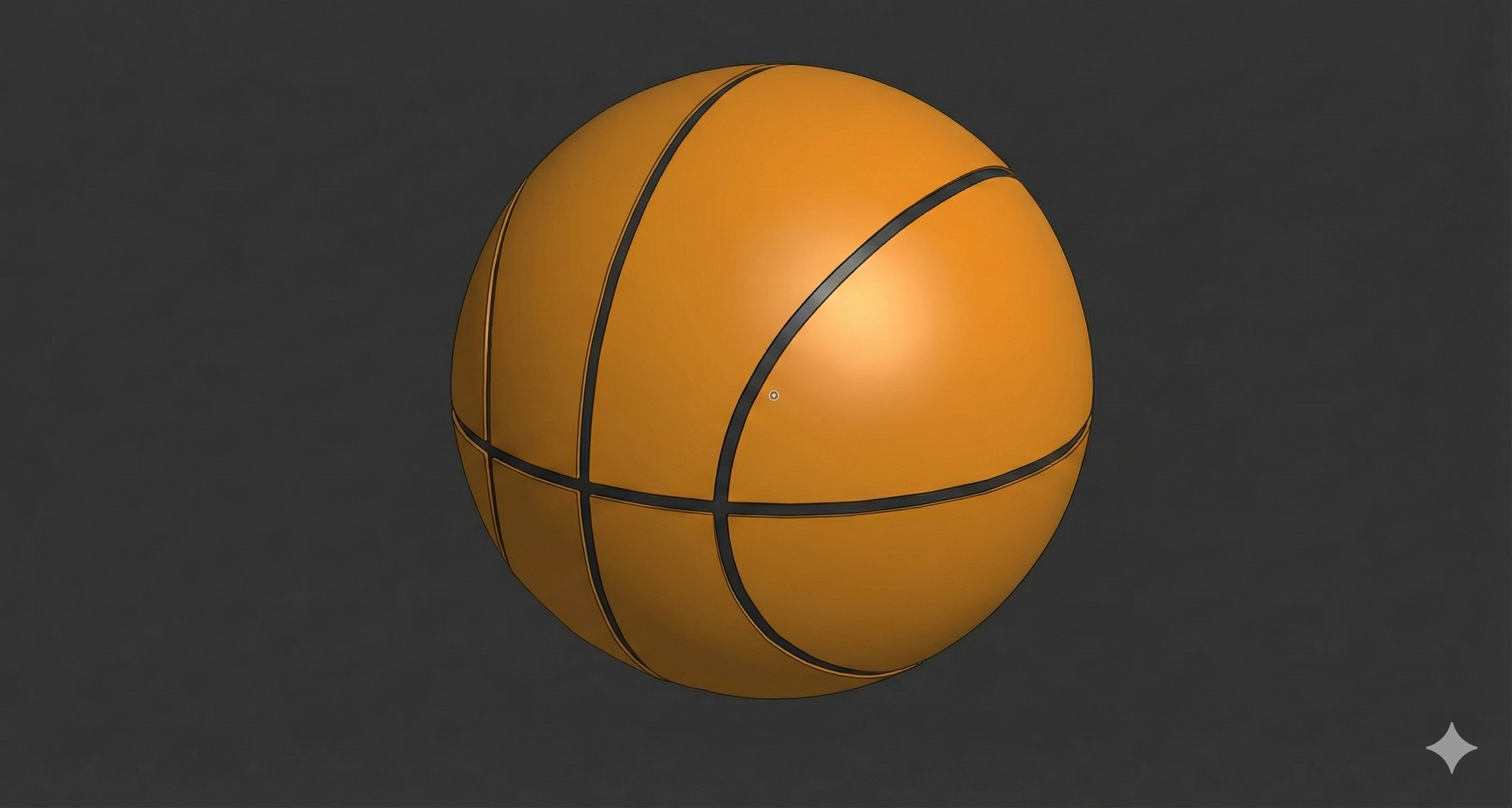
But only after it completely misunderstood the assignment and output this:
 5
5 -
Lol that's impressive. Baskin ball? Pumpket ball?
0 -
Hi All,
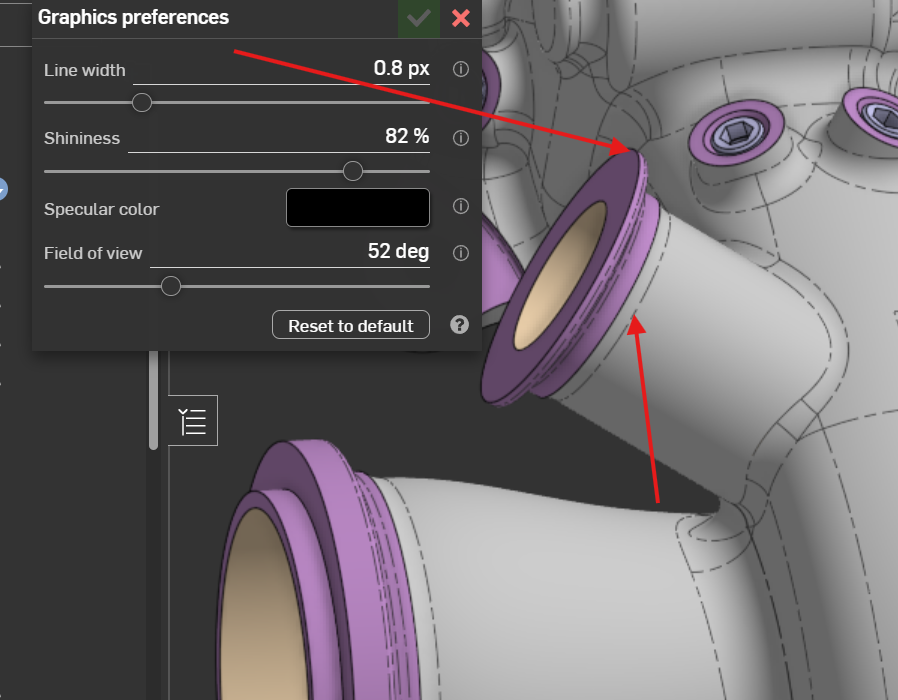
GRAPHICS PREFERENCES
Looks fine, long awaited functionality … can be improved by possibility of modify the tangent edges boundary curves as well in same way as the main line witdth.
 0
0 -
Thanks for the update. Some great stuff here.
Love dynamic suppression, drawing view alignment and sketch inferencing!
Looking forward to exploring AxF in Render Studio.
0 -
OMG EDIT PERSPECTIVE FTW!!!!!
2 -
Why is nobody mentioning the drawing rotation and alignment?! I have been struggling with this from day one.
Can I also ask for alignment of drawing views by bottom or top edge? I was working on a patent drawing last week where I had several assembly states of an object able to extend vertically, where views of these states were next to each other on a drawing. In that case I would have liked to allign by bottom edge to keep the 'base' stationary.
Aligning drawing views could also be done by snapping to other object borders, like we see in office apps right now when moving images. Then they won't be fixed to each other when dragging around, but his way you won't have to add any buttons.
0 -
View rotation has been around for a while, I think they just moved it on the menu.
I just wish it were persistent. So, when you have a part that's modeled on an angle in the part studio, but want it flat in the drawing. You have to delete all the child views, then re-align vertical/horizontal then re-create and dimension all the child views. I wish it would re-establish the rotation after updating the angle in the part studio.
1 -
Agreed. That's the way I've seen it behave in other CAD packages. It's weird that once you create a child view, the parent view becomes locked and can't rotate anymore.
Ramon Yip | glassboard.com
1 -
@jelte_steur_info did you have to set that up per feature or can you batch it?
Ramon Yip | glassboard.com
0 -
you can batch it using folders. But create or remove, not edit the rule that determines the suppression (yet?)
1 -
EDIT: This only seems to happen on any drawing with an internal or external thread:
Has anyone else been experiencing problems when exporting DXF files? They will export, but I keep getting errors when trying to open them with a different program… e.g:
The following error was encountered while reading
in ARC starting at line 47530:
Premature end of object
Invalid or incomplete DXF input -- drawing discarded.0 -
Try a different different program. No issues opening in AutoCAD or sendcut send
0 -
Технический английский вариант:
I would like to request that the tolerance numeral height be made slightly smaller than the dimension numeral height.
2 -
I am super excited about the iPad AR Scan and Snap feature!
MOBILESNAP CAD TO REAL GEOMETRY IN AR VIEW
0 -
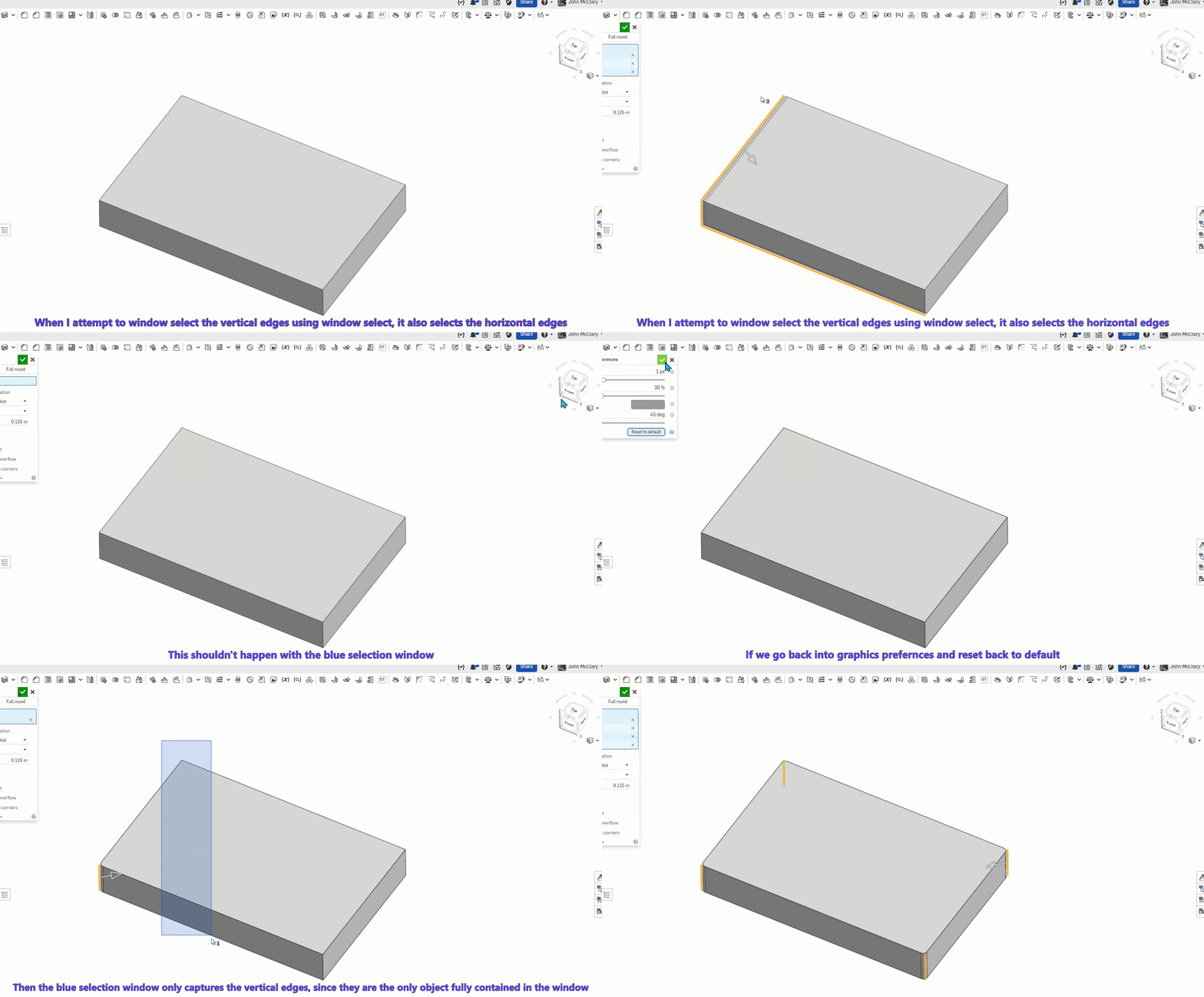
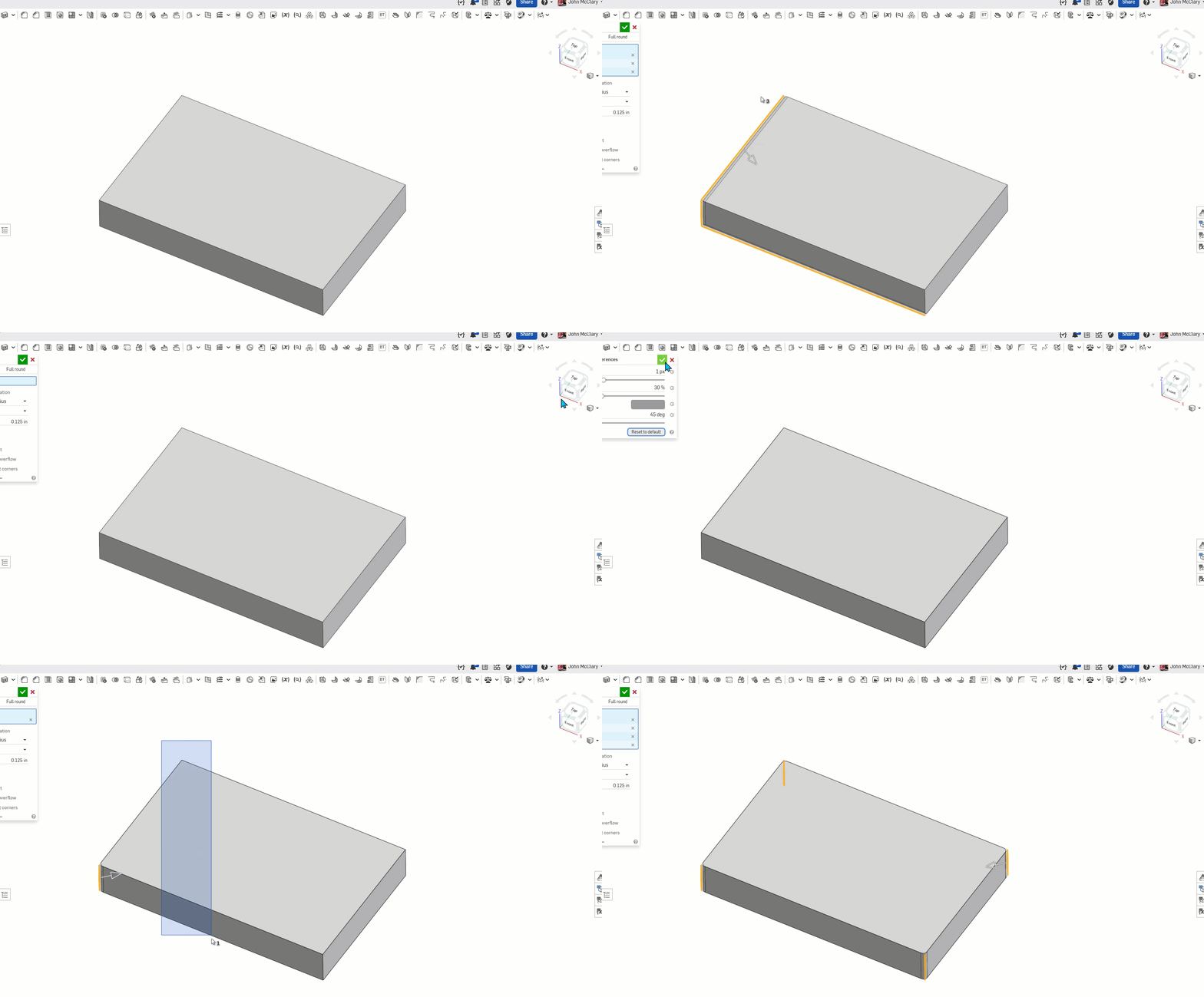
There is an issue with window selecting too. I submitted a ticket #399958
When the edge pixel size is changed, it will sometimes select additional edges.
The first half of the gif is with 0.6px the long edges are being selected even with the blue window select. Changing the line size back to default in the second half of the gif restores the expected behavior for a blue window select.
So, if anyone is having selection issues, try resetting your graphics preferences until they get this fixed
 1
1 -
good catch. looks like 1.1px and above seem to function ok. 1 and below I seem to get some unwanted selections. Is it also normal for onshape to select edges (or other geometry) that are hidden from view by other geometry when using window selections? I'd expect that on transparent views but not shaded ones. Or am I thinking of a different software?
0 -
Yes, Onshape will select objects within the selection window even if they are behind other surfaces. (Think acad wire frames)
the ~ key will allow you to cycle through those items under your pointer also.
SolidWorks would ignore the faces of transparent parts unless you hold shift. Onshape does not do that if color of the part is transparent (the alpha value of the part), but you do have the option to select through transparency when in the "isolate" or "make transparent" modes via a checkbox. SolidWorks has this option globally in the settings somewhere.
1 -
Can you please start posting a transcript of your video commentary? It is really hard to figure out if the information you need is going to be contained in the middle of a video. You could do it in an unintrusive expandable box beneath each video, and it would be a huge improvement to the usability and accessibility of the content you produce (both for update info and tutorials).
1 -
-
Dynamic suppression and the new graphics preferences will be useful in my workflows. The drawing updates and AR snapping also look practical for daily tasks. Thanks for expanding these tools.
0 -
Has it been 3 weeks since the last update???? Asking for a friend.
2