Welcome to the Onshape forum! Ask questions and join in the discussions about everything Onshape.
First time visiting? Here are some places to start:
- Looking for a certain topic? Check out the categories filter or use Search (upper right).
- Need support? Ask a question to our Community Support category.
- Please submit support tickets for bugs but you can request improvements in the Product Feedback category.
- Be respectful, on topic and if you see a problem, Flag it.
If you would like to contact our Community Manager personally, feel free to send a private message or an email.
Custom Feature: Chamfillet

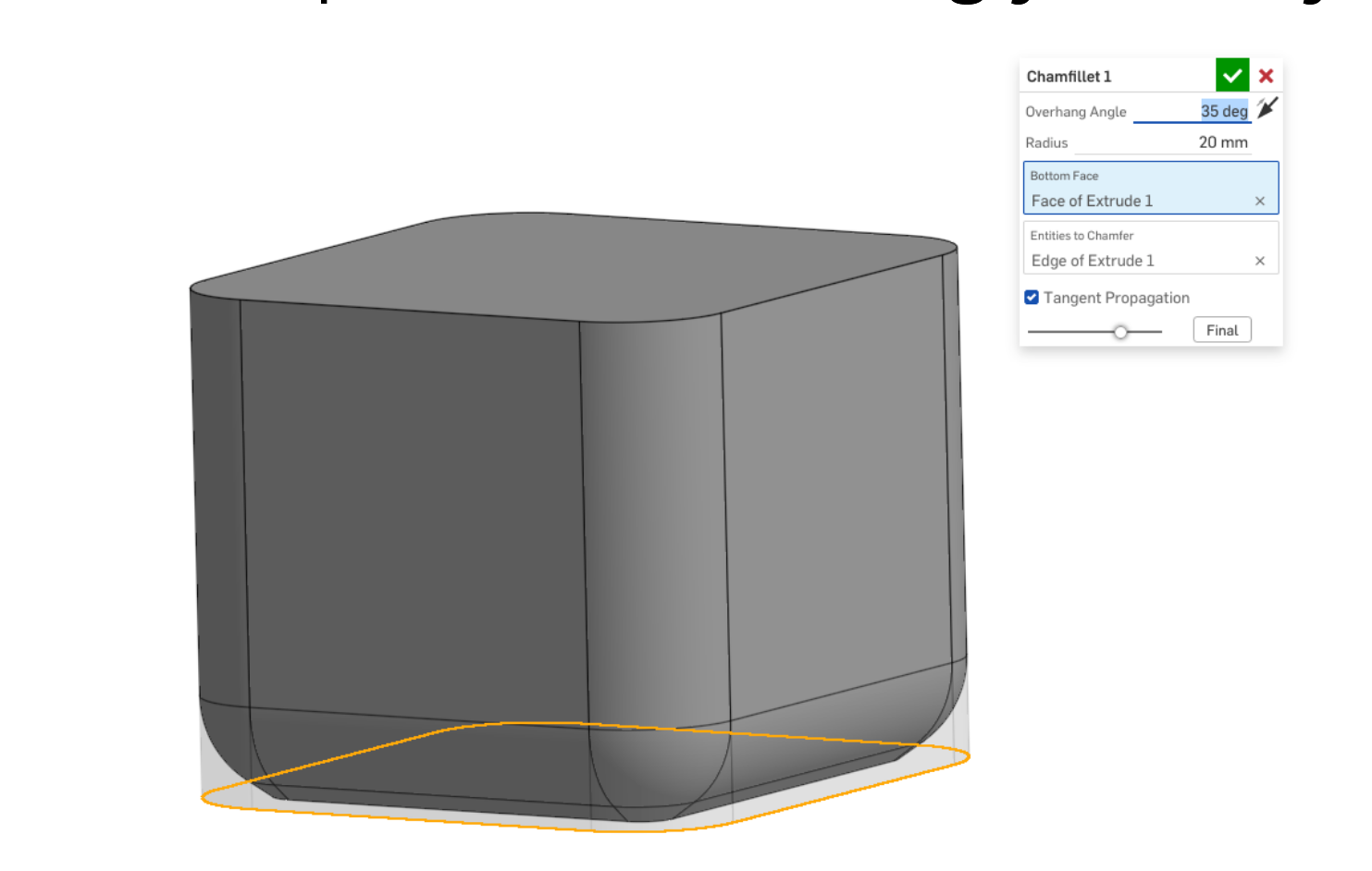
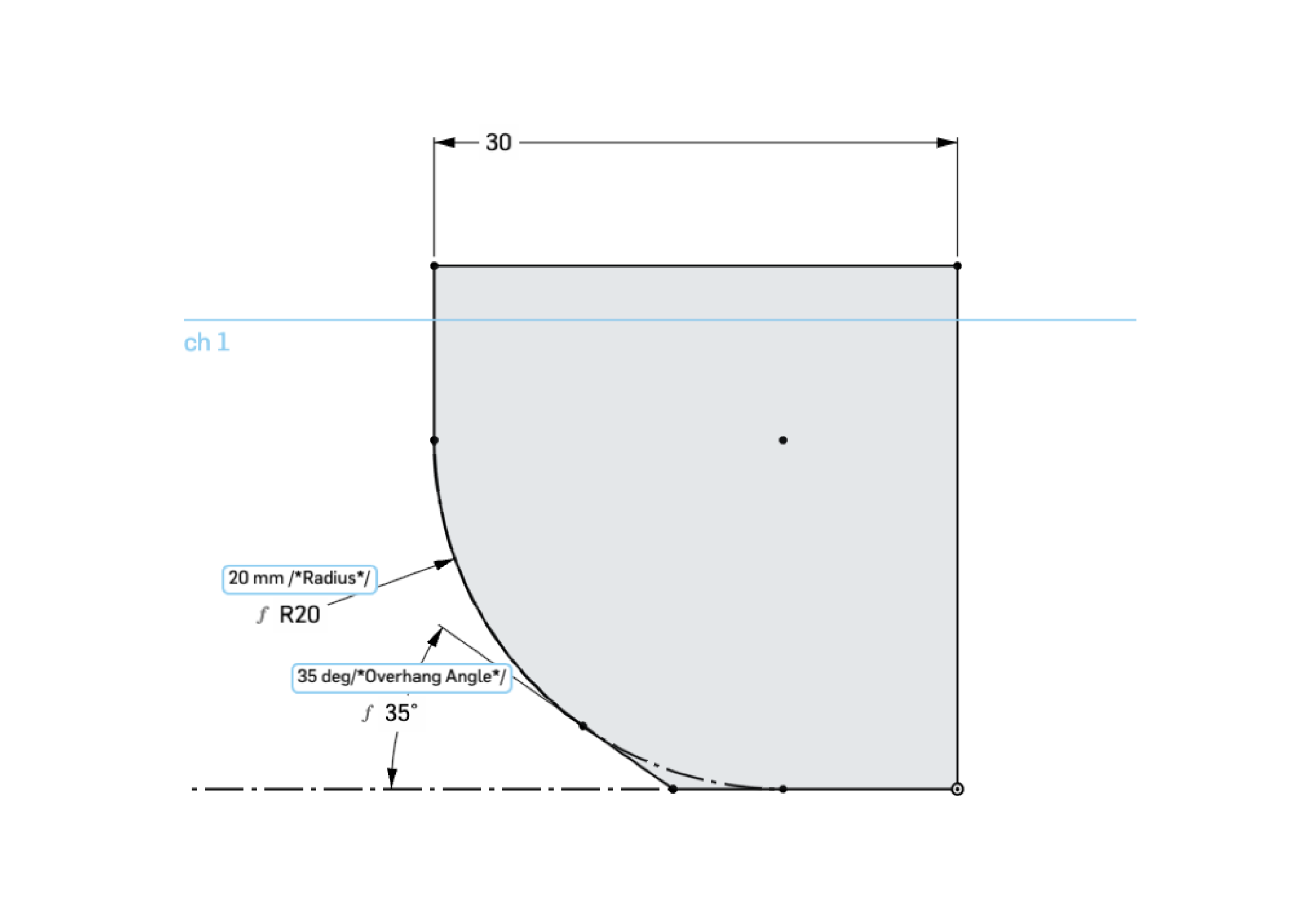
A common problem with 3d printed models (FDM) is that a fillet on the build plate ends up looking ugly because the printer cannot print a horizontal overhang. Usually, if you are designing a 3d printed part, you then use a chamfer on the bottom face because most FDM printers can print at least a 45 degree overhang. But what if you still want a nice curved bottom? Enter Chamfillet! You select the bottom face and the overhang angle your printer is capable of and then it creates a chamfer that blends into a fillet. I did some quick trigonometry to make sure that the chamfer/fillet combo is the exact same size as a fillet on its own. The sketch in the second image shows what is being calculated.
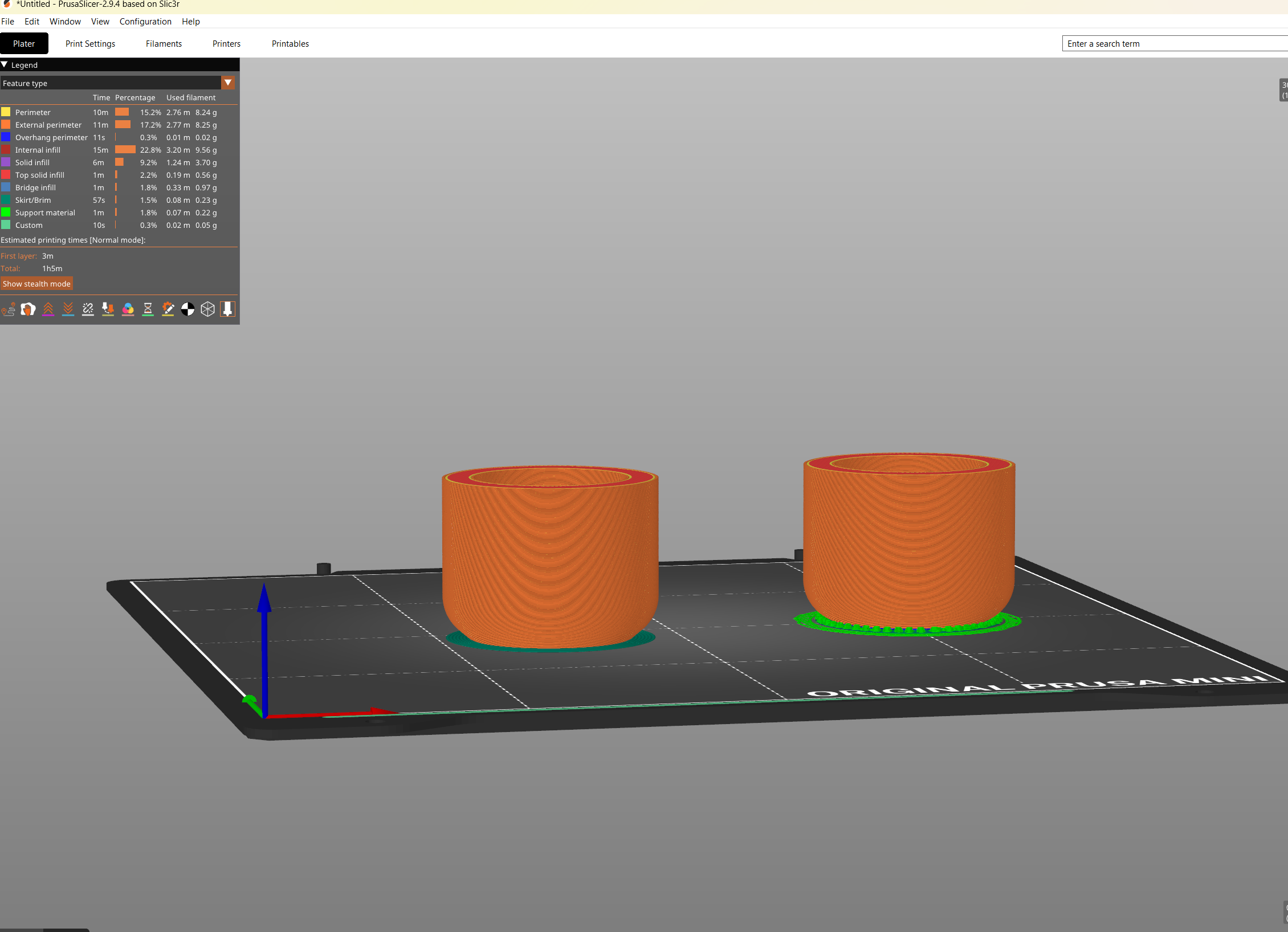
The image below shows a sliced model with a 8mm Chamfillet (left) and a 8mm standard fillet (right). As you can see, the slicer wants to put support material under to standard fillet to support the surface because the fillet is technically 0 degrees from the bed, which the printer cannot print. Supports are annoying to remove, especially at production volumes over 1-5x and will leave marks on the surface.
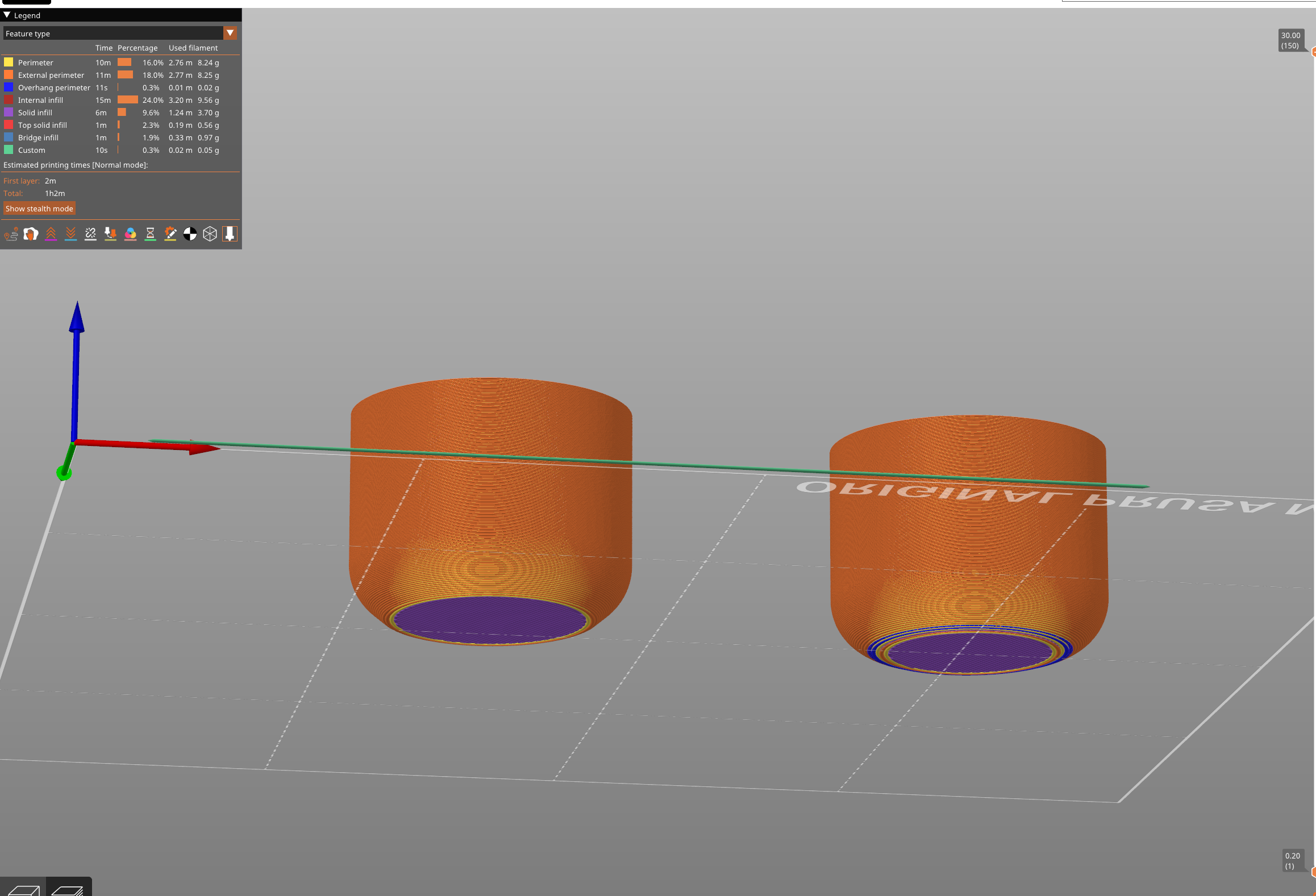
The other option is to turn off supports, which the slicer rightfully warns us about. The blue lines represent unsupported lines.
3D Printing Results: Fillet, No Supports (Left), Fillet With Supports (Middle), Chamfillet (Right)
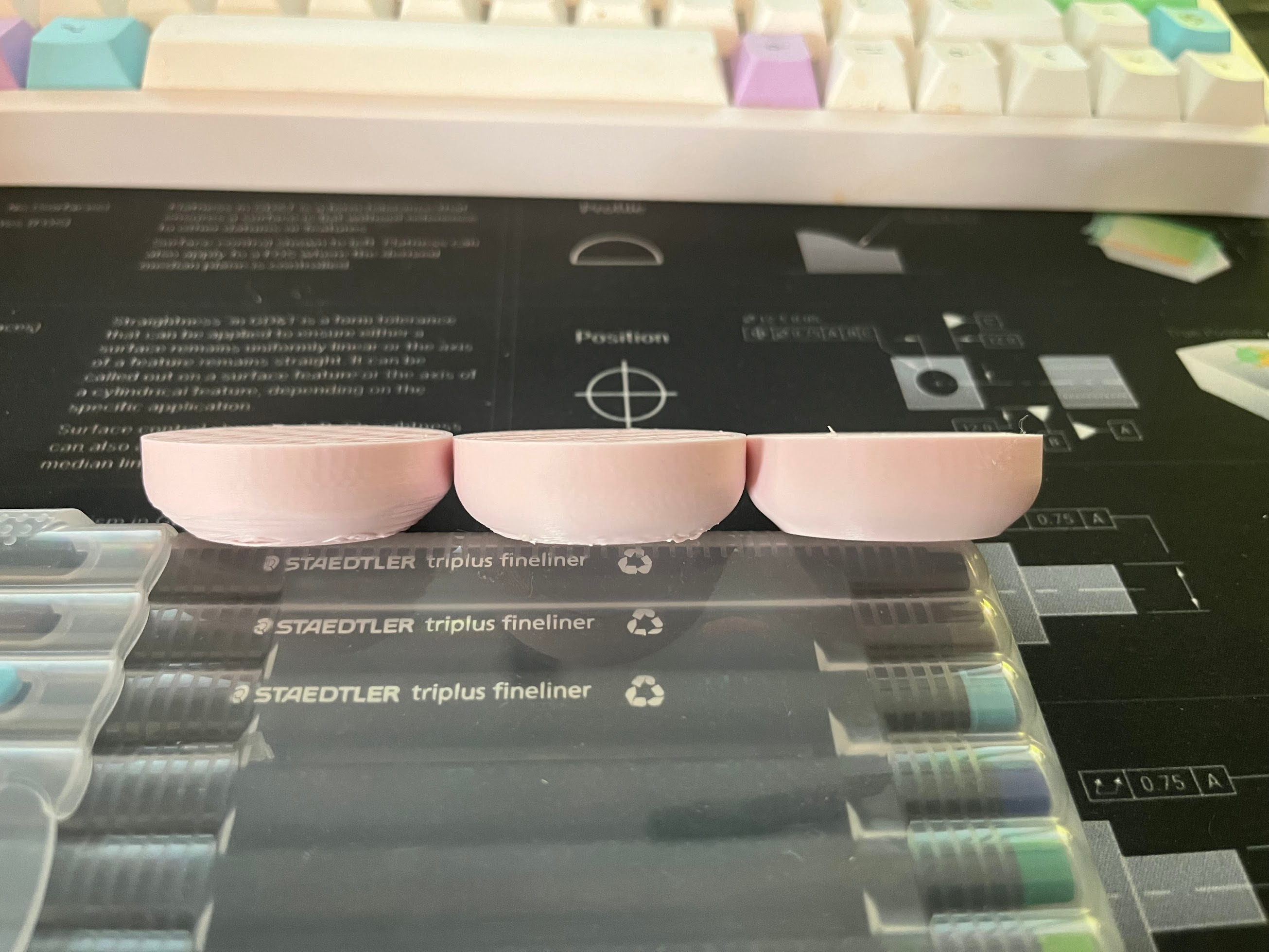
The Chamfillet and With Supports models look about the same, but the Chamfillet does not require post-processing. No supports looks droopy.
Good Luck!
Comments
-
Excellent stuff. Thanks for sharing this. There is some previous discussion about this here.
Engineering textbook: https://hwh.stephenteacher.com/txtbook.html2 -
Cool, I was just complaining about this last night. And my wife replied "I don't know what the heck you are talking about." :-)
Now I just have to figure out how to use FeatureScripts. Yeah I'm new to this.
0 -
@jim_zamecnik That's pretty easy. Go to Brett's first message, hit the link at the top. That gets you to an Onshape document where you will find this:
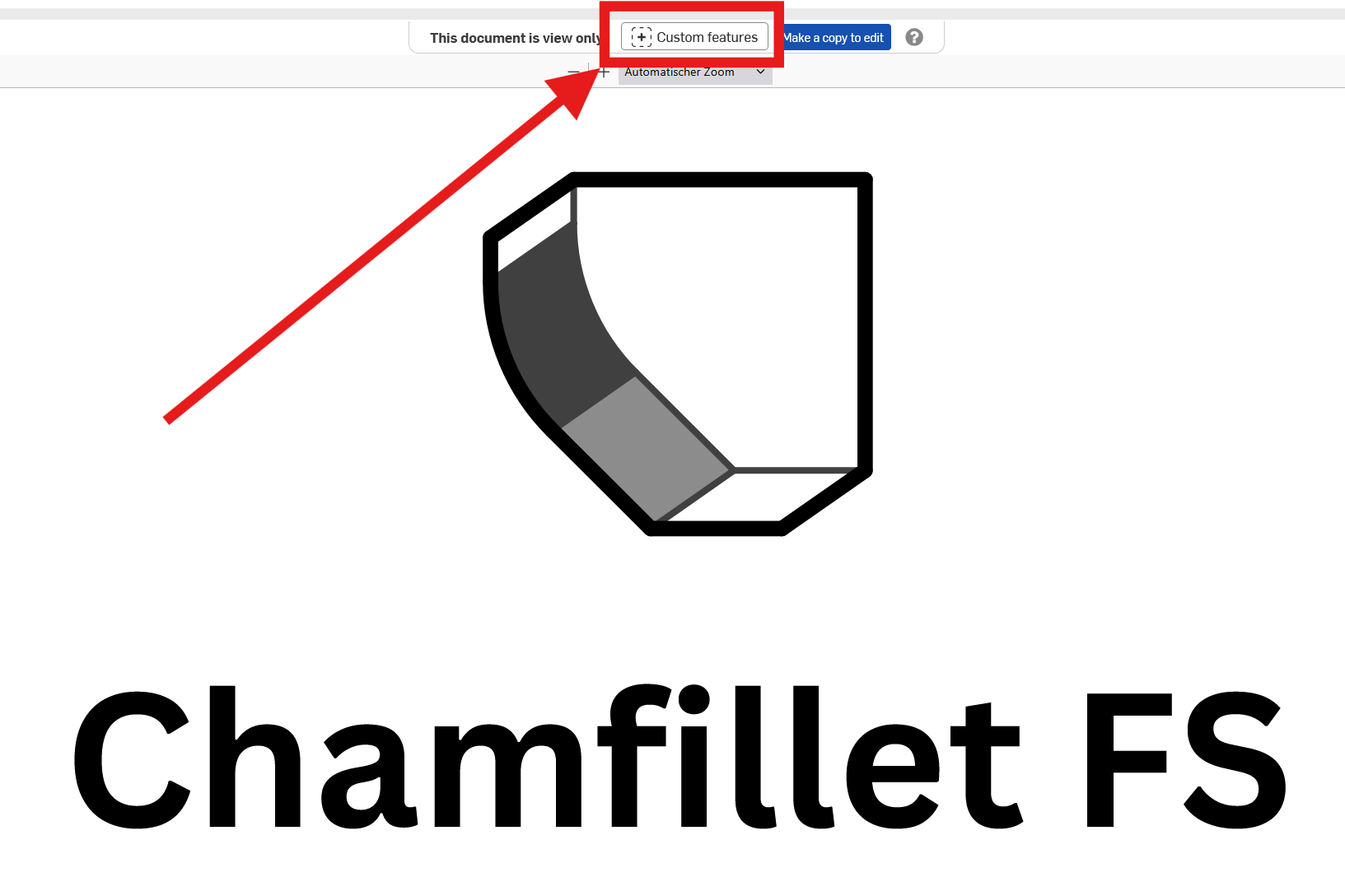
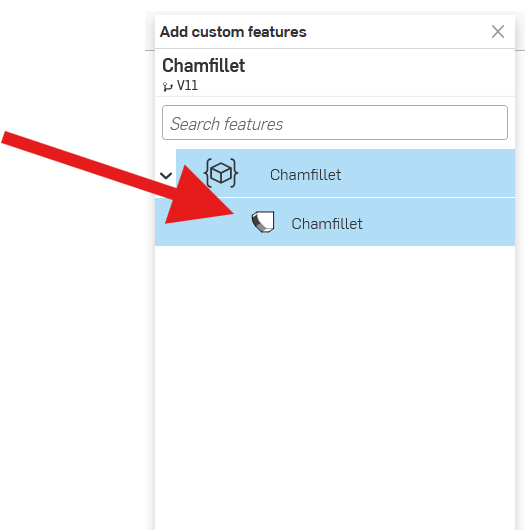
Hit that buttonat the top. After that, in the box that pops open, select the Feature Script to add (sometimes, there are more than one):
You will now find the feature script in this place, as soon as you open an Onshape document:
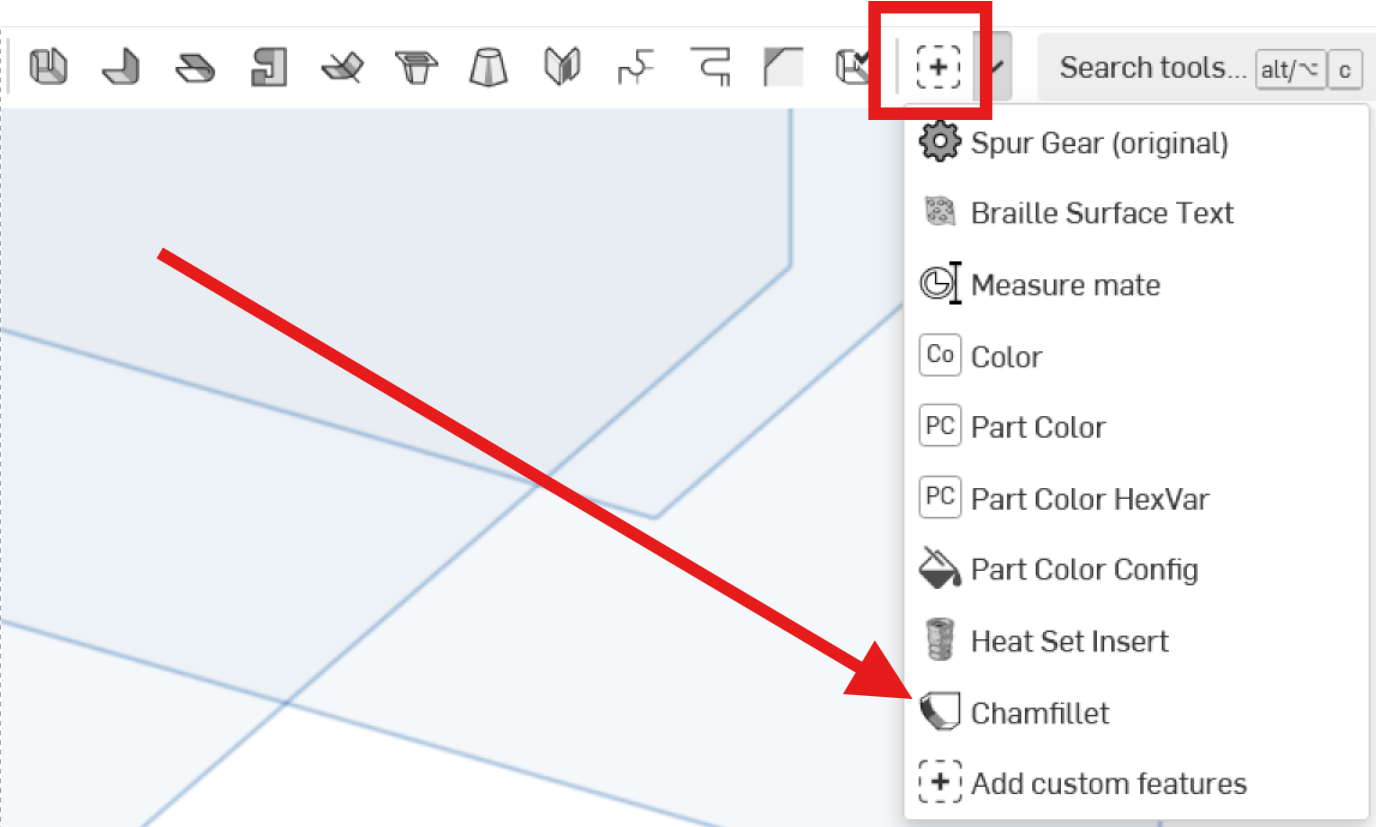
It will basically behave like all the tools/features in Onshape. Feature Scripts are actually a very strong point on Onshape and there's a lot of quite useful ones out there already. Have fun!
0 -
I should go back and clean up Chamlet and add that inside corner support and publish it. The geometry of a Chamlet still looks more visually pleasing to me than the extended leg of the Chamfillet options especially on much larger corners where the feature is less of an edge break and more of a design focus of the part.
0 -
Thanks for sharing it Brett
0 -
@martin_kopplow Thanks, learning a little bit more every day!
@Derek_Van_Allen_BD I'll watch for that Chamlet update.
0 -
I tried the Chamfillet on a little hole test block I was printing last night. It worked nicely. No support to scrape away and none of the usual roughness that's left behind 👍
0




