Welcome to the Onshape forum! Ask questions and join in the discussions about everything Onshape.
First time visiting? Here are some places to start:- Looking for a certain topic? Check out the categories filter or use Search (upper right).
- Need support? Ask a question to our Community Support category.
- Please submit support tickets for bugs but you can request improvements in the Product Feedback category.
- Be respectful, on topic and if you see a problem, Flag it.
If you would like to contact our Community Manager personally, feel free to send a private message or an email.
What proceedure would yield a TANGENT Ln between circles?

Boswell_INNISS
Member Posts: 10 ✭
Answers
-
You'll create two circles and then a line that is coincident with both circles. From there you will select the line and one circle and apply the tangent constraint and then choose the line and the other circle and use a second tangent constraint.
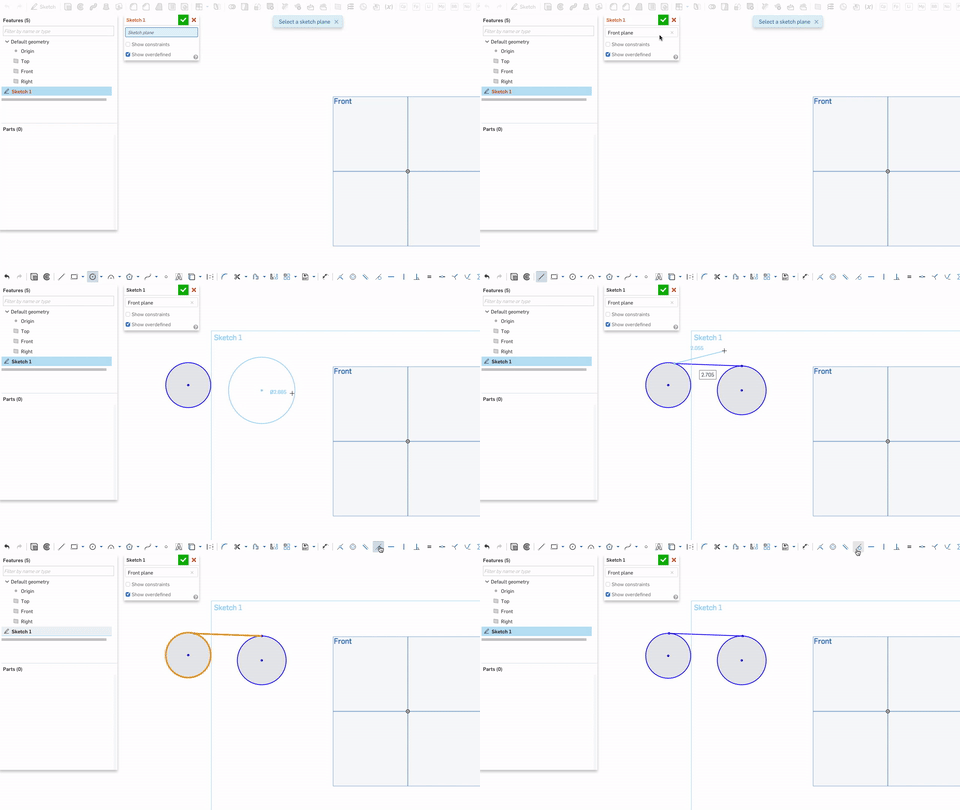
1 -
I enact 2 CIR ...Drw Lns between ... sel one,-then CIR, >TAN Inference. Still leaves a visible Gap, beside not becoming a Face[not turn. grey]. What am I missing? gripWIN@gmail.com0
-
-
After enacting 2 cir, 2 Ln, both TAN; my figure fails to form a Face. ?? gripWIN@gmail.com0
-
@Boswell_INNISS, At the time of giving tangent constraint you have to select one line and only one circle then select tangent. I feel you are selecting either two circle and line or two line and circle. If that is not case then create a video for your situation or share your document we will definitely solve your problem.
0 -
How do I import, and make it available? "share your document"0
-
Hi @Boswell_INNISS
There are many tutorial videos on creating sketches and we also run weekly webinars (some specific to sketching) - if you attend one of these webinars we can answer your questions live so you can can understand the basics of creating parametric sketches in Onshape.
Please review the videos here: https://www.onshape.com/learn/learn-cad
and sketch specific here: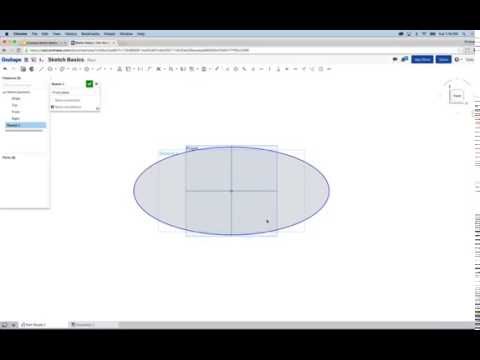 https://www.youtube.com/watch?v=P3aYR9HCS6I Senior Director, Technical Services, EMEA1
 -
Thank you, [for making this info available]; this video presents useful info, however; having already seen THIS; what I need involves the next basic step.
Drw 2 Cirs...connect perim.w/Lns ?? ... make Lns TAN to Cirs. > [should form Face ??]
I get nothing ?
0 -
Can you please use "licecap" program (or other GIF image making software) to record your issue and post it here - sounds to me like you possibly have your circles in one sketch and lines in another - all entities must be in the same sketch and coincident with each other to create a shaded face in a sketch.Senior Director, Technical Services, EMEA0
-
I think this is a duplicate post, I gave Boswell_Innes as link to a modified version of his document in another post?
Cheers,
Owen S.
Business Systems and Configuration Controller
HWM-Water Ltd0





