Welcome to the Onshape forum! Ask questions and join in the discussions about everything Onshape.
First time visiting? Here are some places to start:- Looking for a certain topic? Check out the categories filter or use Search (upper right).
- Need support? Ask a question to our Community Support category.
- Please submit support tickets for bugs but you can request improvements in the Product Feedback category.
- Be respectful, on topic and if you see a problem, Flag it.
If you would like to contact our Community Manager personally, feel free to send a private message or an email.
Draw (New Custom Feature!)

Draw (New Custom Feature)
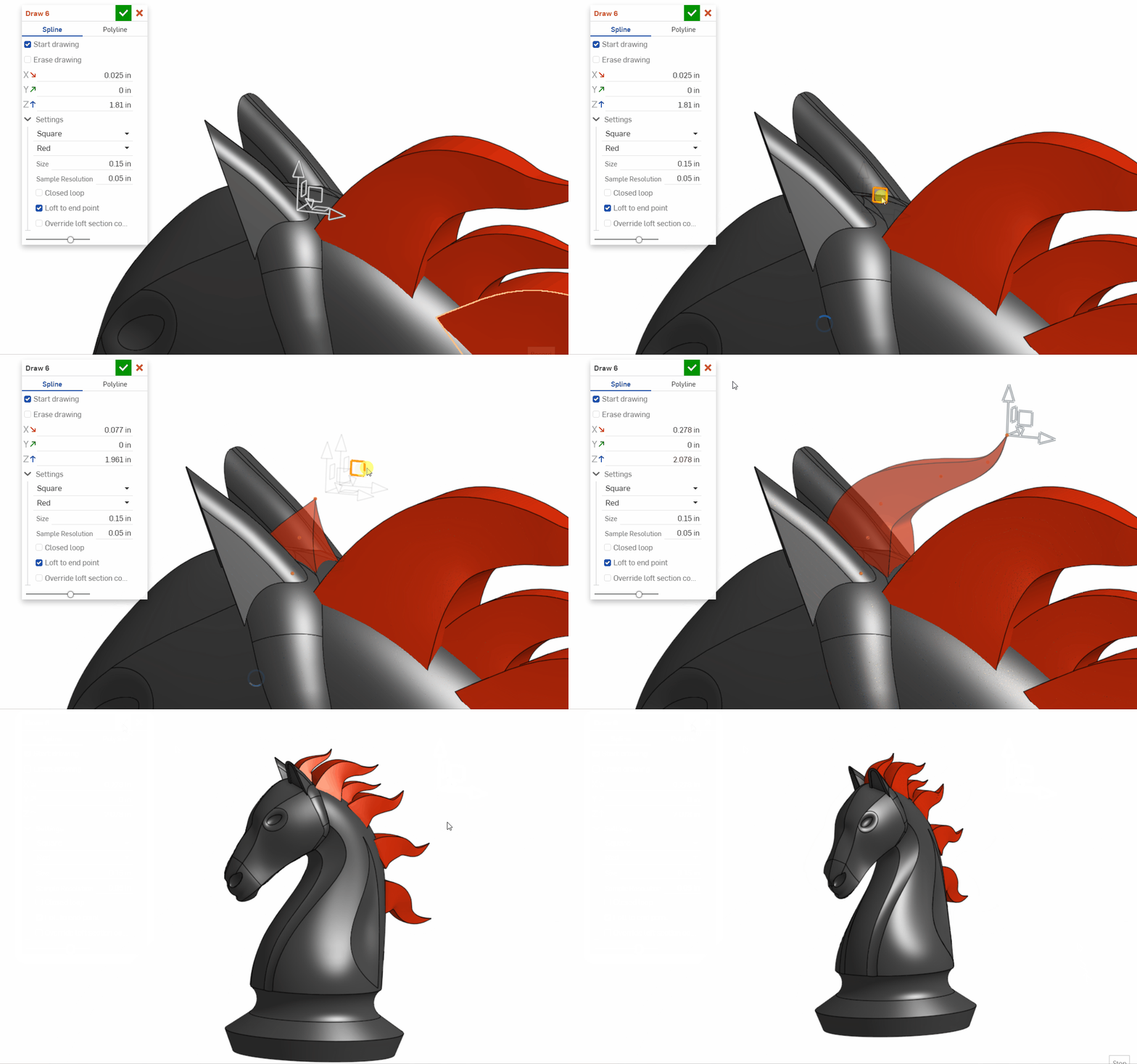
https://cad.onshape.com/documents/bad94104a5ecdd5d422a7b40/w/ce1f9d49a79762d0e2431752/e/4fea5d9770def4e66ed79f03Happy feature Friday!
With this custom feature, you can create a spline (or polyline) and sweep by dragging the manipulator triad.
If you like this feature, check out Freeform Spline by @Evan_Reese.
Thanks @ilya_baran for the manipulator advice.


▚▞▚▞▚▞▚▞▚
Comments
-
That is smart! A lot of cool things are possible with caching into isAnything() hidden field.
0 -
This is pretty out of the box! love it. It's like a poor man's Gravity Sketch.
It would be cool to be able to edit the curve by clicking points. Since this tool makes some clumps of points (esp if you move slow) it might be hard to make that practical, so It would be even cooler if you could do a "soft edit" where moving a selected point also moves neighboring points within a certain radius and proportional to their distance from the active point. Rhino has a similar tool and it looks like this. It's probably not the most efficient code, but feel free to use some of the manipulator code from Freeform Spline if it helps.
2 -
Had a go with Evan's Freeform Spline the other day, wow...extremely useful thank you. This new Draw tool looks like it will be just as amazing so thank you too Michael.
0 -
-
-
Wow...this looks amazing
0 -
This is great for wire routing! But I have a request… Is it possible to add curve fillets to the polyline (user sets the radius in settings in window). Straight lines with circular corners would be, very, very nice.
The new Routing Curve feature does this, maybe you can grab the code from there?
(https://cad.onshape.com/documents/2c2c376d9979115f9f969a08/v/8d24d6dd5f7ac9587f5d4220/e/39740fb069fed640b4dce53f)
0 -
@josh_targo Have you tried Freeform Spline by @EvanAReese? It already does this AND has much more control. So it's even better for routing wires.
He also made Wire which pairs with Freeform and even outputs a custom table to show all wire lengths.
◉ RENDERCAD - Photorealistic product rendering.◉ CADSharp - Professional CAD + software consulting.
▚▞▚▞▚▞▚▞▚0 -
I will look into it, It's hard to find ALL the featurescripts to even know what's out there!!
Thanks1 -
Agreed @josh_targo. Please vote on this improvement request if you haven't already: Feature Store Improvement Request
◉ RENDERCAD - Photorealistic product rendering.◉ CADSharp - Professional CAD + software consulting.
▚▞▚▞▚▞▚▞▚1