Welcome to the Onshape forum! Ask questions and join in the discussions about everything Onshape.
First time visiting? Here are some places to start:- Looking for a certain topic? Check out the categories filter or use Search (upper right).
- Need support? Ask a question to our Community Support category.
- Please submit support tickets for bugs but you can request improvements in the Product Feedback category.
- Be respectful, on topic and if you see a problem, Flag it.
If you would like to contact our Community Manager personally, feel free to send a private message or an email.
Spring Curving and Rotation
 richard_liberatoscioli
Member Posts: 9 ✭
richard_liberatoscioli
Member Posts: 9 ✭
Hello onshape community! : )
New to onshape, I've been looking at several of the videos on working with springs …… and see several ways of spring construction …. but am lost in how to accomplish what I want the achieve. : (
Basically,
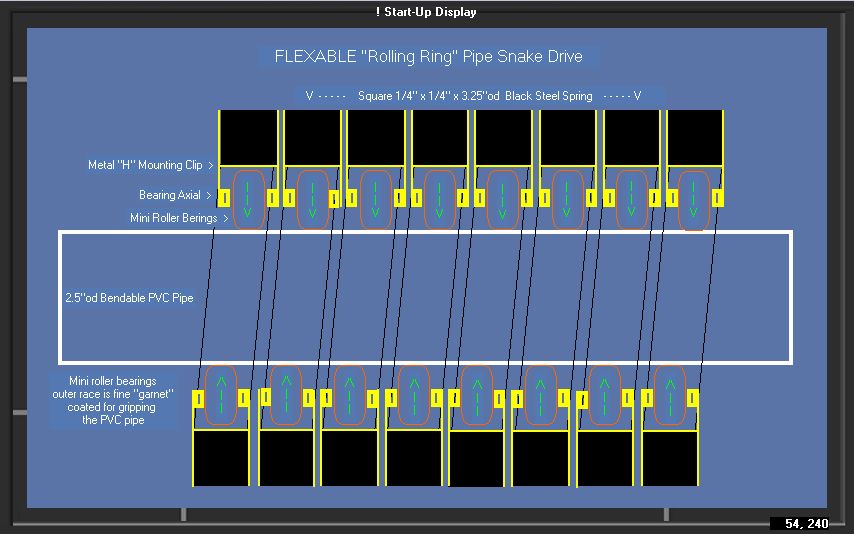
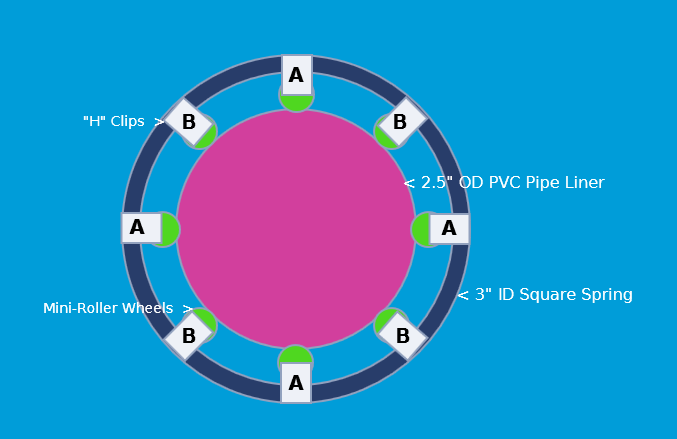
I need to construct a round double helix spring (with 0 and 160 degree starting points between these two springs).
The spring is 1/4" x 1/4" square wire construction, 3.5" OD x 10 ft. long (only the wire used to make the round helix spring is square).
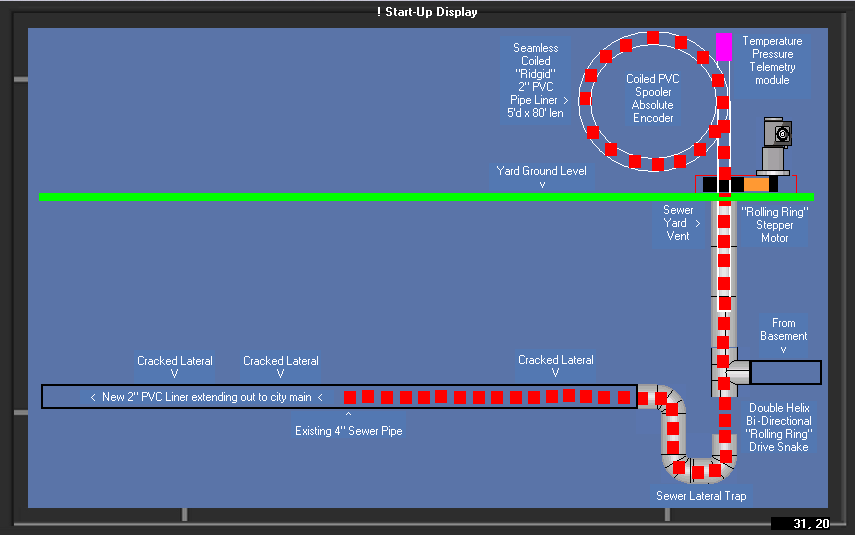
For real world project ref: (see attached pic)
This spring (think: sewer snake) is incerted down the sewer yard vent pipe from yard level straight down to the sewer trap then negotiates thru and around the "U" turn and the following 90 degree turn then ends there.
When this spring is rotated it forms an "articulated rolling ring drive" pulling the PVC repair liner down into the damaged sewer lateral all the way out to the city sewer main.
In onshape, I wish to display just this spring in its fully incerted position (straight run section + U-bend + and 90 degree bend) and to have its rotation animated (spinning) realistically throughout its entire spring length (think: a long necked letter "J" with a 90 leg)
Don't know how to pull all this together. : (
Do I make a single spline in the spring's "J and 90" shape first? then add helix function?
….. or make a spline shape for each coil bend? …. then join the spline ends together?
Any help would be great!
Thanks!
Comments
You can use the 3D Spiral feature by @Konst_Sh to create a helix along a path.
Then turn it into a solid using @EvanReese's Wire feature.
To add these to your toolbar, just open the document links for those custom features, then click on the + Custom Features button:
.
Learn more about the Gospel of Christ ( Here )
CADSharp - We make custom features and integrated Onshape apps! Learn How to FeatureScript Here 🔴
…….. so, I would first make the curved splines ie: a straight spline, a U spline then a 90 degree spline then join all these shaped splines together end to end?
Then having this composite shape I needed, spiral this spline?
Yes. You can create sketch lines, arcs, and splines within a sketch.
If you're not sure where to start, I recommend completing the Learning Pathways. They will save you years of trial and error.
.
Learn more about the Gospel of Christ ( Here )
CADSharp - We make custom features and integrated Onshape apps! Learn How to FeatureScript Here 🔴
Ohkeydoke! Thanks!
…… for this spring, it looks like I don't need to even use splines, but just construct it with straight lines and arcs.