Welcome to the Onshape forum! Ask questions and join in the discussions about everything Onshape.
First time visiting? Here are some places to start:- Looking for a certain topic? Check out the categories filter or use Search (upper right).
- Need support? Ask a question to our Community Support category.
- Please submit support tickets for bugs but you can request improvements in the Product Feedback category.
- Be respectful, on topic and if you see a problem, Flag it.
If you would like to contact our Community Manager personally, feel free to send a private message or an email.
Issues with loft end conditions - Model Mania 2005 Part
 andy_rohu
Member Posts: 5 ✭
andy_rohu
Member Posts: 5 ✭
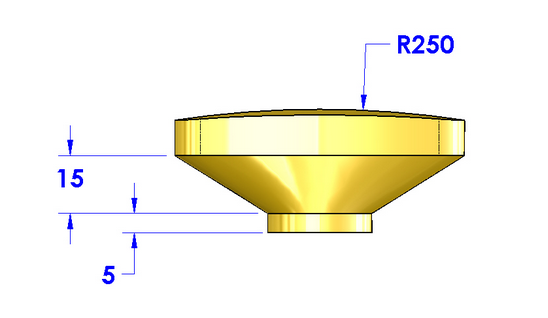
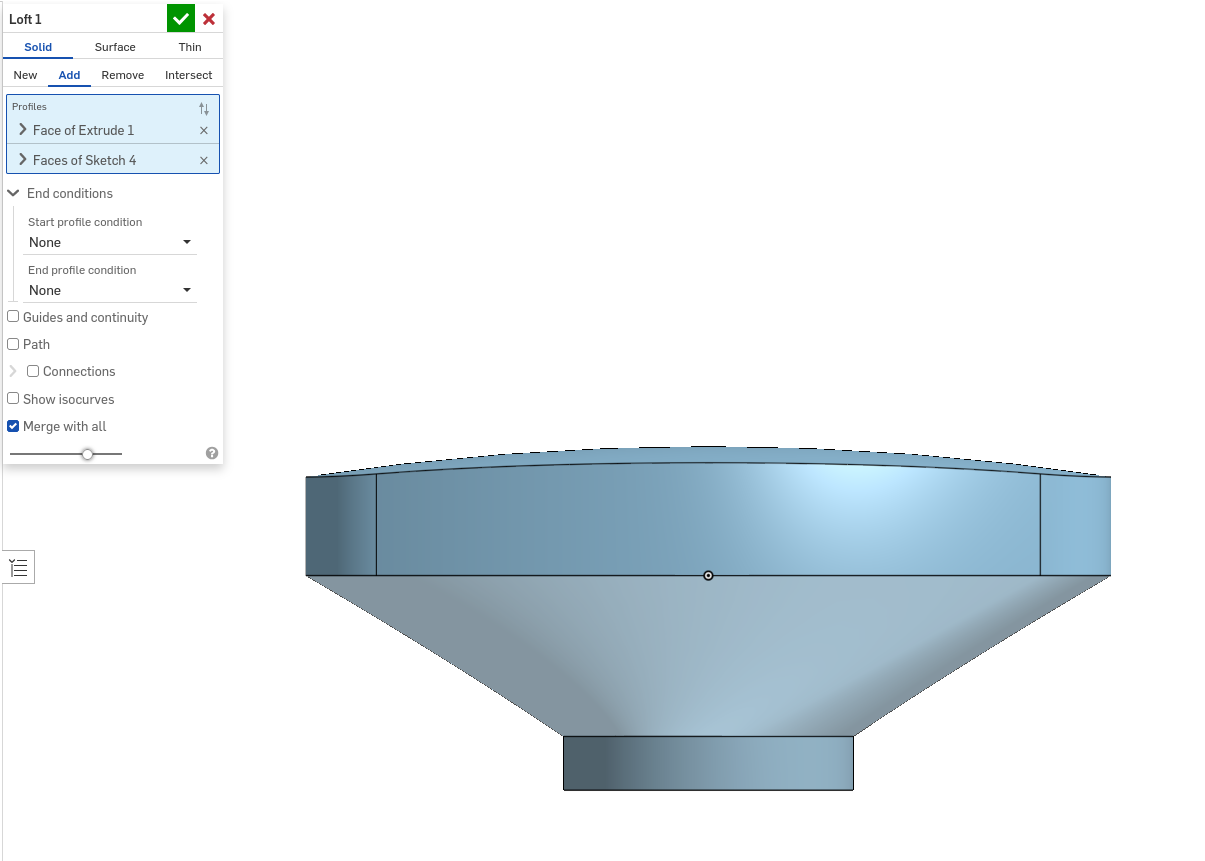
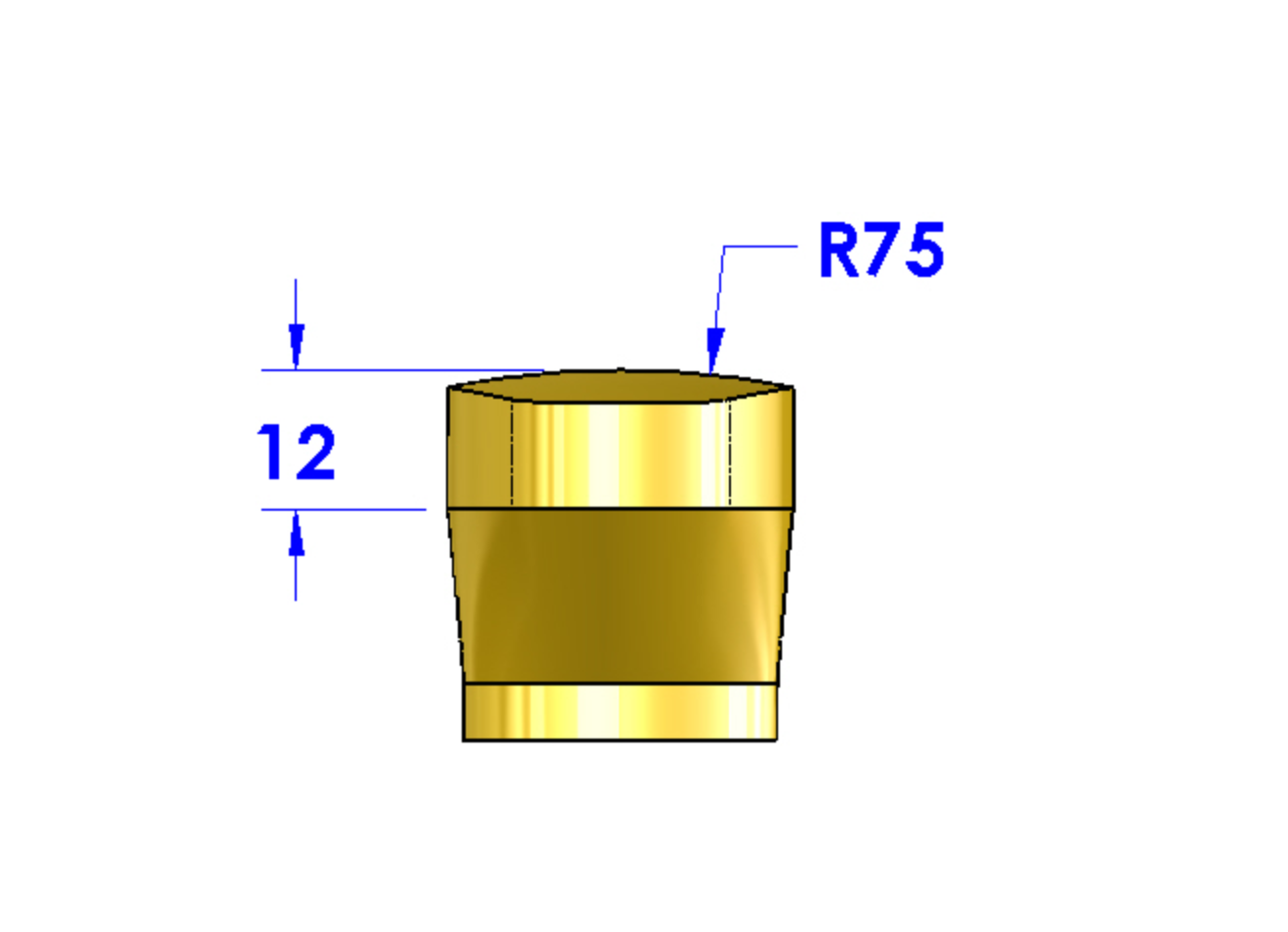
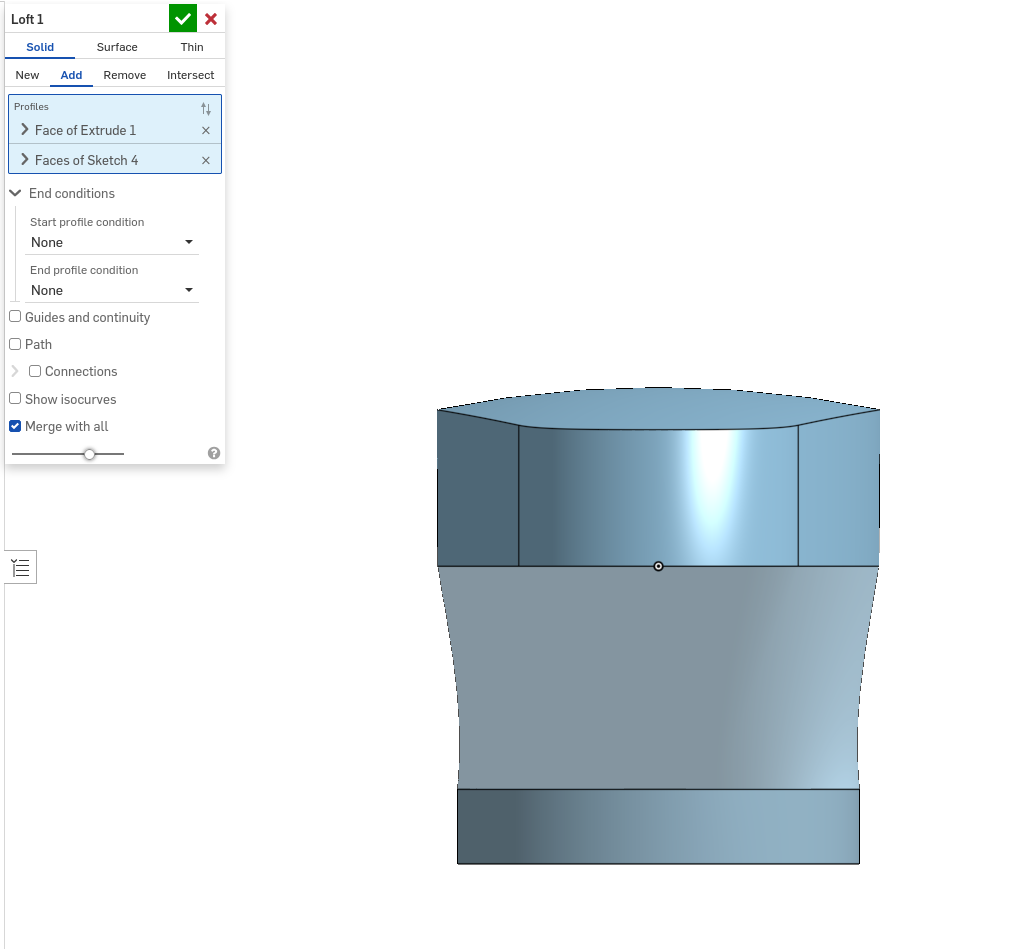
Hi everyone, I've been working through the model mania parts and have been getting a different result with the same procedure as given in the solution. I am aware that this is usually done in SOLIDWORKS so it could be a Onshape specific feature.
I'm trying to loft a feature with start and end conditions set to none. Attached are photos of the desired result on SOLIDWORKS and my result on Onshape.
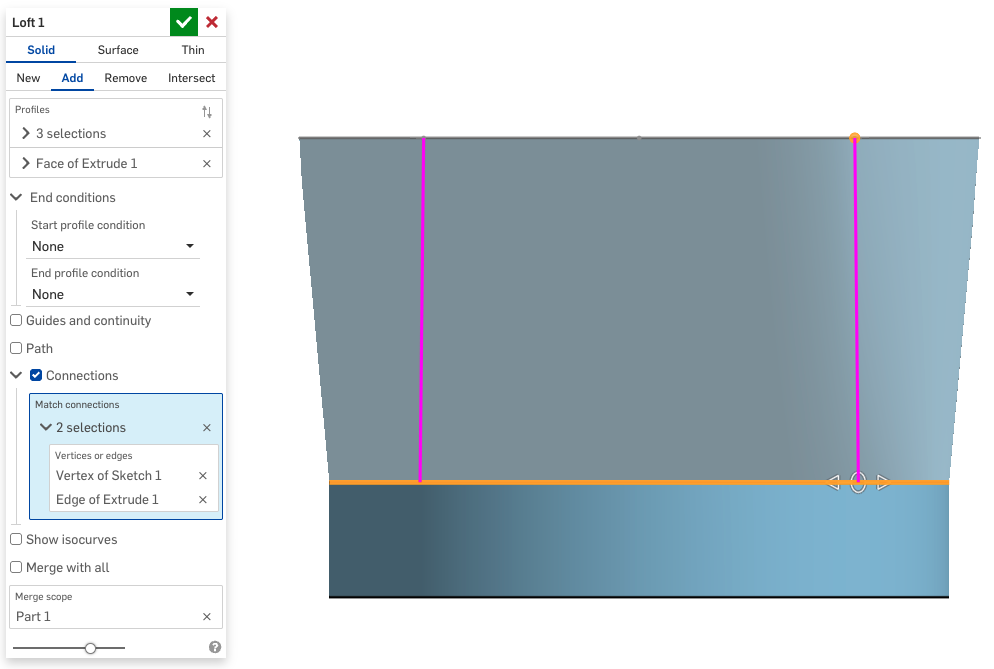
The front view looks fine but the right view shows curvature in the loft where there should be none.
Any ideas on how to have the loft connect straight with the lower part?
Best Answer
-
 GregBrown
Member, Onshape Employees, csevp, pcbaevp Posts: 389
GregBrown
Member, Onshape Employees, csevp, pcbaevp Posts: 389 
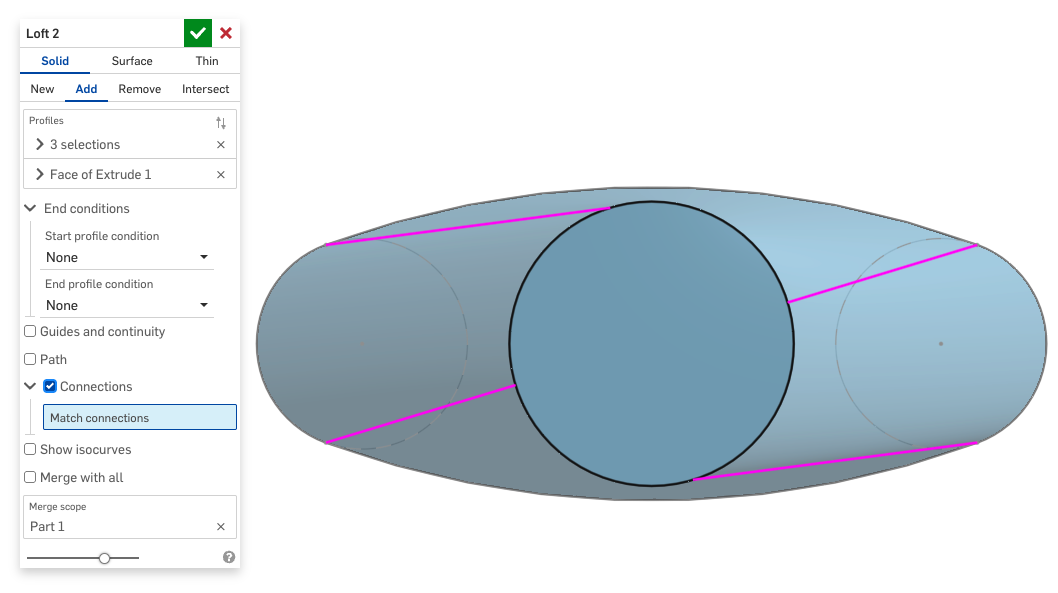
yes, if you turn on the Connections option you'll see something like this:
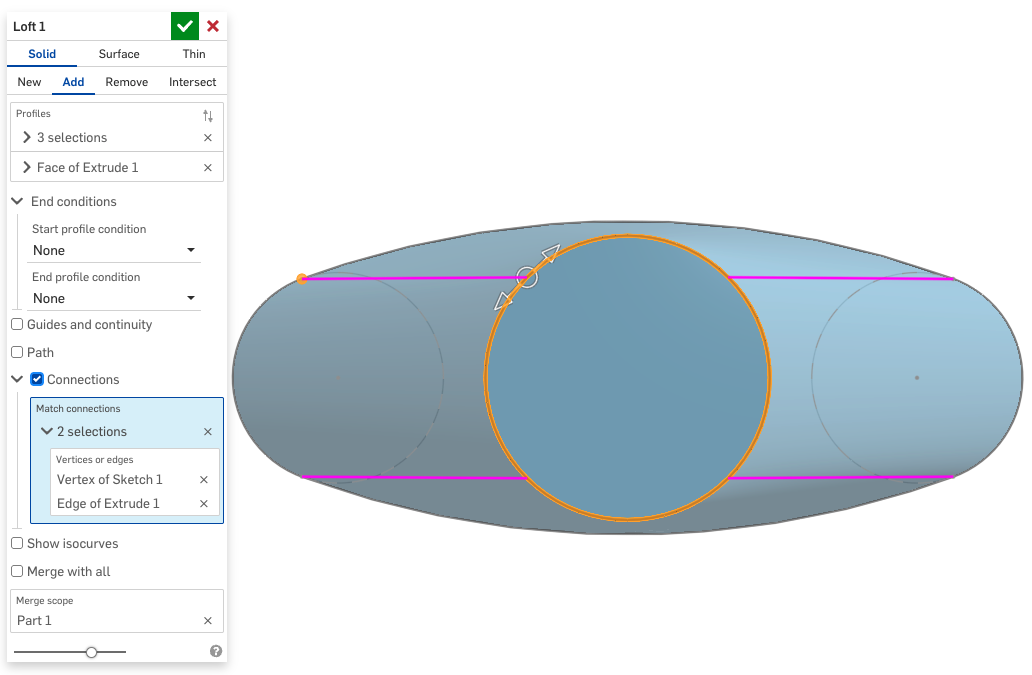
In this case all you have to do is create one "connection" from the arc to the circle and drag the manipulator around until it's right:
 1
1
Answers
There is probably some twist in it. Turn on connections and adjust to straighten it up.
yes, if you turn on the Connections option you'll see something like this:
In this case all you have to do is create one "connection" from the arc to the circle and drag the manipulator around until it's right:
Super helpful instructions; thank you!
That seems to have fixed it 😁