Welcome to the Onshape forum! Ask questions and join in the discussions about everything Onshape.
First time visiting? Here are some places to start:- Looking for a certain topic? Check out the categories filter or use Search (upper right).
- Need support? Ask a question to our Community Support category.
- Please submit support tickets for bugs but you can request improvements in the Product Feedback category.
- Be respectful, on topic and if you see a problem, Flag it.
If you would like to contact our Community Manager personally, feel free to send a private message or an email.
Is this a BUG or a weird unexpected operation [Hollow walls after SPLITting]
 varocketry
Member Posts: 12 ✭
varocketry
Member Posts: 12 ✭
Using Split after Hollowing a box creates hollow, not solid walls
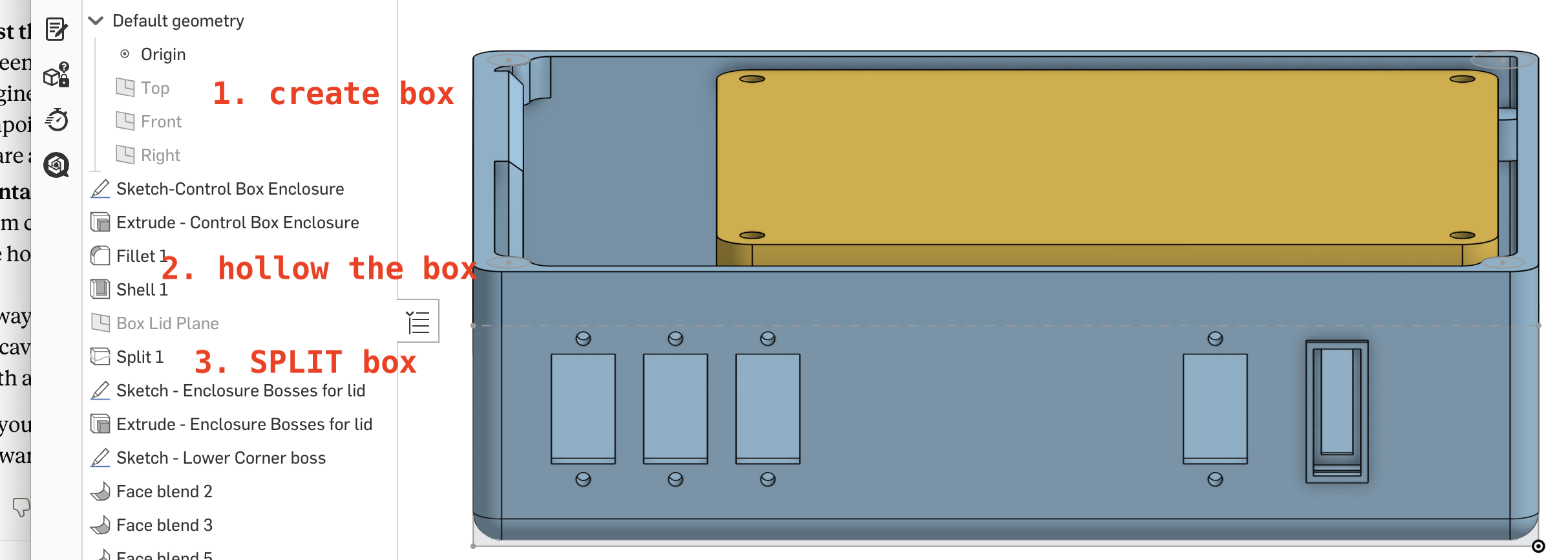
I created a cubic box.
Then hollowed it leaving 3mm walls.
I then split the box to create a box and a lid.
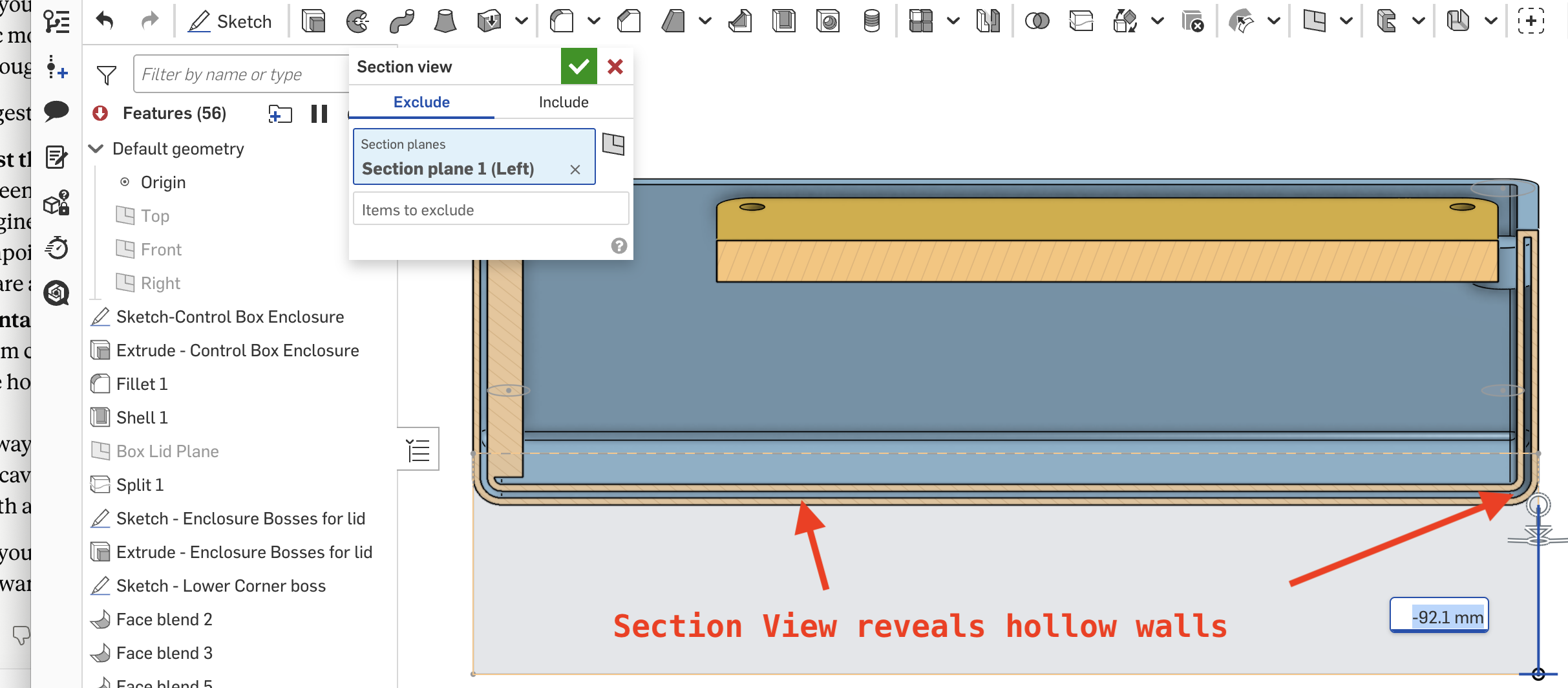
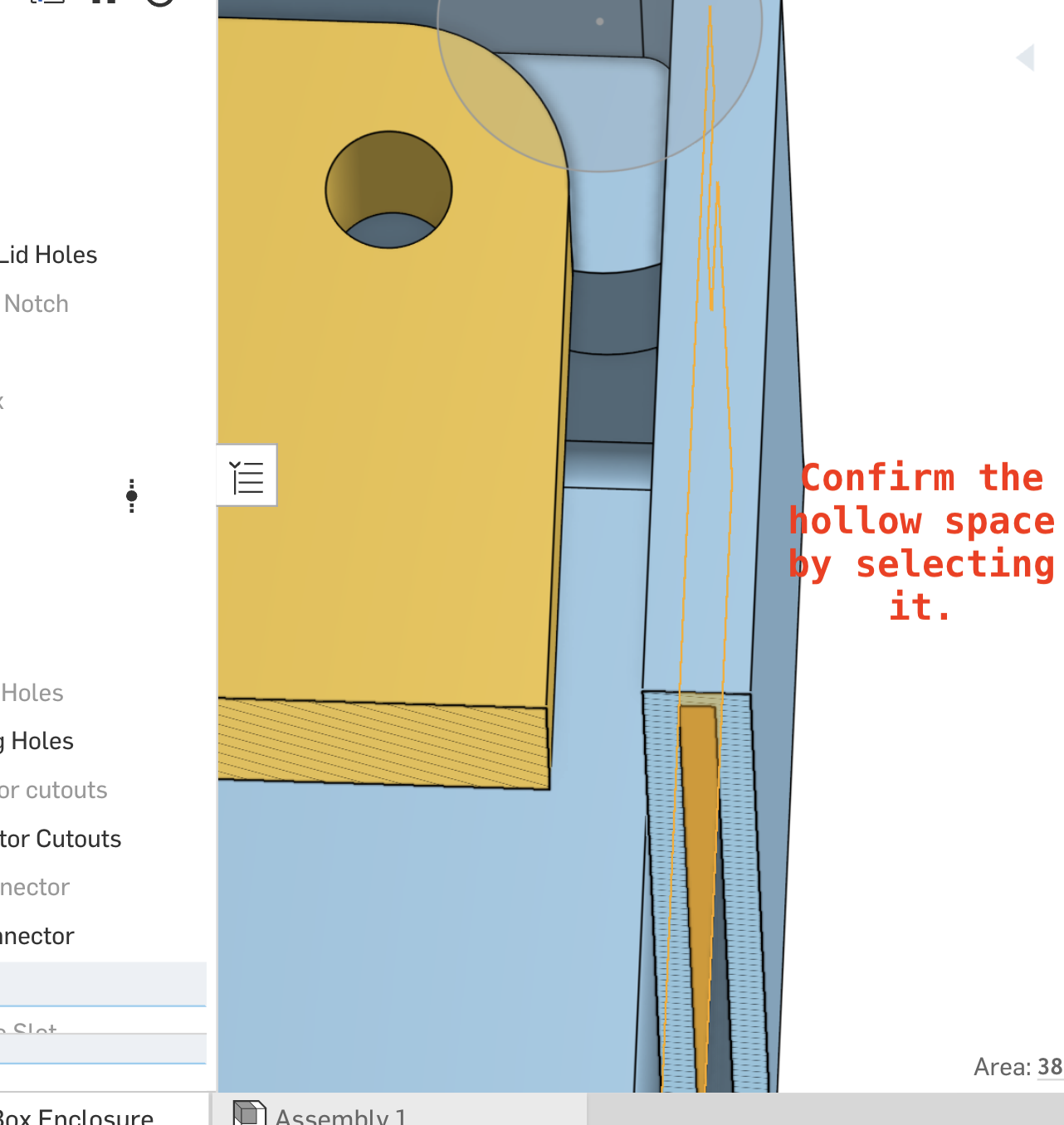
I later noticed via the Sections view that the box wall is NOT solid but has hollow space in it.
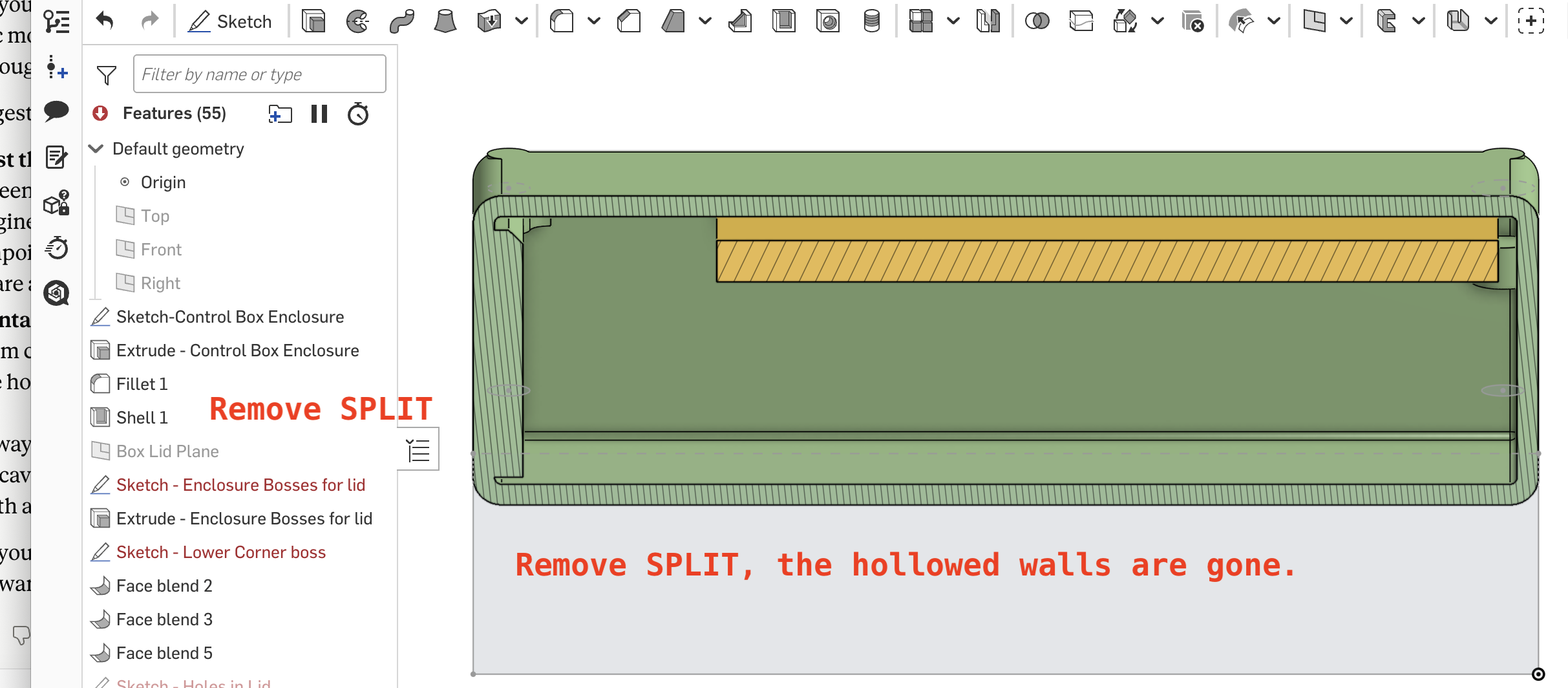
Through investigation, I see that it is the SPLIT function that creates the hollowed wall box, as the hollow disappears when I delete the SPLIT.
Why is ONSHAPE behaving this way?
Is this a BUG?
Is there a workaround to retain the solid 3mm walls I created.
Please advise.
Jim Sutton
Link to Onshape Doument:https://cad.onshape.com/documents/04fe34b82f39341467d674d2/w/5318fa305465743b80830d34/e/3ad79005b19d36266699c117
'
Answers
Looks like you moved on (and broke lots of stuff) but it's not the split, it's your selection for Shell 2, so it's doing exactly what you asked it to do 😀
I don't think I've moved on . I did go back and clean up all the errors that appeared following an inadvertent FAT FINGERING and subsequent attempt at recovery. I even deleted the entire feature including the sketch and started over, but the hollow persists.
I deleted SHELL2 to test and the hollow effect disappeared, as you suggested. THANK YOU.
I'm sure this is a NEWBIE screw-up, but I don't understand why the second use causes problems elsewhere. It seemed like an elegant way to make the connector support ztructure desired.
You've pointed me to a problem, but it's beyond my current knowledge of ONSHAPE to fit it. Thus I came here hoping for instruction in addition to answers.
A huge kluge solution but it seems to work.. Draw the desired hole in the panel face. then drop the connector box down over it use Mate Connectors.
It's the only thing I could get to work.