Welcome to the Onshape forum! Ask questions and join in the discussions about everything Onshape.
First time visiting? Here are some places to start:- Looking for a certain topic? Check out the categories filter or use Search (upper right).
- Need support? Ask a question to our Community Support category.
- Please submit support tickets for bugs but you can request improvements in the Product Feedback category.
- Be respectful, on topic and if you see a problem, Flag it.
If you would like to contact our Community Manager personally, feel free to send a private message or an email.
Improvements to Onshape - August 20th, 2019


CAD IMPROVEMENTS
CYLINDRICAL WRAP
You can now wrap sketch or surface entities around a cylinder.ASSEMBLY AND FEATURE PATTERN INSTANCES
Feature and assembly patterns are able to evaluate an instance count of one. This is extremely useful when setting up configurations as no extra features are needed to handle a configuration that requires a pattern instance count of one.CONFIGURATION TABLE IMPROVEMENTS
Copying and pasting data into a configuration table will now automatically add rows to the configuration table so that all of the data fits. This is improved over having to add each row manually before pasting the data in. To get started with configurations, visit our learning center.ASSEMBLY DIAGNOSTICS IMPROVEMENTS
We have improved the information Onshape gives you when there is a subassembly error and you are trying to diagnose it from the top-level assembly. This will allow for faster mate resolutions when piecing together all of your sub-assemblies.TAB DELETION WARNING
When you delete a tab in Onshape, you will now be warned if this will cause conflicts elsewhere to help understand the implications of that action before making a decision. Clicking Delete finalizes the deletion while selecting cancel closes the dialog without deleting any tabs. If the tab is able to be deleted without causing any conflicts it will simply be deleted, with no warning.

REORDERING SELECTIONS
Reordering of selections is now available for an expanded list of features where the order of selection matters. Previously you had to redo a selection if an error was made or new entities were introduced. Now you will be able to reorder the selections made within fit spine points, boolean, transform by line, and assembly mates.
HIGHLIGHT BOUNDARY EDGES
A new view tool is now available to toggle highlighting boundary (or laminar) surface edges. This will aid in identifying areas of an imported model which need repair and assist with surfacing workflows. See our help documentation for more on repairing imported models.
ATTACH GD&T TO HOLE CALLOUTS
GD&T can now be attached to hole callouts.

PROFESSIONAL IMPROVEMENTS
DRAWING WATERMARK IMPROVEMENTS
Within the release management settings, the company has the option to hide watermarks on drawings that are marked as not revision managed.

ENTERPRISE IMPROVEMENTS
SPECIFY STARTUP PAGE
Enterprise users can now specify their start page (Analytics, Documents, Activity, or Action Items). Upon logging in to Onshape, this will be the page they see. This is also available for the Android mobile app.

SUPPORT FOR LIST-TYPE WORKFLOW PROPERTIES
Administrators can now include list-type properties when setting up custom workflows for Release Management.

MOBILE IMPROVEMENTS
TASK MANAGEMENT IN COMMENTS
The Android mobile application now supports task assignment. If multiple users are mentioned in a comment there is a drop-down to select which user to assign the task to.

IOS NOTIFICATION CENTER
iOS users now have access to a notification center that lists out all of their notifications. This includes the ability to search and filter notifications.
BOTTOM NAVIGATION IMPROVEMENTS
Both iOS and Android have improved bottom navigation interfaces for a better experience.

Please take a moment to try out these new features and improvements and leave your comments below. For a detailed list of all the changes in this update, please see the changelog.
Remember: The updates listed here are now live for all users when creating new Documents and over the next few days these features will also be available in Documents created before the date of this update.
Comments
-
NOICE..........3
-
-
Just logged in and found a new icon in my assy tree, this was a nice surprise, thank you! Looking forward to testing them out especially the instancing update.
 3
3 -
My eyes are very thankful for the little icon to help highlight the failed mates. Much easier to see now when scanning the tree.
 5
5 -
As always a bunch of nice improvements.
To celebrate this palindrome release, I also want to add a small improvement
With this release you can find a small Onshape course in Spanish for free here... https://www.udemy.com/course/conoce-las-ventajas-de-onshape-el-futuro-del-cad-en-la-nube
And here https://www.udemy.com/course/introduccion-al-diseno-en-la-nube-con-onshape another Introduction course to Onshape https://youtu.be/SK9iecLWlz8
Please, I would love to have some feedback from the free course. Especially about section 2, in which I talk about the advantages of Onshape over traditional CAD software.
Un saludo,
Eduardo Magdalena C2i Change 2 improve ☑ ¿Por qué no organizamos una reunión online?
Partner de PTC - Onshape Averigua a quién conocemos en común10 -
Great work, thanks Devs

Owen.Business Systems and Configuration Controller
HWM-Water Ltd4 -
My oh my, Onshape team!
Config table change is particularly timely.
Thanks very much!Brendan Smith
Torus Developments - Mobility Engineering
Burnie, Tasmania, Australia
+61-402-822-410
torus.aus@gmail.com3 -
Awesome, just awesome.
It's those little things like expanding configuration table on paste or allow 1 for pattern count that can save hours of work but usually gets ignored by developers - not Onshape
Cylindrical wrap seems nice, I wish I had need for that //rami1 -
Very nice quality of life updates!1
-
Unfortunately now it warns for mate issues even when the part and mate are configured to be suppressed.
These mates probably shouldn't get a red icon because the part the mate is attached to is suppressed not de-referenced.
It is misleading
1 -
Great job guy's! Wrap feature looks sweet!1
-
-
WRAP! So helpful keep it all coming. Onshape is the FUTURE!6
-
DoneNeilCooke said:@john_mcclary - please create a support ticket.0 -
Here is an example public document that I used in the videos for configurations and assembly patterns.
A few things to note include how I named my features to make it easy for colleagues to follow my thought process and my use of construction beams to get the appropriate miters in the Part Studio as well as the correct BOM counts in the assembly.
This is a simple example as you can use more logic within the configurations to get really fancy with your design. Let me know if there are any questions.
https://cad.onshape.com/documents/b61d35832e3f713e7d319e6c/w/a2d8c274586c38142da72b05/e/e453a07217b21495e130d68e1 -
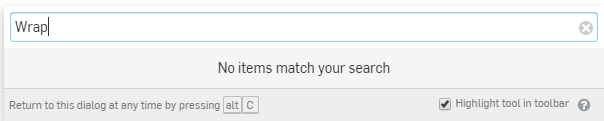
I searched for the Wrap feature but can not find it.
Is Wrap only for Pro's?
0 -
@Henk_de_V
You need to be in a part studio updated to the latest version. Try a new document in mean-timeRemember: The updates listed here are now live for all users when creating new Documents and over the next few days these features will also be available in Documents created before the date of this update.0 -
@Henk_de_V No it should be there for all users... but there is not
The code is in the std document https://cad.onshape.com/documents/12312312345abcabcabcdeff/w/a855e4161c814f2e9ab3698a/e/5e2ac00ef43da299ccb2ff00
I believe that someone missed to ad that icon Un saludo,
Eduardo Magdalena C2i Change 2 improve ☑ ¿Por qué no organizamos una reunión online?
Partner de PTC - Onshape Averigua a quién conocemos en común0 -
@lana I have just created a new document but the icon isn't thereUn saludo,
Eduardo Magdalena C2i Change 2 improve ☑ ¿Por qué no organizamos una reunión online?
Partner de PTC - Onshape Averigua a quién conocemos en común0 -
Ahh No, it is there

Un saludo,
Eduardo Magdalena C2i Change 2 improve ☑ ¿Por qué no organizamos una reunión online?
Partner de PTC - Onshape Averigua a quién conocemos en común0 -
It is there for me. Might be hard to find - under Transform:
 0
0 -
OK, I see it now.
I knew about update time but did realize that this also involves the visibility of the toolbar elements.
So, thank you @lana.0 -
Un saludo,
Eduardo Magdalena C2i Change 2 improve ☑ ¿Por qué no organizamos una reunión online?
Partner de PTC - Onshape Averigua a quién conocemos en común4 -
You have to add it to the toolbar, it is off by default it looks.. Probably due to having a custom toolbar before it was added

0 -
@john_mcclary
It should definitely be on by default if you have not changed your toolbar. For custom toolbar, it does not surprise me that it does not add in automatically, that is probably not the best behavior. If it were to add itself automatically, where would you expect it to add into the custom toolbar? Assume, for the sake of the thought experiment, that your toolbar is completely shuffled from our original toolbar.
I'm not trying to say it shouldn't add itself, really just looking for feedback here to see if there is somewhere sensible we could slot in new tools, without bothering users who have set up their toolbar is a specific way.Jake Rosenfeld - Modeling Team0 -
I was about to draw up a balloon notification like the "Onshape has new updates, click here to learn more"
but have it specific to new buttons on the toolbar. Something like, "New features have been added to Onshape, but they are hidden from your toolbar, click here to customize your toolbar"
But fortunate me, microsoft word has added a feature to their bar that I saw for the first time, so i just screen shot that instead
0 -
Highlight Boundary Edges - fantastic! Let me quickly repair import to make it a solid. Been awaiting this for years! Thank you OS Team!!www.accuratepattern.com2
-
@Jake_RosenfeldJake_Rosenfeld said:@john_mcclary
It should definitely be on by default if you have not changed your toolbar. For custom toolbar, it does not surprise me that it does not add in automatically, that is probably not the best behavior. If it were to add itself automatically, where would you expect it to add into the custom toolbar? Assume, for the sake of the thought experiment, that your toolbar is completely shuffled from our original toolbar.
I'm not trying to say it shouldn't add itself, really just looking for feedback here to see if there is somewhere sensible we could slot in new tools, without bothering users who have set up their toolbar is a specific way.
I had a custom toolbar, but hadn't edited the group that had the wrap feature in it, and it added itself 0 -
Jake_Rosenfeld said:If it were to add itself automatically, where would you expect it to add into the custom toolbar? Assume, for the sake of the thought experiment, that your toolbar is completely shuffled from our original toolbar.I'd like to suggest that in this situation a new toolbar is created with any new feature icons and a splash screen is shown asking the user if they'd like to show/hide/move them.Add in a hyperlink to to the relevant help files, a link to the "what's new" video and PT's personal cell number in case of any issues and we're cookin'Cheers, Owen S.Business Systems and Configuration Controller
HWM-Water Ltd3 -
Great update's as allways, also new pattern without first finishing sheetmetal parts ??
It workt for me on a circular pattern. Fine if you have similar sheetmetalparts with some add-on,s, you can edit them in the flat-pattern view.
The Wrap function came in handy at the right point also.
Thanks, Dick van der Vaart0











 https://youtu.be/4CZ0SC5qIik

