Cable chain assembly movements

I have an assembly of a cable drag chain CNC Plasma | Cable Drag Chain X axis
I had a look at another post where they discussed how to enable the chain to move as it should Moving Energy Chain / Cable Track — Onshape, along with following the concept laid out in this document…Energy Chain | Energy Chain
In my assembly my model follows the path of the created surface, until it maxxes out on movement at about 825mm on the slider mate.
Could somebody please have a look at the assembly and help me understand why the drag chain is not following the surface path.
All the rotate mates seem to be correct, and so do the tangent mates, yet something is preventing the slide.
I also believe this is causing a problem in the main assembly….I can insert the cable chain assembly but im not able to align it or attach it to anything without it faulting.
Answers
-
Not able to look at your doc at the moment but a quick fix might be changing some some rotate mates to cylindrical might help. Sometimes slight rounding errors mean your rotates aren't as aligned as you think they should be.
Engineering textbook: https://hwh.stephenteacher.com/txtbook.html0 -
Tangent mates can also be more reliable as a point on a surface rather than cylindrical surface to planar surface (for example) in my experience.
1 -
@Ste_Wilson Hmmmm, I'll double check my rotate mates again, then try cylinder mates.
0 -
That's a strange anomoly, the example I followed to create my model used tangent mates on the cylinder surface aligned to the curved surface of the path.
0 -
@nicholas_witham I have had situations where the cylinder will switch sides on the path surface. That ambiguity can sometimes be a problem as you drag things around. If it works, that's all that matters really.
The energy chain example you provided seems to run through all the allowable movement based on your constraints.
0 -
Usually, one cylindrical mate in the chain (EG on the last link) will be enough, just to allow a minimum 'freedom' in axial direction that makes the math easier for the system. If that fails, a ball mate that rides on a slider mate might also be a good option. It's all about avoiding overconstrainism.
0 -
Here's one from @NeilCooke
0 -
I haven't tried this yet, but I wonder if one way to avoid creating so many mates would be to make small subassemblies of a series of links and then make a next level assembly with multiples of those… Obviously you have to be diligent about the final number you need for the top level, and there's no shortcut for the tangent path mates.
It would be really nice to have a better way to replicate mates along a path… sounds like I need to create an improvement request.Simon Gatrall | Product Development, Engineering, Design, Onshape | Ex- IDEO, PCH, Unagi, Carbon | LinkedIn
0 -
I've tried changing the tangent mates from "face to face", to now face (of path) to edge of chain circle
Seems to be the same, quite glitchy, especially once the number of chains gets too much.
At times i can get it to work, but then sometimes i get to the same point and it overconstrains itself….quite frustrating. Maybe the movement on the tangent gets mixed up and tries to flip around.
Perhaps constraining the tangents as "surface of path" to "point of chain", as @rich_north has suggested.
I wonder how I can create a point on the centerline of the chain link shafts….a point, maybe a line. I don't think a mate will work as a tangent mate0 -
I added a surface to the link assembly, tried to tangent mate the link surface to the path surface, but that method allows the tangent to go beyond the actual surface as long as the extension of the surfaces still tangents.
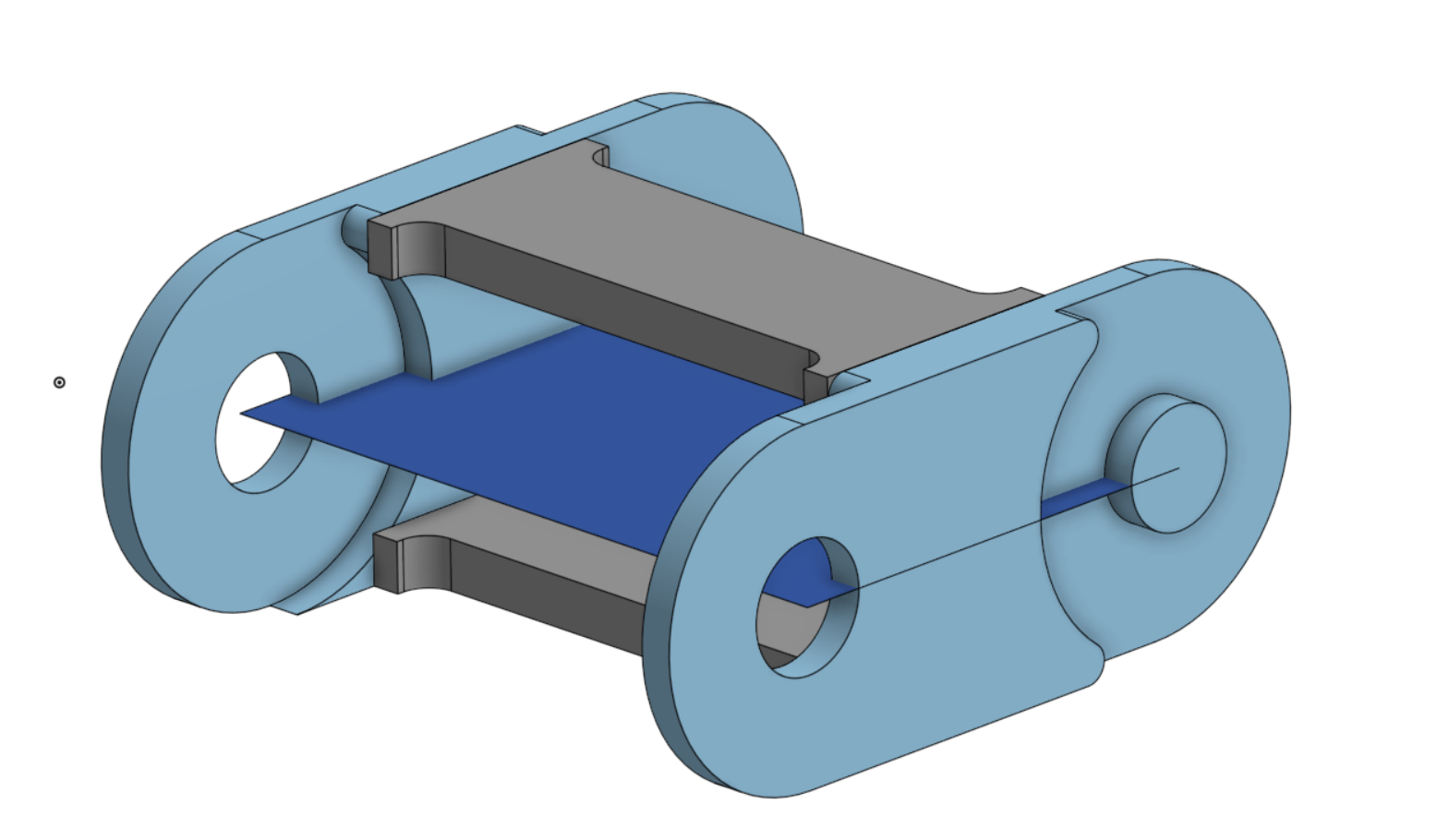
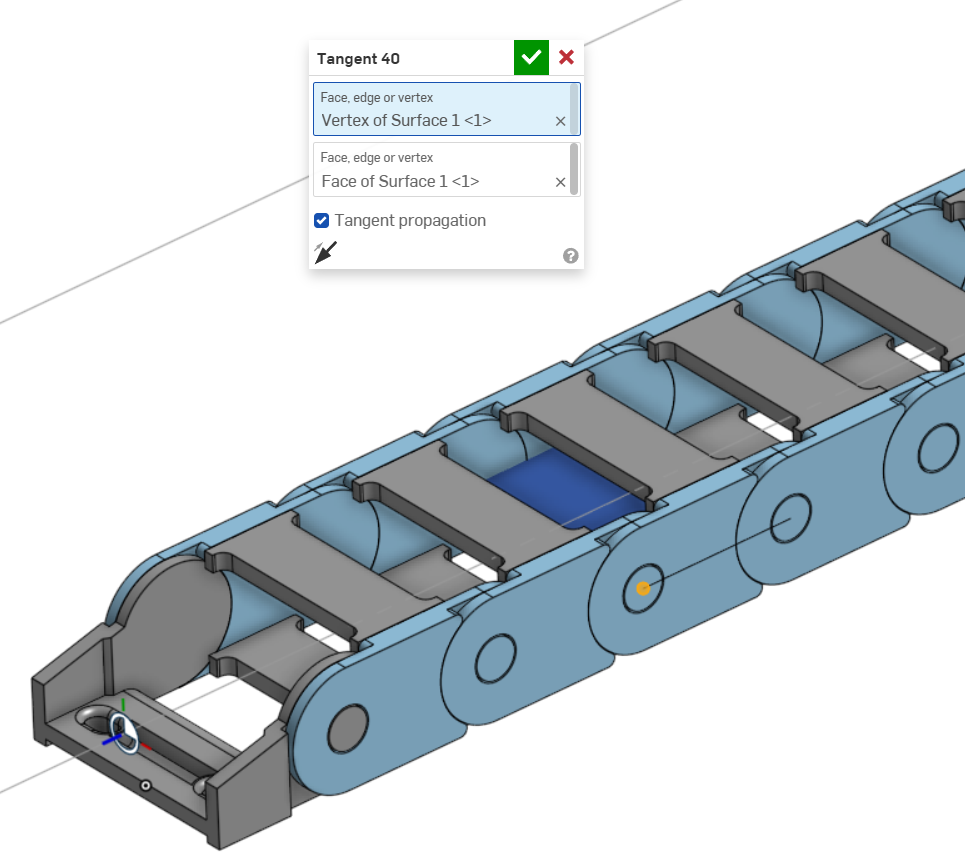
So I tried tangent mating the vertex of the link surface to the face of the path surface, and that seems to be a more reliable mate, as it can't get locked trying to move one way instead of the other.
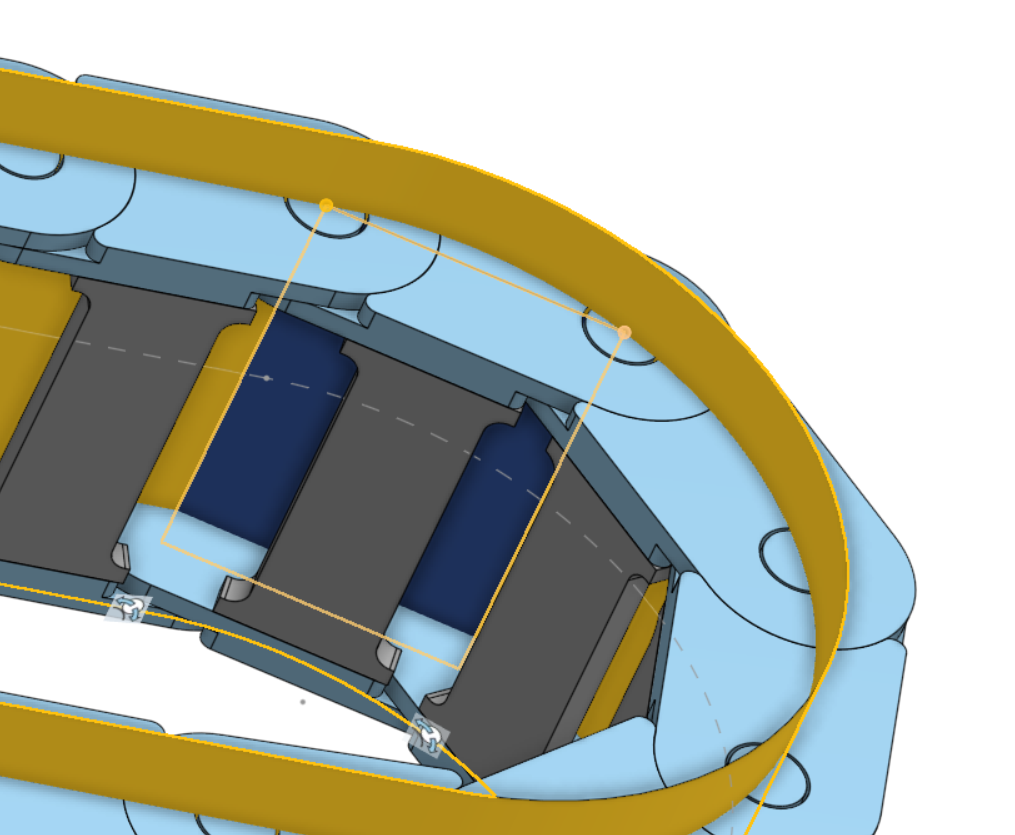
Now I think i'm suffering from some lag issues. The cable chain rolling will work well by using the slider mate variable value, but it is extremely glitchy just trying to drag the chain end.
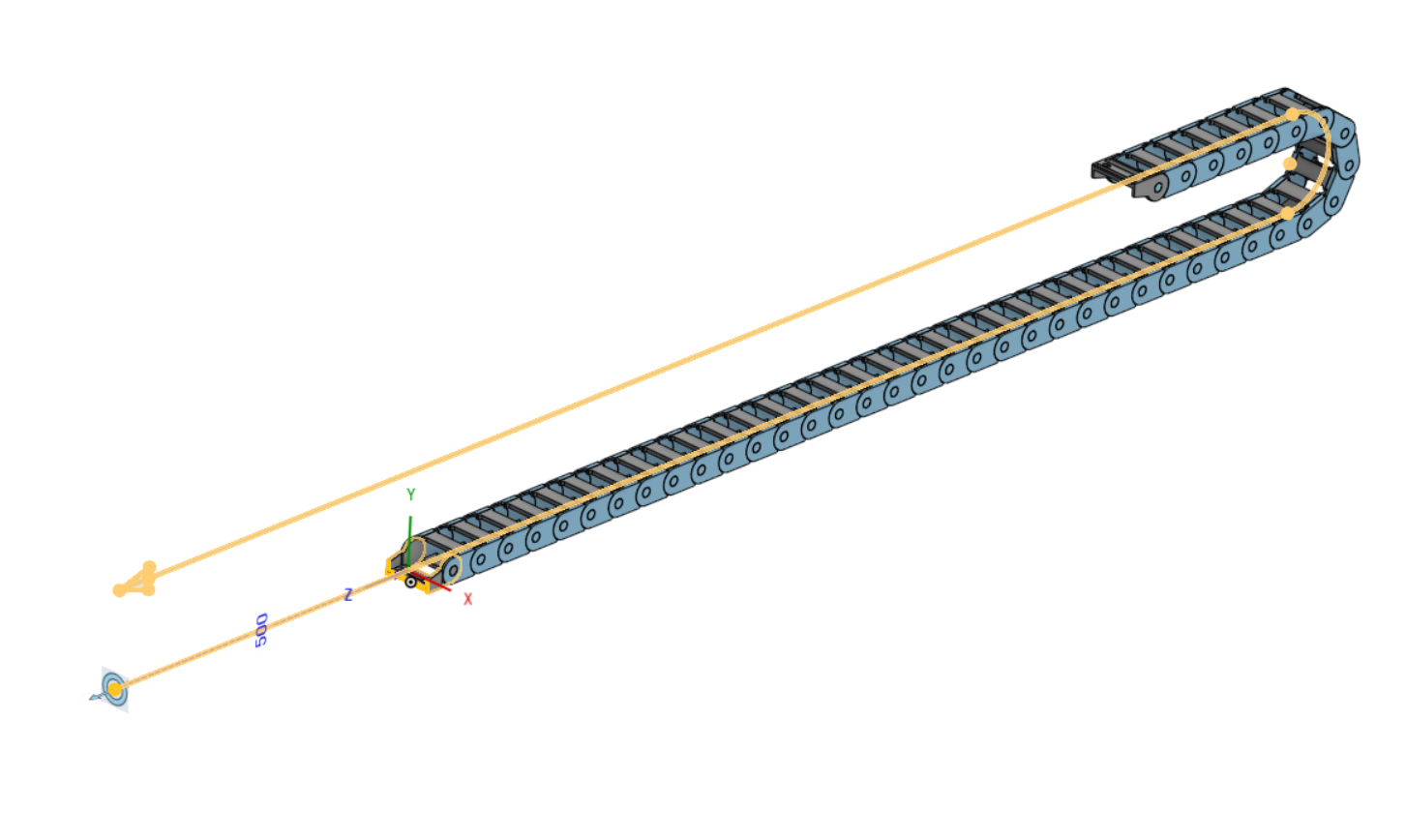
This might be as good as it gets for me
0 -
I'm not sure what everybody expects from an energy chain. If we just model those conditions it has, the thing moves as chains do and behaves as expected, running pretty smooth for me.
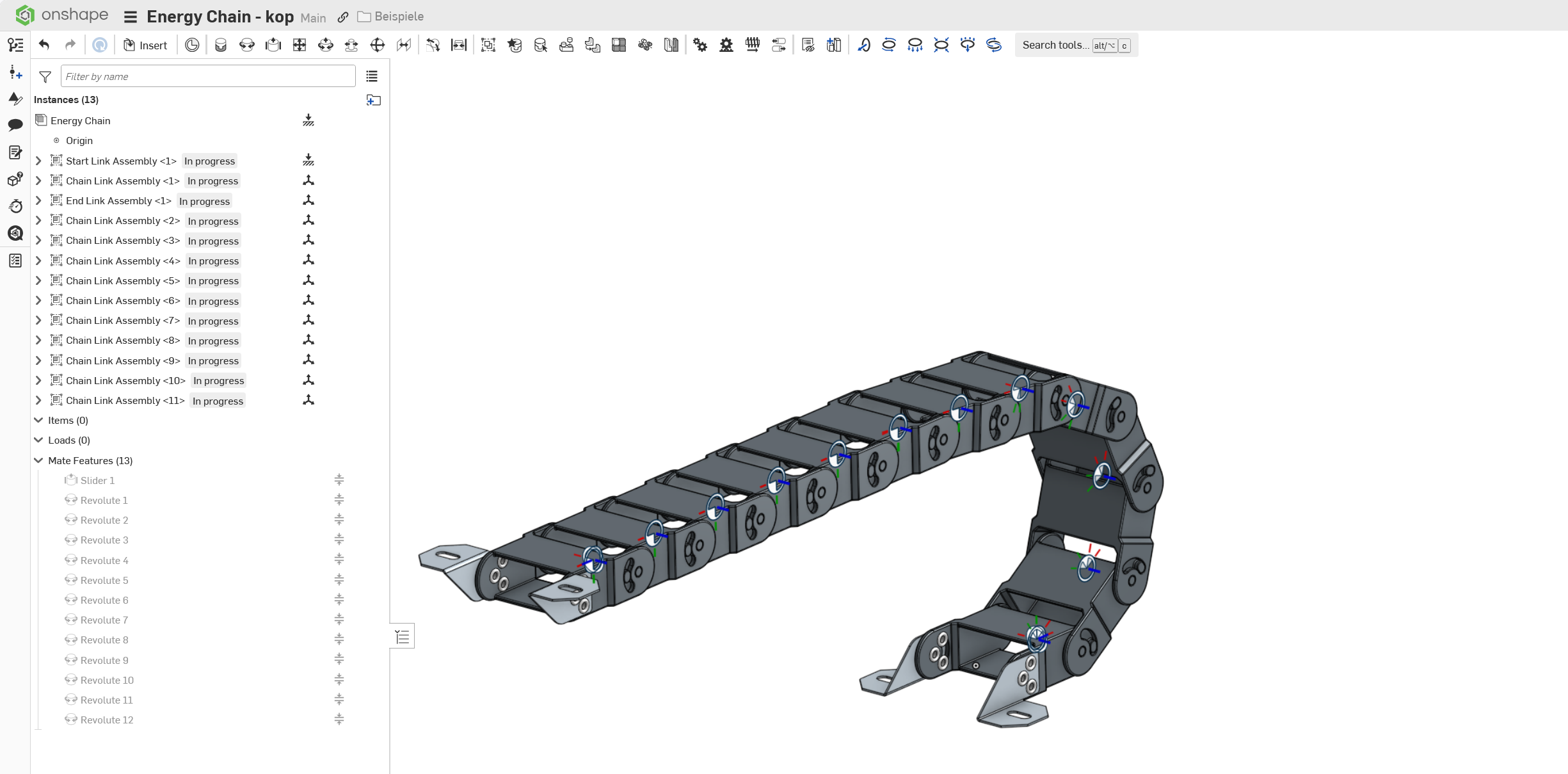
Video (realtime):
https://nextcloud.webo.hosting/s/xd4DZRZ82KYGdpD
The free end will always have more distance from the fixed end than 2x minimum bend radius, so there'll always be a little wiggle in the chain loop, but that's just typical for chains.
If we want to introduce a lot of conditions to make it act as if it was under the influence of gravity, that's a whole different story, though. But OS has no gravity simulation built in, so we end up with a really complex set of conditions and slow solving. If I have to model energy chains, I usually go the simple way and just let the chains be chains, instead of making them move like they never do but in an idealized sales video. ;0)
(Edit: I made the max angle between links a varibale. It is 40° by design, but setting the variable to someting just below the point where it hangs (38.5°), helps to take out most of the wiggle:)
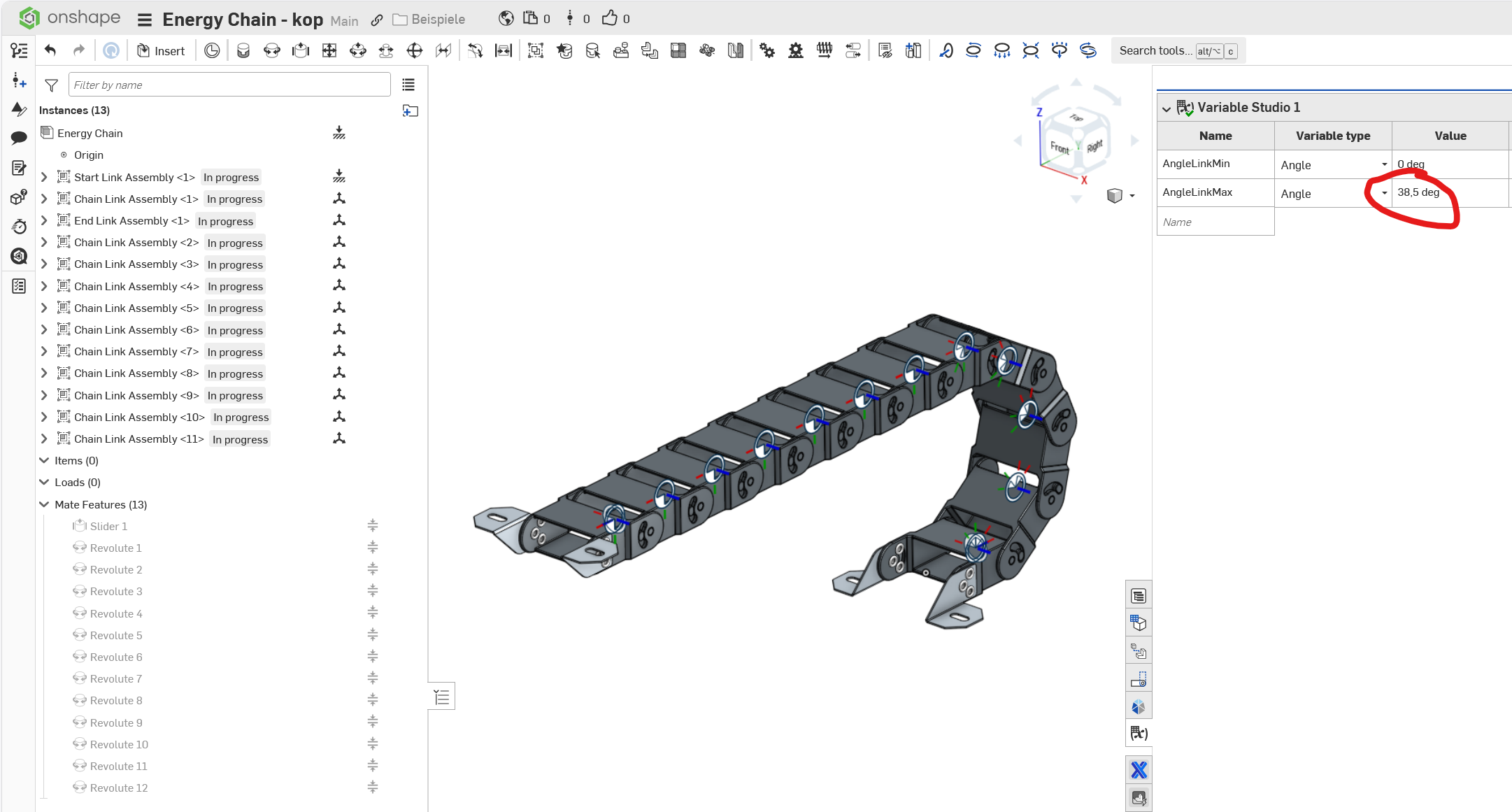 1
1 -
Thanks @martin_kopplow
I don't believe im expecting it to do more than it should…i've essentially copied your method except for a couple of small differences..
I have 40 revolute mates, and 40 tangent mates…all trying to recalculate a new position on every movement.
Is it possible there are too many mates in the assembly for the system to compute dynamically (hence impossible to drag), and probably right on the limit for it to compute with the provided variable (hence the time it takes to move after entering the new variable).
I can move the chain along the path using the variable value on the slider mate, but only if I make small increments of maybe 25mm each time (however the change is extremely slow). If I make a change too great the mates become over constrained. For example if I change the slider length from 650mm to 100mm in a single move it will fault, but if i make small 25mm increments from 650-100mm it will be fine.
If I try to drag the path sketch nothing will happen at all.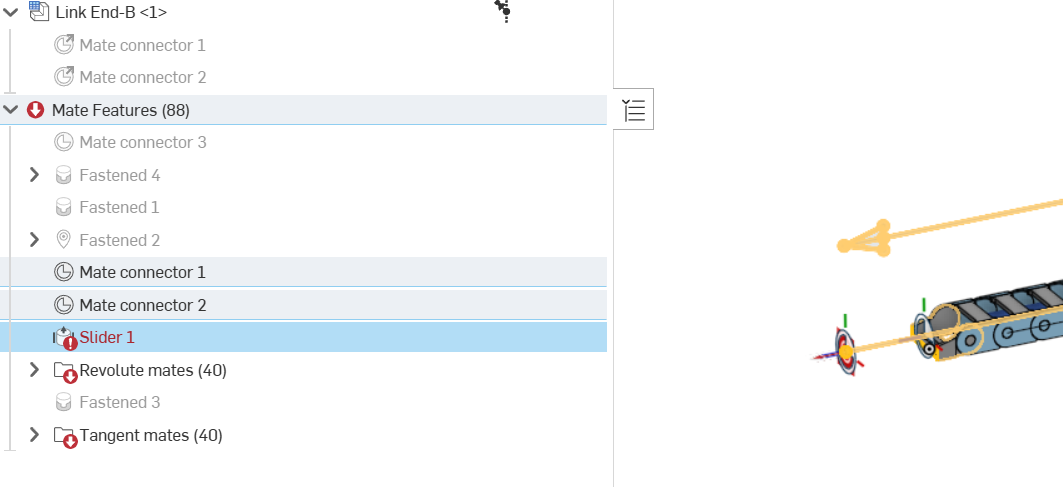
Here's an explanation of my method…………..
In document 1 I have modelled the chain link and the chain ends (A and B).
Each chain link is made of 4 individual parts, and combined in an assembly.
In document 2, I have a part studio with the path…made from a 3d fit spline extruded to a surface.
Also in document 2 I have an assembly that references 1xchain end A, 41xchain links and 1xchain end B.
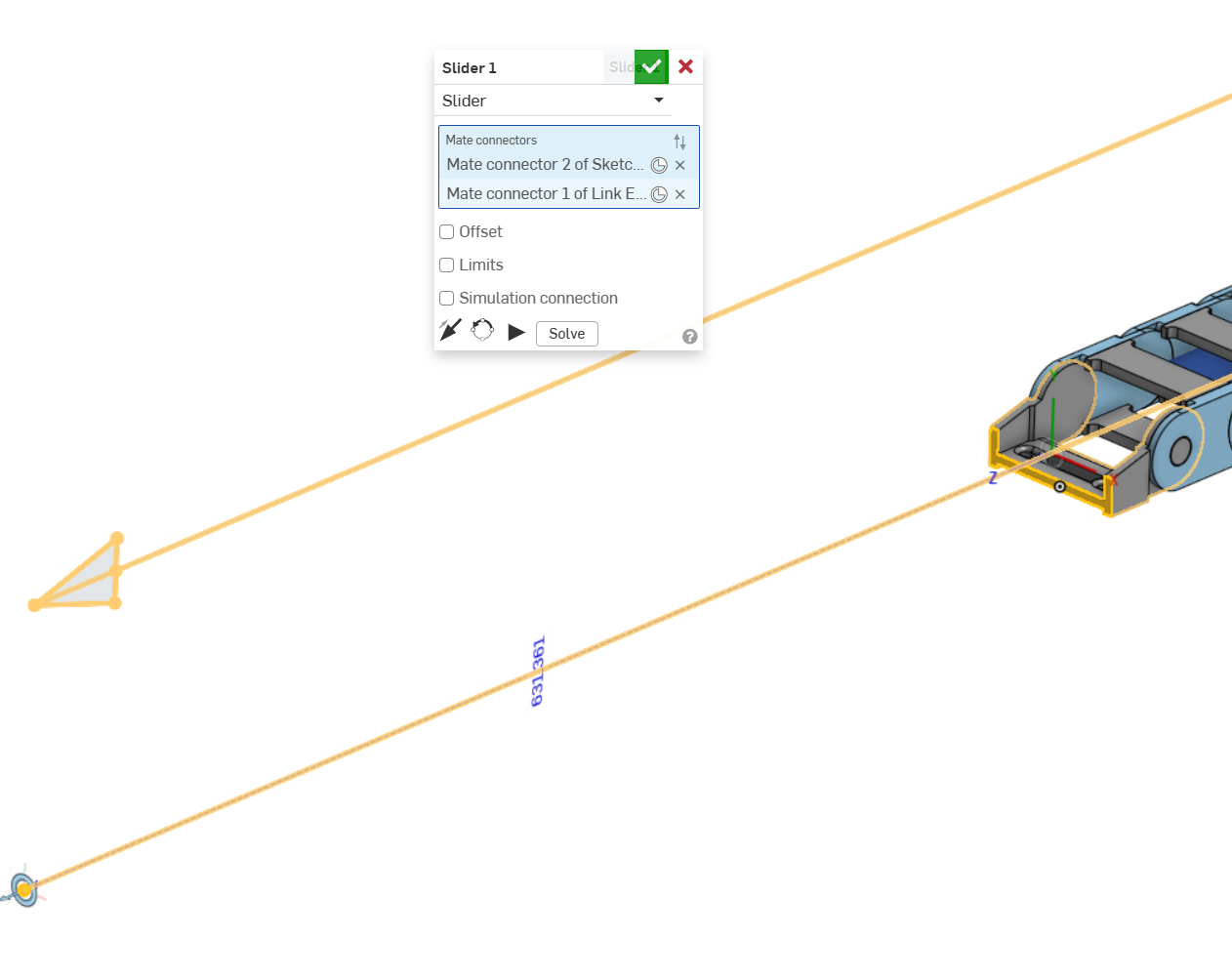
This assembly also references the path sketch and surface.The chain end A mated to the path sketch with a slider…without any limits:
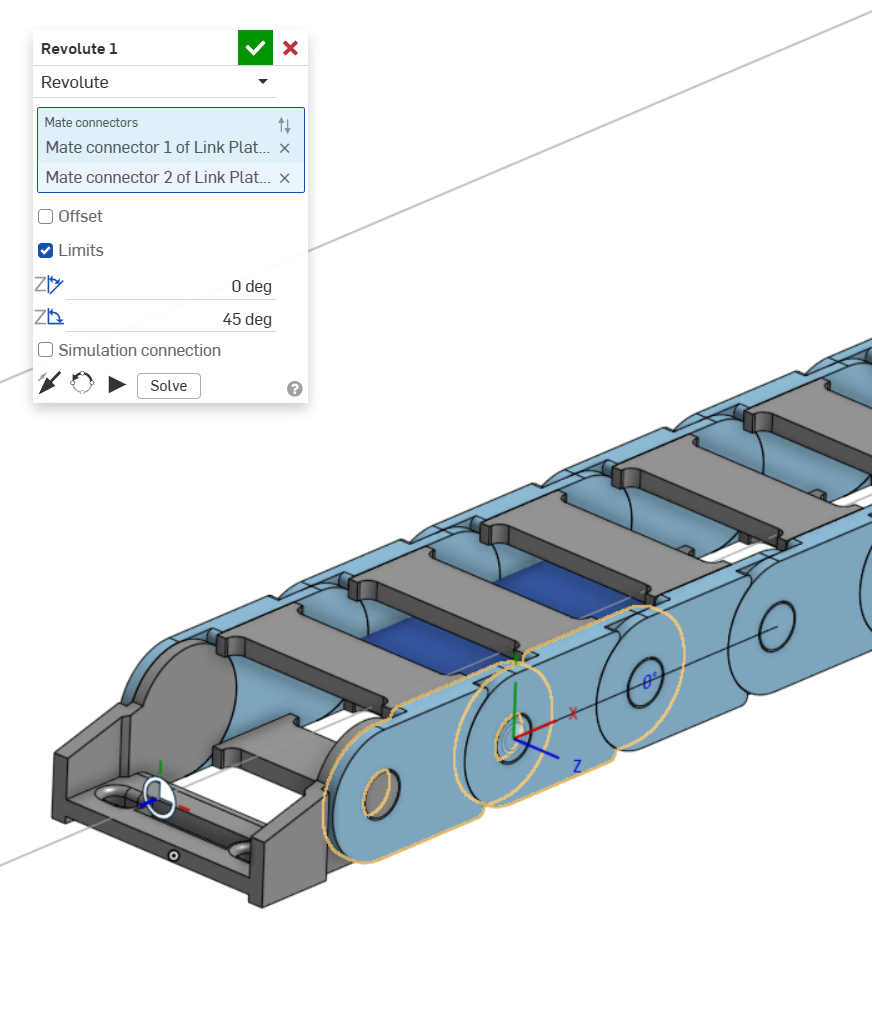
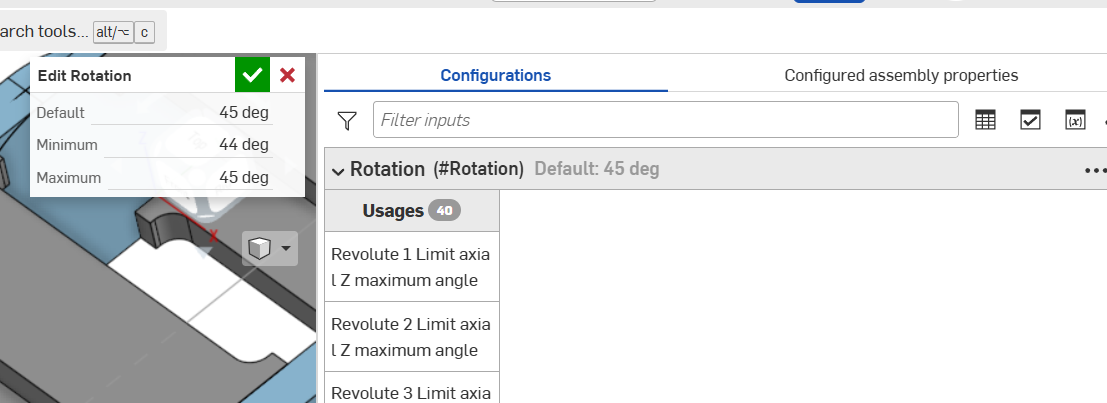
Each chain end and link is mated with revolute mates…with minimum 0° and max 45°, which is more than required to get around the bend radius of the path. I've done this as a configuration instead of a variable so I can change it once and have it update to all instances. A variable would make me have to update every instance.
Then each link is mated with a tangent from the vertex of a surface within the chain link assembly, to the path surface.
Using the vertex instead of using the cylinder surface means the system calculation doesn't get confused and bound up.
 0
0



