Welcome to the Onshape forum! Ask questions and join in the discussions about everything Onshape.
First time visiting? Here are some places to start:- Looking for a certain topic? Check out the categories filter or use Search (upper right).
- Need support? Ask a question to our Community Support category.
- Please submit support tickets for bugs but you can request improvements in the Product Feedback category.
- Be respectful, on topic and if you see a problem, Flag it.
If you would like to contact our Community Manager personally, feel free to send a private message or an email.
Improvements to Onshape - June 26, 2026


CAD
ASYNCHRONOUS SIMULATION
A new Results and history table displays all simulation jobs: queued, in-progress, and complete. Submit studies while modeling. Jobs run independently without blocking your work. Results are stored permanently in version control history with full logging of conditions and outcomes for traceability. See the new Asynchronous Simulation topic in the Onshape Help for more information.
DERIVED PROPERTIES
Onshape has updated the behavior of the derived geometry feature's properties checkbox. Previously, this setting was always enabled when creating derived features, automatically including all properties like part numbers and manufacturing processes from the original source. Now, the setting has become sticky - when disabled, it remains unchecked for future derived features until manually re-enabled. This improvement helps users avoid accidentally reusing part numbers or copying incorrect property values like manufacturing processes.
ACTIVE COMMAND HIGHLIGHTING
DRAWINGS
PARTS ONLY DEFAULT VIEW STYLES
Previously, templates would automatically insert annotations like centermarks and centerlines for both parts and assemblies. The update makes these settings exclusive to parts, where they are more useful. This improvement allows users to keep annotations enabled for parts, where they're beneficial, while creating cleaner assembly drawings.
RENDER STUDIO ADVANCED
CAMERA GAZE DIRECTION INDICATOR
Render Studio now includes a camera gaze direction indicator in the environment lighting editor, making it easier to orient environment lighting relative to the camera for more accurate and predictable rendering setups. Also, physical lights and volumes can be duplicated.
CAM STUDIO
'CREATE MACHINE' DIALOG MODERNIZATION
This update announces improvements to Onshape's CAM (Computer-Aided Manufacturing) user interface, specifically focusing on machine creation functionality. Building on previous UI updates that enhanced job creation, setup creation, and work plane creation dialog, the latest release extends these improvements to machine creation. The goal is to create a more consistent and familiar user experience by aligning the CAM interface more closely with the broader Onshape UI design language.
GENERIC DATRON POST PROCESSOR
A new generic Datron post processor is now available out of the box. Shops running Datron machines can get started without creating a custom post processor from scratch.
IMPORT/EXPORT
GLB FORMAT TRANSLATION
GLB format translation is now integrated into Onshape, expanding interoperability for visualization, XR, AR, and VR pipelines.
ENTERPRISE
Please take a moment to try out these new features and improvements and leave your comments below. For a detailed list of all the changes in this update, please see the changelog.
Remember: The updates listed here are now live for all users when creating new Documents. Over the next few days, these features will also be available in Documents created before this update. Mobile app interface updates occur via the Apple App store or Google Play store and happen in the days following the update.
Comments
-
The best improvements are always hidden in the notes:
- Support scrolling list of applications on right panel
I no longer need to zoom out on my page to see all my apps.
www.smartbenchsoftware.com --- Renaissance --- Kestrel -- SmartLink
Experts in Onshape Automation - Custom Features and Integrated Applications6 -
I'm going to take the improvement to include part properties via Derive operations as first party approval of my Amalgam shenanigans. Maybe now I can start making real BOMs for my drawings again instead of dumping to an external table to sort things out.
Edit: oh and we got .GLB format support! Thanks @lougallo and team for getting that plugged in for us.
3 -
There is more to come on this, so stay tuned. Just be assured that boundary surfaces are better quality than before.
Senior Director, Technical Services, EMEA2 -
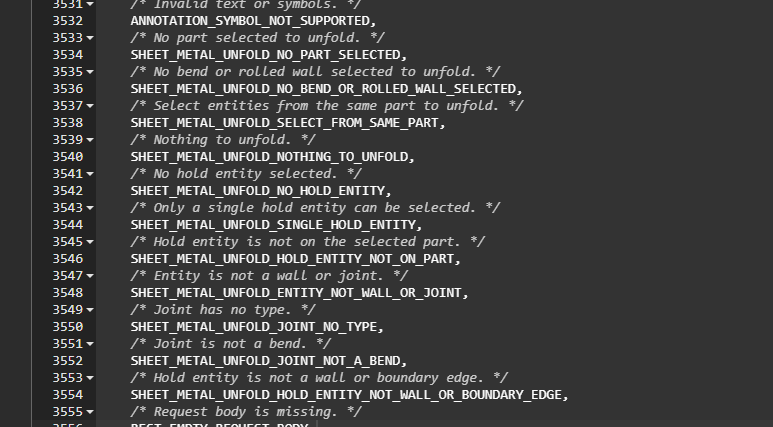
I also see some new sheet metal functionality creeping into the logs. Looking forward to all of the new unintended use cases these might enable.
 2
2 -
Great release! I'm going to love asynchronous simulation and sticky derived part properties checkbox.
0 -
That was in the last release, but we forgot to document it 😯
Senior Director, Technical Services, EMEA2 -
TypeError: this.scalarVisualizationOccurrenceIdsByPath.keys(...).toArray is not a function.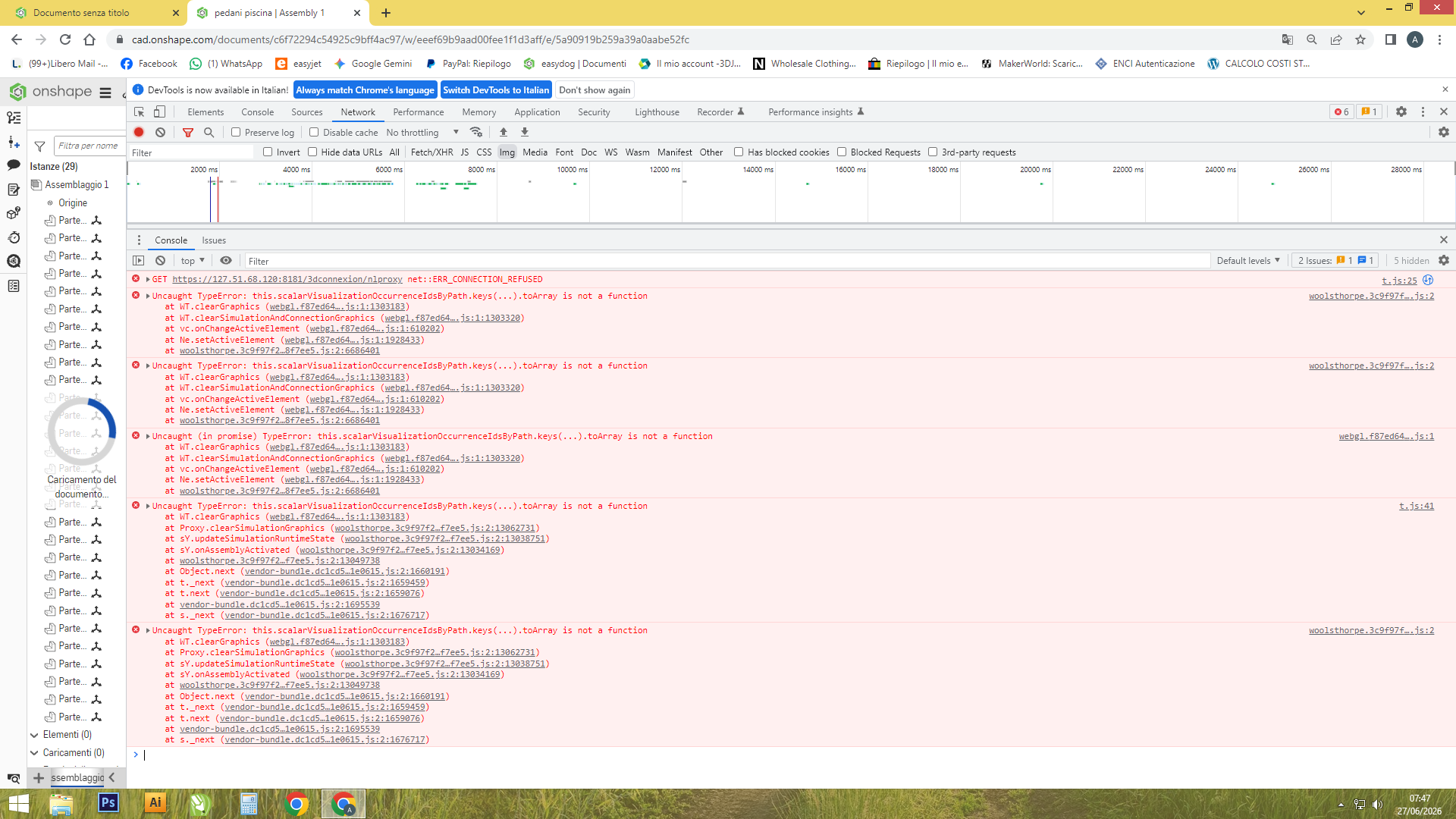 0
0 -
Active command highlighting is a nice one. Looking forward to the day where I don't have to scan all the tools to find the one I need… via colored tools or something to help the eyes gravitate and be more efficient. at guiding the mouse to the intended target.
0 -
Thanks for getting rid of auto center-marks (or giving us the option anyway)!!!! I haven't used them since 1996:) It was always a pain clicking on ever single view I made and turning them off the past 5 years. IDK if that was in this release, or a prior one and I missed it.
1 -
Those auto-center marks have been pretty annoying! Glad to see them optional now. And VR file type compatibility is really getting me excited!!
0 -
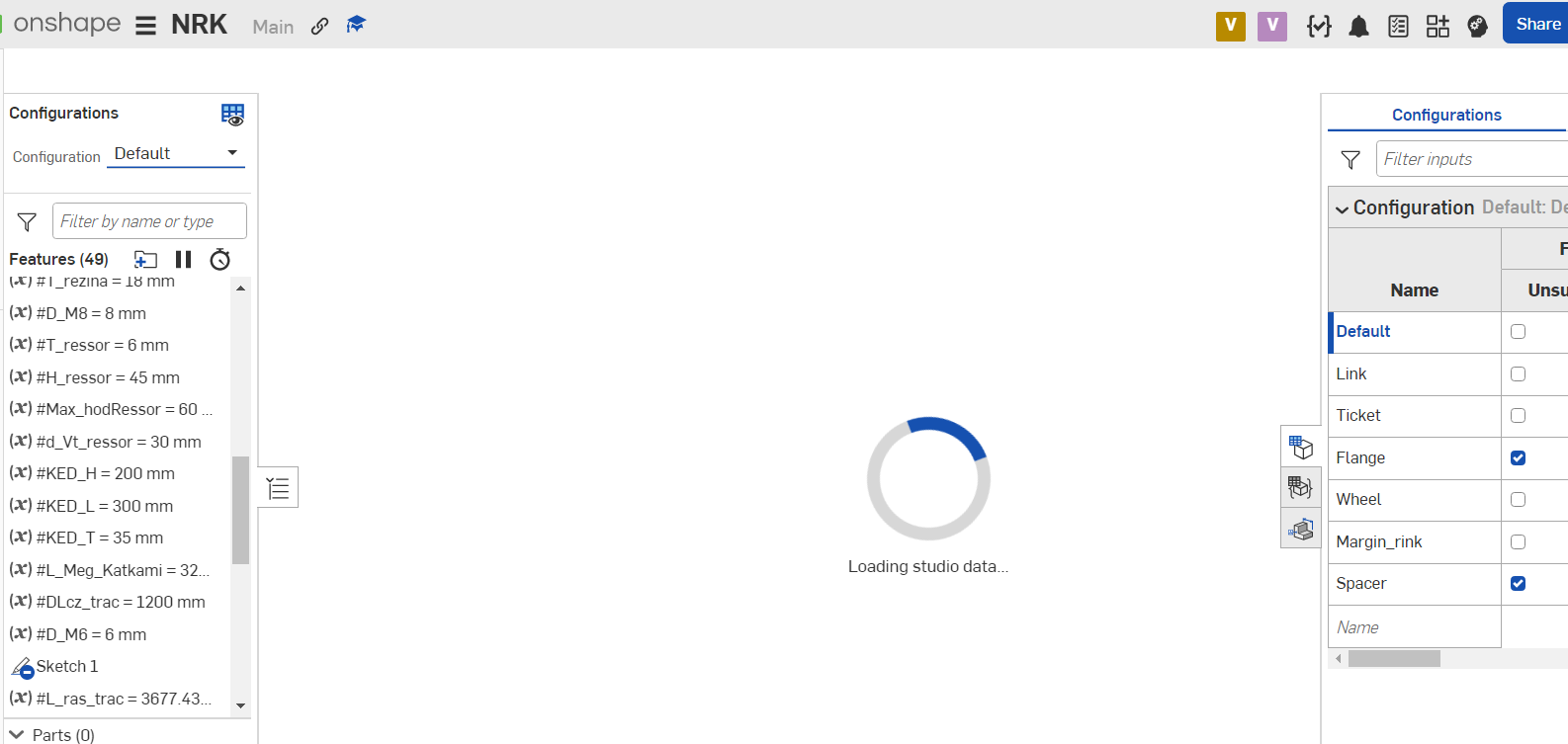
Help! After the last update, the variable table disappeared, drawings do not open, I cannot change drawings. I tried restarting, changing the browser, clearing the cache, nothing helps.
0 -
@volodymyr_biliakov , If the issue persists, please open a support ticket.
0 -
Thanks, I sent it but they are still silent, I thought maybe someone had something similar. I tried on another computer (although the OS, system and settings are the same) but nothing works. There was some update on 06/26/26 after which such a problem occurred.
0 -
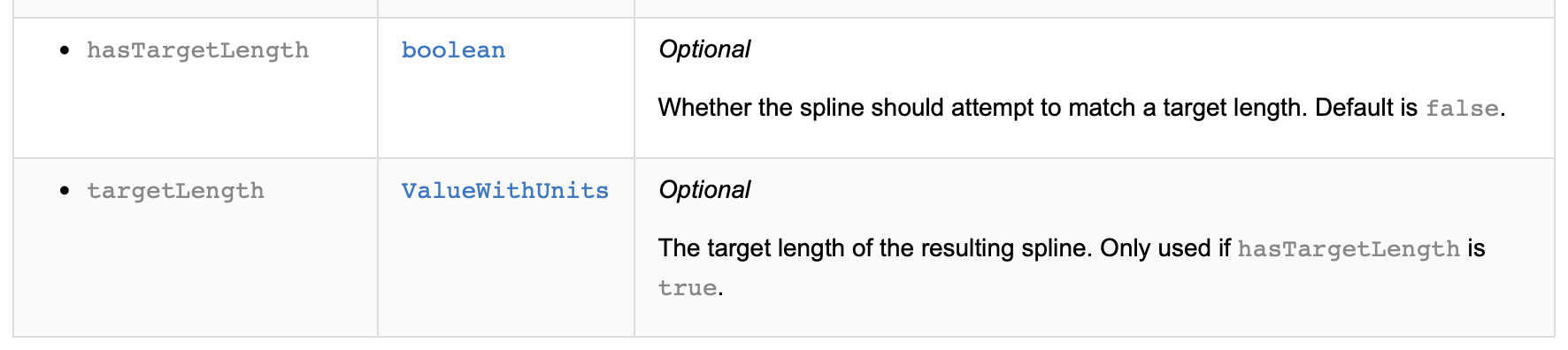
Yeah this one was from the target length addition to Routing Curve last release, but I love that it's just part of opFitSpline now!
1 -
Thank you, everything is restored.
1 -
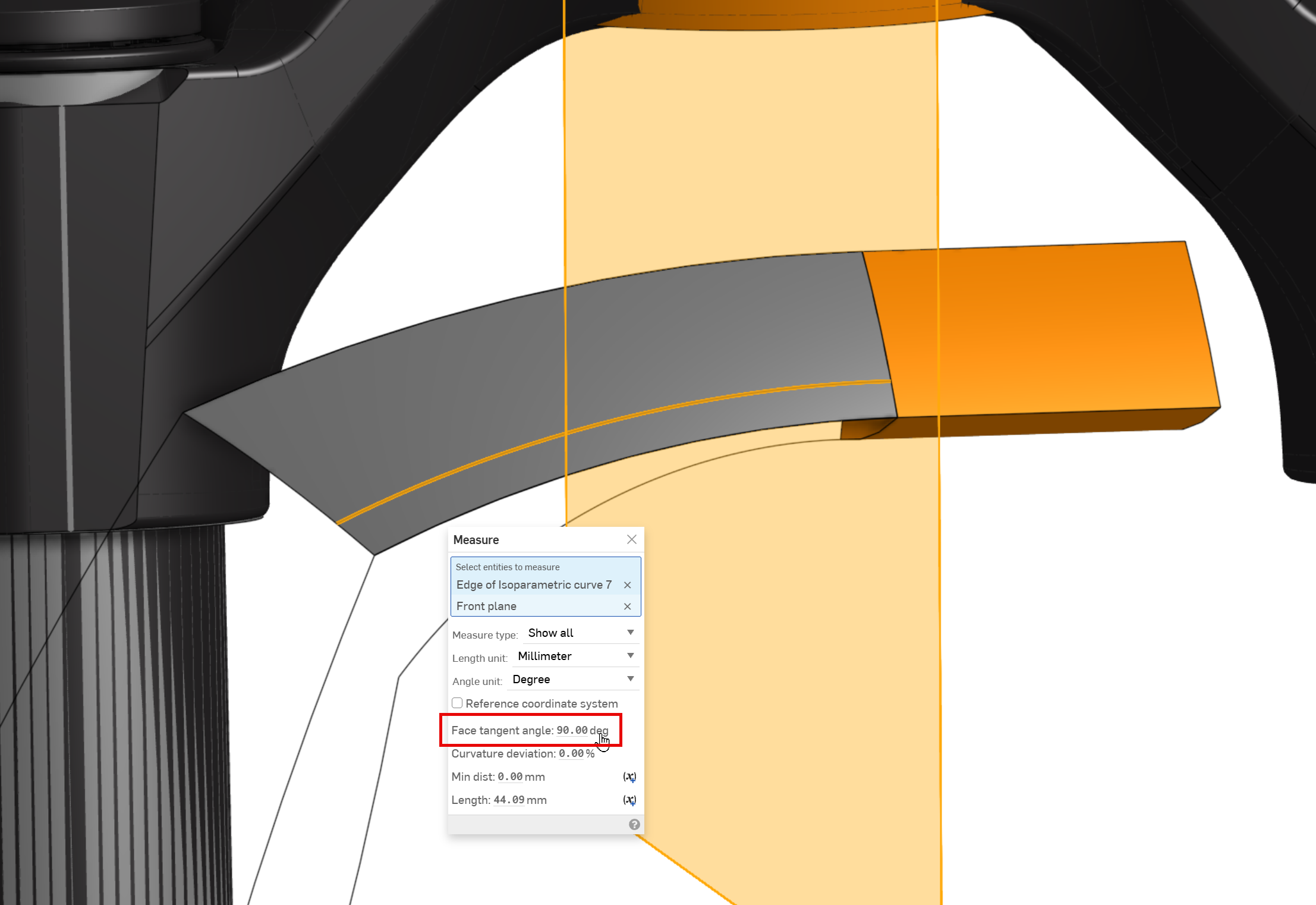
After a note from Neil and reviewing 3 now closed support tickets I can see how "Improved quality of boundary surface from curves" has changed.
The parameterizing of the surface is now distributed more evenly and square to the ends.Prior to this release, the internal curves of a boundary surface did not match the end condition, tangency, in the this case. This construction to be mirrored across front plane later on.
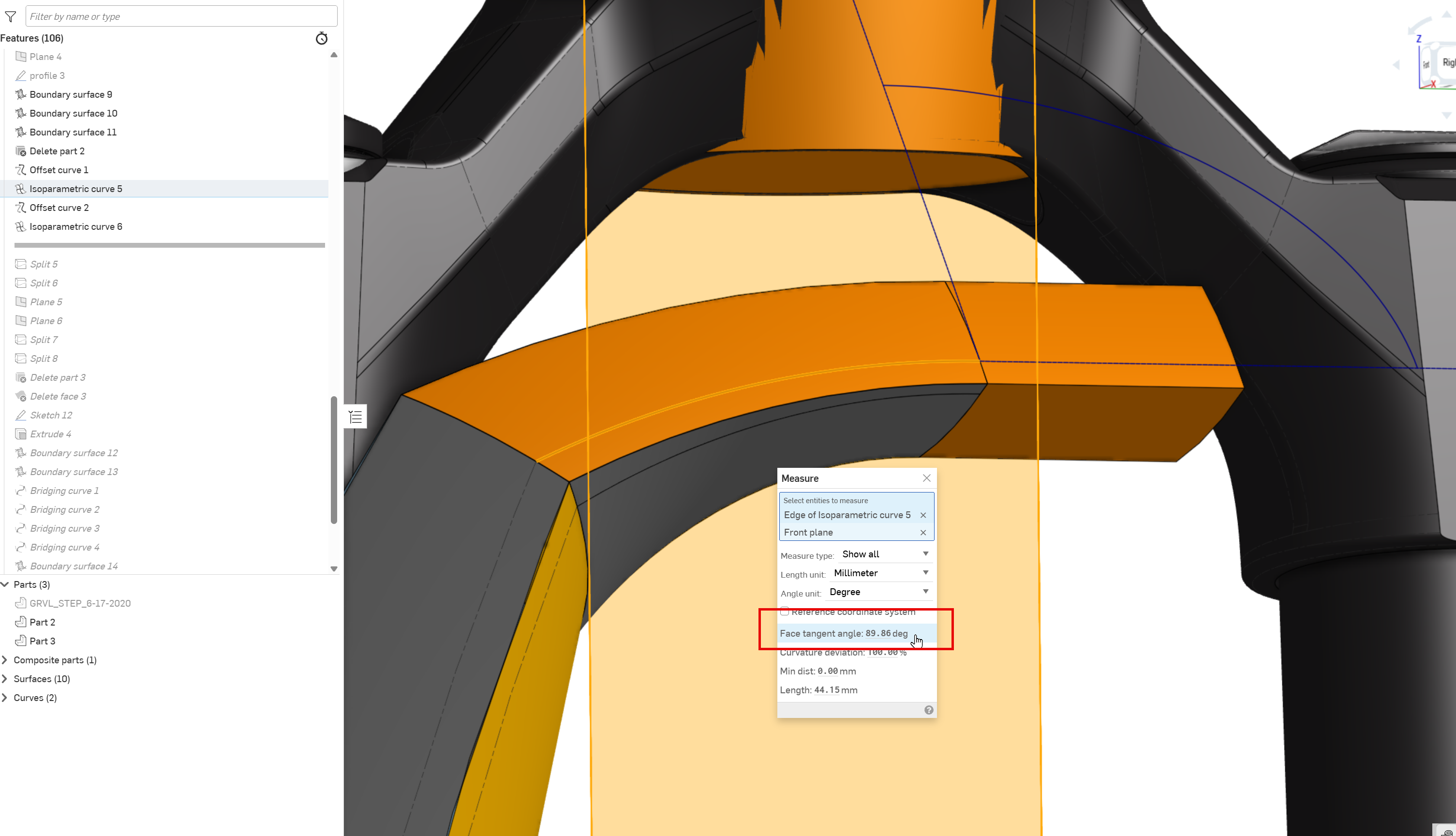
The result triggered a warning in boundary surface and the end condition not meeting the desired tangent continuity, shown solid when should be shown with tangent edges phantom.
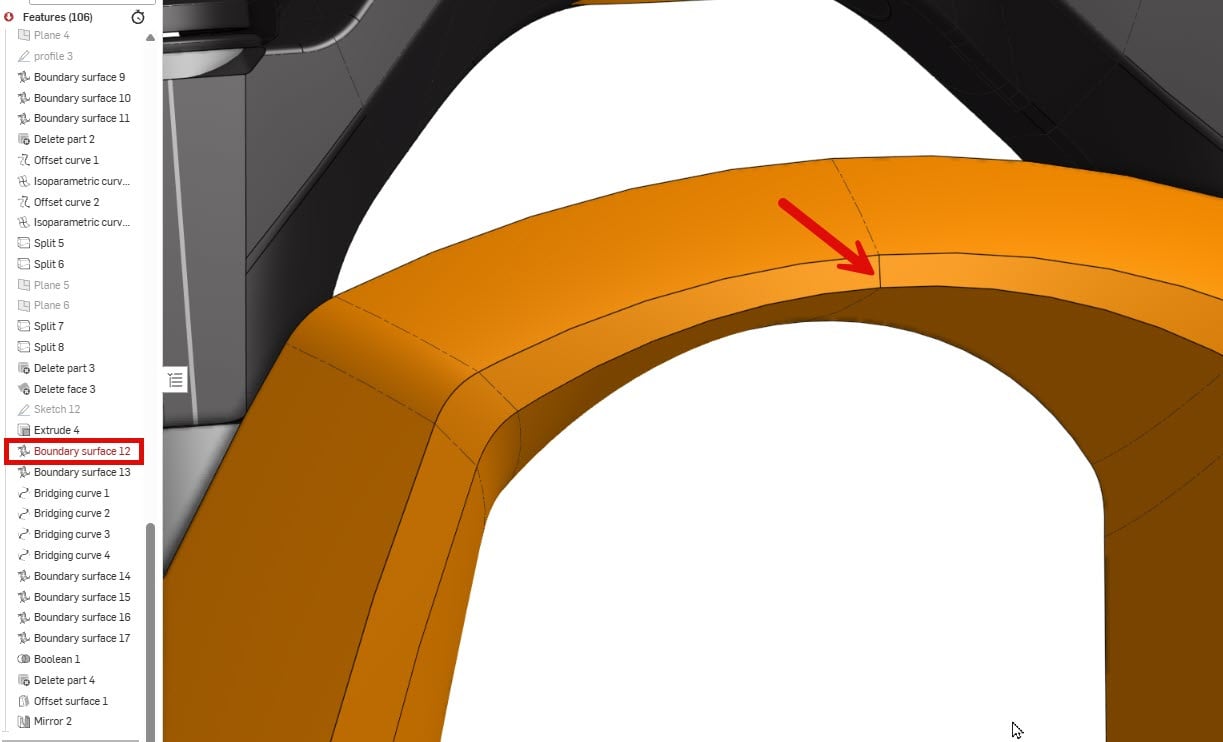
Post release, the boundary surface now generates internal curves that better follow users intent. Perfect 90 will now mirror nicely and allow for the the desired tangency.
 7
7 -
Nice improvement to simulation too! I only did one design simulation when it first came out, and I think I took screenshots of the results for 5 different options since it could only show the latest at that time.
0 -
In order to see the improvement in Boundary surface, I assume that the feature needs to be recreated?
Simon Gatrall | Product Development, Engineering, Design, Onshape | Ex- IDEO, PCH, Unagi, Carbon | LinkedIn
0 -
@S1mon yes, I needed to use a new boundary surface.
1 -
asynchronous simulation is fantastic and now I don't have to take screenshots trying to remember the old analytical methods I used.
I would like better representation for conditions like materials, loads and what was fixed. From the screen graphics you can't really tell what's going on, how much force?. Even just a note field so I could type in why & what I did and the assumptions that I made would be a big improvement trying to recall what happened. When you're creating a report and screen capturing, you have to type notes explaining what's going on which is detached from the analysis but should be part of the analysis. It would be nice if this was captured for future reference.
1 -
@john_mcclary break out the bingo cards. It is officially F5 Friday
3 -
Whooo Hooo!
3