Welcome to the Onshape forum! Ask questions and join in the discussions about everything Onshape.
First time visiting? Here are some places to start:- Looking for a certain topic? Check out the categories filter or use Search (upper right).
- Need support? Ask a question to our Community Support category.
- Please submit support tickets for bugs but you can request improvements in the Product Feedback category.
- Be respectful, on topic and if you see a problem, Flag it.
If you would like to contact our Community Manager personally, feel free to send a private message or an email.
Improvements To Onshape - April 13th, 2016

cody_armstrong
Moderator, Onshape Employees, Developers, csevp Posts: 228 
We have a really exciting update for you that includes one of the most requested features to date! Let's dig in.
- NEW Linked Documents - You can now insert parts, assemblies, and more from other Documents into the current Document.
 https://youtu.be/TMbgwkCOuuU
 - UPDATED Constraint improvements - Improvements to constraints including the ability to choose constraint type first, removing redundant constraint icons, and more.
 https://youtu.be/VpLoSGkDBkg
 - NEW Open model from drawing view - You can now right click a drawing view and open the model referenced.
 https://youtu.be/2MeQsteccew
 - NEW Assembly expressions - Expressions can now be used to define values in assemblies.

- UPDATED Large assembly performance - Large assembly render performance has been improved. Especially with large assemblies that have small detailed parts. The detail level of small parts within a larger assembly will now vary depending on size, complexity, and zoom level.
Please take a moment to try out these new features and improvements and let us know what you think!
Remember: The updates listed here are now live for all users when creating new documents and over the next few days these features will also be available in documents created before the date of this update.
4
Comments
-
I thought I saw something today... #showoverdefined.
We should invent a game called, "Spot the improvements in Onshape today". 6
6 -
Linked doc's are really going to change how documents are structured in Onshape. Awesome stuff.7
-
Opening the model from drawing is very important and great update! Thanks very much!2
-
Linked Documents and Opening the model from drawing will really change how we work with Onshape, well done and keep them coming.
5 -
Especially funny when you just create a drawing and the interface changes while you edit it <span>
 </span>…
I Love show overdefined @cody_armstrong shouldn't that be enabled by default?!
1 -
@florian Yes "Show overdefined" is on by default.florian said:Especially funny when you just create a drawing and the interface changes while you edit it <span></span>…
I Love show overdefined @cody_armstrong shouldn't that be enabled by default?!0 -
Great update. Very helpfull. Keep it up, Onshape Team!
2 -
Awesome updates! Big thumbs up to the entire Onshape team!2
-
the new linked document function is very useful, now we can insert any part or assembly from other document , how nice !5
-
Very nice update!
Thanks for adding Linked documents and Open model from drawing view capability
2 -
Great improvements!
1 -
I'm smiling like a little girl using Onshape these days. Awesome update.
Special thanks to "Linked Documents - You can now insert parts, assemblies, and more from other Documents into the current Document."
//rami2 -
After you get your hands dirty with linked documents, please check the discussion I just started for managing standard parts and updates.
https://forum.onshape.com/discussion/3652/standard-parts-and-linked-documents
//rami0 -
What is the timeline for implementing Sheetmetal in Onshape?
2 -
Normally, Onshape doesn't publicly discuss timelines. Submit an Improvement Request, or add your vote to one that is already there to see sheet metal sooner - Onshape prioritizes features enhancements or additions in part according to user requests.0
-
I'd like to think that sheetmetal is No.1 on the improvements list, certainly the feature I most desperately need. Hopefully we will see it soon but not before it is ready.neels_audie said:What is the timeline for implementing Sheetmetal in Onshape?4 -
Well, personally, I'd vote for detailed hole call-outs in drawings as a top priority, but sheet metal would be nice, also.1
-
And I'd go for advanced assembly documentation instead of having sheetmetal since I don't need it at all.. But I still hope it will be there soon for you guys.. Just put in the tickets so that Onshape knows what we are missing the most.//rami1
-
@cody_armstrong Can you please open up how linked docs work with share? There are so many possibilities to link docs / sub docs / linked fs etc. that I would like to know the rules instead of trial / error method.cody_armstrong said:We have a really exciting update for you that includes one of the most requested features to date! Let's dig in.- NEW Linked Documents - You can now insert parts, assemblies, and more from other Documents into the current Document.
//rami0 - NEW Linked Documents - You can now insert parts, assemblies, and more from other Documents into the current Document.
-
@3dcad3dcad said:
@cody_armstrong Can you please open up how linked docs work with share? There are so many possibilities to link docs / sub docs / linked fs etc. that I would like to know the rules instead of trial / error method.cody_armstrong said:We have a really exciting update for you that includes one of the most requested features to date! Let's dig in.- NEW Linked Documents - You can now insert parts, assemblies, and more from other Documents into the current Document.
Forgive me I'm not sure I understand everything you are asking. A couple things to note...- You cannot insert a linked Document that has been shared with you as view only. ("can view, copy, and export" is minimum)
- If the Document is shared with "can view, copy and export" permission or higher, and has an established version, any part or assembly (or other file) from that Document can be inserted by the person you've shared with.
1 - NEW Linked Documents - You can now insert parts, assemblies, and more from other Documents into the current Document.
-
To add to what Cody has already said.
To share a document that contains links with somebody else you only need to share the top level document. i.e.
Assume there is a user X and Y.
user X has created a document C which contains a link to document B that contains a link to document A.
X has permissions to all C, B and A.
If X wants to share C with Y he only has to share C and not B and A. Y will be able to view C and all the elements in C but he won't be able to open B and A on its own.
1 -
Graphics are great.
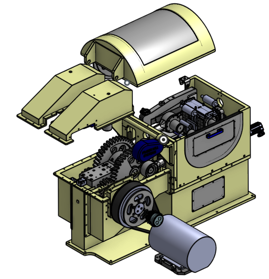
I'd say OS graphics is faster than SW on my Macbook.
*I don't/haven't run openGL on my Macbook.2 -
@cody_armstrong and @ptrajkumar thanks for clearing up, it's nice that you only need to share top level doc.
What if:
User A share doc1 with user B
User B links model from doc1 into his doc2 and shares that to user C
Will user C be able to access whole model? What happens if user A stops sharing a some point?
ps. @billy - very nice
//rami0 -
User C will always be able to open doc2. Once a link has been added from doc1 to doc2 it does not matter what user A does with share permissions on doc1. We felt that this keeps sharing very simple. Otherwise every time you share a document one would have to share all its linked documents as well.0
-
As long as linking is limited to versions, this works as expected and the same way file sharing works.ptrajkumar said:User C will always be able to open doc2. Once a link has been added from doc1 to doc2 it does not matter what user A does with share permissions on doc1. We felt that this keeps sharing very simple. Otherwise every time you share a document one would have to share all its linked documents as well.
If linking is expanded to branch heads (I hope it will be) then I would want a stop sharing order to freeze branch tracking links to the last shared version.0