Improvements to Onshape - October 27th, 2020


How do you update to the latest version of Onshape? Just Sign-In - I'm extremely proud to present the new features in this latest release!
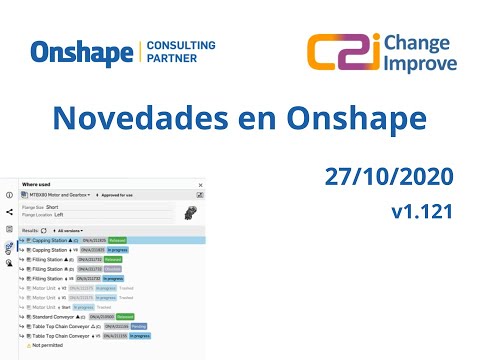
INTRODUCING: WHERE USED
The advanced search tool in Onshape helps you quickly find any version or revision of a Part or Assembly, but it doesn't tell you where that Part or Assembly has been used throughout your organization. To address this, a new capability has been added that allows you to interrogate your search results and perform a "where used" or reverse search, starting with the Part or Assembly and searching upwards through every Subassembly, Assembly and Drawing that references it. This is important when considering the impact of an Engineering Change Request.
To make sure we deliver the best experience for everyone, we will gradually roll out this new functionality. It is available now to all Onshape Enterprise customers and will be made available to all Onshape Professional customers in the coming months.
CAD IMPROVEMENTS
AUTOMATIC VIEW SIMPLIFICATION
When you insert a view of a large assembly into a drawing, Onshape now automatically determines the best setting for view simplification based on the complexity of the view geometry. This leads to performance improvements when inserting views of large assemblies.
NEW NOTIFICATIONS ICONS
When you hover over the notification area, a new delete icon will appear to let you delete the notification. The blue dot next to the delete icon indicates an unread notification. After the message has been read, you can click on the grayed out dot to mark it as unread again.
EXPORT OBJ FILE FORMAT
The OBJ file format is now available in the export menu in Assemblies and Part Studios. If you choose this export format, a ZIP file is created which contains both the OBJ and MTL file.
SETUP WALKTHROUGH
When a new user signs in to their Onshape account for the very first time, they are now guided through a series of account setup options. When a new team member is onboarding or you are setting up a new account, you won't miss any of the options that are available in your account preferences and you'll be able to get to work more quickly and more efficiently.
ENTERPRISE IMPROVEMENTS
NEW DASHBOARD: MODELING TIME PER PROJECT PER DAY
A new chart has been added to the User Dashboard to show each user's modelling time per project per day. This gives executives and project managers an overview of the contributions made by each user on each project to enable better decisions and better resource management.


SUPPORT FOR GOOGLE SSO - DOMAIN WHITELIST
When setting up Google SSO, the admin of your enterprise may now add a specific domain to the new "Domain Whitelist" field. This allows anyone with that email domain to sign in to that specific enterprise. Help documentation on how to set up Single Sign On with Google can be found here.
EDUCATION ENTERPRISE: SIMPLIFIED USER MANAGEMENT
All users within an Onshape Education Enterprise account are full members by default, so we have simplified the process of adding new users by removing the Light and Guest user options.FEATURESCRIPT IMPROVEMENTS
NAMED ATTRIBUTES
Attributes created using setAttribute can now be assigned a name. Using a name makes attributes easier to retrieve rather than having to construct an attributePattern. A new set of queries have also been added so you can query by name, name/value or name/attributePattern. Help documentation for named attributes and how legacy unnamed attributes are handled can be found here.
setAttribute(context, {
    entities: myQuery,
    name: "myAttribute",
    attribute: myValue
});
getAttributes(context, {
    entities: myQuery,
    name: "myAttribute"
});
qHasAttribute("myAttribute");
qHasAttributeWithValue("myAttribute", myValue);
qHasAttributeWithValueMatching("myAttribute", {
    "field1" : "value1",
    "field2" : "value2"
});
Please take a moment to try out these new features and improvements and leave your comments below. For a detailed list of all the changes in this update, please see the changelog.
Remember: The updates listed here are now live for all users when creating new Documents and over the next few days these features will also be available in Documents created before the date of this update.
Comments
-
where used is awesome

Un saludo,
Eduardo Magdalena C2i Change 2 improve ☑ ¿Por qué no organizamos una reunión online?
Partner de PTC - Onshape Averigua a quién conocemos en común3 -
Named attributes seems a great addition. So now no need to do
setAttribute(context, {"entities" : qNonCapEntity(id, EntityType.FACE),"attribute" : { "name" : "moldStockSides" } });
insteadsetAttribute(context, {"entities" : qNonCapEntity(id, EntityType.FACE),"name" : "moldStockSides" });
In this case is the attribute member of the map necessary? Seems we just want to name a query relative to our stuff so we can use that in future.Creating knowledge-driven design automation software, for molds, etc.
www.virtualmold.com0 -
Great to see more improvements. Where used is moving in a good direction
Is there any way as a pro user we can get the MODELING TIME info? This would be very useful. I am not expecting the details of enterprise but for smaller users or contractors being able to check this would be very useful. Also as a user under Enterprise, it would be great to be able to see this info to help self-manage time spent.
0 -
I like what you did with the new user setup walk through.
1 -
I can tell a lot of thought and work has gone into Where Used. I'm actually fairly stoked about OBJ export and it's pretty timely for us. We needed it just last week.0
-
@alan_baljeu
You do need to set a value for the attribute, but you can set it to something simple liketrue, and still get the full value of qHasAttribute() later on.1 -
Great job rolling out the Where Used. Can't wait to try it!0
-
Can't wait to try the "Where Used"!
 0
0 -
Where used, let's goooo! Thanks guys!2
-
Great stuff, Where Used will be a game changer for our workflow.2
-
OBJ export is a great addition for me, thank you1
-
AWESOME!! Named attributes will be Extremely helpful. Thank you guys1
-
Excited to update our framework to the new attribute system. Would be very interested to see Where Used evolve to include being able to see where a part studio is being used as a reference parameter in other documents.Applications Developer at Premier Custom Built
chadstoltzfus@premiercb.com2 -
Still waiting on updates for sheet metal...
4 -
Love the where-used! Great update! Great work!0
-
I'm always for sheet-metal updates.Tristan_Flowers said:Still waiting on updates for sheet metal...
What ones in particular are you waiting for?
I'll add my votes to any improvement requests you have open if you link them here2 -
As a pro (but not enterprise user) this one feels a little bitter-sweet. I'm super excited about "where-used", but sad that it's rolling out gradually.
Oh well, could be worse...3 -
Well, other CAD systems rolling out these kinds of features a year later, not 3 weeks I understand it very well. It's just a matter of checking that everithing is ok before all user work with this new functionality.And it makes sense that the enterprise users should be the first to try these big new functionalitiesUn saludo,
Eduardo Magdalena C2i Change 2 improve ☑ ¿Por qué no organizamos una reunión online?
Partner de PTC - Onshape Averigua a quién conocemos en común3 -
@emagdalenaC2i - For sure! I completely understand the reasoning for a slower rollout for such a big feature. I'm just being impatient.
1 -
-
Where used will prove very helpful. Thank you.0
-
Anybody tried to use OBJ exports from Onshape?I tried exported OBJ model in 3D printing slicers (FlashPrint, Cura 4 and IdeaMaker) and it seems Onshape has made OBJ model 1000x smaller.0
-
Same scale issue with Keyshot too - will need to learn the ins & outs of exporting OBJ for sure. (maybe it's not better than parasolid or using the "Onshape Connector" for Keyshot.
0 -
Thank you so much for adding the OBJ+MTL export option. This is essential for the VR and AR work we do in my classes! Now, if we can just get some textures in there (sort of like Inventor), that would be a DREAM!2
-
"where used" sounds and seems so simple.. in all the PLM systems that I've been using it has always been a bit of a pain point. I am looking forward to try it out once it trickles down to my level. From @NeilCooke 's video it seems easy to use

1 -
Un saludo,
Eduardo Magdalena C2i Change 2 improve ☑ ¿Por qué no organizamos una reunión online?
Partner de PTC - Onshape Averigua a quién conocemos en común0 -
I'm afraid I don't much like the view simplification and it really shouldn't be the default. It seems like a cheap way around the real problem of terrible drawing performance. Not sure when just leaving out parts is ever acceptable in a professional drawing. A far better use of time would be improving the view performance. I come from Inventor which is about 50X faster at placing and manipulating drawing views so it is possible. Right now drawing (especially placing views and updating drawings) is truly dismal, even for small assemblies. I really hope some serious effort can be put on improving this in the near future.8















 https://youtu.be/ZJUK0ikD2qM