Welcome to the Onshape forum! Ask questions and join in the discussions about everything Onshape.
First time visiting? Here are some places to start:- Looking for a certain topic? Check out the categories filter or use Search (upper right).
- Need support? Ask a question to our Community Support category.
- Please submit support tickets for bugs but you can request improvements in the Product Feedback category.
- Be respectful, on topic and if you see a problem, Flag it.
If you would like to contact our Community Manager personally, feel free to send a private message or an email.
Improvements to Onshape - January 18th, 2019

cody_armstrong
Posts: 228 
It's the first update of 2019 and we are hitting the ground running with a big update with some highly-requested improvements! Let's get started.
Please take a moment to try out these new features and improvements and leave your comments below. For a detailed list of all the changes in this update, please see the changelog.
Remember: The updates listed here are now live for all users when creating new Documents and over the next few days these features will also be available in Documents created before the date of this update.
CAD IMPROVEMENTS
VIEW-ONLY TOOLBAR
Documents that have been shared view-only now have a special toolbar meant to make navigating Onshape easier for non-CAD users.INTEGRATION WITH GOOGLE DRIVE AND DROPBOX
You can now integrate Onshape with your Google Drive and Dropbox account. This makes it possible to browse your Google Drive or Dropbox files from directly within Onshape and also makes it much easier to import from and export to these services.PEM® STANDARD
The PEM® Standard has been added to Onshape. You will see the PEM® Standard when creating holes using Hole Feature. You will also see PEM® hardware has been added to the library of Standard Content. This library of PEM® hardware will be expanded in the near future.IMAGES IN COMMENTS
Images can now be inserted into comments in Onshape.DIMENSION AND ANNOTATION SNAP IN ONSHAPE DRAWINGS
Dimensions and Annotations will now snap in Onshape Drawings. This makes them easier to align and makes Drawings in general easier to organize.RESIZE DOCUMENT DETAILS
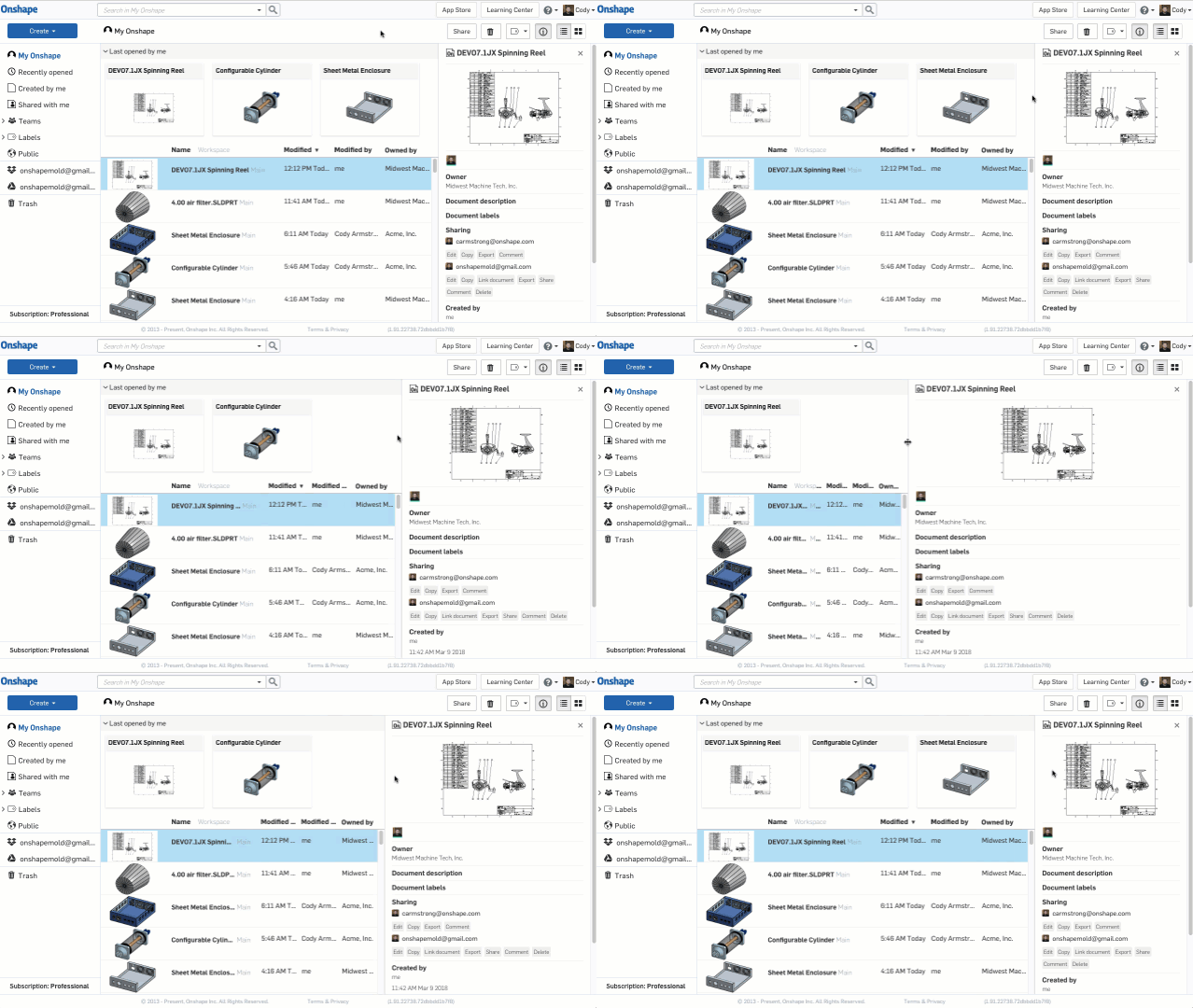
The Document details panel can now be resized.Please take a moment to try out these new features and improvements and leave your comments below. For a detailed list of all the changes in this update, please see the changelog.
Remember: The updates listed here are now live for all users when creating new Documents and over the next few days these features will also be available in Documents created before the date of this update.
6
Comments
-
Hooray for snap dimensions! The more drawing improvements the better. Thank you!4
-
Amazing view-only tool bar design! Neat and intuitive, no reason not to use it regardless of experience in CAD. Thanks so much!!3
-
Thanks for the updates, the direct link to cloud storage is a great addition and looking forward to using this. Also a big thanks for the image upload to the comments this will make it so much more usable and keeps everything within the document without extra emails.
I'd also like to hear what mark tool people are using. At the moment I am using greenshot (free) but looking to buy snagit or should I wait for a screen mark tool to be included as part of Onshape.
1 -
PEM Standards!!!
and easier viewing. Im still trying to rationalize with people even in our company that they do not need to view in other software. Just use a free account! People are stuck in their ways. Someone please tell me why I would want to use anything other than onshape ever?4 -
What a good Friday!
Thanks especially for...
1. PEM standard - absolutely awesome
2. View-only toolbar
3. Images in comments1 -
I love all of these updates. More than that, I want to congratulate the Onshape team for being so thoughtful in choosing where to improve. You just keep adding stuff I didn't know I needed, but that really gets me excited! Thanks for the updates5
-
@brucebartlett
I use one called Jing that's free and I like it ok, but I'm not sure if it's still actively supported anymore. Either way, it's working. I'd like to hear what others use as well.1 -
Can multiple user use a single gmail account0
-
I am sure they could and it just a links to the google drive and displayed in Onshape. I was hoping I might be able to spec just a folder in my account rather than see the account at the top level.D8_Starpac said:Can multiple user use a single gmail account1 -
Well done folks,
OSBusiness Systems and Configuration Controller
HWM-Water Ltd1 -
Great improvements!!!Un saludo,
Eduardo Magdalena C2i Change 2 improve ☑ ¿Por qué no organizamos una reunión online?
Partner de PTC - Onshape Averigua a quién conocemos en común1 -
@brucebartlett Usersnap is integrated in Onshape (well, more or less integrated)
- Select Contact support in Onshape
- Check Add a screenshot
- Add comments, arrows, etc.
- Use the tool you want to save the image like Snipping tool (I think thats its name in English, its called Recortes in Spanish) in Windows
- Finally, don't forget to close the contact support window

Un saludo,
Eduardo Magdalena C2i Change 2 improve ☑ ¿Por qué no organizamos una reunión online?
Partner de PTC - Onshape Averigua a quién conocemos en común5 -
@emagdalenaC2i I have used user snap for this too but find the support dialogue gets in the way and I also worrie I'll accidentally send to support.1
-
Great work Onshape! Nice set of improvements here.
@brucebartlett
I use Greenshot also....I've used various tools over the years, but Greenshot seems to have stuck the longest. I really like the ability to quickly select one of my three typical destinations for screenshots: clipboard (most common for me), save to file, and open in editor. I don't like Greenshot's editor AT ALL, but I don't use it much.1 -
Excellent work team! Thank you much.2
-
Super excited for the Drive integration.
Here are a couple notes on the Google Drive integration, after trying it out a bit.- In Documents list: the Drive filter shows me all items (Folders and anything uploadable to OS I think) in My Drive, in alphanumeric order. I can't see a way to further search or filter. This is almost unworkable, since there are 1,000's of objects in my My Drive. I will try getting clever with top-level folder naming so I can more quickly find the stuff I need, but this needs work. Without a workable filter/sort/search for this view it is far inferior to using regular old Windows Explorer (or Mac Finder, or whatever Linux calls it) to locate and import files from.
- In "Export to Google Drive" dialog: the folders presented are not sorted in any useful order. Also, when I click the "next" button (which I expect should take me to the next 20 folders in My Drive) it refreshes to the same set of folders. I cannot search, filter, or select any destination folder other than the 20 showing. Which are a very strange set of folders - not most recent, not relevant in any way at all. However, if I click "Export" (without selecting a folder) the files export perfectly to My Drive (where I can move them to where they belong in a separate step in Drive). This is functionally no better than the default "Downloads" folder in the default setup.
- Please include Drive File Stream support. For G Suite customers, File Stream is becoming the best place shared content (most like a "server" that we're used to).
Is anyone else seeing the limited utility that I am from the Drive integration? Any good workarounds yet? If my experience is unique, I will submit feedback and a support ticket.
1 -
Amazing stuff!
It's very helpful to have navigation panel especially when sharing just a link to non-cad person. All other new features highly appreciated too!
Few tweaks for newly added stuff:
- When clicking dimension icon in read-only navi, automatically popup further dimension panel in corner and tip 'Select two instances to measure'.
- For dropbox & google connection, add default folders for import & export where to begin search for exact folder to work with.
- I would like to insert images into comments (and into tabs and into forums) straight from clipboard without saving them to local file at all. I don't like to fill up temp folders with temp screenshots.//rami1 -
@brucebartlett
I use lightshot (free) for screenshots. It's very fast to use and you can add basic arrows, lines & text to image then copy, save or print with a single click.//rami1 -
Sweet, snapping balloons and more google integration!1
-

Really like the dimension snap1 -
Question about the new tag functionality in the comment field.
- I add some comment text.
- I tag an entity by the new “Tag entity…” botton.
- Now I like to get rid of the tag, so I do not like to Replace (cannot find Remove).
- I press Cancel. Now the tag is remove but also the text is also removed.
How do I remove the tag entity only?
0 -
As someone who's really values visual presentation in a drawing, I truly appreciate the dimension snaps.
It was the thing that was bothering me the most up until now whaha.3 -
Un saludo,
Eduardo Magdalena C2i Change 2 improve ☑ ¿Por qué no organizamos una reunión online?
Partner de PTC - Onshape Averigua a quién conocemos en común3 -
it will be possible a mega integration too? it is used by a lot of people and it give us a 50gb accound free.
thanks0 -
@Evan_Reese
@brucebartlett
I use CloudApp for screenshot annotations and capturing screen gifs or video. It uploads everything you create and gives you a shortlink to that content, which makes it very easy to share. The free version is fully featured and mostly just limits the amount you can upload.0 -
All I can say is wow! The view only helper is SUCH an awesome idea! And the new PEM stuff is NEXT LEVEL! Can't wait to check this stuff out. Thank you all for keeping Onshape moving FORWARD.5
-
2
-
Is there a way to import straight from google drive into an existing document? I went looking for this expecting it in the + tab section under the import but doesn't look like it's there.0
-
Thanks for the update!
Can we also expect the snapping with a certain fixed spacing when dimensions are placed above each other? It would be very neat if the spacing in between dimensions placed above each other would be equal and identical on all drawings.0 -
@mike_hölscher that's a great idea - please create an IR in the category on the right --> Although, this is a tricky one - if you move a dimension between two others, do you expect them to move to accommodate it? The direction of movement then becomes somewhat arbitrary (unless you can think of some good logic to control it).
Senior Director, Technical Services, EMEA0











 https://youtu.be/zSY71ug9Fvk